
1. Увод
This manual provides essential information for the proper use and maintenance of your Reflex Active Series 23 Smart Watch. Please read it thoroughly before using your device to ensure optimal performance and longevity.
The Reflex Active Series 23 Smart Watch is designed to integrate seamlessly into your daily life, offering features such as communication, health monitoring, and activity tracking. It features a black strap and a black brushed alloy case.
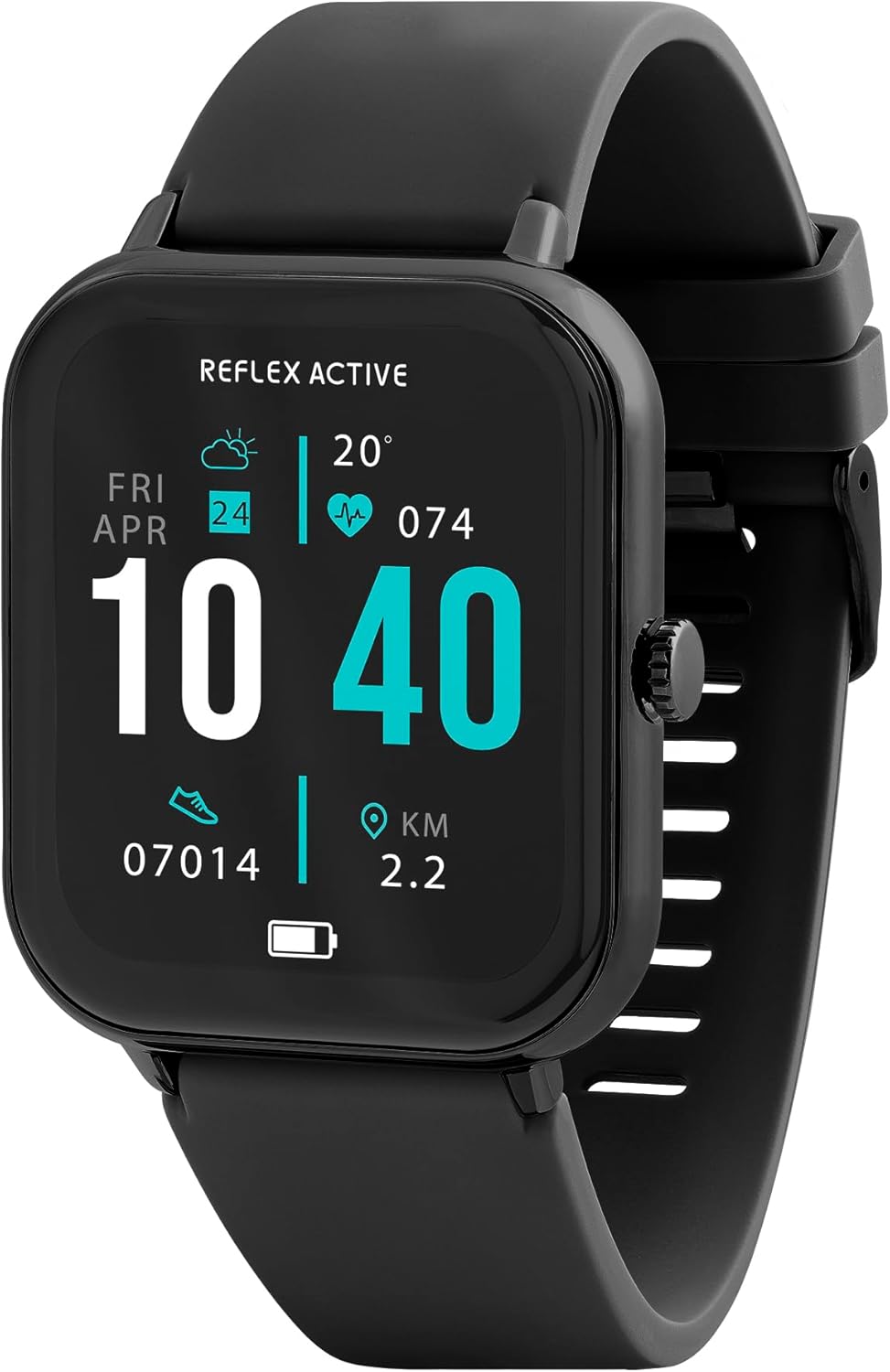
Image 1.1: Reflex Active Series 23 Smart Watch displaying key information.
2. Безбедносне информације
- Медицинска Одрицање: This device is not a medical device. Data provided by the watch, including heart rate, blood oxygen, and activity tracking, is for reference only and should not be used for medical diagnosis or treatment. Consult a medical professional for any health concerns.
- Безбедност батерије: Do not attempt to replace the battery yourself. Improper battery replacement can lead to overheating, fire, or explosion.
- Отпорност на воду: The device is IP68 water resistant. This means it is protected against immersion in water up to 1.5 meters for up to 30 minutes. It is suitable for everyday use and shallow-water activities but not for diving or high-pressure water activities. Avoid exposure to hot water, steam, or chemicals.
- Опасност од гушења: Keep the device and its accessories out of reach of small children.
- Безбедност вожње: Do not operate the watch or check notifications while driving or in situations that require full attention.
- Иритација коже: If you experience skin irritation, redness, or discomfort, discontinue use and consult a doctor. Ensure the watch is clean and dry before wearing.
3. Подешавање
3.1. Распакивање и први преглед
Након отварања паковања, проверите да ли су све компоненте присутне:
- Reflex Active Series 23 Smart Watch
- УСБ кабл за пуњење
- Упутство за употребу (овај документ)
- 2-Year Guarantee Information

Image 3.1: Package contents of the Reflex Active Smart Watch.
3.2. Пуњење паметног сата
Before first use, fully charge your smart watch. Connect the magnetic charging cable to the charging points on the back of the watch and plug the USB end into a compatible power adapter (not included) or a computer's USB port. The watch display will indicate charging status.
3.3. Инсталација апликације
To unlock the full functionality of your Reflex Active Series 23 Smart Watch, you need to install the free Reflex Active Red App on your smartphone. The app is compatible with both iOS and Android devices.
- Scan the QR code in the instruction guide or search for "Reflex Active Red App" in your device's app store.
- Преузмите и инсталирајте апликацију.
- Follow the on-screen instructions to create an account and set up your profile.

Image 3.2: Reflex Active Red App download options.
3.4. Упаривање паметног сата
After installing the app, follow these steps to pair your watch with your smartphone:
- Уверите се да је ваш сат напуњен и укључен.
- Омогућите Блуетоотх на свом паметном телефону.
- Open the Reflex Active Red App.
- Идите до одељка за упаривање уређаја у апликацији.
- Select your Reflex Active Series 23 from the list of available devices.
- Потврдите захтев за упаривање и на сату и на паметном телефону.
4. Управљање паметним сатом
4.1. Основна навигација
The Reflex Active Series 23 features a responsive touchscreen and a side button for navigation:
- Превуците нагоре/надоле: Листајте кроз меније и обавештења.
- Превуците лево/десно: Access quick-view widgets or different watch faces.
- Додирните: Изаберите ставку или отворите апликацију.
- Бочно дугме: Притисните да бисте се вратили на почетни екран или пробудили дисплеј. Дуго притисните за опције напајања.
4.2. Комуникационе карактеристике
Stay connected directly from your wrist.
- Упућивање и примање позива: Када се упарите, можете упућивати и примати позиве директно на сату.
- Обавештења о порукама: Receive alerts for incoming messages from various apps.

Image 4.1: Receiving an incoming call on the smart watch.

Image 4.2: Smart watch displaying a wellness feature.
4.3. Health and Activity Tracking
The watch offers comprehensive tracking features:
- Монитор пулса: Непрекидно прати ваш откуцај срца.
- Бројач корака: Records your daily steps and distance.
- Праћење спавања: Прати ваше обрасце и квалитет сна.
- Праћење калорија: Estimates calories burned based on activity.
- Праћење циклуса: Helps monitor menstrual cycles (via app).
- Multi-Activity Tracking: Supports various sports modes.
- Вежбе дисања: Вођене сесије дисања за опуштање.
- Упозорења о хидратацији: Reminders to drink water.
- Седентарни подсетници: Упозорава вас да се покренете након периода неактивности.
- ГПС веза: Користи ГПС вашег телефона за прецизно праћење руте током активности на отвореном.

Слика 4.3: Готовоview of Reflex Active Smart Watch features.
4.4. Додатне карактеристике
- Контрола музике: Контролишите репродукцију музике на свом паметном телефону директно са свог сата.
- Контрола камере: Користите свој сат као даљински управљач за камеру свог паметног телефона.
- Personalised Photo Dials: Customize your watch face with your own photos via the app.
- Watch Locator: Use the app to find your watch if it's misplaced nearby.
- Ажурирања времена: Добијајте информације о времену у реалном времену.
- Лампа: A simple flashlight function on the watch display.
4.5. General Product Video
Следећи видео пружа општи прегледview of Reflex Active smartwatch features, including calling, notifications, health tracking, and customization. While it may feature other series, the core functionalities are similar to your Series 23.
Видео 4.1: Генерално прекоview of Reflex Active Smart Watch features (Note: Features shown may vary slightly by model series).
5. Одржавање
5.1. Чишћење паметног сата
Да бисте одржали изглед и функционалност вашег сата:
- Обришите екран и кућиште меком крпом која не оставља влакна.
- For the strap, use a damp cloth and mild soap if necessary, then rinse thoroughly and dry completely before wearing.
- Избегавајте употребу јаких хемикалија или абразивних материјала.
5.2. Отпорност на воду (IP68)
Your Reflex Active Series 23 Smart Watch is rated IP68 water resistant. This means it can withstand dust, dirt, and sand, and is resistant to submersion up to a maximum depth of 1.5m underwater for up to thirty minutes. It is suitable for everyday use, such as washing hands or light rain exposure. However, it is not recommended for swimming, showering, or prolonged water exposure, especially in hot water or with soap, as this can compromise the seals.
5.3. Брига о батерији
- Charge the watch regularly to prevent deep discharge.
- Avoid exposing the watch to extreme temperatures, which can degrade battery life.
- Користите само приложени кабл за пуњење.
КСНУМКС. Решавање проблема
If you encounter issues with your Reflex Active Series 23 Smart Watch, try the following solutions:
- Сат се не укључује: Уверите се да је сат потпуно напуњен. Повежите га са пуњачем најмање 30 минута.
- Not pairing with smartphone:
- Уверите се да је Блуетоотх омогућен на вашем телефону.
- Уверите се да је сат у домету вашег телефона.
- Поново покрените и сат и паметни телефон.
- Check if the Reflex Active Red App is updated to the latest version.
- Ако је уређај претходно упарен, покушајте да га раскинете и поново упарите путем подешавања Bluetooth-а на телефону и апликације.
- Нетачно праћење активности:
- Уверите се да сат чврсто приања на зглоб, отприлике ширину једног прста изнад кости зглоба.
- Calibrate your stride length in the Reflex Active Red App if steps or distance are consistently off.
- Уверите се да су ваши лични подаци (висина, тежина, године) тачни у апликацији.
- Обавештења се не приказују:
- Check notification settings within the Reflex Active Red App to ensure desired apps are enabled.
- Verify that your phone's notification settings allow the Reflex Active Red App to send notifications.
- Уверите се да је сат повезан путем Блутут-а.
- Екран не реагује: Try restarting the watch by long-pressing the side button until power options appear, then select restart. If unresponsive, allow the battery to fully drain and then recharge.
7. Спецификације
| Број модела | РА23-2170 |
| Бранд | Рефлек Ацтиве |
| Материјал кућишта | Black Brushed Alloy |
| Материјал траке | Црни силикон |
| Отпорност на воду | ИП68 |
| Тип батерије | 1 литијум полимер (укључен) |
| Димензије пакета | 18.4 к 8.9 к 2.4 цм |
| Тежина артикла | 38 г |
| Компатибилност | iOS & Android (via Reflex Active Red App) |
8. Гаранција и подршка
Your Reflex Active Series 23 Smart Watch comes with a 2 године гаранције од датума куповине, покривајући производне недостатке. Молимо вас да сачувате доказ о куповини за потребе гаранције.
For further assistance, troubleshooting, or warranty inquiries, please contact the UK support team. Details can be found on the Reflex Active website or within the Reflex Active Red App.
Подршка на мрежи: Visit the official Reflex Active webсајт за често постављана питања и ресурсе за подршку.
Подршка за апликације: The Reflex Active Red App often includes a support section or contact information.