
1. Увод
This manual provides comprehensive instructions for the FK Irons Flux Max Wireless Pen Tattoo Machine. It covers essential information regarding setup, operation, maintenance, and troubleshooting to ensure optimal performance and longevity of your device. The Flux Max is designed for professional tattoo artists, offering advanced features and ergonomic design for precision and comfort.
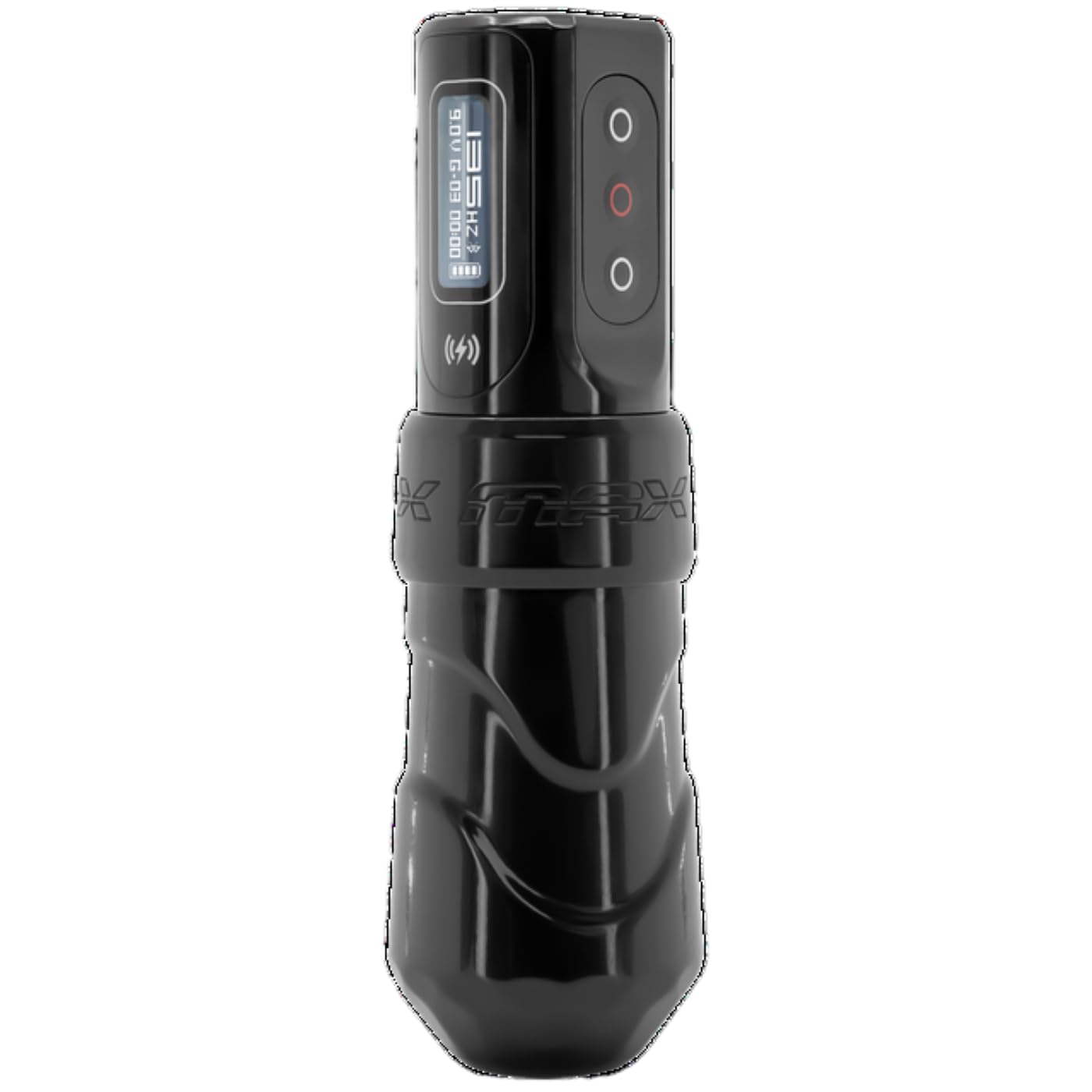
The FK Irons Flux Max wireless tattoo machine pen offers extended stroke length options, including 3.2mm, 4.0mm, and 4.5mm. It features the PowerBolt II battery pack with an OLED digital display, Bluetooth connectivity, and over 10 hours of tattooing power. The PowerBolt II allows for adjustable give directly on the device, eliminating the need for a mobile app connection. Constructed from 6061 T6 aluminum, the machine incorporates a redesigned ergonomic grip for enhanced control and comfort, with voltage adjustments available in 0.1 increment steps.
2. Кључне карактеристике
- Extended Stroke Length Options: Available in 3.2mm, 4.0mm, and 4.5mm for versatile tattooing applications.
- PowerBolt II Battery Pack: Provides over 10 hours of battery life with an OLED digital display.
- Блуетоотх повезивање: Enables advanced features and connectivity.
- Adjustable Give: Control needle give directly from the PowerBolt II without requiring a mobile application.
- Ергономски дизајн: Features a redesigned grip and forward-weighted balance for maximum control and comfort during extended use.
- Прецисион Волtagе Подешавање: Allows for fine-tuning of voltagе у корацима од 0.1 В.
- Издржљива конструкција: Made from high-quality 6061 T6 aluminum.
3. Безбедносне информације
This device is intended for professional use only by trained and certified tattoo artists. Adherence to local health and safety regulations is mandatory.
- Само за спољну употребу: The tattoo machine is for external application of tattoo ink to the skin.
- стерилизација: Ensure all components that come into contact with the skin or ink are thoroughly sterilized before each use. Use appropriate sterilization methods as per industry standards.
- Професионална употреба: This equipment is designed for experienced or professional tattoo artists only.
- Извор напајања: Use only the provided PowerBolt II battery pack or compatible FK Irons power sources.
- Избегавајте влагу: Keep the device dry. Do not immerse in liquids.
- одлагање: Dispose of needles and other consumables according to biohazard waste regulations.
4. Подешавање
4.1 Распакивање и преглед
Carefully unpack all components. Inspect the machine and PowerBolt II for any signs of damage. If any damage is observed, do not use the device and contact your supplier immediately.
4.2 Charging the PowerBolt II
- Connect the provided USB-C charging cable to the PowerBolt II charging port.
- Повежите други крај кабла са компатибилним УСБ адаптером за напајање (није укључен).
- The OLED display on the PowerBolt II will indicate charging status. A full charge typically takes approximately 1.5 hours.
- Ensure the PowerBolt II is fully charged before initial use for optimal battery performance.

4.3 Attaching the PowerBolt II to the Machine
- Align the PowerBolt II with the machine body, ensuring the connection points are clean and free of debris.
- Gently push and twist the PowerBolt II onto the machine body until it is securely seated. Do not force the connection.

4.4 Needle Cartridge Installation
- Уверите се да је машина искључена.
- Select a sterile, compatible needle cartridge.
- Insert the needle cartridge into the machine's cartridge receiver, twisting gently until it locks into place.
- Adjust the needle depth by rotating the grip of the machine.
5. Операција
5.1 Укључивање/искључивање
- To power on, press and hold the power button on the PowerBolt II until the OLED display illuminates.
- Да бисте искључили напајање, притисните и држите дугме за напајање док се екран не искључи.
5.2 Подешавање јачине звукаtage
- Once powered on, the OLED display will show the current voltage.
- Користите горе (+) и доле (-) buttons on the PowerBolt II to adjust the voltagе у корацима од 0.1 В.
- Препоручена радна волtage range is typically between 5V and 12V, but may vary based on needle configuration and artist preference.
5.3 Adjusting Give
The PowerBolt II allows for direct adjustment of needle give. Refer to the PowerBolt II specific instructions for detailed steps on accessing and modifying give settings via the OLED display menu.
5.4 Bluetooth повезивање
The Flux Max features Bluetooth connectivity for advanced control and firmware updates via the Darklab app. Consult the Darklab app documentation for pairing instructions and available features.
5.5 Using the Killswitch (Optional)
The FK Irons Killswitch (sold separately) can be paired with the Flux Max for wireless foot pedal control. Follow the Killswitch's pairing instructions to connect it to your machine.

5.6 Видео о производу
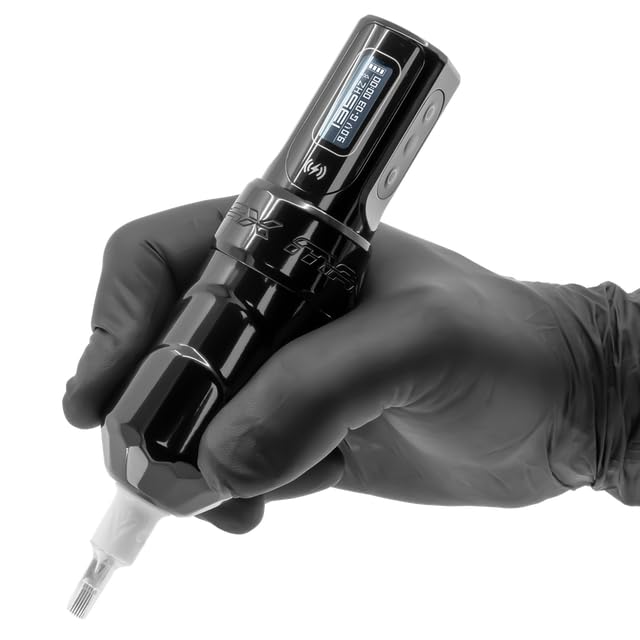
Видео 1: Званични производ је завршенview of the FK Irons Flux Max, demonstrating its features and design.
6. Одржавање
6.1 Чишћење
- After each use, wipe down the exterior of the machine and PowerBolt II with a sterile wipe or a cloth dampened with an approved disinfectant solution.
- Do not spray cleaning solutions directly into the machine or PowerBolt II.
- Ensure no liquids enter the internal components or charging port.
6.2 Складиштење
- Store the machine in a clean, dry environment, away from direct sunlight and extreme temperatures.
- When storing for extended periods, ensure the PowerBolt II is partially charged (around 50%) to preserve battery health.
6.3 Одржавање батерије
- Избегавајте често потпуно пражњење батерије.
- Не излажите батерију високим температурама.
- If the battery shows signs of damage or swelling, discontinue use immediately and dispose of it properly.
КСНУМКС. Решавање проблема
| Проблем | Могући узрок | Решење |
|---|---|---|
| Машина се не укључује. | Battery discharged. PowerBolt II not securely attached. | Charge the PowerBolt II. Reattach the PowerBolt II firmly to the machine body. |
| Inconsistent needle movement. | Loose needle cartridge. Incorrect voltagе подешавање. | Ensure needle cartridge is securely locked. Adjust voltage to recommended range. |
| PowerBolt II not charging. | Faulty cable or adapter. Charging port obstructed. | Try a different USB-C cable and power adapter. Inspect charging port for debris. |
| Проблеми са Bluetooth везом. | Out of range. App not updated. | Ensure machine is within range of the connected device. Update Darklab app to the latest version. |
If troubleshooting steps do not resolve the issue, please contact FK Irons customer support.
8. Спецификације
| Феатуре | Детаљ |
|---|---|
| Модел | Флук Мак |
| Бранд | ФК Иронс |
| Stroke Lengths | 3.2mm, 4.0mm, 4.5mm (this model is 4.0mm) |
| Тип батерије | Литијум-јонске батерије (1 укључене) |
| Трајање батерије | До 10+ сата |
| Повезивање | Блуетоотх |
| Волtagе Подешавање | 0.1V increments |
| Материјал | 6061 Т6 алуминијум |
| Димензије производа | 4.87 к 1.26 к 6 инча |
| Тежина | 6.4 унци |
| УПЦ | 810034257093 |
| Произвођач | ФК Иронс |

9. Гаранција и подршка
For warranty information, please refer to the official FK Irons webсајт или директно контактирајте њихову корисничку службу. Услови гаранције могу се разликовати у зависности од региона и производа.
For technical support, troubleshooting assistance beyond this manual, or inquiries regarding parts and service, please contact FK Irons customer support through their official channels:
- Webсајт: ввв.фкиронс.цом
- Контакт информације: Погледајте одељак „Контактирајте нас“ на званичној webсајт за бројеве телефона или подршку путем е-поште.