
1. Увод
This manual provides essential information for the safe operation and maintenance of your Holy Stone HS720S GPS Drone. Please read this manual thoroughly before operating the drone to ensure proper usage and to prevent damage or injury. The HS720S is a lightweight, foldable drone equipped with a 4K camera, GPS functionality, and intelligent flight modes, designed for both beginners and experienced pilots.
2. Безбедносне смернице
- Провера пре лета: Always inspect the drone, propellers, and battery before each flight. Ensure all components are securely attached and undamaged.
- Летна средина: Fly in open areas, away from people, animals, buildings, and power lines. Avoid flying in strong winds, rain, or fog. Maintain a safe distance from obstacles.
- Безбедност батерије: Use only original Holy Stone batteries. Do not overcharge or over-discharge batteries. Store batteries in a cool, dry place. Discontinue use if batteries show signs of damage or swelling.
- Безбедност пропелера: Keep hands, face, and loose clothing away from rotating propellers. Ensure propellers are correctly installed before flight.
- ГПС сигнал: For optimal performance and safety features like Return-to-Home, ensure a strong GPS signal before takeoff.
- Усклађеност са законима: Be aware of and comply with local drone regulations, including registration requirements (note: HS720S is under 249g, often exempt from FAA registration in the US, but check local laws).
- Хитне процедуре: Familiarize yourself with emergency landing procedures and the Return-to-Home function.
3. Садржај пакета
Проверите да ли су све ставке присутне у вашем пакету:
- Holy Stone HS720S GPS Drone
- Ремоте Цонтрол
- 2 x Flight Batteries
- Резервни пропелери
- УСБ каблови за пуњење
- Упутство за употребу
- Шрафцигер

Image: Contents of the Holy Stone HS720S package, including the drone, remote, batteries, and accessories.
4. Цомпонент Оверview
4.1 Дрон
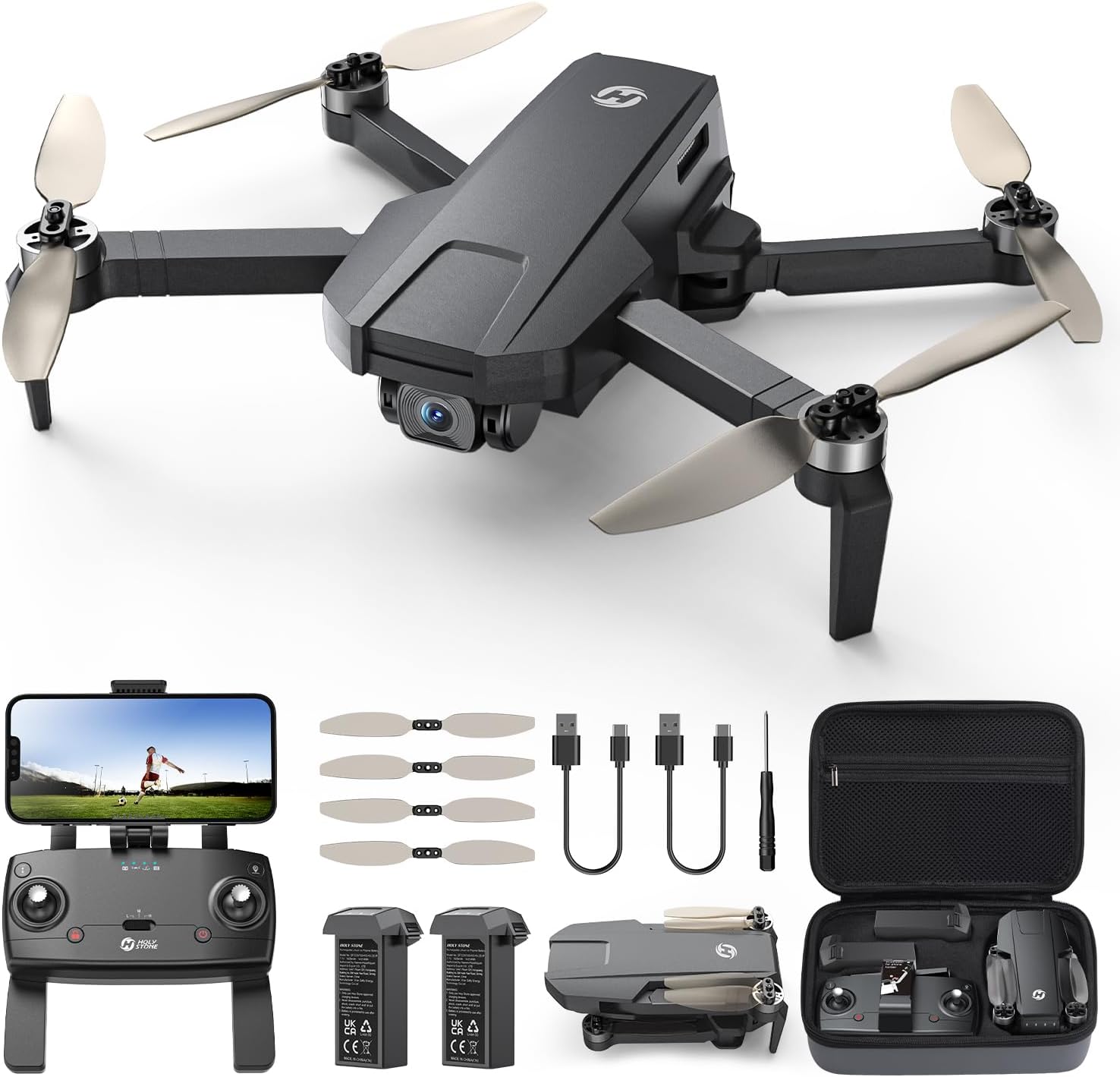
Image: The Holy Stone HS720S drone in its unfolded state.
The HS720S drone features a foldable design for portability. It is equipped with a 4K UHD camera, brushless motors for stable flight, and GPS modules for precise positioning. The drone's weight is under 249g, which may exempt it from certain registration requirements.
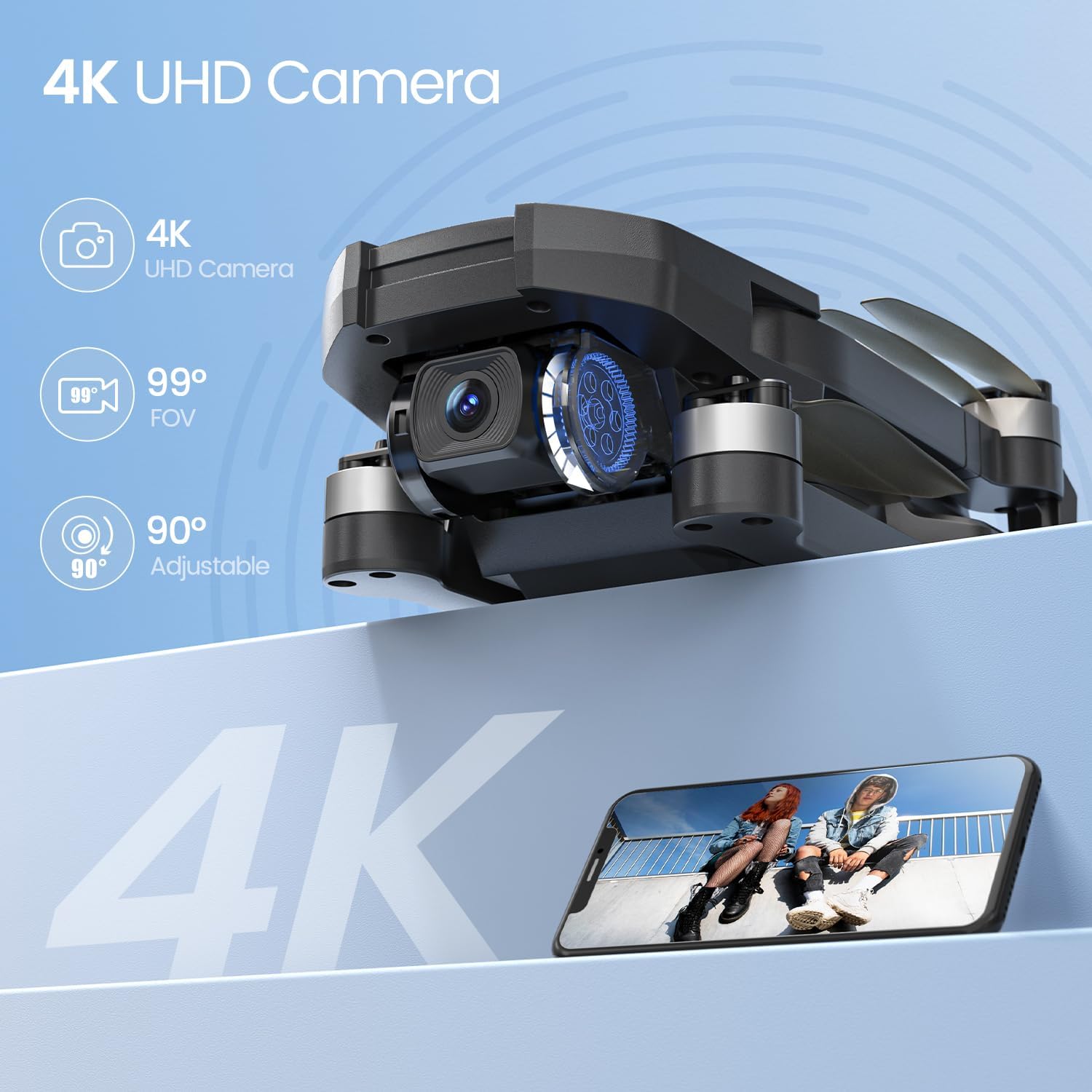
Image: Detail of the drone's 4K camera with adjustable angle.
4.2 Даљински управљач

Image: The remote control with a smartphone attached, displaying the drone's camera view.
The remote control provides intuitive control over the drone's flight and camera functions. It features a smartphone holder to display the live FPV feed via the Holy Stone app. Ensure the remote control is charged or has fresh batteries before use.
5. Подешавање
5.1 Пуњење и инсталација батерије
- Charge the flight batteries using the provided USB charging cable and a compatible USB adapter (not included). The indicator lights on the battery will show charging status.
- Once fully charged, insert the battery into the drone's battery compartment until it clicks securely into place.
- Charge the remote control using its dedicated USB charging cable.

Image: Drone with two batteries, indicating extended flight time.
5.2 Инсталација пропелера
Ensure propellers are installed correctly according to their markings (A and B) on the corresponding motor arms. Use the provided screwdriver to secure them.
5.3 Преузимање апликације и повезивање
- Download the official Holy Stone flight application (e.g., Ophelia Fly) from your smartphone's app store.
- Укључите дрон и даљински управљач.
- Connect your smartphone to the drone's Wi-Fi network (usually named 'HolyStone-HS720S-XXXXXX').
- Отворите апликацију да бисте успоставили везу и view the live FPV feed.
5.4 Калибрација
Before the first flight and after any significant change in location, perform compass and gyroscope calibration as instructed in the app or quick start guide. This ensures stable flight and accurate GPS positioning.
6. Упутство за употребу
6.1 Основне контроле лета
Familiarize yourself with the remote control's joysticks and buttons. The left joystick typically controls altitude and yaw (rotation), while the right joystick controls forward/backward and left/right movement.
6.2 One-Tap Takeoff/Landing
After successful calibration and GPS lock, press the One-Tap Takeoff button on the remote or in the app. The drone will automatically ascend to a safe height and hover. Press the One-Tap Landing button to initiate an automatic descent and landing.
6.3 Рад камере
Use the dedicated buttons on the remote control or the app interface to take photos and record 4K video. The camera's angle can be adjusted remotely up to 90 degrees for optimal shot composition. The 5GHz FPV transmission provides a clear and smooth live video feed to your smartphone.
6.4 GPS and Return-to-Home (RTH)
The HS720S utilizes GPS for stable hovering and precise positioning. The Return-to-Home (RTH) function automatically brings the drone back to its takeoff point. This feature activates in cases of low battery, signal loss, or when manually triggered by the pilot.

Image: Drone demonstrating GPS Auto Return to Home functionality.
7. Smart Flight Modes
The HS720S offers several intelligent flight modes to enhance your flying experience:
- Прати ме: The drone will automatically follow the subject (e.g., the remote control or a person detected by the app) at a set distance and altitude, capturing dynamic footage.
- Waypoint/Tap-to-Fly: Plan a flight path by tapping points on the map within the app. The drone will then fly along the designated route.
- Point of Interest: Select a central point on the map, and the drone will circle around it at a specified radius and altitude, keeping the point in the camera's view.
- Режим за почетнике: This mode limits flight speed and range, making it easier for new pilots to learn and control the drone.
- Позиционирање оптичког тока: In environments with sufficient light and clear ground patterns, optical flow sensors assist in maintaining stable hovering, especially indoors or when GPS signal is weak.

Image: Visual representation of Tap Fly, Follow Me, and Point of Interest smart flight modes.
8. Одржавање
- Чишћење: Regularly clean the drone body, camera lens, and motors with a soft, dry cloth. Avoid using liquids or solvents.
- Инспекција пропелера: Check propellers for cracks, bends, or damage before and after each flight. Replace damaged propellers immediately.
- Одржавање батерије: Do not store batteries fully charged or completely depleted for extended periods. Charge them to about 50-60% for long-term storage.
- Ажурирања фирмвера: Periodically check the Holy Stone app or website for firmware updates for your drone and remote control. Follow update instructions carefully.
- Складиштење: Store the drone and its components in a cool, dry place, away from direct sunlight and extreme temperatures. The foldable design allows for compact storage.

Image: The drone in its folded, portable configuration.
КСНУМКС. Решавање проблема
| Проблем | Могући узрок | Решење |
|---|---|---|
| Дрон се не укључује | Слаба батерија; Батерија није правилно постављена | Напуните батерију; Чврсто поново инсталирајте батерију |
| No FPV feed in app | Phone not connected to drone Wi-Fi; App not open | Connect to drone Wi-Fi; Open the Holy Stone app |
| Дрон лебди током лета | Poor GPS signal; Uncalibrated compass/gyroscope; Strong wind | Fly in open area with strong GPS; Perform calibration; Avoid flying in strong winds |
| Даљински управљач се не повезује | Low remote battery; Pairing issue | Charge remote; Re-pair drone and remote as per manual |
| Poor video/photo quality | Dirty camera lens; Insufficient light; SD card issue | Clean lens; Fly in good lighting; Ensure SD card is inserted and formatted |
10. Спецификације
| Феатуре | Детаљ |
|---|---|
| Назив модела | ХС720С |
| Тежина артикла | 240 грама (8.5 унци) |
| Димензије производа | 10.24 x 8.27 x 2.36 cm (расклопљено) |
| Резолуција снимања видео записа | 4K |
| Карактеристике камере | 99° Wide Angle, 90° Servo-Adjustable Angle |
| Технологија повезивања | 5G, Wi-Fi, Bluetooth |
| Maximum Control Range | 6562 Feet (approx. 2KM) |
| Време лета | Up to 42 minutes (with 2 modular batteries) |
| Тип мотора | Без четкица |
| Тип батерије | Литхиум Полимер |
| Посебне карактеристике | GPS, 4K UHD Camera, Optical Flow Positioning, Smart Flight Modes (Follow Me, Waypoint, Point of Interest, Auto Return) |
11. Званични видео снимци производа
11.1 HS720S Product Overview
Видео: Свеобухватан прегледview of the Holy Stone HS720S drone's features and capabilities (Duration: 3:54).
11.2 Detailed Flight Instructions
Video: In-depth instructions for flying the HS720S drone, covering various flight maneuvers and controls (Duration: 6:01).
12. Гаранција и подршка
Holy Stone products typically come with a standard manufacturer's warranty. Please refer to the warranty card included in your package or visit the official Holy Stone webсајт за детаљне услове гаранције.
Корисничка подршка
For technical assistance, troubleshooting, or any inquiries regarding your Holy Stone HS720S drone, please contact Holy Stone customer support:
- Телефон: +1 (833) 766-4733
- Е-пошта (САД): уса@холистоне.цом
- Е-пошта (ЕУ): еу@холистоне.цом
- Email (CA): ца@холистоне.цом
- Email (AU): au@holystone.com

Image: Holy Stone customer support representative.