
Увод
This manual provides comprehensive instructions for the ACASIS 2.5" External Hard Drive Enclosure. This device allows you to easily connect a 2.5-inch SATA I/II/III HDD or SSD to your computer, gaming console, or other compatible devices via USB 3.0. It supports data transfer speeds up to 5Gbps and features UASP protocol for enhanced performance. The enclosure is designed for tool-free installation and offers robust protection for your drive.
Садржај пакета
Молимо вас да проверите да ли су све ставке наведене у наставку укључене у ваш пакет:
- 1x ACASIS 2.5" SATA Enclosure
- 1x 19-inch USB 3.0 to Micro-B Data Cable
- 1к упутство за употребу

Image: Contents of the ACASIS 2.5" Hard Drive Enclosure package, showing the enclosure, data cable, and user manual.
Водич за подешавање
Follow these steps to install your 2.5-inch HDD or SSD into the enclosure:
- Отворите кућиште: Gently slide open the enclosure cover. The design allows for easy, tool-free access.
- Убаците диск: Align your 2.5-inch SATA HDD or SSD (7mm or 9.5mm thickness) with the SATA connector inside the enclosure. Push the drive firmly but gently until it is securely seated. The enclosure features a finger buckle design for easy insertion and removal.
- Затворите кућиште: Slide the cover back into place until it clicks, ensuring the drive is fully enclosed and protected.
- Повежите се са уређајем: Use the provided USB 3.0 to Micro-B cable to connect the enclosure to a USB port on your computer, laptop, gaming console (PS4, PS5, Xbox), or smart TV.

Слика: Експлодирана view demonstrating the simple, tool-free installation of a 2.5-inch SSD or HDD into the ACASIS enclosure.

Image: A comparison illustrating the ACASIS enclosure's finger buckle design, which facilitates easy removal of the hard drive, unlike other enclosures.
Упутство за употребу
Once connected, the enclosure is plug-and-play, requiring no additional drivers for most operating systems. Your device should recognize the connected drive automatically.
- Пренос података: The enclosure supports USB 3.0 for high-speed data transfer up to 5Gbps. With UASP (USB Attached SCSI Protocol) support, speeds can reach up to 6Gbps, significantly reducing transfer times for large files. It is backward compatible with USB 2.0 and 1.1 ports.
- RGB Light Strip: The integrated RGB light strip indicates the working status of the hard drive. It displays different colorful lights during operation, providing visual feedback.
- Универзална компатибилност: The enclosure is compatible with Windows, LINUX, and MacOS 8.0 and above. It can be used with personal computers, laptops, gaming consoles (PS4, PS5, Xbox), and other devices that support external storage.

Image: The ACASIS enclosure connected to a laptop, highlighting its USB 3.0 and UASP capabilities for significantly faster data transfer speeds compared to USB 2.0.

Image: A visual representation of the enclosure's broad compatibility with devices like PCs, TVs, and PS5, and operating systems including Windows, Linux, and MacOS, supporting both SSD and HDD.
Одржавање
To ensure the longevity and optimal performance of your ACASIS Hard Drive Enclosure, please follow these maintenance guidelines:
- Чишћење: Use a soft, dry cloth to wipe the exterior of the enclosure. Avoid using liquid cleaners or abrasive materials, as they may damage the surface.
- Заштита: The enclosure is built with high-quality ABS plastic and includes a built-in EVA foam pad to protect the drive from shocks and vibrations. However, avoid dropping the enclosure or subjecting it to excessive force.
- Складиштење: Када се не користи, кућиште чувајте на хладном и сувом месту, даље од директне сунчеве светлости и екстремних температура.

Слика: Детаљна view of the enclosure's internal chip, emphasizing its built-in protections against over-voltage, over-current, and overheating to ensure stable and safe operation.
Решавање проблема
If you encounter issues with your ACASIS Hard Drive Enclosure, please refer to the following common problems and solutions:
- Диск није откривен:
- Ensure the hard drive is correctly seated within the enclosure.
- Try connecting the enclosure to a different USB port on your device.
- Тестирајте са другим УСБ каблом ако је доступан.
- Verify the hard drive itself is functional by testing it in another enclosure or directly connecting it to a system if possible.
- За нове дискове, уверите се да су иницијализовани и форматирани у програму „Управљање дисковима“ (Windows) или „Услужни програм за дискове“ (macOS) вашег оперативног система.
- Споре брзине преноса података:
- Ensure you are connected to a USB 3.0 port on your computer. USB 2.0 ports will result in significantly lower speeds.
- Verify your operating system and drivers support UASP.
- Check the health of your hard drive; a failing drive can cause slow performance.
- Чести прекиди везе:
- Уверите се да је УСБ кабл безбедно повезан на оба краја.
- Try a different USB port or a different USB cable.
- Avoid placing the enclosure near strong electromagnetic interference.
Спецификације
| Феатуре | Детаљ |
|---|---|
| Број модела | 2.5'' Hard Drive Eclosure |
| Компатибилни тип погона | 2.5-inch SATA I/II/III HDD & SSD (7mm/9.5mm) |
| Максимални капацитет складиштења | До 6 ТБ |
| Хардверски интерфејс | УСБ 3.0 (Мицро-Б) |
| Брзина преноса података | 5 Gbps (USB 3.0), up to 6 Gbps (UASP) |
| Компатибилни уређаји | Personal Computer, Laptop, Gaming Console (PS4, PS5, Xbox), Smart TV |
| Компатибилни системи | Windows, LINUX, MacOS 8.0 and above |
| Материјал | акрилонитрил бутадиен стирен (АБС) |
| Димензије | 4.9 к 0.5 к 0.3 инча |
| Тежина артикла | 3.52 унци (0.1 килограма) |
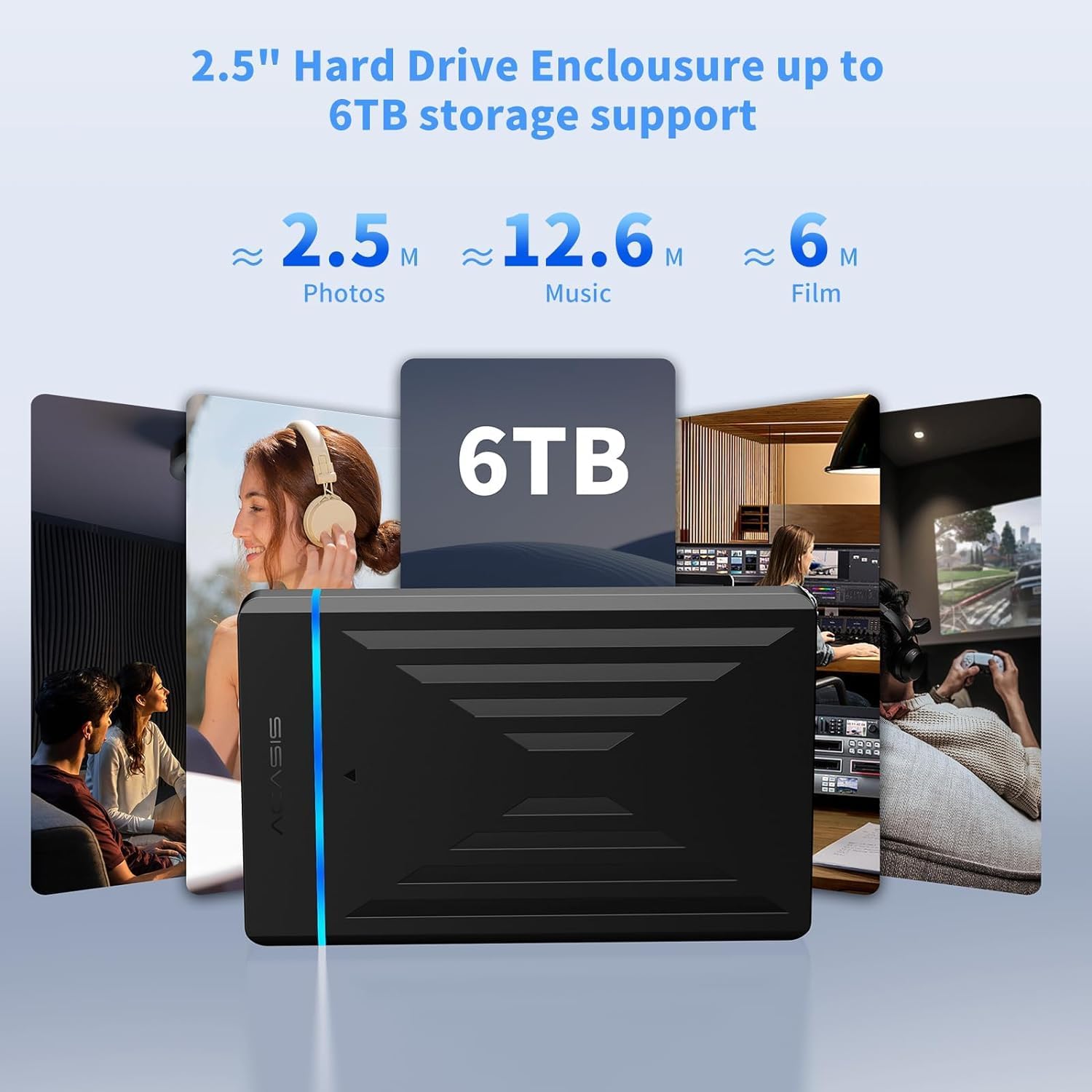
Image: The enclosure's capability to support up to 6TB of storage, illustrating the vast amount of photos, music, and films that can be stored.
Гаранција и подршка
ACASIS provides an 18-месечна гаранција за овај производ, осигуравајући душевни мир у погледу његовог квалитета и перформанси.
For technical assistance, customer service, or warranty claims, please contact ACASIS support:
- Емаил: суппорт@ацасис.цом
- Радно време: 24 сата, 7 дана у недељи
ACASIS is committed to 100% customer satisfaction and offers dedicated technical support to address any concerns you may have.