
HiFuture EVENT
Упутство за употребу HiFuture EVENT Bluetooth звучника
Model: EVENT | Brand: HiFuture
Увод
Thank you for choosing the HiFuture EVENT Bluetooth Speaker. This powerful and portable speaker is designed to deliver exceptional audio quality with vibrant RGB lighting, making it perfect for any event or gathering. This manual provides detailed instructions to help you set up, operate, and maintain your speaker for optimal performance.
Производ је завршенview

Слика 1: Предња страна view of the HiFuture EVENT Bluetooth Speaker, showcasing its sleek black design and dynamic RGB light ring.

Figure 2: An illustrative diagram highlighting the main features of the HiFuture EVENT speaker, including dual DSP, multiple audio inputs, dual-directional sound system, 50W woofer + 30W tweeter, RGB lights, TWS connection option, bass boost function, and power bank functionality.

Слика 3: Крупни план view of the speaker's internal components, specifically pointing out the 50W Woofer and 30W Tweeter, which contribute to its powerful 80W sound output.

Figure 4: An internal diagram demonstrating the speaker's optimized acoustic design for deep and impactful bass, including the bass port and vibration suppression features.
Кључне карактеристике
- Моћан аудио излаз: Equipped with a 50W woofer and 30W tweeter for a total of 80W RMS output, with a maximum peak power of 180 Watts, delivering rich and clear stereo sound.
- Блуетоотх повезивање: Беспрекорна бежична веза са вашим уређајима.
- Динамичко RGB осветљење: Enhance your listening experience with vibrant, rhythm-synced RGB lights.
- Dual DSP & Multiple Audio Inputs: Advanced Digital Signal Processing for optimized sound and versatile connectivity options.
- True Wireless Stereo (TWS) Support: Connect two EVENT speakers for an immersive stereo sound experience.
- Функција појачавања баса: Dedicated feature to amplify low frequencies for deeper bass.
- Функционалност Повер банке: Use the speaker to charge your other devices on the go.
- Преносиви дизајн: Durable acrylic material and table-mount type for easy placement and transport, designed for parties and various events.
Водич за подешавање
1. Распакивање и почетна наплата
- Пажљиво извадите звучник и сву додатну опрему из паковања.
- Inspect the speaker for any signs of damage.
- Before first use, fully charge the speaker using the provided charging cable. The battery life is approximately 4 hours on a full charge.
2. Укључивање/искључивање
- To power on, press and hold the Power button (location typically on the back or top panel) for a few seconds until you hear an audible prompt or see the indicator lights illuminate.
- Да бисте искључили звучник, поново притисните и држите дугме за напајање док се он не искључи.
Упутство за употребу
1. Блуетоотх упаривање
- Ensure the speaker is powered on and in Bluetooth pairing mode (usually indicated by a blinking LED light). If not, press the Bluetooth button to activate pairing mode.
- На свом уређају (паметном телефону, таблету, рачунару) идите на подешавања Bluetooth-а и омогућите Bluetooth.
- Тражи available devices. You should see "HiFuture EVENT" in the list.
- Select "HiFuture EVENT" to connect. Once connected, the speaker will provide an audible confirmation, and the LED light will become solid.
- Сада можете да репродукујете звук са свог уређаја преко звучника.
2. Упаривање са правим бежичним стерео (TWS) системом
To pair two HiFuture EVENT speakers for a stereo experience:
- Уверите се да су оба звучника укључена и да нису повезана ни са једним другим Bluetooth уређајем.
- On one speaker (this will be the primary speaker), press and hold the TWS button (refer to your speaker's button layout if unsure).
- The primary speaker will search for the secondary speaker. Once connected, both speakers will provide an audible confirmation.
- Now, connect your device to the primary speaker via Bluetooth as described in the "Bluetooth Pairing" section. Audio will play in stereo through both speakers.
3. Контроле и функције
- Контрола јачине звука: Use the volume buttons (+/-) on the speaker or your connected device.
- Пусти/паузирај: Притисните дугме Репродукуј/Паузирај једном да бисте репродуковали или паузирали звук.
- Прескочи песме: Double-press the Next Track button to skip forward, or the Previous Track button to skip backward.
- РГБ контрола осветљења: Press the Light button to cycle through different lighting modes or turn the lights off.
- Басс Боост: Press the Bass Boost button to activate or deactivate the enhanced bass mode.
- Функција Повер Банк: Connect your device to the speaker's USB output port to charge it.

Figure 5: The HiFuture EVENT speaker displaying its vibrant RGB lighting, which can be controlled to match your mood or music.
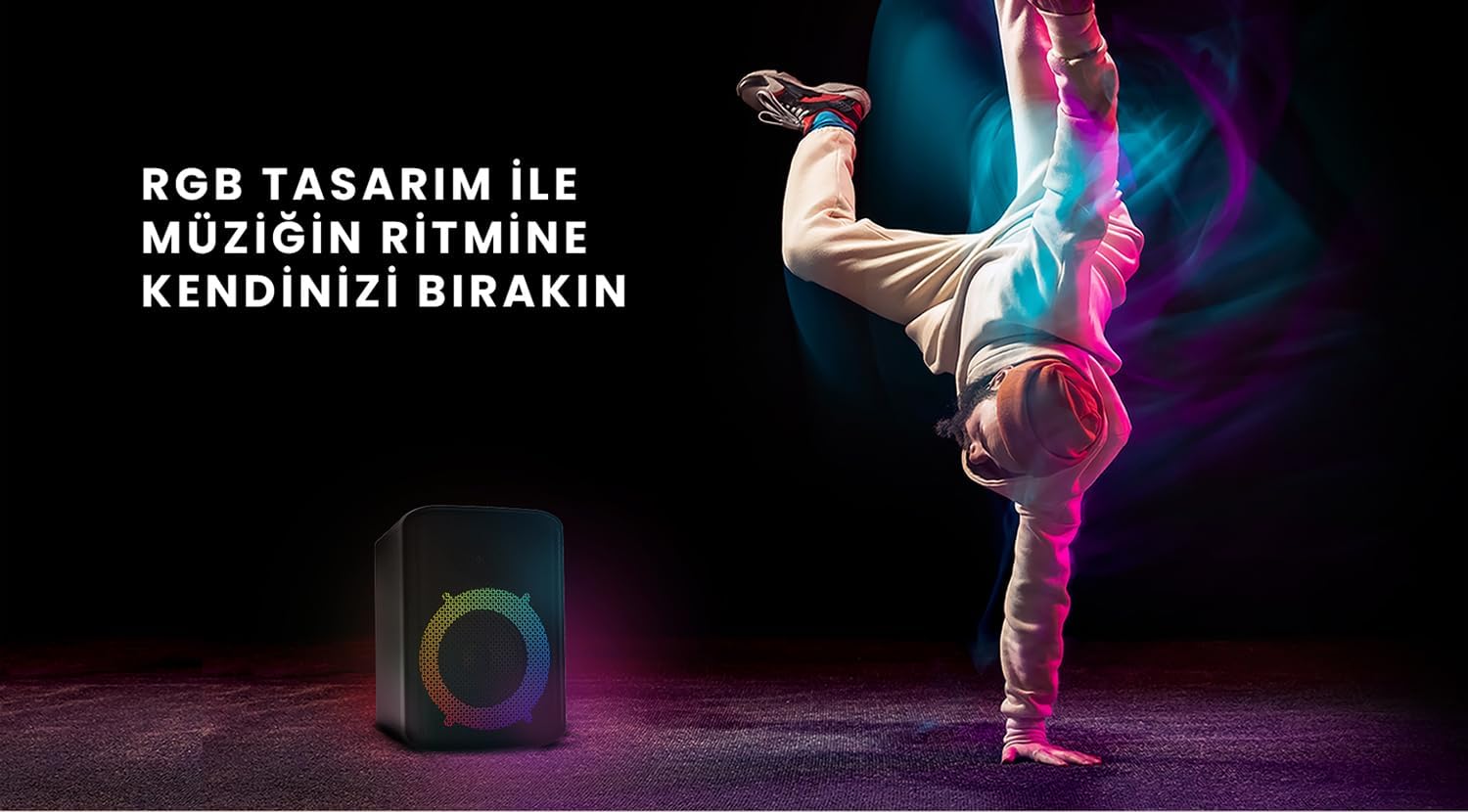
Figure 6: The HiFuture EVENT speaker in a dynamic setting, emphasizing how its RGB lighting enhances the atmosphere for parties and events.
Одржавање
- Чишћење: Use a soft, dry cloth to wipe the speaker's surface. Do not use abrasive cleaners or solvents.
- Складиштење: Чувајте звучник на хладном и сувом месту, даље од директне сунчеве светлости и екстремних температура.
- Одржавање батерије: Да бисте продужили век трајања батерије, избегавајте често потпуно пражњење батерије. Редовно је пуните, чак и ако се не користи дуже време.
- Отпорност на воду: While designed for portability, avoid exposing the speaker to excessive moisture or submerging it in water unless explicitly stated as waterproof.
Решавање проблема
| Проблем | Могуће решење |
|---|---|
| Звучник се не укључује. | Уверите се да је звучник потпуно напуњен. Прикључите га на извор напајања и покушајте поново. |
| Није могуће упаривање преко Bluetooth-а. |
|
| Нема звука или је јачина звука ниска. |
|
| RGB светла не раде. | Press the Light button to cycle through modes or turn them on. Ensure the speaker is powered on. |
Спецификације
| Феатуре | Детаљ |
|---|---|
| Бранд | ХиФутуре |
| Модел | ДОГАЂАЈ |
| Максимална излазна снага звучника | 180 Watts (Peak), 80W RMS (50W Woofer + 30W Tweeter) |
| Технологија повезивања | Блуетоотх |
| Режим аудио излаза | Стерео |
| Тип монтаже | Табле Моунт |
| Материјал | Акрил |
| Спеакер Типе | Мултимедија |
| Компатибилни уређаји | Bluetooth-enabled devices (e.g., smartphones, tablets) |
| Боја | Црно |
| Трајање батерије | До 4 сати |
Гаранција и подршка
The HiFuture EVENT Bluetooth Speaker comes with a standard manufacturer's warranty. Please refer to the warranty card included in your product packaging for specific terms and conditions. For technical support, troubleshooting assistance, or warranty claims, please contact HiFuture customer service through their official webсајт или продавницу где сте купили производ.
Ask a question about this manual
Ask about setup, troubleshooting, compatibility, parts, safety, or missing instructions. Manuals+ will review the question and use this page’s manual context to help answer it.