1. Увод
This manual provides essential information for the safe and effective operation of your Twotrees TS2-20W Laser Engraver and Cutter. This high-energy laser machine is designed for precision engraving and cutting on various materials such as wood, metal, and glass. Please read this manual thoroughly before initial use and keep it for future reference.
2. Безбедносне информације
Operating a laser engraver involves inherent risks. Adhering to safety guidelines is paramount to prevent injury and damage.
- Заштита очију: Always wear appropriate laser safety goggles (OD6+) when the machine is in operation. The TS2-20W laser head is equipped with a protective cover and a filter blocking 97% of UV light, but additional eye protection is strongly recommended.
- вентилација: Ensure adequate ventilation in your workspace to dissipate fumes and smoke generated during engraving and cutting.
- Опасност од пожара: Laser processing can ignite flammable materials. Never leave the machine unattended during operation. Keep a fire extinguisher nearby.
- Хитно заустављање: The machine features an instant stop system that activates in case of involuntary movement or tilt. Familiarize yourself with the location of the emergency stop button.
- Компатибилност материјала: Do not engrave or cut unknown materials. Some materials can produce toxic fumes or catch fire easily. Avoid materials containing PVC.
- Деца и кућни љубимци: Држите децу и кућне љубимце даље од оперативног простора.
Слика 2.1: The laser module displays critical safety warnings. Always observe these precautions.
3. Производ је готовview и карактеристике
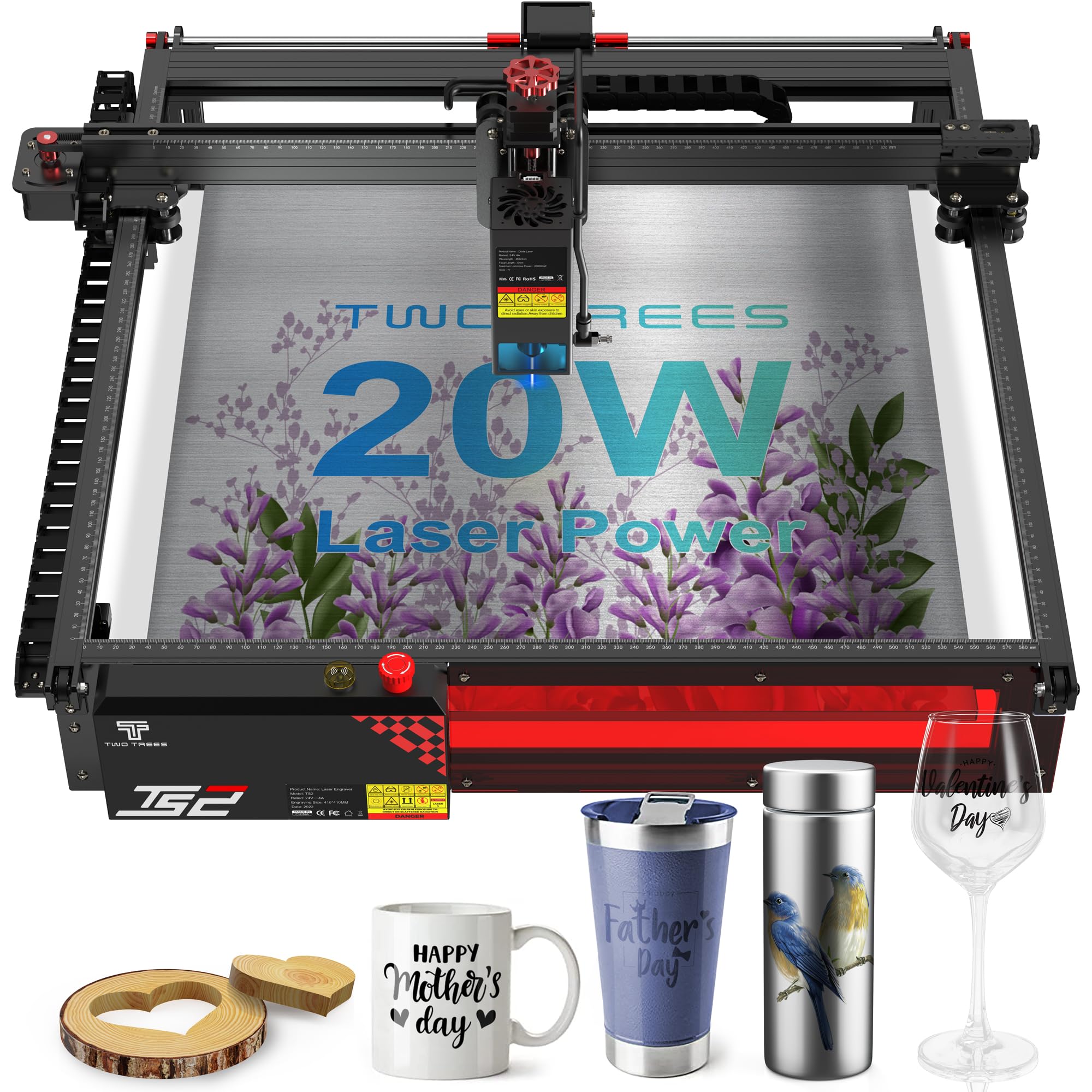
The Twotrees TS2-20W is a high-performance laser engraver and cutter designed for precision and versatility.
Кључне карактеристике:
- Exceptional Cutting Power: Equipped with a 20W laser, capable of cutting wood up to 15mm thick and opaque acrylic up to 10mm thick.
- High Precision and Speed: Features an ultra-fine focal spot of 0.08 x 0.08 mm and a maximum resolution of 1000 DPI for sharp engravings. Achieves movement precision of 0.01 mm and speeds up to 20,000 mm/min.
- Broad Software Compatibility: Seamlessly integrates with professional engraving software such as LaserGRBL (Windows) and LightBurn (multi-platform). Supports various file formats including NC, BMP, JPG, PNG, DXF, and GCODE.
- Robust and Easy Assembly: Constructed from modular aluminum alloy, allowing for assembly in approximately 40 minutes, resulting in a sturdy and durable structure.

Слика 3.1: The laser module's focus accuracy and cutting depth on wood and acrylic.

Слика 3.2: The industrial design of the TS2-20W, emphasizing its structural integrity.

Слика 3.3: Examples of materials that can be processed by the TS2-20W.
4. Подешавање
The Twotrees TS2-20W is designed for straightforward assembly. Follow these general steps for initial setup:
- Распакивање: Пажљиво извадите све компоненте из паковања. Проверите да ли су присутни сви делови наведени у листи паковања.
- Скупштина: Assemble the modular aluminum alloy frame according to the detailed assembly guide provided separately (or refer to the manufacturer's official assembly videos). The process typically takes around 40 minutes. Ensure all connections are secure.
- Пласман: Place the assembled machine on a stable, level, and heat-resistant surface in a well-ventilated area.
- Прикључак за напајање: Connect the power adapter to the machine and then to a suitable power outlet. Do not power on the machine yet.
- Инсталација софтвера: Install the recommended engraving software (LaserGRBL for Windows or LightBurn for multi-platform use) on your computer. Ensure your computer meets the software's system requirements.
- Повежите се са рачунаром: Connect the laser engraver to your computer using the provided USB cable.
5. Упутство за употребу
Once the machine is set up and software is installed, you can begin your engraving or cutting projects.
- Укључено: Turn on the laser engraver.
- Покретање софтвера: Launch your chosen engraving software (LaserGRBL or LightBurn) on your computer.
- Постављање материјала: Place the material to be engraved or cut onto the working area of the machine. Ensure it is flat and securely positioned.
- Подешавање фокуса: The TS2-20W features a fixed focus laser. Adjust the height of the laser module using the designated mechanism to achieve the optimal focal distance for your material. The independent belt tension adjustment and steel guide rail ensure precise movement.
- Design Loading: Учитајте свој дизајн file (NC, BMP, JPG, PNG, DXF, GCODE, etc.) into the software.
- Подешавања параметара: Adjust engraving/cutting parameters (power, speed, passes) based on the material type and desired outcome. Refer to software documentation or online resources for recommended settings.
- Преview and Start: Користите претходну верзију софтвераview function to verify the engraving area. Once satisfied, ensure all safety precautions are in place (eye protection, ventilation) and initiate the engraving/cutting process.
- Надгледање: Monitor the machine during operation. Be prepared to use the emergency stop if any issues arise.

Слика 5.1: Adjusting the fixed focus laser module for optimal performance.

Слика 5.2: The laser engraver connected to a computer running compatible software.
6. Одржавање
Редовно одржавање осигурава дуготрајност и оптималне перформансе вашег ласерског гравера.
- Чишћење ласерског сочива: Периодично чистите ласерско сочиво меком крпом која не оставља влакна и раствором за чишћење сочива како бисте одржали снагу и прецизност ласера.
- Cleaning the Working Area: Remove debris, dust, and material scraps from the working area after each use to prevent interference with machine movement.
- Checking Belts and Rails: Inspect the drive belts for tension and wear. Ensure the guide rails are clean and free of obstructions. Lubricate moving parts as recommended by the manufacturer.
- Ажурирања фирмвера: Проверите произвођача website for any available firmware updates to ensure your machine operates with the latest features and improvements.
КСНУМКС. Решавање проблема
This section addresses common issues you might encounter. For more complex problems, refer to the support section.
- Машина се не укључује: Check the power cable connection and the power outlet. Ensure the power switch is in the 'On' position.
- Laser Not Firing/Weak Output: Verify the laser module connection. Clean the laser lens. Check software power settings.
- Poor Engraving/Cutting Quality: Adjust focus height. Check material parameters (speed, power). Ensure the material is flat and secure. Clean the lens.
- Машина се не повезује са рачунаром: Ensure the USB cable is securely connected. Reinstall software drivers if necessary. Try a different USB port or cable.
- Unexpected Stops: The machine has a safety stop feature for movement or tilt. Check for any physical obstructions or vibrations that might trigger this.
8. Спецификације
| Феатуре | Спецификација |
|---|---|
| Модел | TS2-20W |
| Ласер Повер | 20 W (20000 mW) |
| Ласер Вавеленгтх | 445 ± 5нм |
| Елецтрицал Рекуиремент | 24В 4А ДЦ |
| матична плоча | 32-битни |
| Брзина гравирања | Up to 20,000 mm/min |
| Подручје гравирања | 410 к 410 мм |
| Focal Spot Size | 0.08 к 0.08 мм |
| Максимална резолуција | 1000 ДПИ |
| Wood Cutting Ability (1 Pass) | До 15 мм |
| Black Acrylic Cutting Ability (1 Pass) | До 10 мм |
| Димензије пакета | 73.8 к 30.4 к 23 цм |
| Тежина | 9.66 кг |
| Укључени делови | Ласер Енгравер |

Слика 8.1: Димензионално прекоview of the Twotrees TS2-20W laser engraver.
9. Подршка и гаранција
For any questions, technical assistance, or support regarding your Twotrees TS2-20W laser engraver, please contact the seller directly through the platform where you made your purchase. The manufacturer commits to responding to inquiries within 24 hours.
Информације о гаранцији: Посебни услови гаранције могу се разликовати. Молимо погледајте документацију о куповини или контактирајте продавца за детаљне информације о гаранцији.
Онлине ресурси: Visit the official Twotrees website for the latest drivers, firmware updates, and additional support resources.