
1. Увод
This manual provides detailed instructions for the proper use and maintenance of your Arlec Remote SS3136. This remote control is specifically designed to operate the Arlec Wall Fan AWDC001HA, offering convenient and effortless control over your fan's functions. Please read this manual thoroughly before first use to ensure optimal performance and longevity of your device.
2. Карактеристике производа
- Једноставна контрола: Utilizes Infrared technology for seamless communication with your Arlec Wall Fan AWDC001HA from up to 10 meters away.
- Дуготрајна снага: Requires 3 alkaline batteries for extended use.
- Елегантан дизајн: Finished in a sophisticated black color.
- Разноврсна компатибилност: Designed to control Arlec Wall Fans, specifically model AWDC001HA.
- Једноставна операција: Features 3 intuitive buttons for easy fan control.
3. Садржај пакета
Проверите да ли су све ставке присутне у пакету:
- 1 x Arlec Remote SS3136
- 1 x Wall Mount Holder
- 2 к завртњи за монтажу
- 2 к зидни утикачи
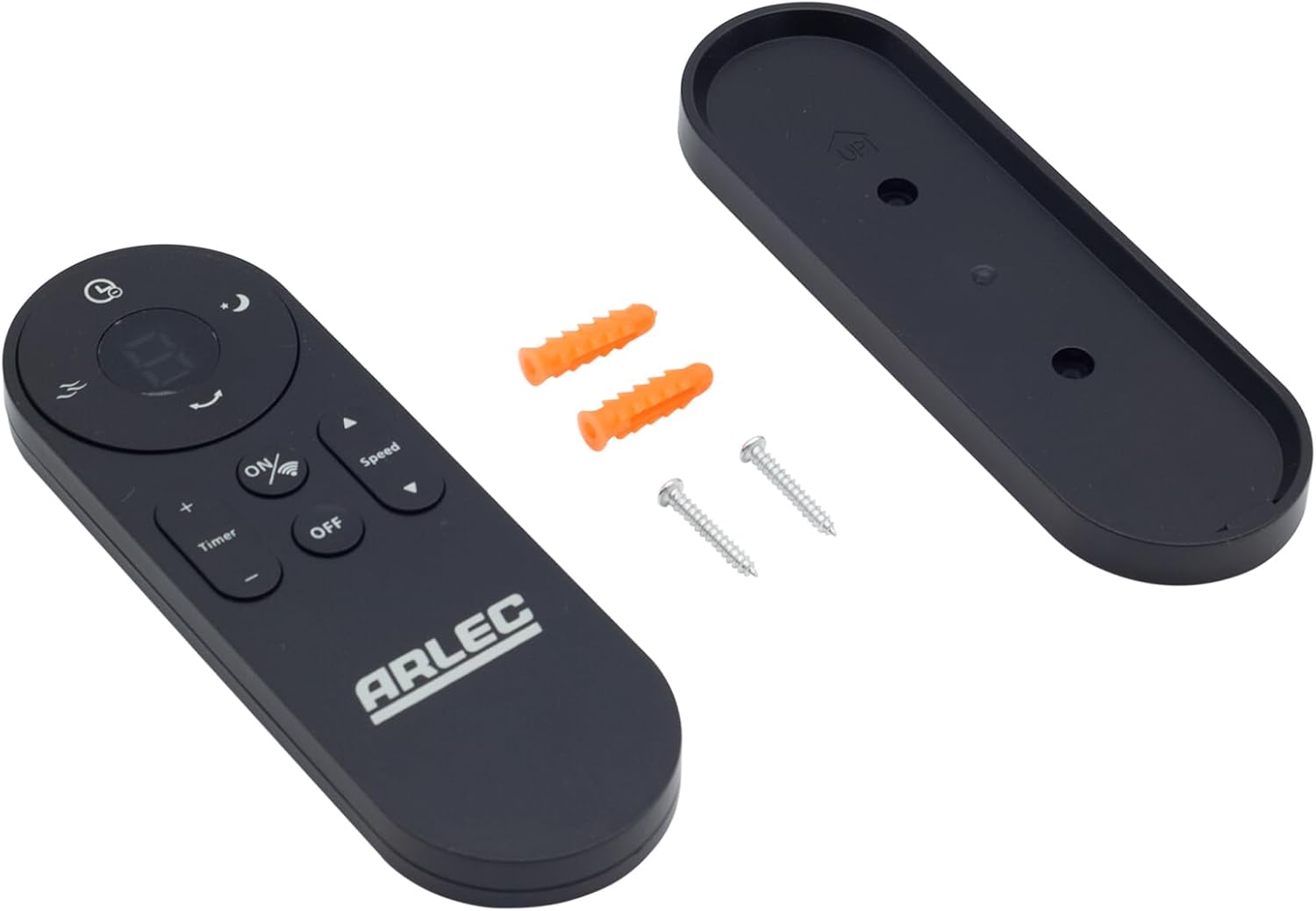
Image: Arlec Remote SS3136 shown with its included wall mount holder, two mounting screws, and two wall plugs, indicating the complete package contents.
4. Подешавање
4.1 Инсталација батерије
- Пронађите одељак за батерије на полеђини даљинског управљача.
- Отворите поклопац одељка за батерије.
- Insert 3 Alkaline batteries (not included) into the compartment, ensuring the correct polarity (+ and -) as indicated inside the compartment. The remote requires 3 Volts (DC).
- Добро затворите поклопац одељка за батерије.
4.2 Монтажа на зид (опционо)
- Choose a suitable location on a wall for the remote holder.
- Mark the positions for the two mounting screws using the holder as a template.
- Drill pilot holes at the marked positions. Insert the wall plugs if drilling into drywall or masonry.
- Secure the wall mount holder to the wall using the provided screws.
- Place the remote control into the installed holder for convenient storage.
5. Упутство за употребу
The Arlec Remote SS3136 features a simple 3-button layout for controlling your Arlec Wall Fan AWDC001HA. Ensure there is a clear line of sight between the remote and the fan's infrared receiver for optimal performance.

Слика: Крупни план view of the Arlec Remote SS3136, highlighting its three main control buttons: ON/OFF, Speed, and Timer.
- Дугме за укључивање/искључивање: Притисните ово дугме да бисте укључили или искључили вентилатор.
- Дугме за брзину: Use this button to cycle through the available fan speed settings (e.g., Low, Medium, High).
- Дугме тајмера: Press this button to set or adjust the fan's timer function. Refer to your Arlec Wall Fan AWDC001HA manual for specific timer intervals.
The remote operates using Infrared (IR) technology. Point the remote directly towards the fan's IR receiver. The effective operating range is up to 10 meters (approximately 33 feet).
6. Одржавање
- Чишћење: Обришите даљински управљач меком, сувом крпом. Не користите абразивна средства за чишћење или раствараче.
- Замена батерије: Replace batteries when the remote's performance degrades or it stops responding. Always replace all 3 batteries at the same time with new alkaline batteries.
- Складиштење: If the remote will not be used for an extended period, remove the batteries to prevent leakage. Store in a cool, dry place.
КСНУМКС. Решавање проблема
| Проблем | Могући узрок | Решење |
|---|---|---|
| Remote not responding to fan. |
|
|
| Дугмад су лепљива или не реагују. | Прљавштина или остаци испод дугмади. | Очистите површину даљинског управљача меком, сувом крпом. Избегавајте течности. |
8. Спецификације
| Атрибут | Детаљ |
|---|---|
| Модел | СС3136 |
| Произвођач | Арлек |
| Компатибилни уређаји | Arlec Wall Fan AWDC001HA |
| Технологија повезивања | Инфрацрвени (ИР) |
| Број дугмади | 3 |
| Тип контролера | Контрола дугмета |
| Тип батерије | Alkaline (3 required) |
| Волtage | 3 волти (ДЦ) |
| Оперативни опсег | До 10 метара |
9. Гаранција и подршка
For warranty information and technical support, please refer to the documentation provided with your Arlec Wall Fan AWDC001HA or contact Arlec customer service directly. Keep your purchase receipt as proof of purchase.
For further assistance, please visit the manufacturer's official webсајт или контактирајте њихову линију за корисничку подршку.