
70UQ70, 75UQ80(70) and 86UQ70
Instruction Manual for LG Smart TV Replacement Legs
Model: 70UQ70, 75UQ80(70), 86UQ70
Производ је завршенview
This product provides replacement base stands for specific LG Smart TV models. It includes one left leg, one right leg, and all necessary screws for assembly. These legs are designed to provide stable support for your television.
It is crucial to verify your TV model number to ensure compatibility before installation. This set is specifically compatible with LG Smart TV Models 70UQ70, 75UQ80(70), and 86UQ70.
Подешавање и инсталација
Follow these steps to properly install the replacement TV legs:
- Step 1: Model Verification
Before beginning, locate the model number on the sticker at the back of your TV or check the 'About TV' section in your settings. Confirm that your TV model is one of the following: 70UQ70, 75UQ80(70), or 86UQ70. This leg set is only compatible with these specified models. - Корак 2: Припремите свој радни простор
Lay your television screen-down on a soft, clean, and flat surface (e.g., a blanket or foam padding) to prevent scratches or damage during installation. Ensure you have adequate space to work safely. - Корак 3: Идентификујте компоненте
Unpack the contents. You should have one left leg, one right leg, and the necessary screws. Identify the left and right legs; they are typically marked or shaped to fit specific sides of the TV.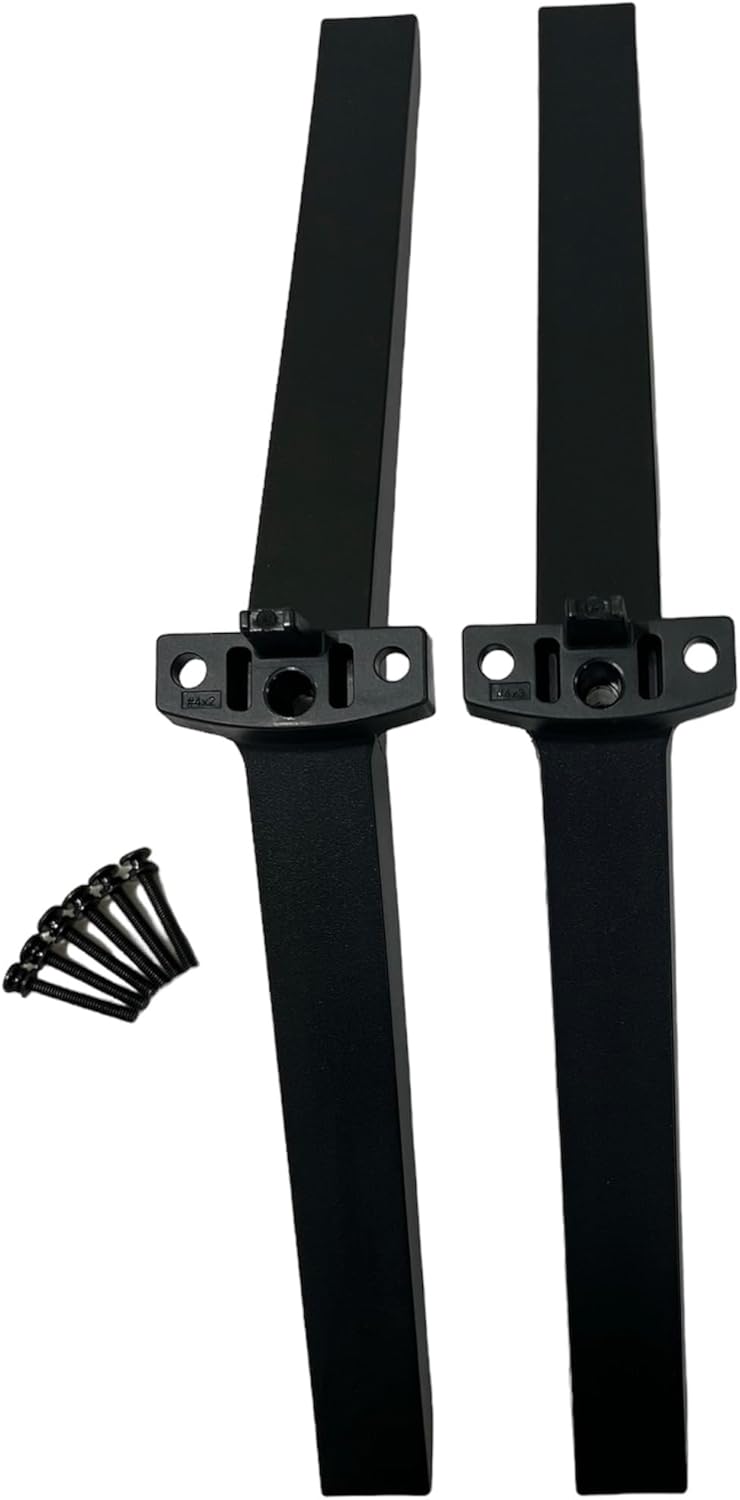
Image: The complete set of replacement TV legs and screws.
- Step 4: Position the Legs
Align each leg with the corresponding mounting holes on the bottom of your television. Ensure the legs are oriented correctly, typically with the wider base facing outwards for stability.
Слика: Са стране view of the TV stand legs, illustrating their design.
- Step 5: Secure the Legs
Using a Phillips screwdriver (not included), insert the provided screws into the designated holes and tighten them securely. Do not overtighten, as this may damage the TV or the legs.
Слика: Под углом view of the TV stand legs, highlighting the attachment points.
- Корак 6: Коначно постављање
Carefully lift the television and place it upright on a stable, level surface. Ensure both legs are firmly seated and the TV is stable before connecting any cables or powering it on.
Installation Tool Required: A Phillips screwdriver is needed for the installation process.
Смернице за употребу
Once installed, ensure your television is placed on a flat, stable surface that can support its weight. Avoid placing the TV near edges where it could be easily knocked over. Do not attempt to move the TV by pulling on the legs; always lift the TV from its main body.
Одржавање
To maintain the appearance and integrity of your TV stand legs, simply wipe them with a dry cloth. Avoid using abrasive cleaners or solvents, as these may damage the finish. Periodically check the screws to ensure they remain tight and secure.
Решавање проблема
- Legs do not fit: Double-check your TV model number against the compatible models (70UQ70, 75UQ80(70), 86UQ70). If your model is not listed, these legs are not compatible.
- TV is unstable: Ensure all screws are securely tightened. Verify that the legs are correctly oriented and fully inserted into the TV's mounting points. Make sure the surface the TV is placed on is flat and level.
- Делови који недостају: If any components (left leg, right leg, or screws) are missing from the package, please contact customer support immediately.
Спецификације
| Бранд | генерички |
| Боја | Црно |
| Компатибилни модели | 70UQ70, 75UQ80(70), 86UQ70 |
| Димензије производа | 2 к 2 к 12 инча |
| Тежина артикла | 1 фунти |
| Врста инсталације | Сцрев-Ин |
| Упутства за одржавање производа | Обришите сувом крпом |
Корисничка подршка
If you encounter any issues or have questions regarding the compatibility or installation of these TV legs, please do not hesitate to contact us. We are available to assist you in finding the correct part for your television or resolving any concerns you may have.
For assistance, please refer to the contact information provided by your retailer or on the product packaging.
Ask a question about this manual
Ask about setup, troubleshooting, compatibility, parts, safety, or missing instructions. Manuals+ will review the question and use this page’s manual context to help answer it.