
1. Увод
This manual provides essential information for setting up, operating, and maintaining your FOREVER Colorum CW-300 Smartwatch. Please read this guide thoroughly before using your device to ensure proper function and longevity. Keep this manual for future reference.
2. Производ је готовview
The FOREVER Colorum CW-300 is a versatile smartwatch designed for daily activity tracking and smart notifications. It features a round 1.20-inch touchscreen display with 240x240 px resolution and Bluetooth 5.0 connectivity for seamless integration with Android and iOS smartphones. The watch is IP68 waterproof, making it suitable for various activities, including swimming.

Image: The FOREVER Colorum CW-300 Smartwatch on a user's wrist, displaying activity metrics.
Key functionalities include a comprehensive activity tracker, heart rate monitoring, sleep analysis, and 14 distinct sport modes. It also offers convenient features such as music and camera remote control for your smartphone.
3. Почетак рада (Подешавање)
3.1 Распакивање и компоненте
Након отварања паковања, уверите се да су све компоненте присутне:
- FOREVER Colorum CW-300 Smartwatch
- Магнетни кабл за пуњење
- Protective Case (optional, if included in your specific package)
- Кориснички приручник (овај документ)
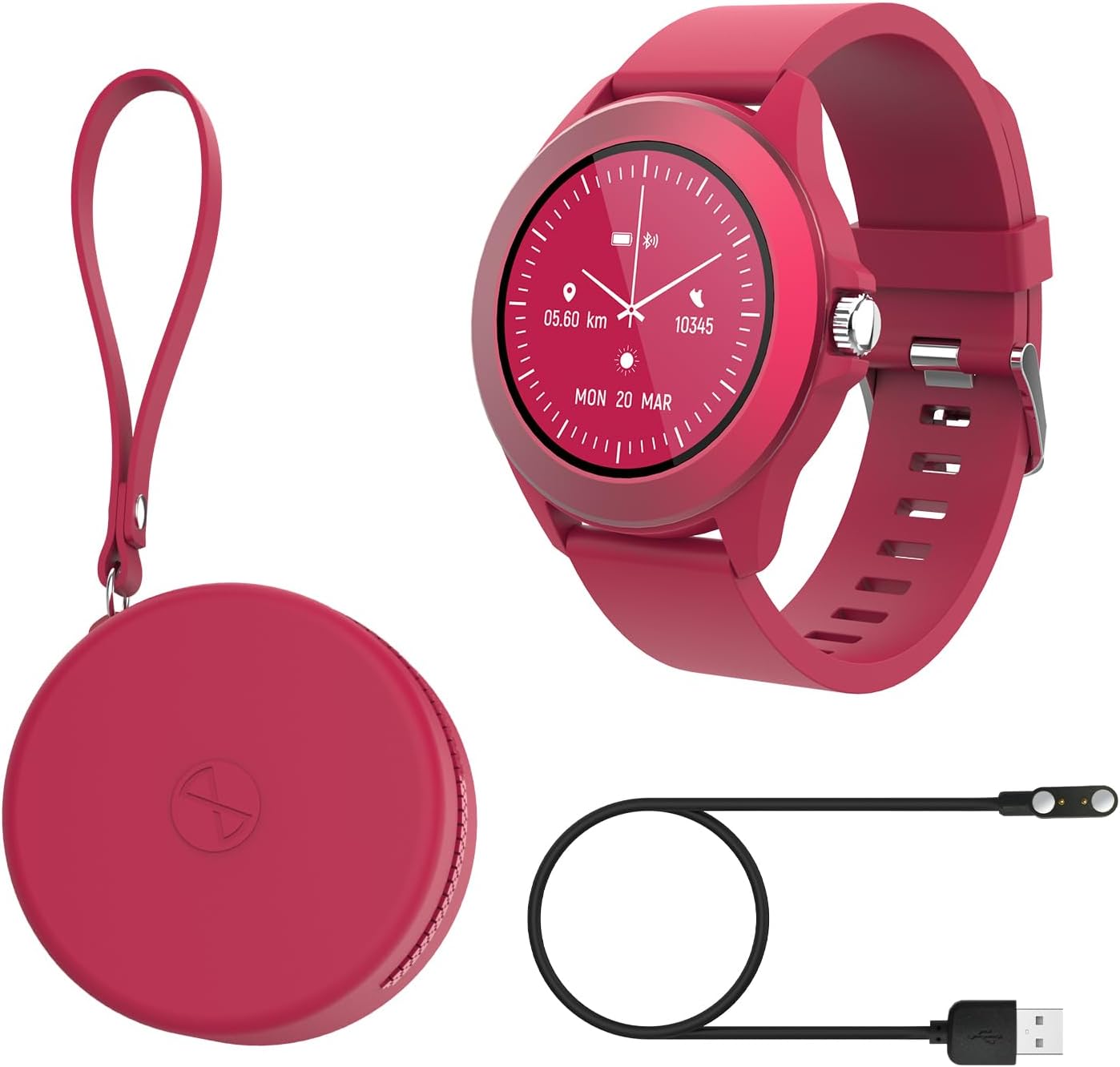
Image: Contents of the FOREVER Colorum CW-300 package, including the smartwatch, charging cable, and case.
3.2 Пуњење паметног сата
Before first use, fully charge your smartwatch. Connect the magnetic charging cable to the charging contacts on the back of the watch and plug the USB end into a standard USB power adapter (not included) or a computer's USB port. The watch display will indicate charging status. A full charge typically takes approximately 2 hours.
3.3 Упаривање са вашим паметним телефоном
- Download the companion app (e.g., 'Forever Smart' or similar, check packaging for exact app name) from your smartphone's app store (Google Play Store for Android, Apple App Store for iOS).
- Уверите се да је Блуетоотх омогућен на вашем паметном телефону.
- Отворите апликацију и пратите упутства на екрану да бисте креирали налог или се пријавили.
- In the app, select 'Add Device' or 'Pair Device' and choose 'CW-300' from the list of available devices.
- Потврдите захтев за упаривање и на паметном телефону и на паметном сату.
4. Управљање паметним сатом
4.1 Основна навигација
The CW-300 features a full touchscreen display. Swipe left, right, up, or down to navigate through menus and functions. Press the physical button on the side to return to the home screen or wake the device.
4.2 Time Display and Watch Faces
The default screen displays the time. You can customize watch faces through the companion app or by long-pressing the watch face on the device and swiping to select a new one.
4.3 Обавештења
Once paired, the smartwatch will display notifications from your smartphone, including calls, messages, and app alerts. Manage which app notifications appear on your watch through the companion app settings.
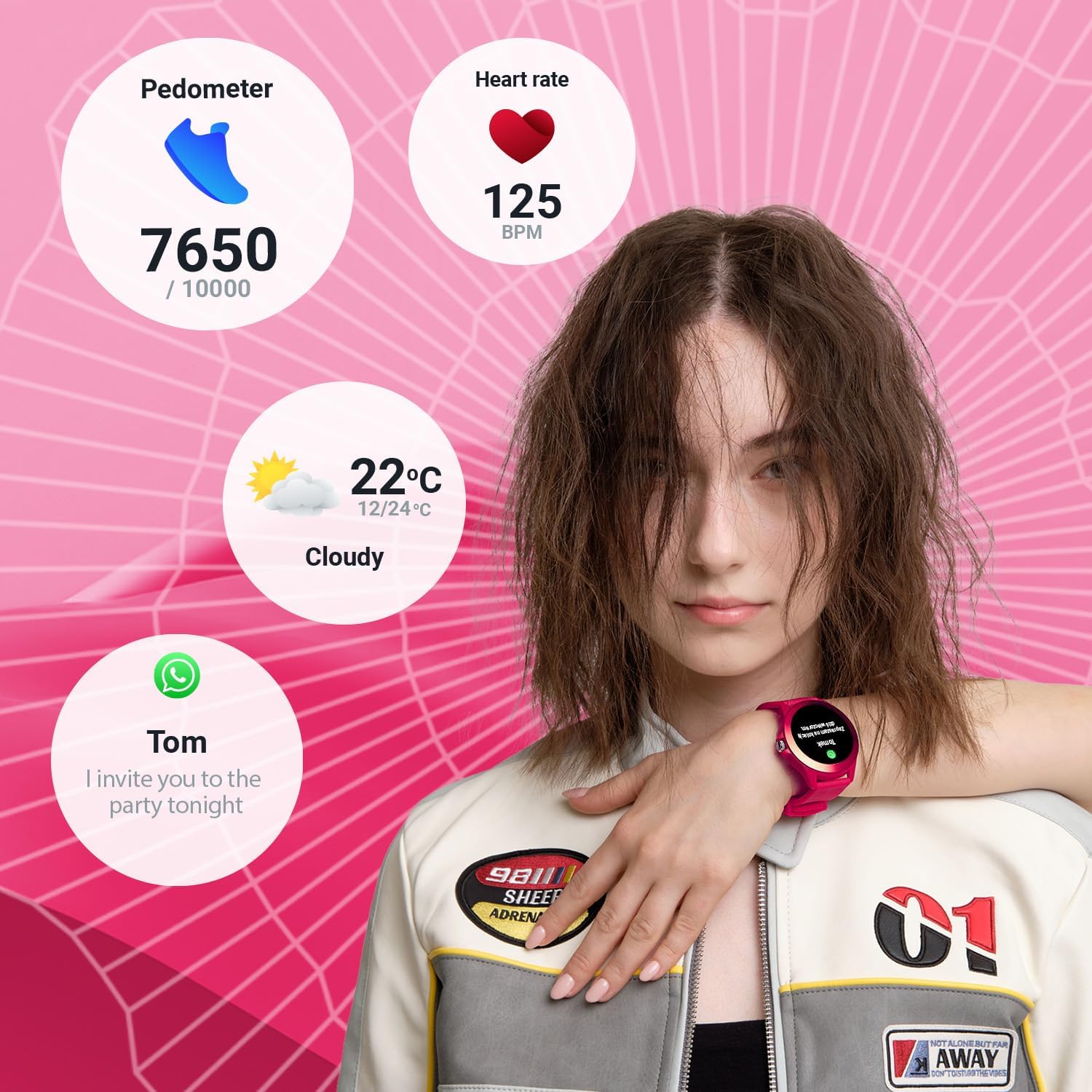
Image: The smartwatch display showing various data points including steps, heart rate, weather, and a message notification.
4.4 Контрола музике
Access the music control feature on your watch to play, pause, skip tracks, and adjust volume for music playing on your connected smartphone.
4.5 Camera Remote
Use the camera remote function to trigger your smartphone's camera shutter from your smartwatch, making it easier to take photos.
5. Праћење здравља и кондиције
5.1 Праћење активности
The smartwatch continuously tracks your daily activity, including steps taken and calories burned. View your progress towards daily goals on the watch or in the companion app.
5.2 Монитор пулса
The built-in heart rate sensor monitors your heart rate throughout the day. Access real-time readings on the watch and review историјски подаци у апликацији.

Слика: Крупни план view of two smartwatches, highlighting the heart rate monitoring feature with a graph.
5.3 Монитор спавања
Wear your smartwatch to bed to track your sleep patterns. The device analyzes sleep quality, including deep and light sleep stages, providing insights in the companion app.
5.4 спортских режима
The CW-300 offers 14 different sport modes to accurately track your workouts. These include:
- Трчање
- фитнес
- Бициклизам
- Пливање
- Пењање
- марта
- Степенице
- Голф
- Јога
- Планинарење
- Орбитира
- Бадминтон
- Вожња кајаком
- Трака за трчање

Image: The smartwatch display showcasing the icons for its 14 different sport modes.
5.5 Menstrual Cycle Monitor
For female users, the integrated menstrual monitor allows for easy tracking of the menstrual cycle within the companion app.
6. Одржавање
6.1 Чишћење
Редовно чистите паметни сат и каиш меком, сувом крпом. Ако је потребно, користите благоamp крпу са благим сапуном, а затим обришите на суво. Избегавајте јаке хемикалије или абразивне материјале.
6.2 Отпорност на воду (IP68)
The CW-300 is IP68 rated, meaning it is resistant to dust and can withstand immersion in water up to 1.5 meters for up to 30 minutes. It is suitable for showering and swimming in shallow water. However, it is not recommended for diving, high-pressure water activities, or exposure to hot water/steam, which can compromise the seal.
6.3 Одржавање батерије
To prolong battery life, avoid fully discharging the watch frequently. Charge the device regularly, and if storing for an extended period, ensure it has at least a 50% charge.
КСНУМКС. Решавање проблема
7.1 Сат се не укључује
- Уверите се да је сат потпуно напуњен. Повежите га са пуњачем најмање 30 минута.
- Press and hold the side button for 10-15 seconds to attempt a forced restart.
7.2 Није могуће упаривање са паметним телефоном
- Уверите се да је Bluetooth омогућен на вашем паметном телефону и да је сат у домету.
- Поново покрените и паметни телефон и паметни сат.
- Уверите се да је пратећа апликација ажурирана на најновију верзију.
- Ако је претходно упарен, покушајте да раскинете упаривање уређаја из Bluetooth подешавања телефона, а затим га поново упарите преко апликације.
7.3 Нетачни здравствени подаци
- Уверите се да сат чврсто приања на зглоб, али не превише стегнут.
- Очистите сензоре на задњој страни сата.
- Фактори околине и индивидуална физиологија могу утицати на тачност сензора.
7.4 Обавештења се не појављују
- Проверите да ли је сат правилно повезан са вашим паметним телефоном путем Блутут-а.
- Verify notification permissions for the companion app in your phone's settings.
- Ensure specific app notifications are enabled within the companion app.
8. Спецификације
| Бранд | ФОРЕВЕР |
| Назив модела | ЦВ-КСНУМКС |
| Оперативни систем | АстероидОС |
| Величина екрана | 1.20 Inches (1.22 Inches in some specifications) |
| Резолуција екрана | 240 к 240 пк |
| Повезивање | Блуетоотх 5.0 |
| Отпорност на воду | ИП68 |
| Посебне карактеристике | Time display, Alarm clock, Pedometer, Heart Rate Monitor, Sleep Monitor, Calorie Counter, 14 Sport Modes, Menstrual Cycle Monitor, Music Control, Camera Remote |
| Компатибилни уређаји | Smartphone (Android/iOS) |
| Тип батерије | Литијум-јонски |
| ГПС | Преко паметног телефона |
| Облик | Роунд |
9. Гаранција и подршка
Information regarding specific warranty details, availability of spare parts, and guaranteed software updates for the FOREVER Colorum CW-300 Smartwatch is not available in the provided product data.
For any issues not covered in this manual or for further assistance, please refer to the official FOREVER webсајт или директно контактирајте њихову корисничку подршку. Сачувајте доказ о куповини за евентуалне рекламације по гаранцији.