
1. Подешавање
This section provides instructions for the initial setup of your TCL 55S41 television, including unpacking, stand installation, wall mounting, and connecting external devices.
1.1 Распакивање
- Пажљиво извадите телевизор из паковања.
- Ensure all accessories are present: remote control, AAA batteries, power cord, and stand components.
- Сачувајте материјал за паковање за будуће потребе транспорта или сервисирања.
1.2 Инсталација постоља
If you are not wall-mounting the television, install the included stand according to these steps:
- Place the television face-down on a soft, clean surface to prevent screen damage.
- Align the stand legs with the screw holes on the bottom of the television. The stand separation distance is approximately 41.5 inches.
- Secure each stand leg using the provided M4 x 25 screws (4 screws total). Tighten securely with a screwdriver.
- Carefully lift the television to an upright position on a stable, level surface.
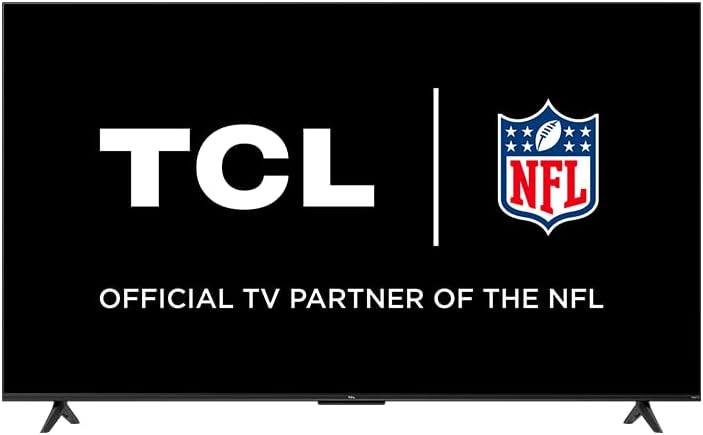
Image: The TCL 55S41 television with its stand attached, illustrating the typical appearance after stand installation. The stand provides stable support for the television on a flat surface.
1.3 Монтажа на зид
If you plan to wall-mount your television, ensure you use a VESA-compatible wall mount (sold separately) that supports the television's weight and size.
- The VESA wall mount pattern for this model is 200 мм к 200 мм.
- Use M6 x 12 screws for attaching the wall mount bracket to the television.
- Follow the instructions provided with your specific wall mount for safe and secure installation.
- Remove the stand legs before wall mounting.
1.4 Повезивање уређаја
Connect your external devices to the appropriate ports on the back of the television.
- ХДМИ улази: The TV features 4 HDMI inputs, including 1 eARC port for enhanced audio return channel functionality. Use these for connecting Blu-ray players, game consoles, cable boxes, etc.
- Composite Audio/Video Input: 1 input for older devices using RCA cables.
- Дигитални оптички аудио излаз: 1 output for connecting to soundbars or audio receivers.
- Слушалице: 1 output for private listening with headphones.
- РФ антенски улаз: 1 input for connecting an antenna for over-the-air broadcasts.
- УСБ 2.0 порт: 1 port for connecting USB storage devices to play media.
- Етхернет порт: За жичану интернет везу.
- Бежична веза: Supports 802.11ac 2x2 Dual Band (2.4GHz & 5GHz) Wi-Fi for wireless internet access.
Слика: Генерал view of the TCL 55S41 television, indicating the typical location of various input and output ports on the rear panel for connecting external devices.
1.5 Почетно укључивање и подешавање Roku-а
- Connect the power cord to the television and then to a power outlet.
- Притисните дугме за напајање на даљинском управљачу или на телевизору.
- Follow the on-screen instructions to complete the Roku guided setup, which includes selecting your language, connecting to a network, and activating your Roku account.
2. Управљање телевизором
This section details the basic operation of your TCL Roku TV, including remote control functions, smart features, and input selection.
2.1 Даљински управљач
The included remote control (model RC280) requires two "AAA" batteries. It provides intuitive control over your television and Roku OS.
- Дугме за напајање: Укључује или искључује ТВ.
- Тастер за смер: Креће се кроз меније и бира ставке.
- Хоме дугме: Враћа се на почетни екран Roku-а.
- Дугме за назад: Враћа се на претходни екран.
- Дугмад за јачину звука: Подешава јачину звука телевизора.
- Дугме за утишавање: Искључује или укључује звук.
- Дугмад за пречице: Dedicated buttons for popular streaming channels.
2.2 Smart Features (Roku TV)
Your TCL TV is powered by Roku OS, offering a wide range of smart features:
- Стриминг канали: Access thousands of streaming channels for movies, TV shows, news, sports, and more.
- Контрола гласом: The TV works with Siri, Alexa, and Hey Google for voice commands to search for content, launch apps, or switch inputs.
- АирПлаи: Share videos, photos, and music directly from your Apple devices.
- Customizable Home Screen: Organize your favorite channels and inputs for quick access.
- Року мобилна апликација: Use the free Roku mobile app for private listening via headphones, voice control, and as an alternative remote.
2.3 Избор улаза
To switch between connected devices or the antenna input:
- From the Roku home screen, navigate to the desired input tile (e.g., HDMI 1, Antenna TV).
- Притисните тастер OK button on your remote to select the input.
2.4 Аудио функције
- Долби Дигитал Плус: Enhanced audio quality for compatible content.
- Приватно слушање: Use the Roku mobile app with headphones for personal audio.
2.5 Live TV Pause
If you have an antenna connected, you can pause live TV for up to 30 minutes. A USB drive (sold separately) is required for this feature.
3. Одржавање
Правилно одржавање осигурава дуготрајност и оптималне перформансе вашег телевизора.
3.1 Чишћење
- Екран: Gently wipe the screen with a soft, lint-free cloth. For stubborn marks, use a screen cleaner specifically designed for televisions, applied to the cloth, not directly to the screen.
- Кабинет: Обришите кућиште телевизора меком, сувом крпом. Избегавајте употребу абразивних средстава за чишћење или растварача.
- Увек искључите телевизор из струје пре чишћења.
3.2 Ажурирања софтвера
Your TCL Roku TV receives automatic software updates to improve performance and add new features. Ensure your TV is connected to the internet for these updates.
КСНУМКС. Решавање проблема
This section provides solutions to common issues you might encounter with your TCL 55S41 television.
4.1 Нема напајања
- Проверите да ли је кабл за напајање безбедно прикључен и у телевизор и у утичницу.
- Проверите да ли је утичница функционална тако што ћете укључити други уређај.
- Покушајте да притиснете дугме за напајање на самом телевизору, не само на даљинском управљачу.
4.2 Нема слике / Лош квалитет слике
- Уверите се да је изабран исправан улазни извор.
- Check all cable connections (HDMI, composite) to external devices.
- If using an antenna, check antenna connection and try rescanning for channels.
- Подесите подешавања слике (осветљеност, контраст итд.) у менију телевизора.
4.3 Нема звука / Лош квалитет звука
- Проверите ниво јачине звука и уверите се да телевизор није искључен.
- If using external audio equipment (soundbar, receiver), ensure it is powered on and correctly connected.
- Проверите подешавања аудио излаза у менију телевизора.
4.4 Даљински управљач не реагује
- Replace the batteries with fresh "AAA" batteries.
- Уверите се да нема препрека између даљинског управљача и ИР сензора телевизора.
- Try pairing the remote again if it's a voice remote (refer to Roku TV settings).
4.5 Проблеми са мрежном повезивањем
- Check your Wi-Fi router and modem to ensure they are powered on and functioning.
- Рестартујте рутер и модем.
- Идите у мрежна подешавања телевизора и покушајте поново да се повежете са Wi-Fi мрежом.
- Ако користите жичану везу, уверите се да је Етернет кабл безбедно повезан.
5. Спецификације
Detailed technical specifications for the TCL 55S41 55-inch 4-Series 4K UHD HDR LED Smart Roku TV.
| Феатуре | Спецификација |
|---|---|
| Назив модела | 55С41 |
| Величина екрана | 55 inches (54.6" Viewспособан) |
| Резолуција панела | 3840 к 2160 (4К УХД) |
| Рефресх Рате | 60 Хз |
| Дисплаи Тецхнологи | ЛЕД-ЛЦД |
| Подржан ХДР формат | ХДР10, ХЛГ |
| Паметна платформа | Року ТВ |
| Аудио излазна снага | КСНУМКСВ + КСНУМКСВ |
| Премиум Аудио | Долби Дигитал Плус |
| ХДМИ улази | 4 (1 еАРЦ) |
| УСБ 2.0 портови | 1 |
| Бежично повезивање | 802.11ac 2x2 Dual Band (2.4GHz & 5GHz) |
| Етхернет порт | 1 |
| Величина производа (ШкВкД) са постољем | 48.3 cm x 29.8 cm x 10.1 cm |
| Product Size (WxHxD) without Stand | 48.3 cm x 28 cm x 3.2 cm |
| Product Weight with Stand | 22.5 лбс |
| Product Weight without Stand | 22 лбс |
| ВЕСА узорак за зидну монтажу | 200 мм к 200 мм |
| ВЕСА величина завртња | М6 к 12 |
| Укључен даљински управљач | РЦ280 |
| Тип батерије даљинског управљача | Two "AAA" |
| УПЦ | 846042065061 |
6. Гаранција и подршка
Information regarding the product warranty and how to obtain support.
6.1 Информације о гаранцији
This TCL television comes with a 1-годишња ограничена гаранција. This warranty covers manufacturing defects and issues arising from normal use. Please refer to the warranty card included with your product or visit the official TCL webсајт за пуне услове.
6.2 Корисничка подршка
For technical assistance, troubleshooting beyond this manual, or warranty claims, please contact TCL Customer Support. You can typically find support contact information (phone, email, or live chat) on the official TCL website. When contacting support, have your TV model number (55S41) and serial number ready.