
ShiftCam ShiftCam
ShiftCam Camera Case with Built-in LensUltra Mount User Manual
Model: ShiftCam (iPhone 14 Plus)
1. Увод
Thank you for choosing the ShiftCam Camera Case with Built-in LensUltra Mount for your Apple iPhone 14 Plus. This case is designed to seamlessly integrate with ShiftCam LensUltra lenses, transforming your iPhone into a versatile photography tool. Crafted from premium vegan leather with a durable aluminum lens mount, it offers both protection and enhanced photographic capabilities. This manual will guide you through the features, setup, and proper use of your new camera case.
2. Производ је готовview
The ShiftCam Camera Case is engineered to provide a robust and convenient platform for mobile photography. Its key features include:
- Instant Lens Alignment: Designed for perfect alignment with all ShiftCam LensUltra and LensUltra Kits, ensuring you never miss a shot.
- Model-Specific Fit: Optimized specifically for the iPhone 14 Plus, providing a snug and secure fit.
- Durable Aluminum Lens Mount: Features an advanced aluminum mount for secure and precise lens attachment, built to withstand various photography adventures.
- Premium Vegan Leather: Constructed from high-quality, hand-crafted vegan leather that is scratch-, stain-, and water-resistant.
- МагСафе компатибилан: Integrated MagSafe magnets ensure a strong and stable connection for easy and convenient charging.
- Танак дизајн: With a thickness of only 11mm, the case maintains a sleek profile while offering robust functionality.
- 2m Drop Protection: Utilizes aerospace-grade aluminum for added protection against drops.

The ShiftCam Camera Case in charcoal, designed for iPhone 14 Plus.

The case with a LensUltra lens attached, demonstrating the slim profile.

Close-up of the premium vegan leather material.
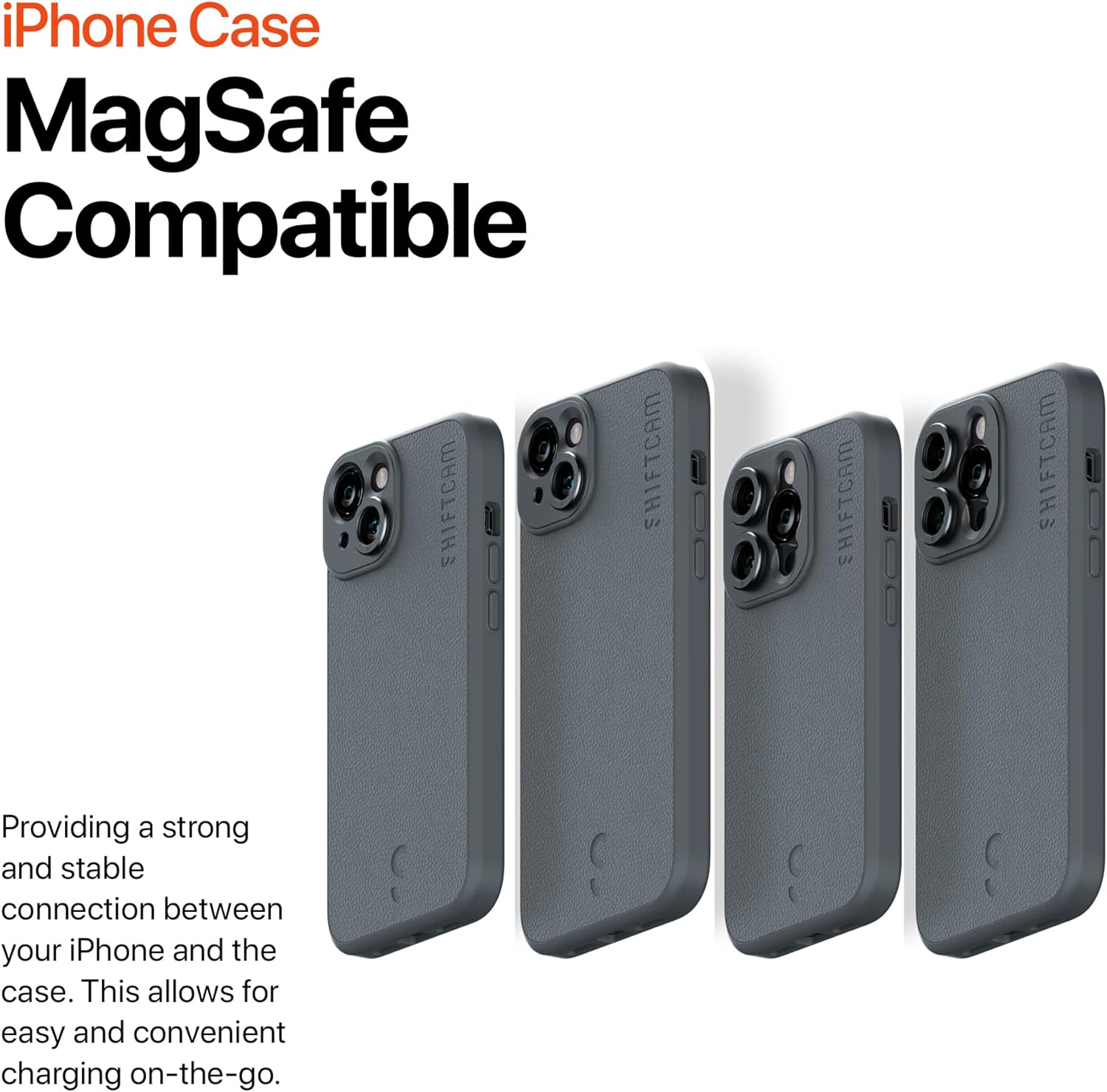
Multiple cases demonstrating MagSafe compatibility.

The built-in aluminum mount for LensUltra lenses.
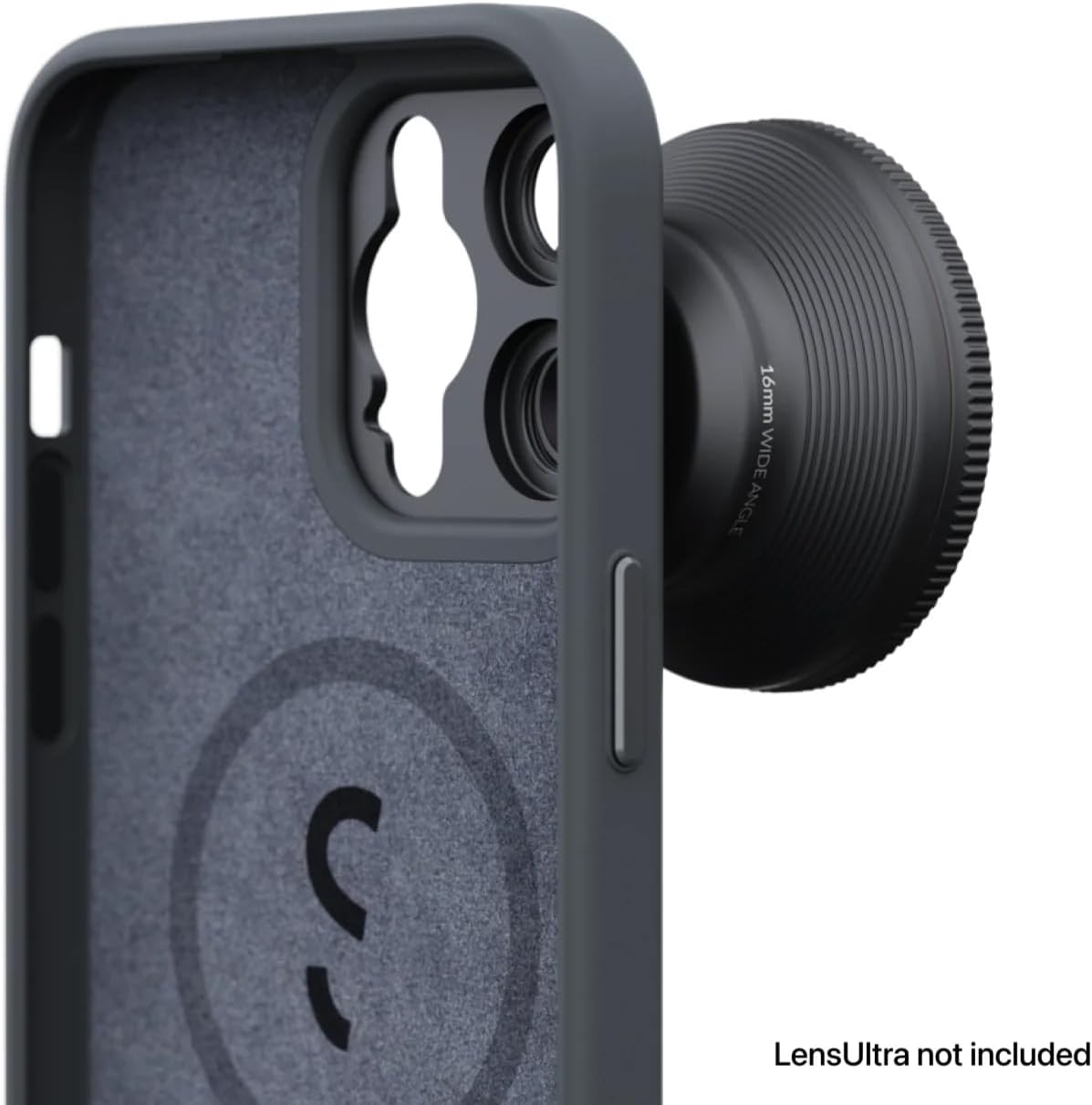
Interior of the case with MagSafe ring and protective lining.
3. Подешавање
Setting up your ShiftCam Camera Case is a straightforward process:
- Installing the Case: Gently align your iPhone 14 Plus with the case, ensuring the camera module and buttons are correctly positioned. Press the phone firmly into the case until it is securely seated.
- Attaching LensUltra Lenses: To attach a ShiftCam LensUltra lens, align the lens with the built-in aluminum mount on the case. Twist the lens clockwise until it clicks securely into place. The precision design ensures perfect alignment without obstruction.
- Removing LensUltra Lenses: To remove a lens, twist it counter-clockwise until it detaches from the mount.

iPhone 14 Plus with case and LensUltra attached.
4. Упутство за употребу
Once the ShiftCam Camera Case is installed and your LensUltra lens is attached, you are ready to enhance your mobile photography:
- фотографија: Open your iPhone's camera application. The attached LensUltra lens will automatically modify the field of view or optical properties as designed (e.g., wide-angle, telephoto, macro). Experiment with different lenses to achieve desired photographic effects.
- МагСафе пуњење: The integrated MagSafe compatibility allows for convenient wireless charging. Simply place your iPhone with the case onto a MagSafe charger.
- Компатибилност додатне опреме: The case is designed to work with other ShiftCam accessories that utilize the LensUltra mount system, such as grips or tripods.
5. Одржавање
To ensure the longevity and optimal performance of your ShiftCam Camera Case:
- Чишћење: Редовно бришите кућиште меком крпомamp cloth. For stubborn stains on the vegan leather, use a mild soap solution and wipe gently. Avoid harsh chemicals or abrasive materials.
- Lens Mount Care: Keep the aluminum lens mount free from dust and debris. Use a soft brush or compressed air to clean the threads if necessary.
- Складиштење: When not in use, store the case and lenses in a clean, dry place away from extreme temperatures and direct sunlight.
КСНУМКС. Решавање проблема
If you encounter any issues with your ShiftCam Camera Case, consider the following:
- Објектив није безбедно причвршћен: Ensure the lens mount on the case and the lens itself are clean and free of obstructions. Twist firmly until you feel a click.
- Case Not Fitting iPhone: Verify that you have the correct case model for your iPhone 14 Plus. Ensure no foreign objects are inside the case preventing a proper fit.
- Image Quality Issues with Lens: Ensure the LensUltra lens is clean and free of smudges or dust. Check that the lens is securely attached and properly aligned.
7. Спецификације
| Феатуре | Детаљ |
|---|---|
| Димензије производа | 6.54 к 3.27 к 0.51 инча |
| Тежина артикла | 3.52 унци |
| ASIN | B0CDMB19SG |
| Број модела ставке | ShiftCam |
| Посебне карактеристике | Heavy Duty Protection |
| Друге функције екрана | Бежични |
| Форм Фацтор | Основни случај |
| Боја | Дрвени угаљ |
| Шта је у кутији | Цамера Цасе |
| Произвођач | ShiftCam |
| Датум првог доступног | 3. августа 2023. године |
| Бранд | ShiftCam |
| Компатибилни модели телефона | иПхоне 14 Плус |
| Компатибилни уређаји | иПхоне 14 Плус |
| Материјал | Фаук Леатхер |
8. Гаранција и подршка
For warranty information and customer support, please refer to the official ShiftCam webсајт или директно контактирајте њихову корисничку службу. Сачувајте доказ о куповини за евентуалне рекламације по гаранцији.
За даљу помоћ, посетите ShiftCam Store on Amazon.
Ask a question about this manual
Ask about setup, troubleshooting, compatibility, parts, safety, or missing instructions. Manuals+ will review the question and use this page’s manual context to help answer it.