
1. Увод
Welcome to your new SportPlus Leg Trainer. This manual provides essential information for the safe and effective use of your mini exercise bike. Please read it thoroughly before initial use and retain it for future reference.
2. Безбедносна упутства
- Консултујте се са лекаром пре него што започнете било који нови програм вежбања.
- Уверите се да је уређај постављен на стабилну, равну површину.
- Maximum user weight: 110 kg. Do not exceed this limit.
- Држите децу и кућне љубимце подаље од уређаја током рада.
- Regularly inspect the device for wear and tear. Do not use if damaged.
- Wear appropriate footwear during exercise.
- Adjust pedal straps securely before use.
- Do not stand on the pedals. This device is designed for seated use.
- Unplug the device (if applicable) when not in use or during cleaning.
3. Садржај пакета
Проверите да ли су све компоненте присутне:
- SportPlus Leg Trainer main unit
- Педале (лева и десна)
- Stabilizer feet
- Упутство за употребу
- Assembly tools (if required, usually included)
4. Подешавање и монтажа
- Распакивање: Пажљиво уклоните све компоненте из паковања.

Image: The SportPlus Leg Trainer main unit, showing its compact design and integrated display.
- Attach Stabilizer Feet: Securely attach the front and rear stabilizer feet to the main unit using the provided screws and tools. Ensure they are firmly tightened for stability.

Слика: Крупни план view of one of the stabilizer feet, highlighting the non-slip cap for secure placement.
- Инсталирајте педале:
- Identify the left (L) and right (R) pedals. The left pedal typically has a left-hand thread (turn counter-clockwise to tighten). The right pedal has a standard right-hand thread (turn clockwise to tighten).
- Screw the pedals into the crank arms. Tighten them firmly with a wrench to prevent loosening during use.

Image: The pedals of the SportPlus Leg Trainer, featuring adjustable straps for secure foot placement.

Слика: Детаљна view of a single pedal, showing the textured surface and the adjustable strap.
- Уметните батерије: Open the battery compartment on the training computer and insert the required batteries (not included). Close the compartment.

Image: The illuminated LCD display of the training computer, showing time and other metrics.
Your SportPlus Leg Trainer is now ready for use.
5. Упутство за употребу
5.1. Using the Training Computer
The integrated training computer displays key workout data.

Image: The training computer interface with 'RESET', 'MODE', and 'SET' buttons.
- НАЧИН: Press to cycle through display functions (Time, Distance, Speed, Calories, Scan).
- РЕСЕТОВАТИ: Press and hold to clear all current workout data.
- КОМПЛЕТ: Used for setting target values (e.g., target time, distance).
5.2. Подешавање отпора
The SportPlus Leg Trainer features 8 levels of magnetic resistance.

Image: The rotary knob for adjusting the magnetic resistance levels.
- Turn the resistance knob clockwise to increase resistance (higher intensity).
- Turn the resistance knob counter-clockwise to decrease resistance (lower intensity).
5.3. Повезивање апликација
This device is app-compatible. Refer to the specific app's instructions for pairing and data synchronization via Bluetooth.

Image: A person using the SportPlus Leg Trainer discreetly under a desk while working on a laptop, demonstrating its office compatibility.
6. Одржавање и њега
- Чишћење: Obrišite uređaj sa oglasomamp крпом након сваке употребе. Не користите абразивна средства за чишћење.
- Складиштење: Store in a cool, dry place away from direct sunlight. Its compact size (68 x 43 x 35 cm) allows for easy storage.
- инспекција: Periodically check all screws and connections for tightness. Tighten if necessary.
- Замена батерије: Replace batteries in the training computer when the display becomes dim or unresponsive.
КСНУМКС. Решавање проблема
| Проблем | Могући узрок | Решење |
|---|---|---|
| Displej ne radi | Dead batteries; Loose battery connection | Replace batteries; Ensure batteries are correctly inserted |
| Pedals feel loose | Pedals not tightened sufficiently | Retighten pedals with a wrench (remember left-hand thread for left pedal) |
| Device unstable during use | Stabilizer feet not secure; Uneven surface | Ensure stabilizer feet are tightened; Place on a flat, stable surface |
| Отпор се не мења | Resistance mechanism issue | Контактирајте корисничку подршку |
8. Спецификације
- Модел: SP-HT-0001-B-iE / SP-HT-0001-W-iE
- Систем отпора: Magnetic Brake System
- Нивои отпора: 8
- Максимална тежина корисника: 110 кг
- Димензије производа (Д к Ш к В): 68 цм к 43 цм к 35 цм
- Тежина производа: 9 кг
- Материјал: легирани челик
- Power Source (Computer): Напајање батеријама (батерије нису укључене)
- Повезивање: Bluetooth (App Compatible)
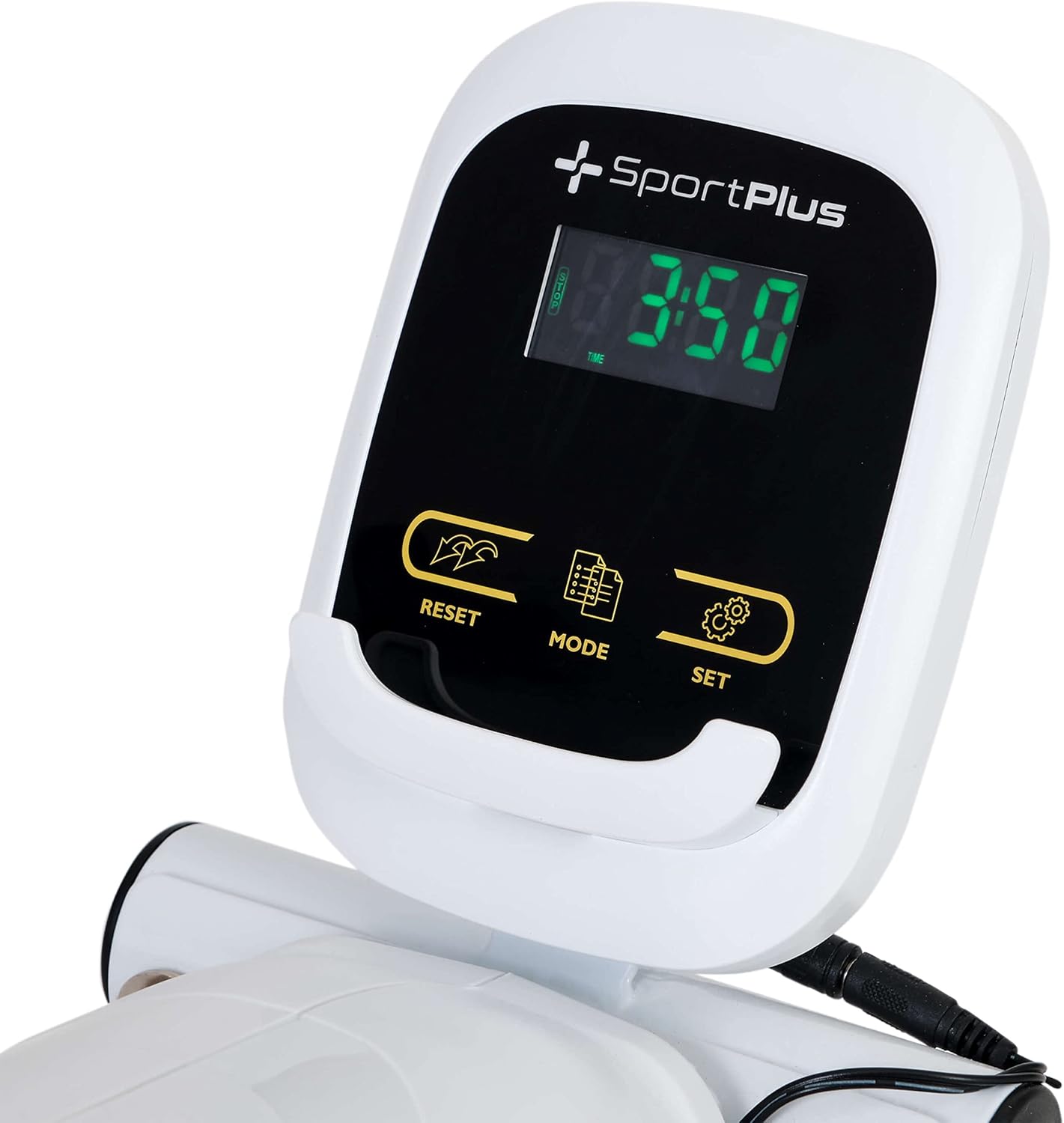
Image: Diagram illustrating the dimensions of the SportPlus Leg Trainer: 68 cm length, 43 cm width, and 35 cm height.
9. Гаранција и подршка
SportPlus provides a guaranteed spare parts supply. For technical customer service and professional advice, please contact SportPlus in Hamburg.
- СОС линија за корисничку подршку: 040 - 7808 9635 (Monday to Friday, 9:00 am to 6:00 pm local time)
- Напомена: Fees at local tariff; costs for calls from mobile networks may vary.
Mechanical and chemical safety tested according to applicable standards.