
Увод
Thank you for choosing the Hodozzy A3475 Android Car Radio. This device is designed to enhance your driving experience with advanced features such as Android 13 operating system, wireless CarPlay and Android Auto, GPS navigation, Bluetooth connectivity, and a high-resolution touch screen. This manual provides essential information for the safe installation, proper operation, and effective maintenance of your new car stereo. Please read this manual thoroughly before installation and use, and keep it for future reference.
Безбедносне информације
- Препоручена професионална инсталација: Због сложености електричних система аутомобила, препоручује се професионална инсталација како би се спречило оштећење уређаја или вашег возила.
- Напајање: Уверите се да је уређај повезан на напајање од 12V једносмерне струје са негативним уземљењем. Нетачан напонtagе може проузроковати штету.
- Ожичење: Carefully follow all wiring diagrams. Incorrect wiring can lead to malfunctions, electrical shorts, or fire.
- Безбедност вожње: Не користите уређај на начин који вас одвлачи од вожње. Увек дајте приоритет безбедности у саобраћају.
- температура: Избегавајте излагање уређаја екстремним температурама или директној сунчевој светлости током дужег периода.
- Влага: Држите уређај даље од воде и прекомерне влаге.
- Чишћење: За чишћење користите меку, суву крпу. Немојте користити абразивна средства за чишћење или раствараче.
Садржај пакета
Молимо вас да проверите садржај вашег пакета у односу на доњу листу. Ако неке ставке недостају или су оштећене, обратите се продавцу.

Image: The packaging list showing the main unit, power cable, RCA cable, rear camera input cable, GPS antenna, USB cable, mounting bracket, user manual, AHD rear camera, and microphone. Dimensions of the main unit are also shown: 178mm (7.0 inch) width, 102mm (4.0 inch) height, 70mm (2.7 inch) depth, and 25mm (0.9 inch) bezel depth.
- Hodozzy A3475 Main Unit
- Повер Цабле
- RCA улазно/излазни кабл
- Улазни кабл за камеру за вожњу уназад
- ГПС антена
- УСБ кабл (к2)
- Монтажни носачи
- Кориснички приручник (овај документ)
- AHD задња камера
- Ектернал Мицропхоне
Производ је завршенview
The Hodozzy A3475 is a 7-inch double din Android car stereo featuring an 8-core processor, 2GB RAM, and 64GB ROM for smooth performance. It runs on Android 13 and offers a high-resolution IPS touchscreen.

Image: Visual representation of the car stereo's core specifications: Android 13 operating system, 2GB RAM + 64GB ROM memory, 8-core processor, and integrated GPS navigation with WiFi connectivity.
Кључне карактеристике:
- Оперативни систем: Андроид 13
- процесор: 8-цоре
- Меморија: 2ГБ РАМ + 64ГБ РОМ
- Приказ: 7-inch IPS Capacitive Touch Screen (1280*720 resolution)
- Повезивање: Wireless CarPlay, Wireless Android Auto, Mirror Link, Bluetooth 5.0, Wi-Fi, USB, AUX, TF Card
- Навигација: Built-in GPS module with offline map support
- аудио: 36-band DSP (Digital Sound Processor), FM/RDS Radio
- Улази: AHD Rear Camera input, Dash CAM input, 2 USB inputs
- Излази: Amplifier/Sub-woofer audio output
- Контрола: Подршка за контролу на волану
Прикључци задње плоче:

Image: The rear panel of the Hodozzy A3475 unit, displaying various connection ports including power, RCA input/output, reversing camera input, USB, GPS antenna, and radio antenna ports.
- Конектор кабла за напајање
- RCA Input/Output Connectors
- Улаз камере уназад
- USB Cable Connectors (x2)
- ГПС антенски улаз
- Радио антенски улаз
Инсталација
Упозорење: Incorrect installation can cause damage to the unit or your vehicle. It is highly recommended to have this unit installed by a qualified professional.
Контролна листа пре инсталације:
- Искључите негативни терминал акумулатора возила пре почетка било каквих електричних радова.
- Ensure the mounting dimensions (178mm x 100mm) are compatible with your vehicle's double din opening.
- Gather all necessary tools (wire strippers, crimpers, screwdrivers, electrical tape, multimeter).
Wiring Diagram (General):
Refer to the included wiring diagram for specific connections. The main connections typically include:
- жута жица: Constant 12V (Battery +)
- Црвена жица: ACC (Switched 12V, Ignition)
- Црна жица: Ground (Chassis -)
- Orange/Illumination Wire: Connect to vehicle's illumination circuit (optional).
- Reverse Gear Wire: Connect to the vehicle's reverse light circuit for automatic camera display.
- Жице за звучнике: Connect to your vehicle's speakers (Front Left +, Front Left -, etc.).
- ГПС антена: Монтирајте на место са чистим view неба.
- Радио антена: Connect to the vehicle's radio antenna.
- УСБ каблови: Route to an accessible location for connecting USB devices.
- Задња камера: Install the AHD rear camera at the back of the vehicle and route its cable to the unit's reversing camera input.
Монтажа:
Use the provided mounting brackets to secure the unit into your vehicle's double din opening. Ensure the unit is firmly seated and does not obstruct any vehicle controls or airbags.
Почетно подешавање
- Укључено: After installation, reconnect the vehicle's battery and turn on the ignition. The unit should power on automatically.
- Језик и време: Follow the on-screen prompts to select your preferred language, time zone, and date settings.
- Ви-Фи веза: Иди на Подешавања > Мрежа и Интернет > Ви-Фи to connect to an available Wi-Fi network or your phone's hotspot. This is necessary for online maps, app downloads, and system updates.
- GPS калибрација: Ensure the GPS antenna is properly connected and placed. The system will automatically acquire satellite signals for navigation.
Упутство за употребу
Екран и кориснички интерфејс
The 7-inch IPS capacitive touch screen offers a clear and responsive interface. You can customize the look and feel of your stereo with various wallpapers and user interface themes.
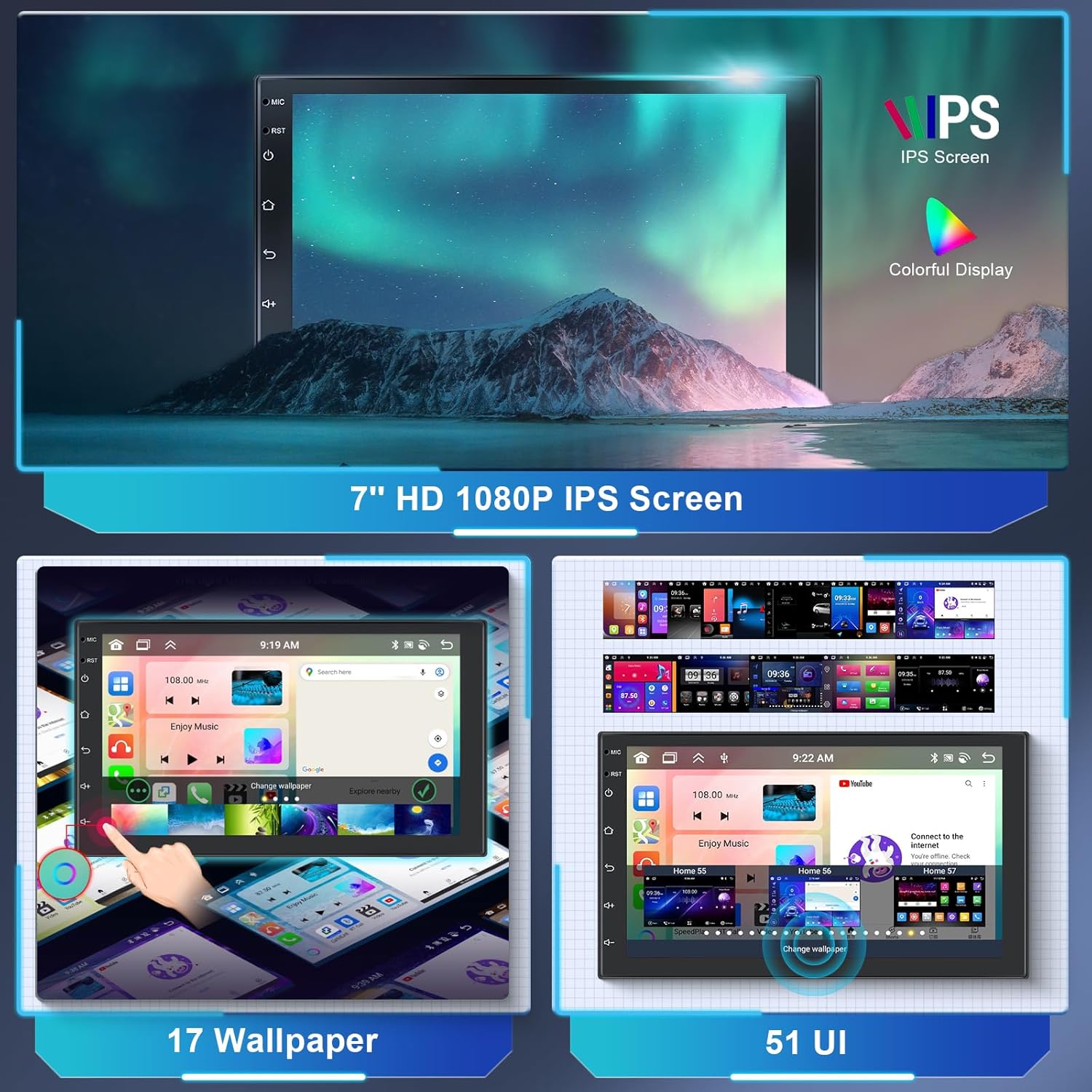
Image: The 7-inch HD 1080P IPS screen displaying various wallpaper options and different user interface layouts, highlighting customization capabilities.
- Почетни екран: Приступите често коришћеним апликацијама и виџетима.
- Фиока апликација: Swipe up or tap the app icon to view све инсталиране апликације.
- Подешавања: Access system settings for audio, display, network, and more.
- Прилагођавање: Дођите до Подешавања > Дисплаи to change wallpapers and UI themes.
Wireless CarPlay & Android Auto & Mirror Link
Connect your smartphone wirelessly or via USB to access CarPlay or Android Auto for navigation, music, calls, and messages. The Mirror Link function allows you to display your phone's screen directly on the car stereo.

Image: The car stereo screen displaying the interfaces for Wireless CarPlay and Wireless Android Auto, showing phone applications like navigation, music, and communication.
- For Wireless CarPlay/Android Auto:
- Уверите се да су Bluetooth и Wi-Fi на вашем телефону омогућени.
- On the car stereo, open the "CarLink" or similar app.
- Pair your phone via Bluetooth with the car stereo.
- Confirm the connection on both devices. CarPlay or Android Auto should launch automatically.
- For Mirror Link:
- Open the "Mirror Link" app on the stereo.
- Follow the on-screen instructions to connect your Android or iOS device, typically involving a USB connection and enabling USB debugging (for Android) or trusting the device (for iOS).
GPS навигација и Wi-Fi
The unit comes with a built-in GPS module and pre-installed offline map applications. Connect to Wi-Fi for online maps, traffic updates, and downloading additional apps from the Play Store.

Image: The car stereo displaying GPS navigation maps and icons for various navigation applications. Also shown is a graphic representing WiFi connectivity in a car.
- Офлајн мапе: Access the pre-installed map application. You may need to download specific regional map data via Wi-Fi for offline use.
- Онлајн мапе: Connect to Wi-Fi or a mobile hotspot to use online navigation apps like Google Maps, Waze, etc.
- ВиФи хотспот: The unit supports 3G/4G hotspot connectivity from your smartphone.
Блуетоотх функције
The built-in Bluetooth 5.0 module allows for hands-free calling and wireless audio streaming.

Image: The car stereo screen displaying a phone dialer interface, indicating Bluetooth hands-free calling functionality. A smartphone is shown below, connected via Bluetooth.
- Упаривање: Go to the Bluetooth app on the stereo. Enable Bluetooth on your phone and search for the stereo (e.g., "Hodozzy A3475"). Pair the devices.
- Хандс-фрее позивање: Once paired, you can make and receive calls directly from the stereo's screen. The external microphone ensures clear audio.
- Блуетоотх музика: Стримујте звук са телефона на стерео уређај у аутомобилу.
FM/RDS радио
Tune into your favorite FM radio stations. The RDS (Radio Data System) function displays station information, song titles, and other data where available.

Image: The car stereo screen displaying the FM radio interface, showing frequency (87.50 MHz) and RDS information. A microphone is visible in the background, indicating audio input capabilities.
- Аутоматско скенирање: Користите функцију аутоматског скенирања да бисте пронашли и сачували доступне станице.
- Ручно подешавање: Manually adjust the frequency to find specific stations.
- Пресетс: Сачувајте своје омиљене станице на унапред подешена дугмад за брз приступ.
DSP Sound Adjustment
The integrated 36-band Digital Sound Processor (DSP) allows for precise audio customization, including equalization, balance, fader, and subwoofer control.

Image: The car stereo screen displaying a detailed graphic equalizer interface for DSP sound adjustment, showing multiple frequency bands and gain controls. A sound mixing board is in the background.
- Access the EQ app to adjust frequency bands, Q adjustments, and gain levels.
- Choose from preset equalizer curves (e.g., Classic, Pop, Rock) or create and save your own custom settings.
- Adjust subwoofer level and other audio parameters for optimal sound.
Контрола на волану (SWC)
The unit supports original steering wheel controls, allowing you to manage audio and other functions without taking your hands off the wheel.

Image: The car stereo screen showing the interface for programming steering wheel controls. A steering wheel with hands is depicted below, illustrating the use of these controls.
- Приступите подешавањима SWC-а у системском менију.
- Follow the on-screen instructions to map your vehicle's steering wheel buttons to corresponding functions on the stereo (e.g., volume up/down, track skip, mode).
Reverse Camera Function
When connected to the reverse gear, the car stereo automatically displays the rear camera feed, assisting with parking and reversing maneuvers.

Image: The car stereo screen displaying a reverse camera view of a parking lot with dynamic parking guidelines. A small image of a car reversing with a camera icon is shown below.
- Ensure the AHD rear camera is properly installed and connected to the unit's "Reversing Camera Input" and the vehicle's reverse light power.
- When the vehicle is shifted into reverse, the display will automatically switch to the camera view.
USB, AUX, and TF Card
The unit provides multiple options for media playback and connectivity.
- УСБ улази: Connect USB drives for media playback (audio/video) or charging devices.
- АУКС аудио улаз: Connect external audio sources via the AUX input.
- ТФ картица: Insert a TF (MicroSD) card for additional storage and media playback.
Функција подељеног екрана
The split-screen feature allows you to run two applications simultaneously on the 7-inch display, for example, navigation on one side and music on the other.
- To activate, open an app, then long-press the recent apps button or swipe up and hold (depending on UI) to enter split-screen mode.
- Select a second app to display alongside the first.
Одржавање
- Чишћење екрана: Користите меку крпу која не оставља влакна да нежно обришете екран. За тврдокорне мрље, благо обришитеampОбришите крпу водом или средством за чишћење екрана. Избегавајте јаке хемикалије.
- Ажурирања софтвера: Periodically check for system software updates via the settings menu when connected to Wi-Fi. Updates can improve performance and add new features.
- Избегавајте екстремне услове: Protect the unit from extreme heat, cold, and direct prolonged sunlight, which can affect its lifespan and performance.
- Замена осигурача: If the unit loses power, check the fuse located on the power cable. Replace it with a fuse of the same amperage rating only.
Решавање проблема
| Проблем | Могући узрок | Решење |
|---|---|---|
| Но Повер | Лабав прикључак за напајање; Прегорели осигурач; Неправилно ожичење. | Check power cable connections (Yellow, Red, Black). Verify fuse integrity and replace if necessary. Consult wiring diagram. |
| Нема звука | Volume too low; Mute activated; Incorrect speaker wiring; DSP settings. | Increase volume. Check if mute is active. Verify speaker connections. Adjust DSP/EQ settings. |
| ГПС не ради | GPS antenna not connected or poorly placed; No satellite signal. | Ensure GPS antenna is securely connected and placed in a location with a clear view of the sky. Wait for signal acquisition. |
| Блуетоотх се не повезује | Bluetooth off on phone/stereo; Incorrect pairing process. | Уверите се да је Bluetooth омогућен на оба уређаја. Обришите претходна упаривања и поново их упарите. |
| Задња камера се не приказује | Камера није повезана; жица за окидач за вожњу уназад није повезана; неисправна камера. | Check camera input connection. Verify the reverse trigger wire is correctly connected to the vehicle's reverse light. Test camera if possible. |
| Екран на додир не реагује | Привремени софтверски квар; Сметње заштитника екрана. | Restart the unit (turn off ignition and restart). Remove any thick screen protectors. If issue persists, contact support. |
Спецификације

Image: The car stereo screen displaying a clear IPS touchscreen interface, highlighting its responsive touch and 2.5D curved glass design.
| Феатуре | Детаљ |
|---|---|
| Бранд | Ходоззи |
| Број модела | А3475 |
| Оперативни систем | Андроид 13 |
| Процесор | 8-цоре |
| РАМ | 2ГБ |
| РОМ | 64ГБ |
| Величина екрана | 7 инча |
| Дисплаи Типе | IPS капацитивни екран осетљив на додир |
| Резолуција | 1280*720 |
| Повезивање | Auxiliary, Bluetooth (5.0), RCA, USB, Wi-Fi |
| Посебне карактеристике | DAB (support), RDS, DSP (36-band EQ), GPS Navigation, Wireless CarPlay, Wireless Android Auto, Mirror Link, Steering Wheel Control, Reverse Camera Input |
| Излазна снага | 4 x 45 Watts (RMS), 180 Watts (Peak) |
| Режим аудио излаза | Стерео |
| Подржани аудио формати | WAV, WMA, MP3, etc. |
| Подржани видео формати | MKV, AVI, MP4, MDV, etc. |
| Величина инсталације | 178mm x 100mm (Double Din) |
| ФЦЦ ИД | КСНУМКС-АКСНУМКС |
| ИЦ ИД | КСНУМКС-АКСНУМКС |
Гаранција и подршка
For warranty information, please refer to the documentation provided at the time of purchase or contact your retailer. For technical support, troubleshooting assistance, or inquiries about replacement parts, please contact Hodozzy customer service through the retailer's platform or the official Hodozzy webсајту.
Please have your model number (A3475) and purchase details ready when contacting support.