
ATOTO P807PR
ATOTO P807PR Portable Car Stereo Instruction Manual
Model: P807PR
Увод
This manual provides detailed instructions for the installation, operation, and maintenance of your ATOTO P807PR Portable Car Stereo. Please read this manual thoroughly before using the device to ensure proper function and safety.
Садржај пакета
Проверите да ли су све ставке наведене у наставку укључене у ваш пакет:
- P8 On-Dash Navigator
- AC-44F6 Steering Remote Control
- Повер Цабле
- Стицки Пад
- АУКС Цабле


Подешавање и инсталација
The ATOTO P807PR is designed for easy, plug-and-play installation without requiring complex modifications to your vehicle's existing stereo system.
Монтажа уређаја
The device can be mounted on your dashboard using the provided sticky pad and holder. Ensure the mounting surface is clean and dry for optimal adhesion.


Повер Цоннецтион
Connect the power cable to your vehicle's cigarette lighter socket. The innovative design minimizes cable clutter on your dashboard.

The P807PR is compatible with most vehicles supporting 12V/24V power supply.

Повезивање на стерео у аутомобилу
The P807PR offers four audio output options to connect to your car's audio system:
- Блуетоотх: Connect wirelessly to your car's Bluetooth system.
- FM Transmitter (Stereo Type): Transmit audio to your car radio via an FM frequency.
- AUX (Stereo Type): Use the provided AUX cable for a wired connection.
- Уграђени звучник: For direct audio output from the P8 unit.


Упутство за употребу
Бежични ЦарПлаи и Андроид Ауто
The P807PR supports wireless CarPlay and Android Auto, allowing seamless integration with your smartphone for navigation, music, calls, and messages.


Most apps not compatible with CarPlay or Android Auto can be cast to the P8's large screen via AutoLink.
Приказ и контроле
The 7-inch QLED glare-suppressing touchscreen provides clear visibility even in bright daylight. The intuitive Linux system allows quick access to key features.
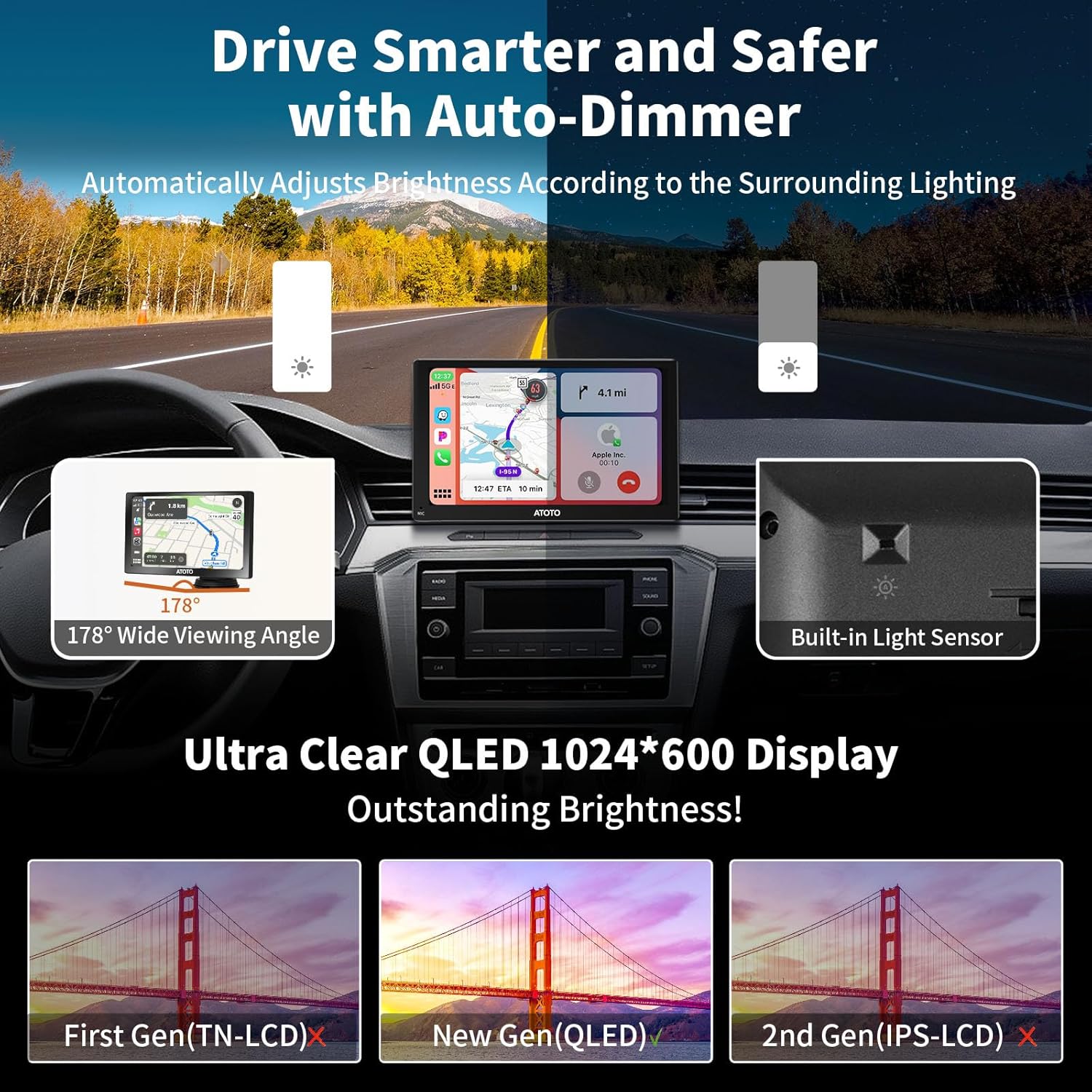


Auto-Dimmer Function
The built-in light sensor automatically adjusts the screen brightness based on ambient light conditions, such as entering or exiting a tunnel, for safer driving.

Ремоте Цонтрол
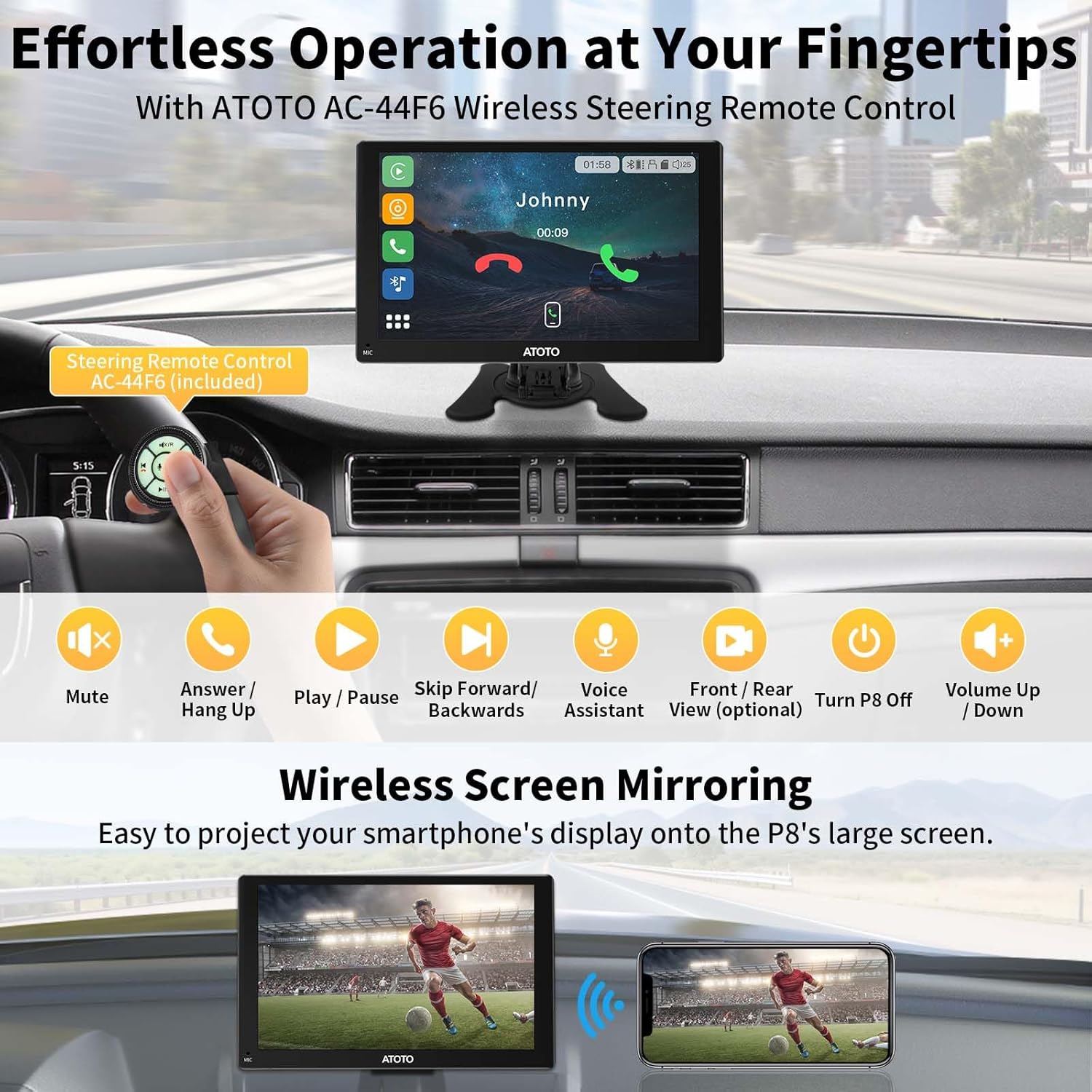
The included AC-44F6 wireless remote control provides convenient access to functions like volume adjustment, track skipping, and voice assistant activation, keeping your hands on the steering wheel.

Dual Camera System (DVR)
The P807PR features HD 1080P dual cameras with a 150° viewing angle for both front and rear views. WDR (Wide Dynamic Range) and strong light suppression ensure clear recordings, even against high beams.


G-Sensor & Parking Monitor
The built-in G-sensor detects unusual gravitational changes (e.g., sudden impact) and automatically saves video footage to the emergency list. The Parking Monitor (requires additional accessories) provides 24/7 surveillance, recording incidents while parked.


Видео репродукција
Video: This video demonstrates the features of the ATOTO P8 Portable Car Stereo, including wireless CarPlay and Android Auto, auto-dimmer, quick charge, remote control, and front/rear camera input with G-sensor and parking monitor functions.
Одржавање
Ажурирања софтвера
The ATOTO P807PR supports Over-The-Air (OTA) updates to ensure your device always has the latest features and improvements. Follow the on-screen prompts or refer to the ATOTO support webсајт за упутства за ажурирање.

Чишћење уређаја
Use a soft, dry cloth to clean the screen and exterior of the device. Avoid using abrasive cleaners or solvents that may damage the QLED display or finish.
Решавање проблема
If you encounter issues with your ATOTO P807PR, refer to the following common solutions:
- Нема напајања: Ensure the power cable is securely connected to the cigarette lighter socket and the vehicle's ignition is on. Check the vehicle's fuse for the cigarette lighter.
- Нема аудио излаза: Verify the selected audio output mode (Bluetooth, FM, AUX, or built-in speaker) is correctly configured and connected to your car's stereo system. Adjust volume levels on both the P8 and your car stereo.
- Проблеми са повезивањем са CarPlay-ом/Android Auto-ом: Ensure your smartphone's Bluetooth and Wi-Fi are enabled and correctly paired with the P8. Restart both the P8 and your phone if connection fails.
- Одсјај екрана: The QLED display is designed to suppress glare. Ensure the auto-dimmer function is active. If glare persists, adjust the unit's angle or consider a sunshade.
- Camera Not Recording/Saving: Check if an SD card is inserted and properly formatted. Ensure the G-sensor sensitivity is set appropriately. For Parking Monitor, confirm the ATOTO AC-P8AC12 Fast Boot Connector is installed (sold separately).
For further assistance, please contact ATOTO customer support.
Спецификације
| Феатуре | Детаљ |
|---|---|
| Бранд | АТОТО |
| Број модела | P807PR (PUS09B74) |
| Величина екрана | 7 инча |
| Дисплаи Типе | КЛЕД |
| Резолуција | 800 к 480 |
| Тип екрана на додир | Капацитивни |
| Оперативни систем | Линук |
| Технологија повезивања | Блутут, УСБ, Ви-Фи |
| Посебне карактеристике | 1080P Dual Camera, Anti-Glare, Auto-Dimmer, Incident Detection, Wireless CarPlay and Android Auto |
| Режим аудио излаза | Stereo (Bluetooth, FM Transmitter, AUX, Built-in Speaker) |
| Тип монтаже | Монтажа на контролној табли |
| Подржани систем сателитске навигације | GPS (via phone apps) |
| Капацитет меморије | 128 GB (Max. SD Card) |
| Контролни метод | Апликација, даљински управљач, додир, глас |
| Компатибилни уређаји | Android phone, iPhone |
| Тип услуге возила | Ауто |
| Повер Суппли | 12В/24В |
Информације о гаранцији
The ATOTO P807PR comes with a 12-month warranty by default. You can register your product to receive an additional 180 days of extended warranty coverage.

Корисничка подршка
For technical assistance, warranty claims, or any product-related inquiries, please contact ATOTO customer support. Our team is available to provide responsive and responsible support.
Емаил: суппорт@миатото.цом


Ask a question about this manual
Ask about setup, troubleshooting, compatibility, parts, safety, or missing instructions. Manuals+ will review the question and use this page’s manual context to help answer it.