
Увод
The zelotes T30 Wired Vertical Mouse is designed to enhance comfort and reduce wrist strain during prolonged computer use. Its ergonomic vertical design promotes a natural hand and wrist posture. This manual provides essential information for setting up, operating, maintaining, and troubleshooting your new mouse.

Слика 1: Напред лево view of the zelotes T30 Wired Vertical Mouse.

Слика 2: Разне стране views illustrating the vertical design of the mouse.
Сетуп
The zelotes T30 Vertical Mouse is designed for simple plug-and-play operation, requiring no driver installation.
Повезивање миша
- Locate an available USB port on your computer (Laptop, PC, Mac).
- Insert the USB connector of the zelotes T30 mouse into the USB port.
- The mouse will be automatically recognized by your operating system (Win11, Win10, Win8, Win7, Mac OS, Linux) and ready for use.
Attaching the Detachable Palm Rest
The mouse comes with a detachable palm rest for enhanced comfort. To attach it:
- Align the palm rest with the designated slots on the bottom of the mouse.
- Gently slide the palm rest into place until it clicks securely.
- Ensure the palm rest is firmly attached before use.

Figure 3: Illustration of the detachable palm rest and its attachment points.
Упутство за употребу
Ергономски дизајн и хват
The vertical design of the T30 mouse positions your hand in a natural handshake posture, reducing pronation of the forearm and wrist. This design aims to alleviate discomfort associated with traditional mouse use.

Figure 4: Proper hand placement on the ergonomic vertical mouse.

Слика 5: Детаљно view of the humanized grip design, ensuring comfortable finger placement.
Подешавање осетљивости DPI-ја
The mouse features 4 adjustable DPI settings: 1200, 1600, 2400, and 3200 DPI. To change the sensitivity:
- Locate the DPI button on the mouse. This button is typically positioned near the scroll wheel or thumb area.
- Press the DPI button to cycle through the available sensitivity settings. Each press will switch to the next DPI level.
- The LED illumination on the mouse may change color or pattern to indicate the current DPI setting.
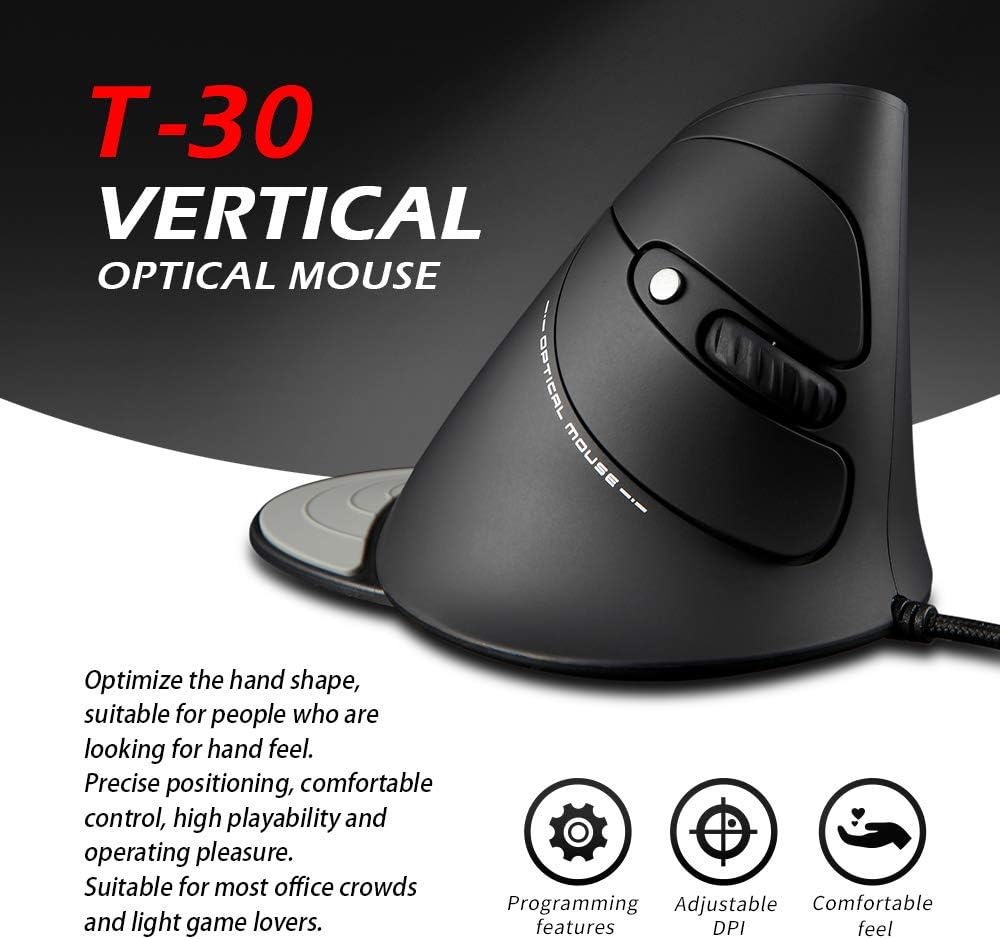
Figure 6: The T30 mouse with an emphasis on its adjustable DPI feature.
Функције дугмета
The zelotes T30 mouse is equipped with 6 buttons for various functions:
- Леви клик: Стандардна функција примарног клика.
- Десни клик: Стандардна функција секундарног клика.
- Точак за померање: For vertical scrolling. Can also be pressed for middle-click functionality.
- Дугме ДПИ: Подешава осетљивост миша (DPI).
- Дугме за напред: Навигација напред у web претраживачи или file истраживачи.
- Дугме за назад: Навигација уназад web претраживачи или file истраживачи.
Video 1: Demonstration of the zelotes T30 Ergonomic Vertical Mouse features and usage.
Одржавање
To ensure the longevity and optimal performance of your zelotes T30 mouse, follow these maintenance guidelines:
- Чишћење: Користите меку, суву крпу да обришете површину миша. За тврдокорну прљавштину, благо дamp cloth can be used, but ensure no liquid enters the mouse. Avoid harsh chemicals or abrasive cleaners.
- Складиштење: Када се не користи, чувајте миш на чистом и сувом месту, даље од екстремних температура и директне сунчеве светлости.
- Нега каблова: Избегавајте прекомерно савијање или увијање USB кабла, јер то може оштетити унутрашње жице.
Решавање проблема
If you encounter issues with your zelotes T30 mouse, refer to the following common problems and solutions:
| Проблем | Могући узрок | Решење |
|---|---|---|
| Миш не реагује | Loose USB connection, faulty USB port, operating system issue. |
|
| Покрет курсора је неправилан или скачкав | Прљави оптички сензор, неодговарајућа површина подлоге за миш. |
|
| Подешавање DPI-ја не ради | Button malfunction, temporary software glitch. |
|
Спецификације
| Феатуре | Детаљ |
|---|---|
| Бранд | zelotes |
| Број модела | Т-30 |
| Димензије производа | 4.33 к 3.15 к 3.27 инча |
| Тежина артикла | 4.2 унци |
| Технологија повезивања | УСБ Виред |
| Технологија детекције покрета | Оптицал |
| ДПИ подешавања | 1200/1600/2400/3200 ДПИ |
| Број дугмади | 6 |
| Посебна карактеристика | Ergonomic Design, Detachable Wrist Rest, LED Illumination |
| Компатибилност | Win11, Win10, Win8, Win7, Mac OS, Linux |

Figure 7: Detailed dimensions of the zelotes T30 Vertical Mouse.
Гаранција и подршка
For warranty information and technical support, please refer to the official zelotes webсајт или директно контактирајте њихову корисничку службу. Сачувајте рачун за куповину за потребе гаранције.
Произвођач: zelotes