
1. Подешавање
1.1 Садржај пакета
Проверите да ли су све ставке присутне у пакету:
- Клавијатуре
- УСБ кабл
- Упутство за употребу
1.2 Tablet Compatibility
This keyboard case is compatible with the following Samsung Galaxy Tab models:
- Samsung Galaxy Tab S8 Plus 12.4 inch (2022 release, Models SM-X800/X806/X808)
- Samsung Galaxy Tab S7 FE 5G 12.4 inch (2021 release, Models SM-T730/T733/T735/T736/T738)
- Samsung Galaxy Tab S7+ / S7 Plus 12.4 inch (2020 Release, Models SM-T970/T975/T976/T978)

Image: Compatibility chart for Nillkin keyboard case, detailing compatible Samsung Galaxy Tab S8 Plus, S7 FE, and S7 Plus 12.4-inch models with their respective model numbers.
1.3 Инсталација кућишта
To install your tablet into the Nillkin Bumper Combo Keyboard Case:
- Separate the keyboard from the case. The keyboard is detachable for flexible use.
- Tilt the corner of your tablet with the camera into the case first.
- Gently press the other corners to secure the tablet firmly in place. Ensure all edges are fitted securely.
Video: Nillkin Bumper Combo Keyboard Case Installation Guide. This video demonstrates the step-by-step process of installing the tablet into the protective case.
1.4 Блуетоотх упаривање
To connect the keyboard to your tablet via Bluetooth:
- Укључите тастатуру помоћу прекидача за напајање.
- Press the "Fn" and "C" keys on the keyboard simultaneously. The indicator light will flash, indicating it's in pairing mode.
- На вашем Samsung Galaxy Tab-у идите на Подешавања > Везе > Блуетоотх и укључите Блутут.
- Select "Bluetooth Keyboard" from the list of available devices.
- Confirm the pairing request on your tablet. Once connected, the indicator light on the keyboard will stop flashing.
Video: Quick Setup Guide for Nillkin Bumper Combo Keyboard Case. This video illustrates the Bluetooth pairing process and initial setup steps.
2. Упутство за употребу
2.1 Функције тастатуре
The keyboard features a standard QWERTY layout with scissor-structured keys for comfortable typing. It includes a full row of AndroidOS function keys for quick control of your tablet.

Image: Detachable laptop-like keyboard with backlit keys, highlighting scissor structure keys and AndroidOS function keys.
Контрола позадинског осветљења:
The keyboard features 7 colors and 3 levels of adjustable backlit brightness. To adjust:
- Притисните тастер Тастер за позадинско осветљење (usually F3 or F4 with a lightbulb icon) to cycle through brightness levels.
- Притисните Fn + Backlight Key да промените боју позадинског осветљења.
Trackpad Usage:
The sensitive trackpad supports Multi-Touch gestures for navigation, editing, and browsing. It includes palm rejection technology to prevent accidental inputs while typing.
- Додир једним прстом: Леви клик.
- Додир са два прста: Десни клик.
- Померање са два прста: Померајте се горе/доле или лево/десно.
- Стисните прсте за зумирање: Увећајте/умањите садржај.

Image: Enhanced trackpad demonstrating multi-touch gesture capabilities and precision.
Video: Nillkin Bumper Combo Keyboard Case Function Introduction. This video provides an overview of the keyboard and trackpad functionalities.
2.2 Adjustable Stand and Multi-Mode Use
The integrated kickstand allows for angle adjustments from 0° to 180°, supporting both landscape and portrait orientations. The keyboard can be easily detached for tablet-only use, ideal for drawing or gaming.

Image: Keyboard case demonstrating adjustable stand angles and multi-mode usage (laptop, reading, drawing).

Image: Multiple usage scenarios for the Nillkin keyboard case, including typing, reading, and drawing.
2.3 S Pen Holder and Charging
The case features precise cutouts to ensure the S Pen can be charged properly when attached to the tablet. Additionally, an extra easy-access holder securely stores the S Pen, making it convenient to take out and use.
2.4 Sliding Camera Cover
A unique sliding camera cover is integrated into the case design to protect the tablet's camera lens and ensure user privacy.

Image: Close-up of the case highlighting military-grade protection and the unique sliding camera cover.
3. Одржавање
3.1 Чишћење
To clean the keyboard case, use a soft, damp тканина. Избегавајте употребу јаких хемикалија или абразивних материјала који могу оштетити површину.
3.2 Пуњење батерије
The keyboard is equipped with a 500mAh battery and uses a Type-C charging port. A full charge provides up to 100 hours of use or 180 days of standby time. The keyboard features auto sleep/wake functionality to conserve battery life.
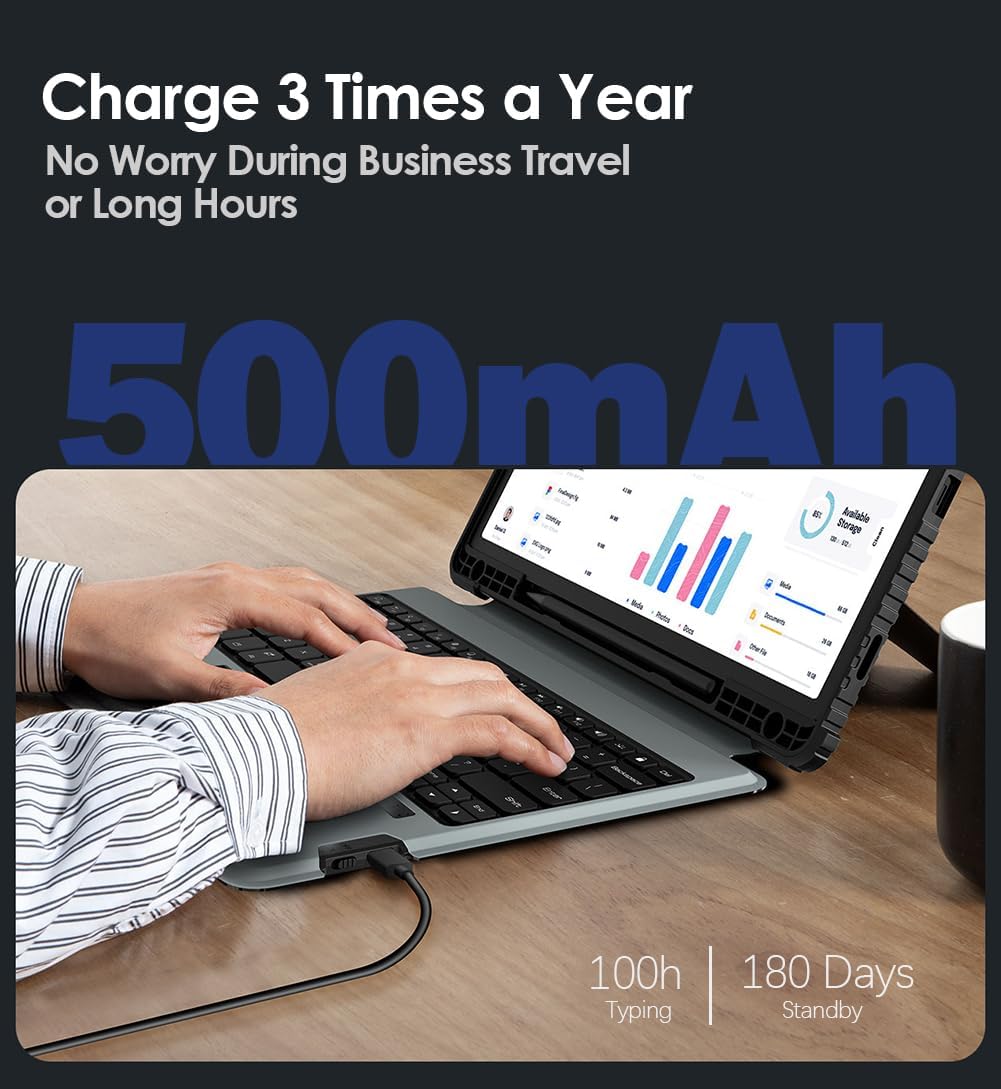
Image: Battery life details, showing 100 hours of typing and 180 days of standby time for the 500mAh battery.
КСНУМКС. Решавање проблема
4.1 Тастатура се не повезује
- Уверите се да је тастатура укључена и потпуно напуњена.
- Verify Bluetooth is enabled on your tablet and the keyboard is in pairing mode (indicator light flashing).
- Forget the device in your tablet's Bluetooth settings and attempt to re-pair.
- Restart both the tablet and the keyboard.
4.2 Проблеми са тракпедом
- Ensure the trackpad is enabled. Some keyboards have a function key combination to enable/disable the trackpad.
- Очистите површину додирне табле да бисте уклонили прљавштину или остатке.
- Check tablet settings for mouse and trackpad sensitivity and adjust as needed.
4.3 Позадинско осветљење не ради
- Press the backlight key to cycle through brightness levels.
- Ensure the keyboard battery is not critically low.
5. Спецификације
| Феатуре | Детаљ |
|---|---|
| Бранд | Nillkin |
| Компатибилни уређаји | Samsung Galaxy Tab S7 FE, Samsung Galaxy Tab S7 Plus, Samsung Galaxy Tab S8 Plus |
| Технологија повезивања | Блуетоотх |
| Опис тастатуре | Вишенаменски |
| Препоручена употреба | Business, Education, Everyday Use, Multimedia, Personal, Student |
| Посебне карактеристике | Adjustable Stand, Backlit, Camera Cover, Heavy Duty Protection, Shockproof |
| Боја | Црно |
| Подршка бојама позадинског осветљења тастатуре | РГБ (7 боја) |
| Материјал | Metal, Polycarbonate, Thermoplastic Polyurethanes |
| Број кључева | 83 |
| Распоред тастатуре | КВЕРТИ |
| Извор напајања | Баттери Поверед |
| Капацитет батерије | 500мАх |
| Battery Life (Typing) | До 100 сати |
| Време приправности | До 180 дана |
| Ниво отпорности на воду | Није водоотпоран |
6. Гаранција и подршка
6.1 Гаранција на производ
This Nillkin product comes with a 1-годишња гаранција произвођачаОва гаранција покрива недостатке у материјалу и изради при нормалној употреби. Молимо вас да сачувате доказ о куповини за потребе подношења захтева за гаранцију.
6.2 Корисничка подршка
Nillkin provides 7x24 customer service и доживотна техничка подршка for its products. If you have any questions, require assistance, or encounter issues with your keyboard case, please contact Nillkin customer service through the listing page or your order page. We are committed to providing satisfactory support and ensuring a positive product experience.