
Алтек Лансинг MZX4400
Altec Lansing Kid Safe 2-in-1 Bluetooth and Wired Headphones User Manual
Модел: МЗКС4400
Увод
Thank you for choosing the Altec Lansing Kid Safe 2-in-1 Bluetooth and Wired Headphones. These headphones are designed with children in mind, offering a safe and enjoyable listening experience with features like volume control, noise cancellation, and a comfortable, foldable design. This manual provides detailed instructions on how to set up, operate, and maintain your headphones to ensure optimal performance and longevity.
Производ је завршенview
Садржај пакета
- Altec Lansing Kid Safe 2-in-1 Bluetooth and Wired Headphones
- Charging Cable (USB-C, assumed based on modern devices)
- 3.5 мм аудио кабл
- Кориснички приручник (овај документ)
Карактеристике слушалица
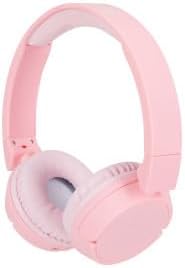
Figure 1: Altec Lansing Kid Safe 2-in-1 Bluetooth and Wired Headphones (Pink)

Слика 2: Завршеноview of key features including age suitability, comfort, portability, water resistance, battery life, connectivity, and noise cancellation.

Figure 3: The headphones are designed with an 85-decibel volume limit for child safety.

Figure 4: Details of the adjustable headband, cushioned headband, and soft lightweight ear cushions for enhanced comfort.

Figure 5: The headphones are compatible with various devices such as laptops, phones, computers, and tablets.
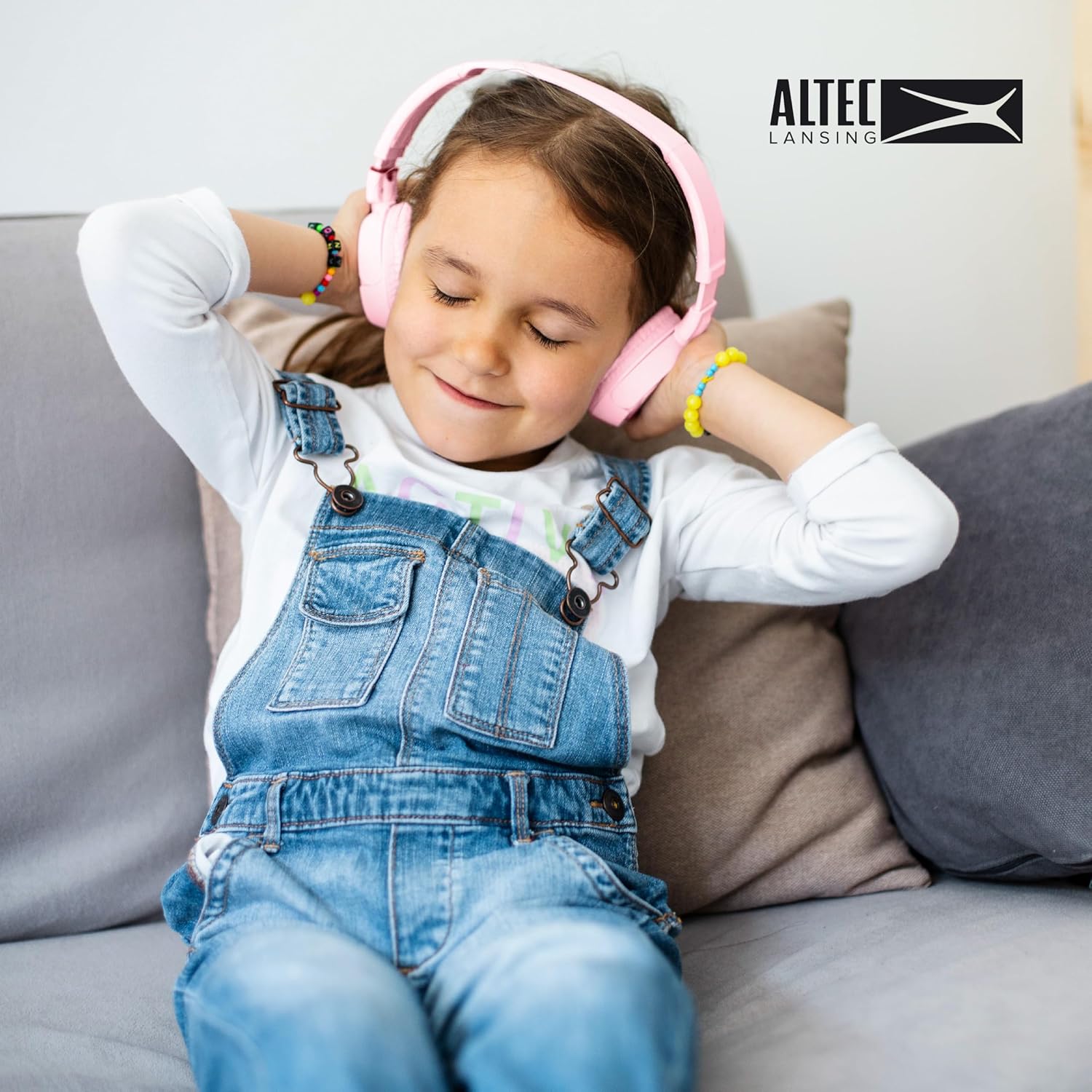
Figure 6: A child enjoying the comfortable fit of the Altec Lansing Kid Safe Headphones.
Контроле и индикатори
- Дугме за напајање: Used to turn the headphones on/off and initiate Bluetooth pairing.
- Дугме за појачавање јачине звука/следећу нумеру: Кратким притиском повећава јачину звука, дугим притиском прелази на следећу нумеру.
- Дугме за смањивање јачине звука/претходну нумеру: Decreases volume with a short press, goes to previous track with a long press.
- Вишефункционално дугме (MFB): Play/Pause, Answer/End calls.
- ANC (Active Noise Cancellation) Button: Toggles noise cancellation on/off.
- ЛЕД индикатор: Приказује статус напајања, режим упаривања, статус пуњења.
- 3.5 мм аудио прикључак: За жичну везу.
- УСБ-Ц прикључак за пуњење: За пуњење унутрашње батерије.
Сетуп
Пуњење слушалица
- Connect the USB-C charging cable to the charging port on the headphones.
- Повежите други крај кабла са УСБ адаптером за напајање (није укључен) или УСБ портом рачунара.
- The LED indicator will show red while charging and turn off or blue when fully charged.
- A full charge provides approximately 4 hours of wireless playtime.
Bluetooth Pairing (Wireless Mode)
- Уверите се да су слушалице напуњене.
- Press and hold the Power Button for 3-5 seconds until the LED indicator flashes blue and red, indicating pairing mode.
- На свом уређају (паметном телефону, таблету, рачунару) омогућите Блутут и потражите доступне уређаје.
- Select "Altec Lansing MZX4400" (or similar name) from the list of devices.
- Once connected, the LED indicator will flash blue slowly or turn solid blue.
- The headphones will automatically reconnect to the last paired device when powered on, if within range.
Жичана веза
- Insert one end of the 3.5mm audio cable into the audio jack on the headphones.
- Insert the other end of the cable into the 3.5mm audio jack of your device (e.g., laptop, phone, computer).
- The headphones will automatically switch to wired mode. No battery power is required for wired listening.
Упутство за употребу
Укључивање/искључивање
- Укључено: Притисните и држите дугме за напајање 3 секунде.
- Искључивање: Притисните и држите дугме за напајање 3 секунде.
Music Playback (Wireless Mode)
- Пусти/паузирај: Short press the Multi-function Button (MFB).
- Појачавање звука: Кратко притисните дугме за појачавање јачине звука.
- Смањивање јачине звука: Кратко притисните дугме за смањивање јачине звука.
- Следећа нумера: Дуго притисните дугме за појачавање јачине звука.
- Претходни запис: Дуго притисните дугме за смањивање јачине звука.
Call Management (Wireless Mode)
- Одговори/заврши позив: Short press the Multi-function Button (MFB).
- Одбиј позив: Long press the Multi-function Button (MFB).
Отказивање активне буке (АНЦ)
- Turn ANC On/Off: Press the dedicated ANC button. The LED indicator will light up when ANC is active.
Одржавање
Чишћење
- Обришите слушалице меком, сувом крпом.
- Не користите абразивна средства за чишћење, алкохол или хемијске раствараче.
- Избегавајте улазак влаге у било какве отворе.
Складиштење
- Када се не користе, чувајте слушалице на хладном и сувом месту, даље од директне сунчеве светлости и екстремних температура.
- Utilize the foldable design for compact storage and protection during travel.
Баттери Царе
- To preserve battery life, charge the headphones fully before long periods of inactivity.
- Recharge the battery at least once every three months if not used regularly.
Решавање проблема
| Проблем | Могући узрок | Решење |
|---|---|---|
| Слушалице се не укључују. | Ниска батерија. | У потпуности напуните слушалице. |
| Није могуће упаривање преко Bluetooth-а. | Слушалице нису у режиму упаривања; Bluetooth уређај је искључен; превише је удаљен од уређаја. | Ensure headphones are in pairing mode (flashing blue/red). Turn device Bluetooth on/off. Move headphones closer to device. |
| Нема звука у бежичном режиму. | Not connected; volume too low; incorrect audio output selected on device. | Verify Bluetooth connection. Increase headphone and device volume. Select headphones as audio output on your device. |
| Нема звука у жичном режиму. | Audio cable not fully inserted; cable damaged. | Ensure 3.5mm cable is fully inserted into both headphone and device jacks. Try a different 3.5mm cable if available. |
| Noise cancellation not working. | Функција ANC је искључена. | Press the ANC button to activate it. |
Спецификације
| Феатуре | Детаљ |
|---|---|
| Назив модела | МЗКС4400 |
| Технологија повезивања | Бежично (Блутут), Жично (3.5 мм прикључак) |
| Бежична комуникациона технологија | Блуетоотх |
| Јацк за слушалице | 3.5 мм прикључак |
| Укључене компоненте | Слушалице |
| Старосни распон (препоручено) | Узраст 6-9 |
| Компатибилни уређаји | Laptops, Phones, Computers, and Devices with 3.5mm Audio Jack |
| Отпорност на воду | ИПКС4 Отпоран на прскање |
| Фреквенцијски опсег | 20 Hz - 20,000 Hz |
| Контролни метод | Ремоте |
| Тип аудио драјвера | Динамички возач |
| Облик слушалице | Преко уха |
| Посебна карактеристика | Foldable, Volume Control, Active Noise Cancellation |
| Произвођач | Алтек Лансинг Технолоџиз |
| Димензије пакета | 9.84 к 7.56 к 2.05 инча |
| Тежина артикла | 9.1 унци |
| УПЦ | 021331056177 |
| Боја | Пинк |
| Контрола буке | Активно поништавање буке |
| Бежично време репродукције | Прибл. 4 сата |
| Безбедна граница јачине звука | 85 децибела |
Note: The product is specifically designed and marketed for "Ages 6-9" and features "IPX4 Splash Resistant" capabilities, as indicated by product imagery and description.
Гаранција и подршка
Altec Lansing products are designed for quality and reliability. For specific warranty information regarding your Kid Safe 2-in-1 Bluetooth and Wired Headphones, please refer to the warranty card included with your purchase or visit the official Altec Lansing webсајту.
If you encounter any issues or require technical assistance, please contact Altec Lansing customer support through their official webсајт или контакт информације које су наведене у паковању вашег производа.
Подршка на мрежи: www.alteclansing.com/support/
Ask a question about this manual
Ask about setup, troubleshooting, compatibility, parts, safety, or missing instructions. Manuals+ will review the question and use this page’s manual context to help answer it.