
Увод
This manual provides detailed instructions for the Contour Design Wireless Black Balance Keyboard (Model 102104). This keyboard is engineered to complement Contour Design RollerMouse and SliderMouse products, promoting an ergonomic workspace by minimizing reach and supporting a natural hand position.
Кључне карактеристике
- Ергономски дизајн: Reduces forward reach to minimize wrist and shoulder strain, especially when paired with RollerMouse or SliderMouse.
- Подесиви нагиб: Offers negative, neutral, and positive tilt options for personalized comfort and optimal typing posture.
- Пуна функционалност: Includes a numeric keypad, function keys (F1-F12), media controls, and shortcut keys.
- Бежична повезаност: Supports both USB-A receiver (2.4GHz Contour protocol) and Bluetooth connections.
- Компатибилност на више платформи: Works with both PC and Mac operating systems.
- Цомпацт Проfile: Лов-проfile keys and a slim design optimize desk space.
Садржај пакета
- Contour Design Wireless Black Balance Keyboard
- УСБ-А пријемник
- 2 x AAA батерије (унапред инсталиране или укључене засебно)
- Кориснички приручник (овај документ)
Сетуп
1. Инсталација батерије
The keyboard requires 2 AAA batteries. These are typically included with your purchase.
- Пронађите одељак за батерију на доњој страни тастатуре.
- Отворите поклопац одељка.
- Уметните 2 ААА батерије, водећи рачуна о исправном поларитету (+/-).
- Добро затворите поклопац одељка за батерије.
2. Повезивање тастатуре
The Balance Keyboard offers two wireless connection methods: via USB-A receiver or Bluetooth.
Option A: USB-A Receiver (2.4GHz Wireless)
- Locate the USB-A receiver, usually found in the battery compartment or packaged separately.
- Plug the USB-A receiver into an available USB port on your computer (PC or Mac).
- Turn on the keyboard using the power switch, typically located on the side or back.
- The keyboard should automatically connect to your computer. No additional drivers are usually required.
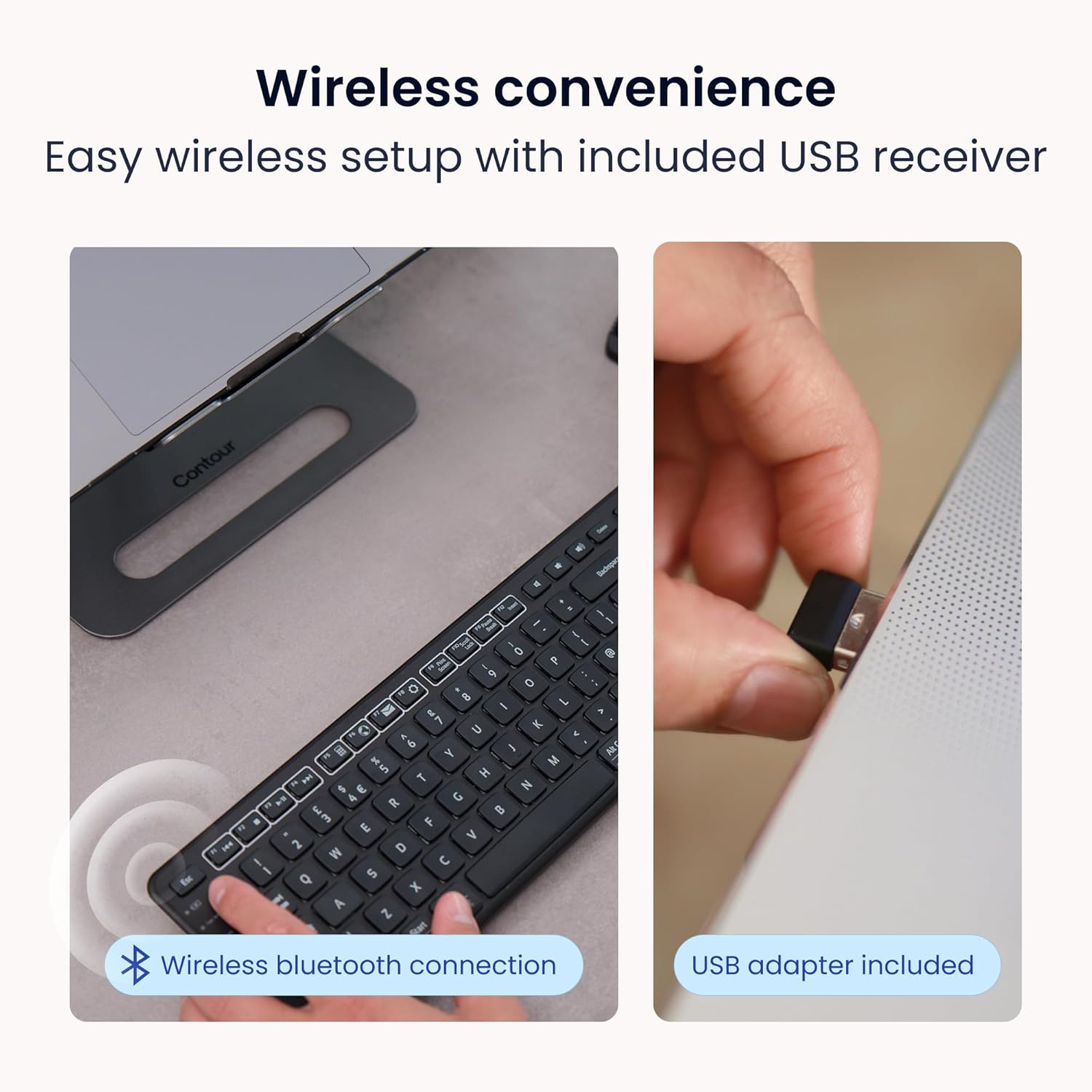
Image: Wireless convenience with USB adapter. This image shows the USB receiver being inserted into a computer port, illustrating the plug-and-play setup for wireless connectivity.
Option B: Bluetooth Connection
- Уверите се да је тастатура укључена.
- Activate Bluetooth pairing mode on the keyboard. (Refer to the keyboard's specific button for Bluetooth pairing, often indicated by a Bluetooth icon or a dedicated pairing button).
- On your computer (PC or Mac), open Bluetooth settings.
- Тражи available devices and select "Contour Balance Keyboard" or a similar name.
- Пратите сва упутства на екрану да бисте довршили процес упаривања.
Упутство за употребу
Basic Typing and Layout
The Balance Keyboard features a standard QWERTY layout with a full numeric keypad.

Слика: Одозго надоле view of the Contour Design Wireless Black Balance Keyboard. This image displays the full keyboard layout, including the numeric keypad and function keys.
Function Keys (F1-F12) and Media Controls
The top row of keys serves dual functions. By default, they may act as media controls (e.g., volume, play/pause) or shortcuts. To access the traditional F1-F12 functions, use the Fn key, typically located near the bottom left of the keyboard. Some keyboards feature an Фн Лоцк feature to toggle between these modes.
Подесиви нагиб
The keyboard is designed with adjustable legs to allow for three different tilt positions: negative, neutral, and positive. Adjusting the tilt can help optimize your typing posture and reduce wrist strain.
- Негативан нагиб: Tilts the keyboard downwards towards the user, often considered optimal for a natural hand angle.
- Neutral Tilt: The keyboard lies flat on the desk.
- Позитиван нагиб: Tilts the keyboard upwards away from the user, a more traditional keyboard angle.
To adjust, locate the adjustable feet on the underside of the keyboard and extend or retract them as desired.

Image: Adjustable tilt options. This diagram illustrates the three available tilt positions: positive, neutral, and negative, demonstrating how to customize the keyboard angle for comfort.
Pairing with RollerMouse and SliderMouse
The Balance Keyboard is specifically designed to integrate seamlessly with Contour Design RollerMouse Pro and SliderMouse Pro devices. Its compact design minimizes the distance you need to reach, promoting a more centralized and ergonomic workspace.

Image: Seamless RollerMouse pairing. This image shows the Balance Keyboard positioned directly above a RollerMouse, demonstrating an ideal ergonomic setup.

Image: Natural hand position. This image illustrates a user typing on the Balance Keyboard with a RollerMouse, highlighting how the setup keeps hands close and promotes a healthier posture.

Image: Slim profile. A side view of the keyboard on a desk, emphasizing its low-profile keys and compact design that saves desk space.

Image: Ergonomic design in use. This image shows a user working with the Balance Keyboard and a RollerMouse, demonstrating how the setup reduces forward reach and minimizes wrist and shoulder strain. It also highlights compatibility with Mac and Windows, and multiple screens.
Одржавање
To ensure the longevity and optimal performance of your Balance Keyboard, follow these maintenance guidelines:
- Чишћење: Користите меку крпу која не оставља длачицеampened with water or a mild, non-abrasive cleaner to wipe the surface of the keyboard. Avoid excessive moisture. Do not spray cleaners directly onto the keyboard.
- Уклањање прашине: Користите компримовани ваздух да уклоните прашину и остатке између тастера.
- Замена батерије: Replace AAA batteries when the low battery indicator (if present) illuminates, or when keyboard responsiveness decreases.
- Складиштење: Када се тастатура не користи дуже време, чувајте је на сувом и хладном месту, даље од директне сунчеве светлости и екстремних температура.
Решавање проблема
If you encounter issues with your Balance Keyboard, refer to the following common solutions:
| Проблем | Могуће решење |
|---|---|
| Keyboard not responding (USB-A receiver) |
|
| Тастатура не реагује (Блутут) |
|
| Тастери су лепљиви или не реагују |
|
| Кратко трајање батерије |
|
Спецификације
| Феатуре | Детаљ |
|---|---|
| Број модела | 102104 |
| Димензије производа | 17.5" Д x 6" Ш x 1.5" В (44.45 цм x 15.24 цм x 3.81 цм) |
| Тежина артикла | 1.28 фунте (0.58 кг) |
| Технологија повезивања | RF (2.4GHz via USB-A receiver), Bluetooth |
| Компатибилни уређаји | Мак, рачунар |
| Извор напајања | 2 к ААА батерије (укључене) |
| Боја | Црно |
| Материјал | Пластика |
| Посебне карактеристике | Adjustable Tilt, Compact Keyboard, Ergonomic, Full-size Keyboard, Numeric Keypad, Plug & Play, Wireless |
Информације о гаранцији
The Contour Design Wireless Black Balance Keyboard is backed by a 2 година гаранције from the date of purchase. This warranty covers manufacturing defects and ensures the product meets its specified performance standards under normal use. Please retain your proof of purchase for warranty claims.
Подршка
For technical assistance, troubleshooting beyond this manual, or warranty inquiries, please contact Contour Design's customer support team.
- Webсајт: Visit the official Contour Design webсајт за ресурсе подршке, честа питања и контакт информације.
- Контакт: Погледајте амбалажу или званична упутства website for specific contact methods (phone, email, support portal).
Our friendly and professional support team is available to assist you.