
Увод
Thank you for choosing the Cherry KW 3000 Wireless Keyboard. This full-size keyboard is designed for quiet and comfortable typing, featuring 2.4 GHz wireless technology for reliable connectivity with Windows and Mac operating systems. This manual provides essential information for setting up, operating, and maintaining your keyboard.
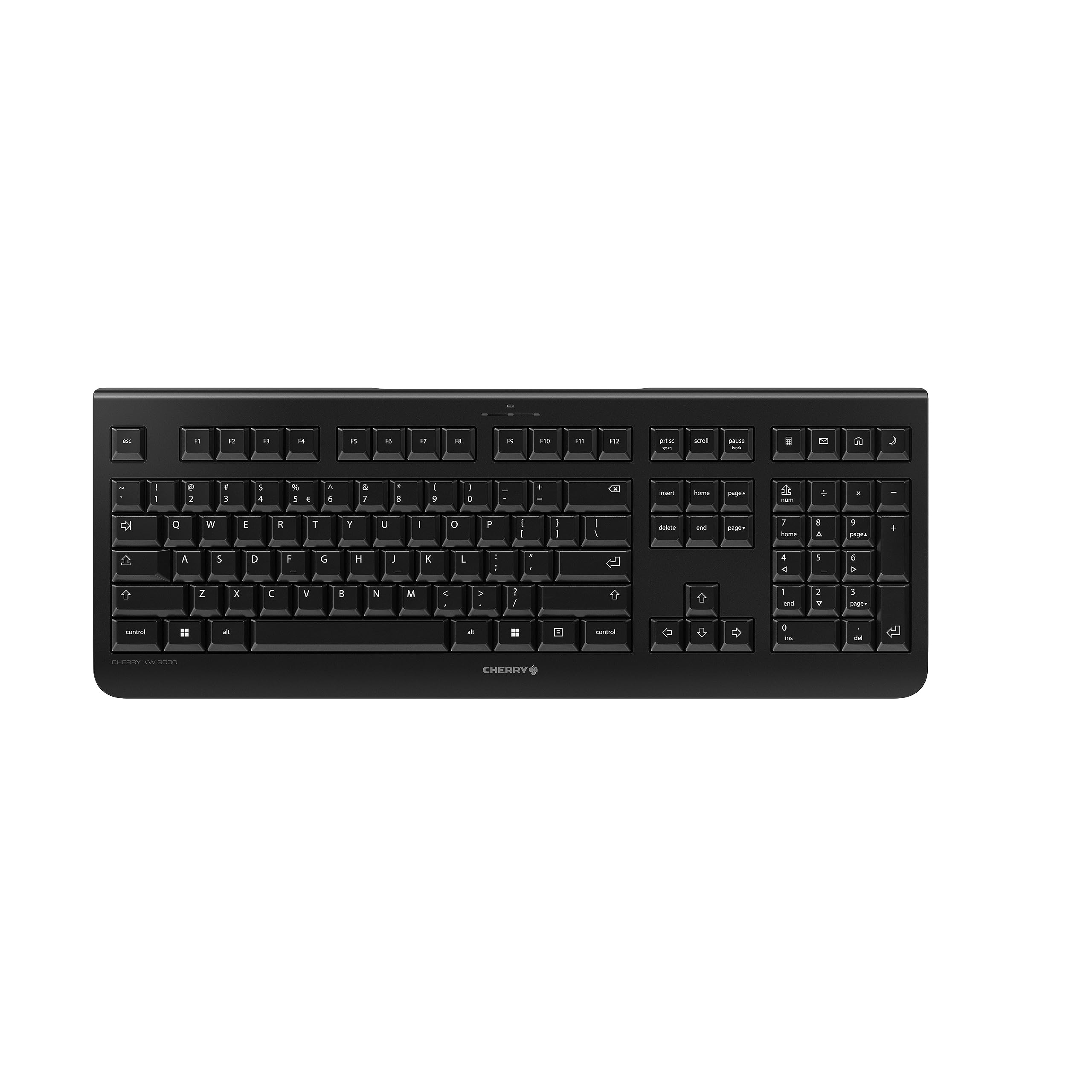
Image: The Cherry KW 3000 Wireless Keyboard, a full-size black keyboard, is shown on a light-colored desk mat. A laptop and an external monitor are visible in the background, indicating a typical office or home workspace setup. A computer mouse is also next to the keyboard.
Садржај пакета
Молимо вас да проверите пакет за следеће ставке:
- Cherry KW 3000 Wireless Keyboard
- USB Nano Receiver (dongle)
- 2 к ААА батерије
- Водич за брзи почетак (овај документ)
Сетуп
Follow these steps to set up your Cherry KW 3000 Wireless Keyboard:
- Уметните батерије: Locate the battery compartment on the underside of the keyboard. Open the cover and insert the two AAA batteries, ensuring correct polarity (+/-). Close the battery cover securely.
- Повежите УСБ пријемник: Plug the USB nano receiver into an available USB-A port on your computer (Windows or Mac). The operating system will automatically detect and install the necessary drivers.
- Почните да куцате: Your keyboard is now ready for use. There is no on/off switch; the keyboard enters a power-saving sleep mode automatically when not in use and wakes up with any key press.

Image: The underside of the keyboard is shown, highlighting the battery compartment. The adjustable feet are also visible in their extended position.

Image: A small black USB nano receiver, labeled 'CHERRY', is shown on a light-colored surface, ready to be plugged into a computer's USB port.
Упутство за употребу
Основна употреба
The Cherry KW 3000 features a standard full-size QWERTY layout, including a numeric keypad and function keys. Simply begin typing as you would with any standard keyboard.
Хоткеис
The keyboard includes four dedicated hotkeys for quick access to common functions:
- Калкулатор: Opens the calculator application.
- Е-маил: Launches your default email client.
- Прегледач: Отвара подразумевано web претраживач.
- Режим спавања: Пребацује рачунар у режим спавања.

Слика: Крупни план view of the upper right section of the keyboard, showing the four dedicated hotkeys with icons for calculator, email, web browser, and sleep mode.
Подесиве ноге
For ergonomic comfort, the keyboard is equipped with stable fold-out feet on the underside. You can extend these feet to adjust the typing angle to your preference. The keyboard also features a non-slip bottom for stability.
Слика: Споредни професионалацfile of the Cherry KW 3000 keyboard, illustrating its slim design and the adjustable feet extended to provide an elevated typing angle.
Карактеристике
- 2.4 GHz Wireless Technology: Provides a stable and reliable connection with a range of up to 10 meters.
- Изглед у пуној величини: Includes a numeric keypad and cursor keys for comprehensive functionality.
- Quiet Membrane Keys: Designed for low-noise typing, ideal for office and home environments.
- Издржљив дизајн: Built for longevity with a keystroke lifespan of up to 10 million actuations.
- Пречице: Four convenient hotkeys for quick access to essential applications.
- Подесива ергономија: Fold-out feet allow for customizable typing angles.
- Плуг & Плаи: Easy installation without the need for complex software.

Image: A close-up of the keyboard keys, emphasizing their low-profile design and durable lettering, indicative of a quiet and long-lasting typing experience.
Одржавање
Чишћење
To clean your keyboard, disconnect the USB receiver from your computer. Use a soft, lint-free cloth slightly dampened with water or a mild cleaning solution. Avoid excessive moisture and do not spray cleaners directly onto the keyboard. For cleaning between keys, use compressed air or a small brush.
Замена батерије
When the keyboard's performance degrades or it stops responding, it's likely time to replace the batteries. Open the battery compartment on the underside, remove the old AAA batteries, and insert new ones, observing the correct polarity. Dispose of old batteries responsibly according to local regulations.
Решавање проблема
- Тастатура не реагује:
- Уверите се да је УСБ пријемник безбедно прикључен на исправан УСБ порт на рачунару.
- Проверите батерије. Замените их ако су празне или ниске.
- Приближите тастатуру УСБ пријемнику да бисте искључили проблеме са дометом.
- Покушајте да прикључите УСБ пријемник у други УСБ порт.
- Тастери су лепљиви или не реагују:
- Clean the keyboard as described in the Maintenance section to remove any debris that might be affecting key presses.
- Повремена веза:
- Ensure there are no large metal objects or other wireless devices causing interference between the keyboard and the receiver.
- Try using the keyboard in a different location to check for environmental interference.
Спецификације
| Феатуре | Детаљ |
|---|---|
| Број модела | ЈК-3000ЕУ-2 |
| Технологија повезивања | 2.4 GHz Wireless (USB-A receiver) |
| Опис тастатуре | Мембране |
| Компатибилни уређаји | Мац, Виндовс |
| Посебне карактеристике | Durable, Hotkeys and Media Keys, Wireless |
| Боја | Црно |
| Материјал | Пластика |
| Димензије производа | 18.03 к 6.69 к 0.79 инча (45.8 к 17 к 2 цм) |
| Тежина артикла | 1.11 фунте (0.5 кг) |
| Батерије | 2 ААА батерија (укључено) |
| Произвођач | ТРЕШЊА |
Гаранција и подршка
Cherry products are manufactured to high-quality standards. This product comes with a standard manufacturer's warranty against defects in materials and workmanship. For specific warranty terms, duration, and to access customer support, please refer to the official Cherry webсајт или директно контактирајте њихову корисничку службу. Сачувајте доказ о куповини за потребе гаранције.
Безбедносне информације
- Не излажите тастатуру течностима или претераној влази.
- Избегавајте екстремне температуре.
- Не покушавајте да растављате или модификујете тастатуру. То ће поништити гаранцију.
- Држите батерије ван домашаја деце. Ако се прогута, одмах потражите медицинску помоћ.
- Dispose of batteries and electronic waste responsibly.