
1. Увод
Хвала вам на куповиниasing the TOPTRO X2 Mini Portable Projector. This manual provides essential information for setting up, operating, and maintaining your projector. Please read it thoroughly before use to ensure optimal performance and safety.

Image 1.1: TOPTRO X2 Projector, carrying bag, and screen projection.

Image 1.2: Key features of the TOPTRO X2 Projector.
2. Безбедносна упутства
- Не гледајте директно у сочиво пројектора када је укљученоamp је укључен.
- Осигурајте одговарајућу вентилацију око пројектора како бисте спречили прегревање.
- Држите пројектор даље од воде, влаге и запаљивих материјала.
- Користите само адаптер за напајање који је испоручени уз пројектор.
- Do not attempt to disassemble or repair the projector yourself. Contact professional support if needed.
- Чувати ван домашаја деце.
3. Садржај пакета
Молимо вас да проверите пакет за следеће ставке:
- TOPTRO X2 Mini Portable Projector
- Повер Адаптер
- Ремоте Цонтрол
- ХДМИ кабл
- АВ кабл
- Упутство за употребу
- Торба за ношење
4. Производ је готовview
Familiarize yourself with the projector's components and controls.

Image 4.1: Projector controls and ports.
4.1 Фронт View
- Пројекционо сочиво: Емитује слику.
- Прстен за фокусирање: Подешава јасноћу слике.
4.2 Врх View
- Контролна табла: Power button, navigation buttons, OK button.
4.3 Rear/Side View
- Улазна снага: Повезује се на адаптер за напајање.
- ХДМИ портови: Connect to HDMI-enabled devices (laptops, game consoles).
- УСБ портови: Повежите УСБ дискове за репродукцију медија.
- AV порт: Connect to older devices using the AV cable.
- Аудио излаз (3.5 мм): Повежите екстерне звучнике или слушалице.
- ИЦ пријемник: За сигнале даљинског управљања.
5. Подешавање
5.1 Постављање
Position the projector on a stable, flat surface or mount it. Ensure the projection path is clear.

Image 5.1: Multiple installation options.
5.2 Прикључак за напајање
- Connect the power adapter to the projector's power input.
- Укључите адаптер за напајање у утичницу.
5.3 Подешавање фокуса
Rotate the focus ring on the projector lens until the projected image is clear and sharp.
5.4 Корекција Кеистоне
If the projected image appears trapezoidal, use the manual keystone correction feature to adjust the vertical angle. This projector supports ±15° vertical keystone correction.

Image 5.2: Manual keystone correction.
6. Операција
6.1 Укључивање/искључивање
Притисните дугме за напајање на пројектору или даљинском управљачу да бисте укључили или искључили уређај.
6.2 Избор улазног извора
Use the 'Source' button on the remote or projector to select your desired input (HDMI1, HDMI2, USB, AV, Screen Mirroring).

Image 6.1: Projector ports and compatible devices.
6.3 Wireless Connection (WiFi Screen Mirroring)
The TOPTRO X2 supports wireless screen mirroring for iOS, Android, Windows 10, and Mac devices. No additional adapters or cables are needed.
- Select 'Screen Mirroring' as the input source.
- Follow the on-screen instructions to connect your device via WiFi.

Image 6.2: Wireless WiFi connection in use.
6.4 Блуетоотх веза
Повежите екстерне Bluetooth звучнике или слушалице за побољшано аудио искуство.
- Идите до подешавања Bluetooth-а у менију пројектора.
- Омогућите Блуетоотх и потражите доступне уређаје.
- Select your Bluetooth speaker or headphones to pair.

Image 6.3: Bluetooth 5.0 connectivity.
6.5 Adjusting Projection Size (Zoom)
The projector features a zoom function to adjust the screen size from 75% to 100% without moving the projector.

Image 6.4: Zoom function (75%-100%).
6.6 Повезивање екстерних уређаја
Connect various devices such as TV sticks, laptops, game consoles, or USB drives to the projector's HDMI or USB ports.
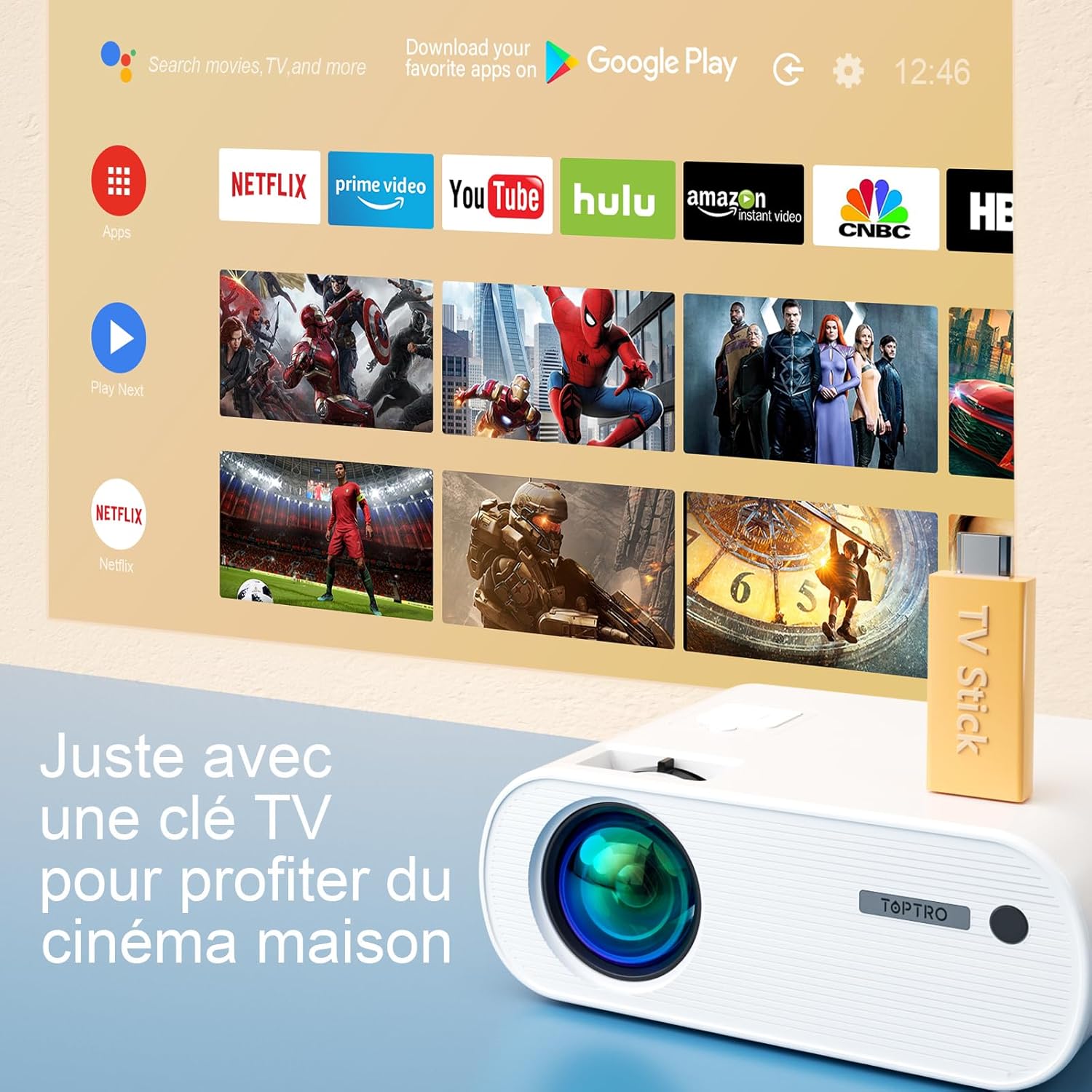
Image 6.5: Enjoying home cinema with a TV stick.
7. Одржавање
7.1 Чишћење
- Користите меку, суву крпу за чишћење спољашњости пројектора.
- For the lens, use a professional lens cleaning cloth and solution. Avoid harsh chemicals.
- Regularly clean the ventilation vents to prevent dust buildup.
7.2 Складиштење
When not in use, store the projector in its carrying bag in a cool, dry place, away from direct sunlight and extreme temperatures.
7.3 Лamp Царе
The projector features an LED lamp with an extended lifespan of up to 90,000 hours, ensuring long-term use without frequent lamp замена.

Image 7.1: Projector features including 90,000 hours LED lamp живот.
КСНУМКС. Решавање проблема
- Нема напајања: Ensure the power adapter is securely connected to both the projector and the power outlet.
- Нема слике: Check the input source selection. Ensure the connected device is powered on and sending a signal. Adjust focus.
- Замућена слика: Adjust the focus ring. Ensure the projection surface is flat.
- Нема звука: Check the volume settings on both the projector and the connected device. Ensure external speakers are properly connected or paired via Bluetooth.
- Даљински управљач не ради: Replace the batteries. Ensure there are no obstructions between the remote and the projector's IR receiver.
- Проблеми са ВиФи везом: Ensure your device and projector are within range of the WiFi network. Restart both devices.
9. Спецификације
Detailed technical specifications for the TOPTRO X2 Projector:

Image 9.1: Brightness and contrast comparison.
| Феатуре | Спецификација |
|---|---|
| Бранд | ТОПТРО |
| Серија модела | X2 |
| Дисплаи Типе | ЛЦД |
| Нативе Ресолутион | 1280 к 720 пиксела |
| Подржана резолуција | Фулл ХД 1080П |
| Осветљеност | 12000 лумена |
| Однос контраста | 20000:1 |
| Технологија повезивања | Ви-Фи, Блуетоотх |
| Хардверски интерфејс | ХДМИ, УСБ, АВ |
| Кеистоне Цоррецтион | Manual ±15° (Vertical) |
| Функција зумирања | 75% - 100% |
| Lamp Живот | До 90,000 сати |
| Димензије производа (Д к Ш к В) | 21.2 к 17.2 к 8 цм |
| Форм Фацтор | Портабле |
| Тип монтаже | Таблетоп |
10. Гаранција и подршка
TOPTRO is committed to providing high-quality products and professional technical support. While specific warranty details may vary by region or retailer, TOPTRO ensures quality control before delivery.
If you encounter any issues or have questions regarding your TOPTRO X2 projector, please do not hesitate to contact TOPTRO customer support. Our team is available to assist you.
For support, please refer to the contact information provided with your purchase or visit the official TOPTRO webсајту.