
Увод
This manual provides comprehensive instructions for the setup, operation, and maintenance of your Surfans F22 Portable HiFi MP3 Player. Please read this manual thoroughly before using the device to ensure proper functionality and to maximize your listening experience.
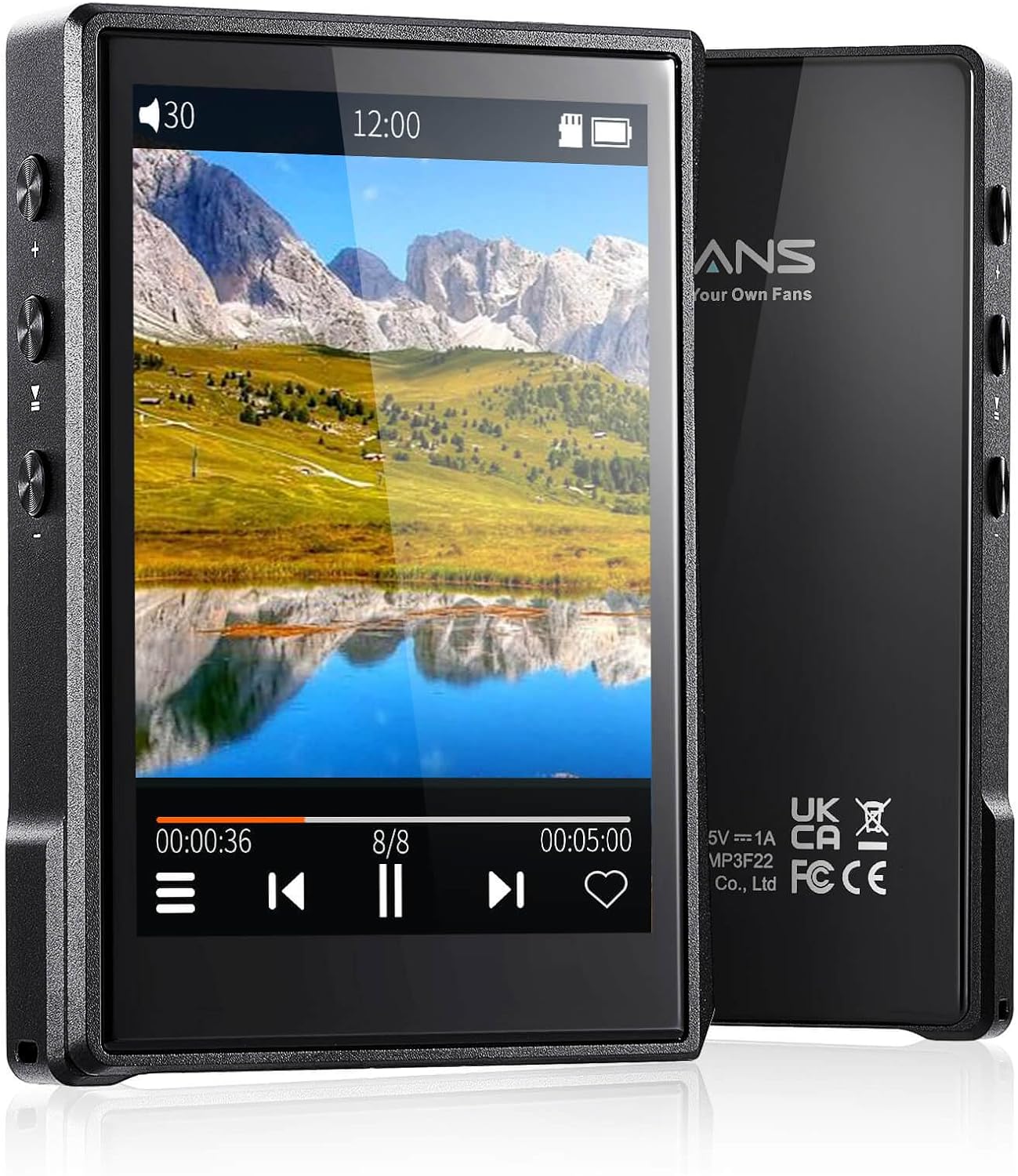
Слика: Предња и задња страна view of the Surfans F22 Portable HiFi MP3 Player, showcasing its 2.8-inch touchscreen and sleek design.
Садржај пакета
Проверите да ли су све ставке присутне у пакету:
- Surfans F22 HiFi Music Player
- Кориснички приручник (овај документ)
- УСБ-Ц кабл
- 32GB Memory Card (pre-installed or included separately)
Девице Оверview
Familiarize yourself with the physical components of your F22 player.

Image: Diagram illustrating the various ports and buttons on the Surfans F22 MP3 Player, including the power button, volume controls, headphone jack, and USB-C port.
- 2.8-inch IPS TFT Full Touchscreen: Main interface for navigation and control.
- Дугме за напајање: Укључује/искључује уређај и закључава/откључава екран.
- Дугмад за јачину звука: Подешава ниво аудио излаза.
- Утичница за слушалице (3.5 мм): Повежите жичане слушалице.
- УСБ-Ц порт: За пуњење и пренос података.
- Утор за микро СД картицу: For expandable storage up to 1TB.
Сетуп
1. Пуњење уређаја
Before first use, fully charge the F22 player. Connect the provided USB-C cable to the device's USB-C port and the other end to a USB power adapter (not included) or a computer's USB port. The charging indicator will show progress. A full charge typically takes approximately 2 hours and provides up to 10 hours of playback.
2. Уметање микро СД картице
The F22 comes with a 32GB memory card. For additional storage, you can insert a Micro SD card (up to 1TB) into the designated slot. Ensure the card is inserted correctly until it clicks into place.

Image: A Surfans F22 MP3 Player shown with a Micro SD card being inserted into its slot, illustrating the expandable storage capability.
3. Пренос музике Files
Connect the F22 player to your computer using the USB-C cable. The device will appear as a removable storage drive. Drag and drop your music files (FLAC, WMA, WAV, DSF, DSD, MP3, etc.) into the appropriate folders on the player's internal storage or the Micro SD card.

Image: A Surfans F22 MP3 Player displaying music playback, with a person wearing headphones in the background, symbolizing the high-fidelity audio experience.
Упутство за употребу
1. Power On/Off and Screen Lock
- To power on, press and hold the Power button until the screen illuminates.
- To power off, press and hold the Power button, then select "Power Off" on the screen.
- To lock/unlock the screen, briefly press the Power button.
2. Кретање кроз интерфејс
The F22 features a 2.8-inch touchscreen for navigation. Swipe left/right or up/down to browse menus and lists. Tap icons to select options or open applications.
3. Репродукција музике
- From the main menu, select "Music" to access your library.
- Browse by Artist, Album, Song, Genre, or Folder.
- Tap a song to begin playback.
- During playback, use the on-screen controls for play/pause, skip track, and volume adjustment. Physical volume buttons also control volume.

Image: The Surfans F22 MP3 Player screen showing options for music playback modes: List play, Single play, List loop, and Random, indicating flexible listening options.
4. Блуетоотх повезивање
The F22 supports Bluetooth 4.2 for wireless audio output.
- Go to "Settings" and select "Bluetooth".
- Turn Bluetooth on. The player will scan for available devices.
- Изаберите жељене Bluetooth слушалице или звучник са листе за упаривање.
- Once paired, audio will stream wirelessly to the connected device.

Image: A visual representation of the Surfans F22 MP3 Player's Bluetooth 4.2 capabilities, showing connections to Bluetooth headphones, a Bluetooth speaker, and a car stereo system.
5. E-Book Functionality
The F22 also supports E-book reading.
- Transfer compatible E-book fileс на уређај.
- From the main menu, select "E-book".
- Browse and select a book to open and read.
Одржавање
- Чишћење: Користите меку, суву крпу за чишћење уређаја. Избегавајте течна средства за чишћење или абразивне материјале.
- Складиштење: Чувајте плејер на хладном и сувом месту, даље од директне сунчеве светлости и екстремних температура.
- Одржавање батерије: Да бисте продужили век трајања батерије, избегавајте често потпуно пражњење батерије. Редовно пуните уређај, чак и ако га не користите дуже време.
- Ажурирања софтвера: Проверите произвођача webпериодично проверавајте сајт ради ажурирања фирмвера како бисте осигурали оптималне перформансе и нове функције.
Решавање проблема
| Проблем | Могући узрок | Решење |
|---|---|---|
| Уређај се не укључује. | Ниска батерија. | Пуните уређај најмање 30 минута. |
| Нема звука. | Volume too low; headphones not connected properly; incorrect audio output. | Increase volume; ensure headphones are fully plugged in; check Bluetooth connection if using wireless. |
| Није могуће пренети files. | USB cable issue; device not recognized by computer. | Try a different USB port or cable; ensure the device is in data transfer mode if prompted. |
| Блутут веза је нестабилна. | Interference; device too far from player. | Reduce distance between devices; avoid obstacles; try re-pairing. |
| Екран не реагује. | Привремени софтверски квар. | Perform a soft reset by holding the Power button until the device restarts. |
Спецификације
| Феатуре | Детаљ |
|---|---|
| Модел | Surfans F22 Hi Res Music Player |
| Процесор | RK3308G 64-bit Quad-core ARM Cortex-A35 |
| Дисплаи | 2.8-inch IPS TFT Full Touchscreen (240*320 resolution) |
| Подржани аудио формати | FLAC, WMA, WAV, DSF, DSD (Native DSD 128/256), PCM (up to 384kHz/32bit), DFF, DTS, APE, OGG, M4A, AIFF, AAC, MP3, Apple Lossless |
| Блуетоотх | Верзија 4.2 |
| Интерна меморија | 32 ГБ (укључено) |
| Екпандабле Стораге | Micro SD card up to 1TB |
| Батерија | Литијум полимер 1500мАх |
| Трајање батерије | До 10 сати репродукције |
| Време пуњења | Approximately 2 hours (fast charge) |
| Димензије | 4.72 к 3.15 к 1.77 инча |
| Тежина | 7.4 унци |
| Повезивање | УСБ-Ц |
| Посебне карактеристике | Equalizer, Hi-Res Audio, E-book function |
Гаранција и подршка
The Surfans F22 Portable HiFi MP3 Player comes with a one-year return and exchange guarantee from the date of purchase. This warranty covers manufacturing defects under normal use.
For technical support, warranty claims, or further assistance, please contact Surfans customer service through their official website or the retailer where the product was purchased. Please have your purchase receipt and product model number (F22) available when contacting support.
Произвођач: Surfans
Webсајт: Surfans Official Store