
1. Производ је готовview
The Tenveo VHD20U is a professional 1080P Full HD 60FPS video conference camera featuring a 20x optical zoom and AI tracking capabilities. Equipped with a 1/2.8-inch SONY CMOS sensor and 2.38 megapixels, it delivers crystal-clear images with accurate color reproduction. Its ultra-wide 60° viewing angle ensures all participants are visible. The camera supports smooth and silent pan/tilt movements, with 350° horizontal rotation (±175°) and 180° vertical rotation (±90°).
The VHD20U offers versatile connectivity options including USB3.0, HDMI, RS485, and RS232, making it suitable for various scenarios such as business meetings, educational institutions, medical applications, and live streaming events. It is compatible with popular conferencing software like Zoom, Microsoft Teams, Google Meet, Skype, and OBS, and supports Windows, Mac OS, Linux, and Android operating systems.
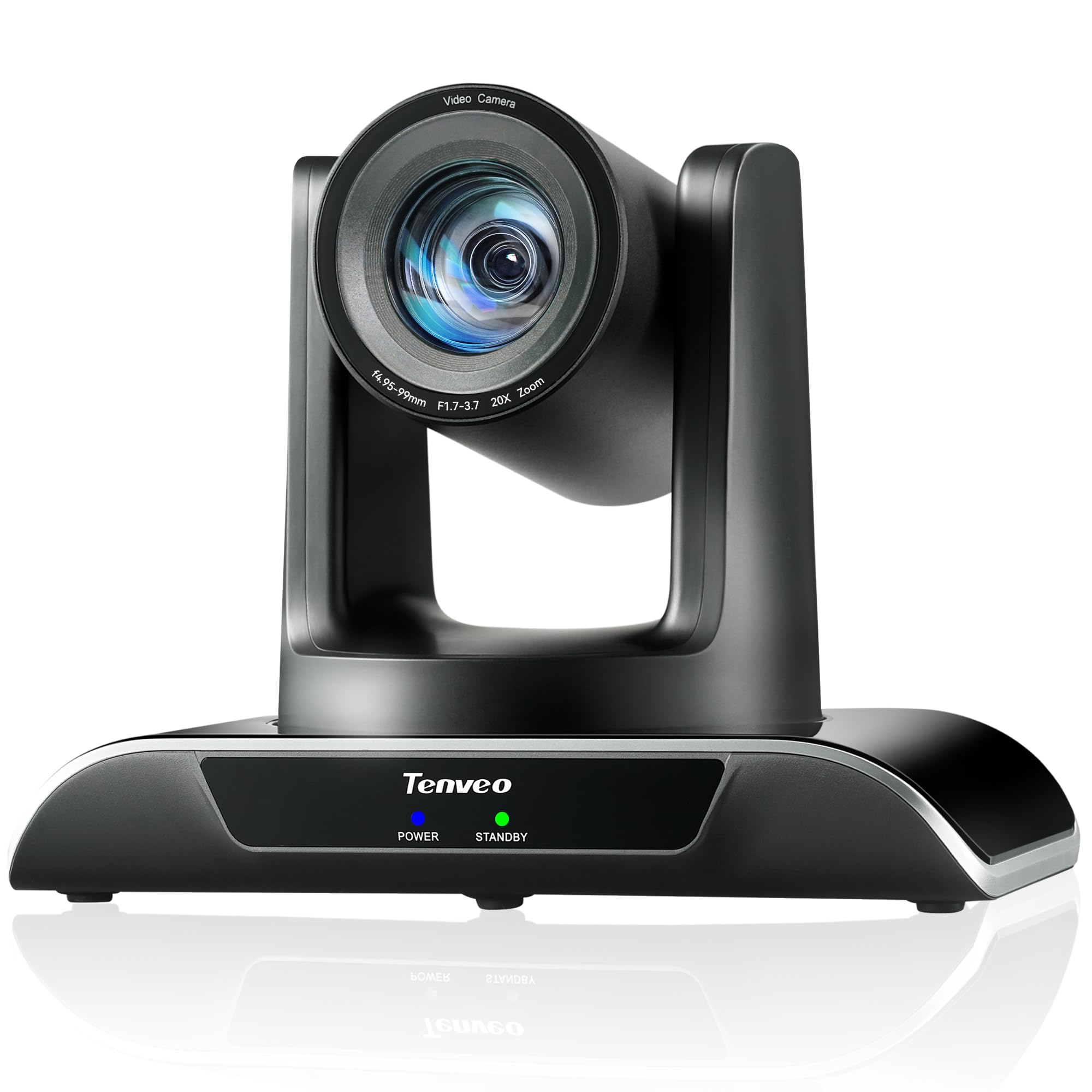
Figure 1: Tenveo VHD20U PTZ Conference Camera.

Figure 2: Tenveo VHD20U Conference Camera highlighting 20X Optical Zoom.
2. Садржај пакета
Молимо вас да означите поље за следеће ставке:
- Tenveo VHD 20X HDMI PTZ Camera
- ИР даљински управљач (батерије нису укључене)
- УСБ кабл
- Носач за зид са завртњима
- ДЦ 12В/2А адаптер за напајање
- Упутство за употребу
3. Упутства за подешавање
Follow these steps to set up your Tenveo VHD20U camera:
- Прикључак за напајање: Connect the DC 12V/2A power adapter to the camera's power input port and then plug it into a power outlet.
- Видео излаз:
- УСБ веза: For direct connection to a computer, use the provided USB cable to connect the camera's USB3.0 port to your computer. This is plug-and-play for most operating systems.
- ХДМИ веза: For high-definition video output to a display or video switcher (e.g., Blackmagic ATEM Mini), connect an HDMI cable from the camera's HDMI port to your display device.
- Контролне везе (опционо):
- РС232/РС485: For professional control systems, connect the appropriate serial cables to the RS232 or RS485 ports.
- Монтажа: The camera can be installed in various ways to suit your environment: desktop, tripod, ceiling, or wall mount. Use the included wall mount bracket and screws for wall installation. Ensure the camera is securely fastened in your chosen position.

Figure 3: Various installation methods for the Tenveo VHD20U camera.

Figure 4: HDMI 2.0 connectivity for video conferencing and live streaming.
4. Упутство за употребу
4.1 Функције даљинског управљача
The included IR remote control allows for easy adjustment of camera settings and movement:
- PTZ контролни тастери: Use the arrow keys to pan (horizontal movement) and tilt (vertical movement) the camera.
- Тастери за зумирање: Use the '+' and '-' buttons to zoom in and out. The camera features 20x optical zoom.
- Фокусни тастери: Adjust the focus manually using the dedicated focus buttons. Auto-focus is the default setting.
- Preset Keys: The camera supports up to 10 presets via the IR remote. To set a preset, move the camera to the desired position, then press the 'PRESET' button followed by a number (0-9). To recall a preset, press the number button.
- Дугме менија: Приступите менију на екрану (OSD) за напредна подешавања.
- Тастер за ресетовање PTZ-а: Returns the camera to its initial home position.

Слика 5: Распоред и функције даљинског управљача.
4.2 Компатибилност софтвера
The Tenveo VHD20U camera is designed for broad compatibility with leading video conferencing and streaming platforms:
- Зоом
- Мицрософт Теамс
- Гоогле Меет
- Скипе
- Цисцо WebEx
- БлуеЈеанс
- ОБС Студио
- вМик
- And most other compatible conferencing software.

Figure 6: Universal compatibility with various platforms and operating systems.
5. Одржавање
To ensure optimal performance and longevity of your Tenveo VHD20U camera, follow these maintenance guidelines:
- Чишћење: Use a soft, dry cloth to clean the camera body. For the lens, use a specialized lens cleaning cloth and solution. Avoid abrasive cleaners or solvents that could damage the surface.
- Складиштење: When not in use for extended periods, store the camera in a cool, dry place away from direct sunlight and excessive dust.
- Руковање: Handle the camera with care to prevent physical damage. Avoid dropping or subjecting it to strong vibrations.
- Снага: Always use the provided power adapter. Disconnect power during electrical storms or when the camera is not in use.
КСНУМКС. Решавање проблема
If you encounter issues with your Tenveo VHD20U camera, refer to the following common troubleshooting tips:
- No Image/Video Output:
- Ensure the camera is powered on and the power indicator light is active.
- Check all cable connections (USB, HDMI) are secure and correctly plugged into the camera and the receiving device.
- Verify that the correct input source is selected on your display or conferencing software.
- Try connecting the camera to a different USB port or computer.
- Даљински управљач не реагује:
- Ensure batteries are inserted correctly and are not depleted. Replace batteries if necessary.
- Point the remote directly at the camera's IR receiver.
- Remove any obstructions between the remote and the camera.
- Лош видео квалитет:
- Ensure sufficient lighting in the environment.
- Очистите сочиво камере меком крпом која не оставља длачице.
- Check your internet connection speed if streaming or conferencing online.
- Adjust camera settings (e.g., exposure, white balance) via the OSD menu if needed.
- Camera Not Detected by Computer:
- Restart your computer and the camera.
- Уверите се да је ваш оперативни систем ажуриран.
- Пробајте други USB кабл или USB порт.
7. Спецификације
| Феатуре | Спецификација |
|---|---|
| Бранд | Тенвео |
| Број модела | VHD20U |
| Сензорна технологија | ЦМОС |
| Величина оптичког сензора | 1/2.8 инча |
| Effective Capture Resolution | 2.38 мегапиксела |
| Резолуција снимања видео записа | 1080п |
| Ефективна видео резолуција | 1080 Пикелс |
| Максимална резолуција екрана | Фулл ХД |
| Оптицал Зоом | 20к |
| Viewинг Англе | 60 степени |
| Пан Мовемент | ±175° |
| Тилт Мовемент | ±90° |
| Технологија повезивања | HDMI, USB, RS485, RS232 |
| УСБ Типе | УСБ3.0 |
| Подржани оперативни системи | Windows 7/8.1/10, Mac OS X 10.4 or higher, Linux, Android |
| Препоручена употреба производа | Meetings, Education, Medical, Live Streaming, Conference |
| Стабилизација слике | бр |
| Фоцус Типе | Мануал, Ауто |
| Максимална жижна даљина | 60.0 мм |
| Минимална жижна даљина | 10.0 мм |
| Максимални отвор бленде | ф/3.9 |
| Минимални отвор бленде | ф/1.8 |
| Подржани формат слике | ЈПЕГ |
| Подржани видео формат | MP4 or MOV |
8. Гаранција и подршка
Tenveo provides comprehensive support for your VHD20U camera:
- гаранција: Производ долази са 3-годишњом гаранцијом која покрива делове и рад.
- Гаранција поврата новца: A 30-day no-questions-asked money-back guarantee is offered.
- техничка подршка: Уживајте у доживотној техничкој подршци за ваш производ.

Figure 7: Warranty and money-back guarantee information.

Figure 8: Lifetime technical support available.