
1. Увод
The HiFuture Future Zone 2 BT Smartwatch is designed to enhance your daily life by providing convenient access to fitness tracking, communication, and entertainment features directly from your wrist. This manual provides essential information on how to set up, operate, and maintain your new smartwatch.
Key features include step tracking, distance measurement, time and date display, music playback control, an AMOLED touchscreen display, and a seamless Bluetooth calling system. With an impressive 7-day battery life, the Future Zone 2 is built for extended use.
2. Производ је готовview
2.1. Карактеристике
- Праћење активности: Helps you track simple steps, distance traveled, time, and date.
- Контрола музике: Allows you to control your phone's music player directly from the watch.
- Приказ: Features a vibrant AMOLED touchscreen display.
- Блуетоотх позивање: Enables hassle-free communication with a built-in Bluetooth calling system.
- Трајање батерије: Offers an impeccable battery that lasts up to 7 days on a single charge.
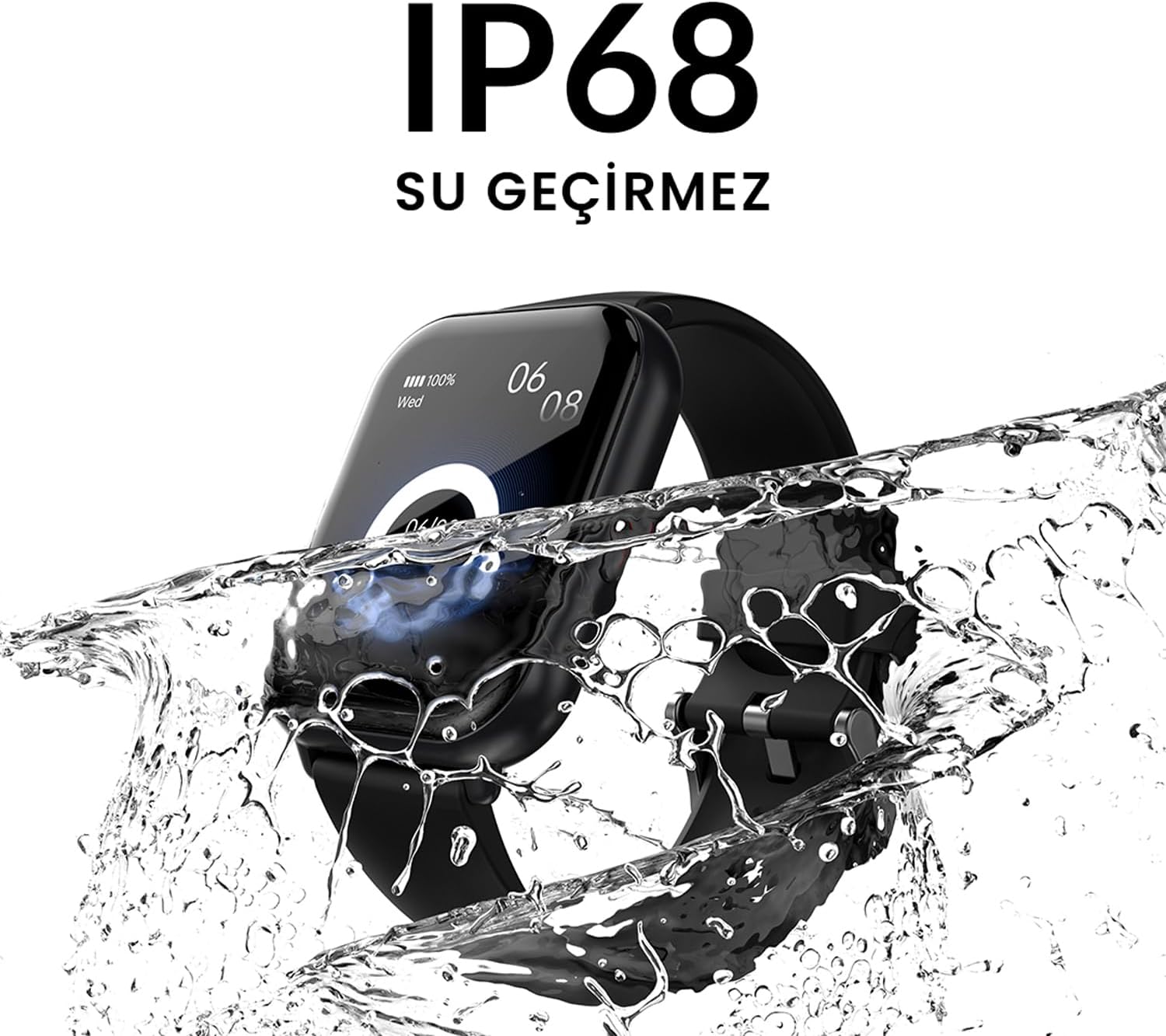
- Отпорност на воду: IP68 certified for water resistance.
- Спортски режими: Подржава преко 100 спортских режима за праћење разноврсних активности.
2.2. Компоненте и екран

Слика 2.2.1: The HiFuture Future Zone2 Smartwatch in silver and white, showcasing its sleek design and vibrant display with activity metrics.
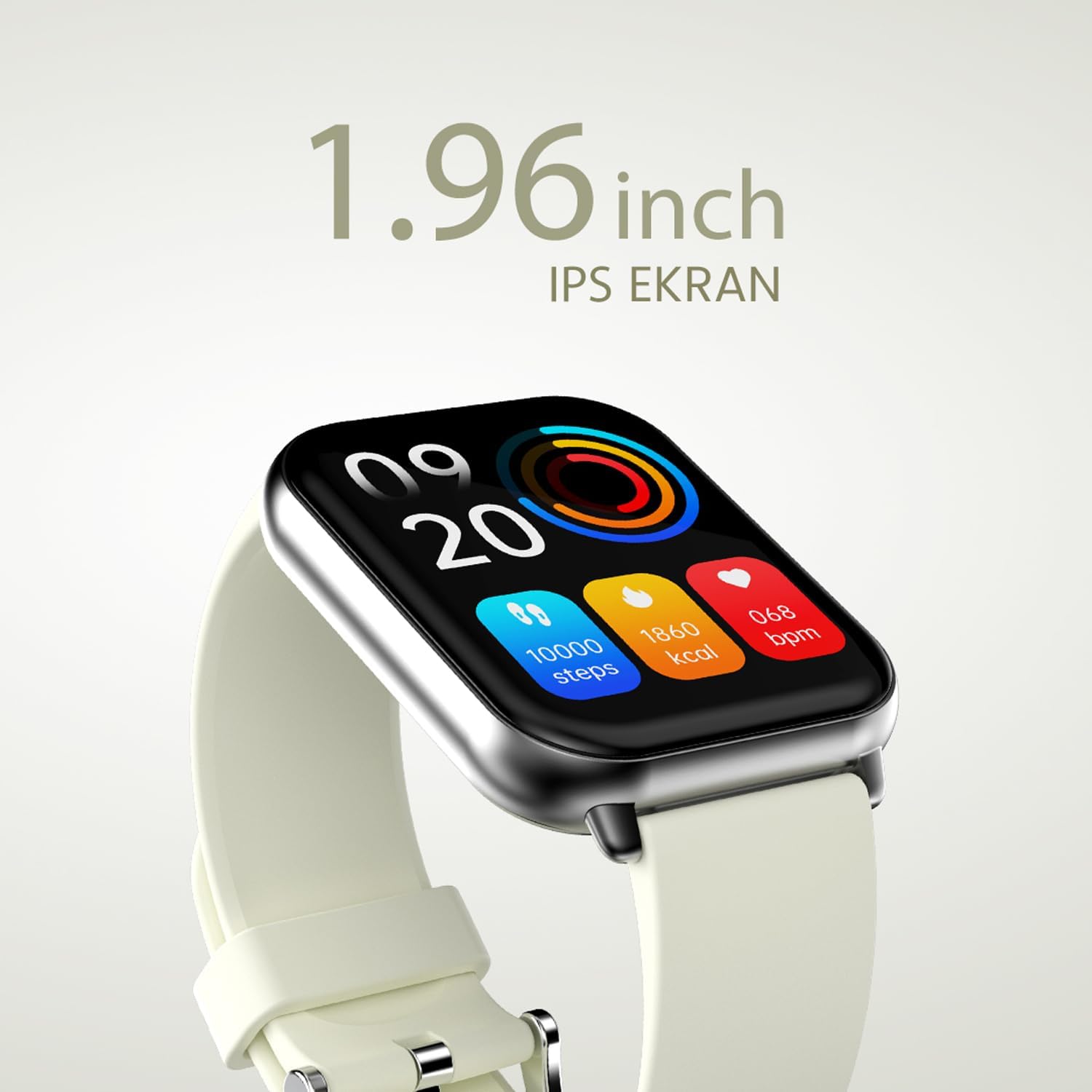
Слика 2.2.2: Детаљно view of the smartwatch display, highlighting its 1.96-inch IPS screen, which offers clear and crisp visuals.

Слика 2.2.3: The smartwatch accompanied by icons representing its core features: 1.96-inch IPS screen, wireless connectivity, 7-day battery life, and IP68 water resistance.

Слика 2.2.4: The smartwatch surrounded by various sport icons, indicating its support for over 100 different sport modes for comprehensive fitness tracking.
3. Подешавање
3.1. Пуњење паметног сата
Before first use, fully charge your HiFuture Future Zone2 Smartwatch. Connect the charging cable to the charging port on the back of the watch and plug the USB end into a compatible power adapter (not included) or a computer's USB port. The watch display will indicate charging status. A full charge typically takes approximately 2 hours.
3.2. Упаривање са вашим паметним телефоном
- Преузмите апликацију: Тражи the official HiFuture companion app on your smartphone's app store (Google Play Store for Android or Apple App Store for iOS). Install the app.
- Омогући Блуетоотх: Уверите се да је Блуетоотх омогућен на вашем паметном телефону.
- Отворите апликацију: Launch the HiFuture app and follow the on-screen instructions to create an account or log in.
- Додај уређај: Унутар апликације, идите до одељка „Додај уређај“ или „Упари уређај“. Апликација ће тражити паметне сатове у близини.
- Изаберите свој сат: Select "HiFuture Future Zone2" from the list of discovered devices.
- Потврдите упаривање: A pairing request will appear on both your phone and the smartwatch. Confirm the pairing on both devices.
- Комплетно подешавање: Once paired, the app will guide you through initial settings such as personal information, notification preferences, and watch face customization.
Note: For optimal performance, ensure your smartphone's operating system and the smartwatch app are up to date.
4. Упутство за употребу
4.1. Основна навигација
- екран осетљив на додир: Swipe left, right, up, or down to navigate through menus and screens. Tap to select an option.
- Бочно дугме: Press the side button to return to the home screen or wake up the display. A long press may access power options or a quick menu.
4.2. Позивање преко Bluetooth-а
The Future Zone2 Smartwatch supports Bluetooth calling, allowing you to make and receive calls directly from your wrist when connected to your smartphone.
- Омогући звук позива: Ensure that the smartwatch is connected to your phone for both data and call audio. This setting is usually managed within your phone's Bluetooth settings after initial pairing.
- Упућивање позива: Access the dialer or contact list on your smartwatch. Tap to dial a number or select a contact to initiate a call.
- Примање позива: Када примите позив, сат ће приказати идентификацију позиваоца. Додирните зелену икону да бисте одговорили или црвену икону да бисте одбили позив.
- Током позива: You can speak directly into the watch's built-in microphone and listen through its speaker. Options to mute, adjust volume, or transfer the call to your phone may be available on the watch screen.
Слика 4.2.1: The smartwatch screen showing a missed call notification, demonstrating its Bluetooth calling capability.
4.3. Контрола репродукције музике
Control your smartphone's music playback directly from your smartwatch.
- Access Music Control: Swipe on your watch face or navigate through the app list to find the "Music" or "Media Control" icon.
- Контролишите репродукцију: From this screen, you can play/pause, skip tracks (next/previous), and adjust the volume of the music playing on your connected smartphone.
4.4. Праћење активности
The smartwatch automatically tracks your daily steps, distance, and calories burned. You can view these metrics on the watch display or in the companion app for more detailed insights.
- Дневна Активност: The main watch face or a dedicated activity screen will show your current steps, calories, and heart rate (if applicable).
- Спортски режими: Select a specific sport mode (e.g., running, cycling, walking) from the watch's menu before starting an activity for more accurate tracking.
5. Одржавање
5.1. Чишћење паметног сата
- Обришите екран и кућиште сата меком крпом која не оставља влакна.
- За тврдокорне мрље, дampБлаго натопите крпу водом. Избегавајте употребу јаких хемикалија или абразивних материјала.
- Уверите се да су контакти за пуњење чисти и суви пре пуњења.
5.2. Отпорност на воду (IP68)
The HiFuture Future Zone2 Smartwatch is IP68 water-resistant, meaning it can withstand immersion in water up to 1.5 meters for up to 30 minutes. It is suitable for daily use, such as hand washing or light rain.
- Do not use the watch for diving, snorkeling, or high-pressure water activities.
- Avoid exposing the watch to hot water, steam, or detergents, as this may compromise its water resistance.
- If the watch gets wet, dry it thoroughly before charging or operating.

Слика 5.2.1: The smartwatch shown with water splashing over it, illustrating its IP68 water resistance rating.
5.3. Брига о батерији
- Да бисте продужили век трајања батерије, избегавајте често потпуно пражњење батерије.
- Пуните сат само користећи приложени кабл за пуњење.
- Чувајте сат на хладном и сувом месту када га не користите дуже време.
КСНУМКС. Решавање проблема
6.1. Уобичајени проблеми и решења
| Иссуе | Могући узрок | Решење |
|---|---|---|
| Сат се не укључује | Low battery; device frozen | Charge the watch for at least 30 minutes. If still unresponsive, perform a forced restart (refer to device-specific instructions, usually a long press of the side button). |
| Не може се упарити са паметним телефоном | Блутут искључен; проблем са апликацијом; сат није видљив | Ensure Bluetooth is on for both devices. Restart both the watch and phone. Clear the app's cache or reinstall it. Make sure the watch is in pairing mode. |
| Bluetooth calling not working | Incorrect Bluetooth profile; app permissions | Check your phone's Bluetooth settings to ensure the watch is connected for "Calls" or "Phone audio." Verify app permissions for phone calls. |
| Нетачно праћење активности | Improper wear; software glitch | Ensure the watch is worn snugly on your wrist. Restart the watch. Update the watch firmware via the app if available. |
7. Спецификације
| Феатуре | Детаљ |
|---|---|
| Бранд | ХиФутуре |
| Назив модела | Smartwatch (Future Zone2) |
| Број модела | ZONE2 SILVER WHITE |
| Боја | Silver and White (as per product title, though spec says Grey) |
| Величина екрана | 41 Millimeters (1.96 inches IPS) |
| Технологија повезивања | Блуетоотх |
| Посебне карактеристике | Music Player, Distance Tracker, Bluetooth Calling |
| Компатибилни уређаји | Smartphone, Tablet, Other Portable Devices |
| Састав батерије | Lithium-ion (1 Lithium-polymer battery included) |
| Пуњива батерија | Да |
| Отпорност на воду | ИПКСНУМКС сертификован |
| ГПС | Нема ГПС-а |
| Облик | Скуаре |
| Произвођач | HiFuture Group |
8. Гаранција и подршка
8.1. Гаранција на производ
Specific warranty details for the HiFuture Future Zone2 Smartwatch are typically provided with your purchase documentation or on the manufacturer's official webсајт. Молимо вас да сачувате доказ о куповини за потребе гаранције.
Note: Information regarding guaranteed software updates and spare parts availability is not explicitly provided.
8.2. Корисничка подршка
For technical assistance, troubleshooting beyond this manual, or warranty inquiries, please contact HiFuture customer support through their official webсајт или контакт информације које сте добили уз паковање производа.
Такође се можете позвати на страница производа на Amazon.com.be for additional information and customer reviews.