
SETTY GSM111404
SETTY Wireless Rechargeable Mouse User Manual
Model: GSM111404
1. Увод
Thank you for choosing the SETTY Wireless Rechargeable Mouse. This manual provides essential information for setting up, operating, and maintaining your new mouse. Please read these instructions carefully before use to ensure optimal performance and longevity of your device.
2. Садржај пакета
- 1 x SETTY Wireless Rechargeable Mouse
- 1 x 2.4 GHz USB Receiver
- 1 x USB Charging Cable (25 cm)

Image 1: SETTY Wireless Rechargeable Mouse and its retail packaging.
3. Производ је готовview
The SETTY Wireless Rechargeable Mouse is designed for comfort and efficiency in both office and home environments. It features a slim, ergonomic design, adjustable DPI settings, RGB lighting, and dual-mode connectivity (2.4 GHz and Bluetooth).
Кључне карактеристике:
- Двоструко повезивање: Supports 2.4 GHz wireless via USB receiver and Bluetooth 5.1.
- Подесиви ДПИ: Три нивоа осетљивости (800, 1200, 1600 DPI) за прецизну контролу.
- Ергономски дизајн: Comfortable for extended use.
- Пуњива батерија: Built-in 500 mAh lithium battery.
- РГБ осветљење: Dynamic LED lighting for enhanced aesthetics.
- 6 Дугмад: Including left, right, scroll wheel, DPI switch, and two side buttons.
- One-Click Desktop Function: Quickly minimize all windows.
- Дизајн тихог клика: Reduces operational noise.

Image 2: The ergonomic shape of the mouse designed for comfortable hand placement.
4. Подешавање
4.1. Пуњење миша
Before first use, it is recommended to fully charge the mouse. Connect the provided USB charging cable to the charging port on the front of the mouse and the other end to a USB power source (e.g., computer USB port, USB wall adapter). The RGB lighting will indicate charging status and turn off when fully charged.
- Време пуњења: Отприлике 2 сати.
- Радно време: До 150 сата уз потпуно пуњење.

Image 3: The mouse being charged via its USB cable.
4.2. Повезивање миша
The SETTY mouse offers two connection methods: 2.4 GHz wireless via USB receiver or Bluetooth 5.1.
4.2.1. Бежична веза од 2.4 GHz
- Пронађите УСБ пријемник, који се обично налази у одељку на доњој страни миша.
- Укључите УСБ пријемник у слободан УСБ порт на рачунару.
- Укључите миш помоћу прекидача за напајање на његовој доњој страни.
- Миш би требало аутоматски да се повеже са рачунаром.
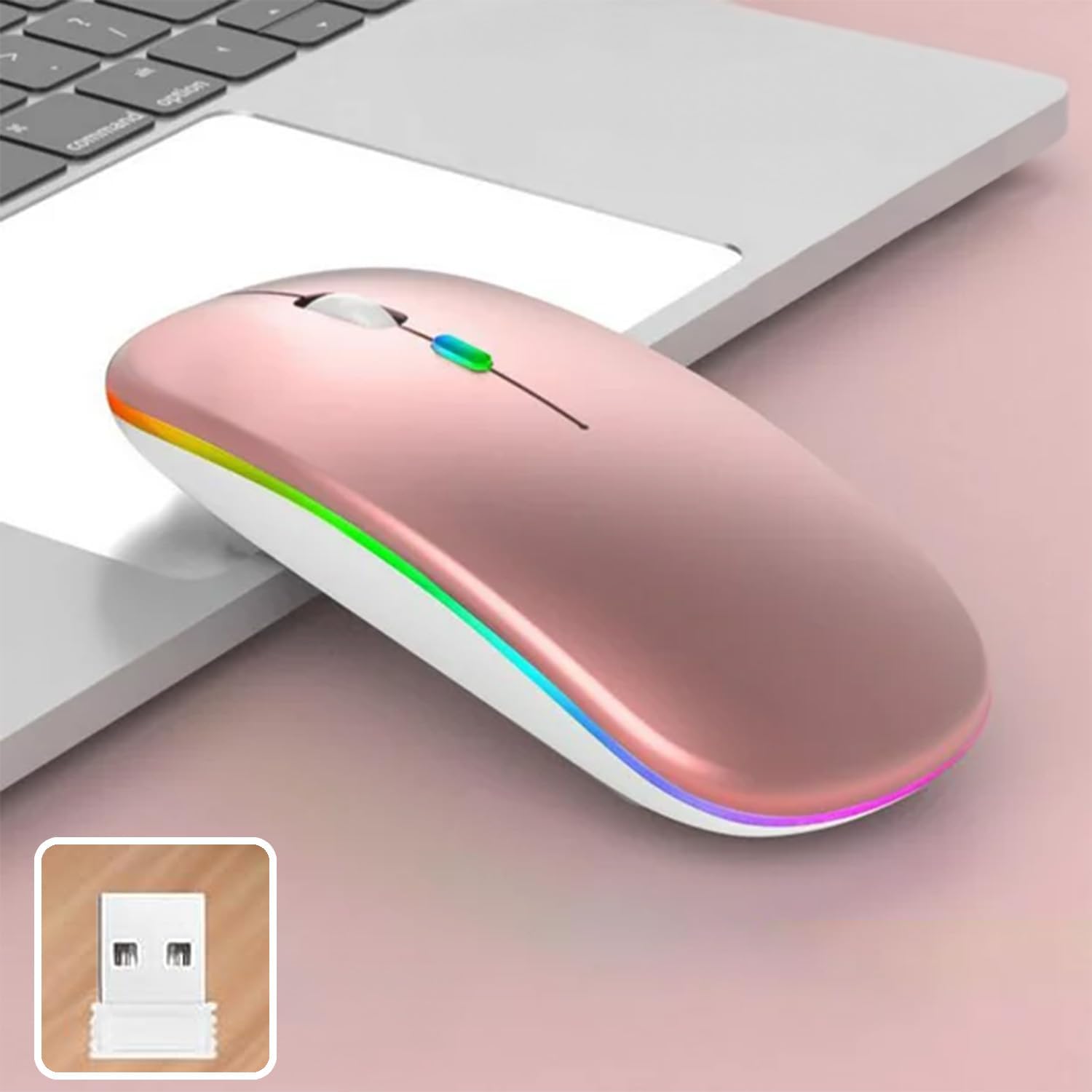
Image 4: The mouse and its 2.4 GHz USB receiver.
4.2.2. Bluetooth 5.1 веза
- Укључите миш помоћу прекидача за напајање.
- Press and hold the Bluetooth pairing button (often located on the underside or a dedicated button) until the indicator light starts flashing, indicating pairing mode.
- On your device (Windows, Mac OS, Android), go to Bluetooth settings and search for new devices.
- Select "SETTY Mouse" or a similar name from the list of available devices to pair.
- Након упаривања, индикаторска лампица на мишу ће престати да трепери.
4.3. Компатибилност
The SETTY Wireless Rechargeable Mouse is compatible with a wide range of operating systems and devices:
- Виндовс оперативни системи
- Мац ОС
- Андроид уређаји
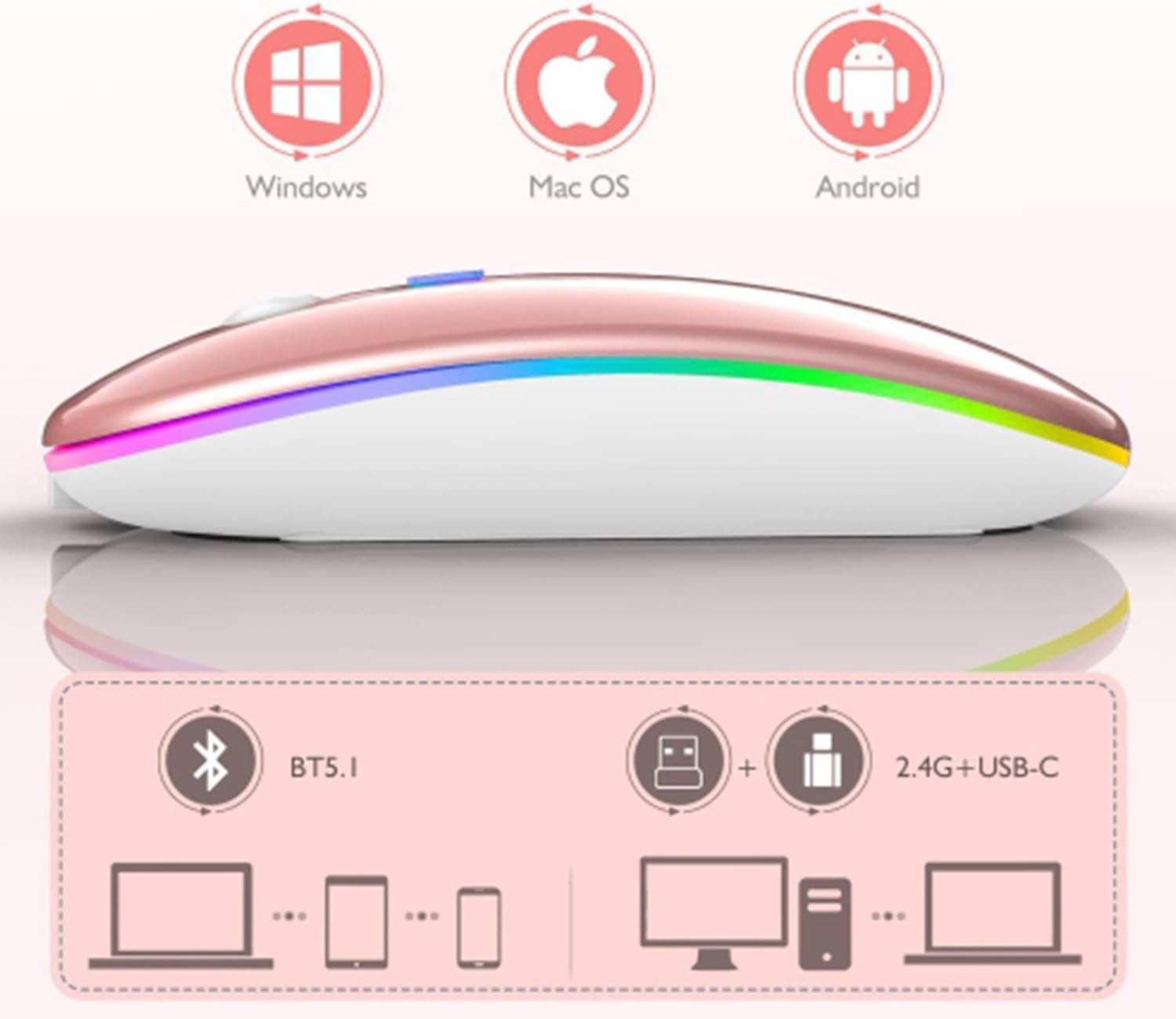
Image 5: Visual representation of the mouse's compatibility with various operating systems and connection types.
5. Упутство за употребу
5.1. Подешавање DPI-ја
The mouse features three adjustable DPI (Dots Per Inch) settings to suit your preference for cursor speed and precision. Press the DPI button (usually located behind the scroll wheel) to cycle through the settings:
- 800 ДПИ: Lower sensitivity for precise tasks.
- 1200 ДПИ: Standard sensitivity (default setting).
- 1600 ДПИ: Higher sensitivity for faster cursor movement.
5.2. RGB осветљење
The mouse is equipped with dynamic RGB LED lighting. The lighting activates when the mouse is in use and enters power-saving modes when idle.
5.3. Power Saving Modes
To conserve battery life, the mouse implements a three-level power-saving system:
- Ниво 1 спавање: After 3 seconds of inactivity, the mouse enters a light sleep mode, indicated by a continuously flashing light.
- Ниво 2 спавање: After approximately 1 minute of inactivity, the mouse enters a deeper sleep mode, indicated by intermittently flashing lights.
- Ниво 3 спавање: After 8 minutes of inactivity, the mouse enters its deepest sleep mode, and the lights turn off completely. To wake the mouse, simply move it or click any button.
5.4. One-Click Desktop Function
The mouse includes a dedicated button (often a side button) that, when pressed, instantly minimizes all open windows, allowing you to quickly access your desktop.
6. Одржавање
To ensure the longevity and optimal performance of your SETTY Wireless Rechargeable Mouse, follow these maintenance guidelines:
- Чишћење: Користите меку, суву крпу да обришете површину миша. За тврдокорну прљавштину, благо обришитеampОбришите крпу водом или благим раствором за чишћење. Избегавајте употребу јаких хемикалија или абразивних материјала.
- Складиштење: Када се миш не користи дуже време, чувајте га на хладном и сувом месту.
- Одржавање батерије: Avoid fully discharging the battery frequently. Charge the mouse when the low battery indicator appears.
- Избегавајте екстремне услове: Do not expose the mouse to extreme temperatures, direct sunlight, or excessive moisture.
КСНУМКС. Решавање проблема
If you encounter issues with your SETTY Wireless Rechargeable Mouse, please refer to the following common solutions:
- Миш не реагује:
- Уверите се да је миш укључен.
- Проверите ниво батерије и напуните миш ако је потребно.
- За везу од 2.4 GHz, уверите се да је USB пријемник безбедно прикључен у исправан USB порт. Покушајте са другим USB портом.
- For Bluetooth connection, ensure Bluetooth is enabled on your device and the mouse is properly paired. Try re-pairing the mouse.
- Move the mouse closer to the receiver/device to ensure it's within the 15m wireless range.
- Покрет курсора је неправилан или спор:
- Очистите оптички сензор на доњој страни миша.
- Уверите се да користите миш на одговарајућој површини (нерефлектујућој, непрозирној).
- Подесите DPI подешавање на вишу вредност ако је курсор преспор.
- RGB осветљење не ради:
- The lighting may be off due to power-saving mode. Move or click the mouse to wake it up.
- Уверите се да је миш довољно напуњен.
8. Спецификације
| Феатуре | Спецификација |
|---|---|
| Модел | ГСМ111404 |
| Технологија повезивања | 2.4 GHz Wireless, Bluetooth 5.1 |
| Домет | До 15 метара |
| ДПИ подешавања | 800 / 1200 / 1600 DPI (Default: 1200 DPI) |
| Број дугмади | 6 |
| Технологија детекције покрета | Оптицал |
| Тип батерије | Built-in 500 mAh Lithium-ion Rechargeable Battery |
| Време пуњења | Прибл. 2 сата |
| Радно време | Прибл. 150 сата |
| Ратед Волtagе / Струја | 3.7 В / 18 мА |
| Кеи Лифе | 5 милиона кликова |
| Материјал | ABS + Metal parts |
| Димензије производа (Д к Ш к В) | 11.3 к 5.7 к 2.5 цм |
| Дужина кабла за пуњење | 25 цм |
| Компатибилни оперативни системи | Виндовс, Мац ОС, Андроид |
9. Гаранција и подршка
For warranty information or technical support, please refer to the documentation provided at the point of purchase or contact SETTY customer service. Keep your proof of purchase for warranty claims.