
Introduction to Your Pixel 8 Pro
The Google Pixel 8 Pro is an advanced Android smartphone designed by Google, featuring a powerful Google Tensor G3 chip, a sophisticated triple camera system, and intelligent AI capabilities. This manual provides essential information for setting up, operating, maintaining, and troubleshooting your device.
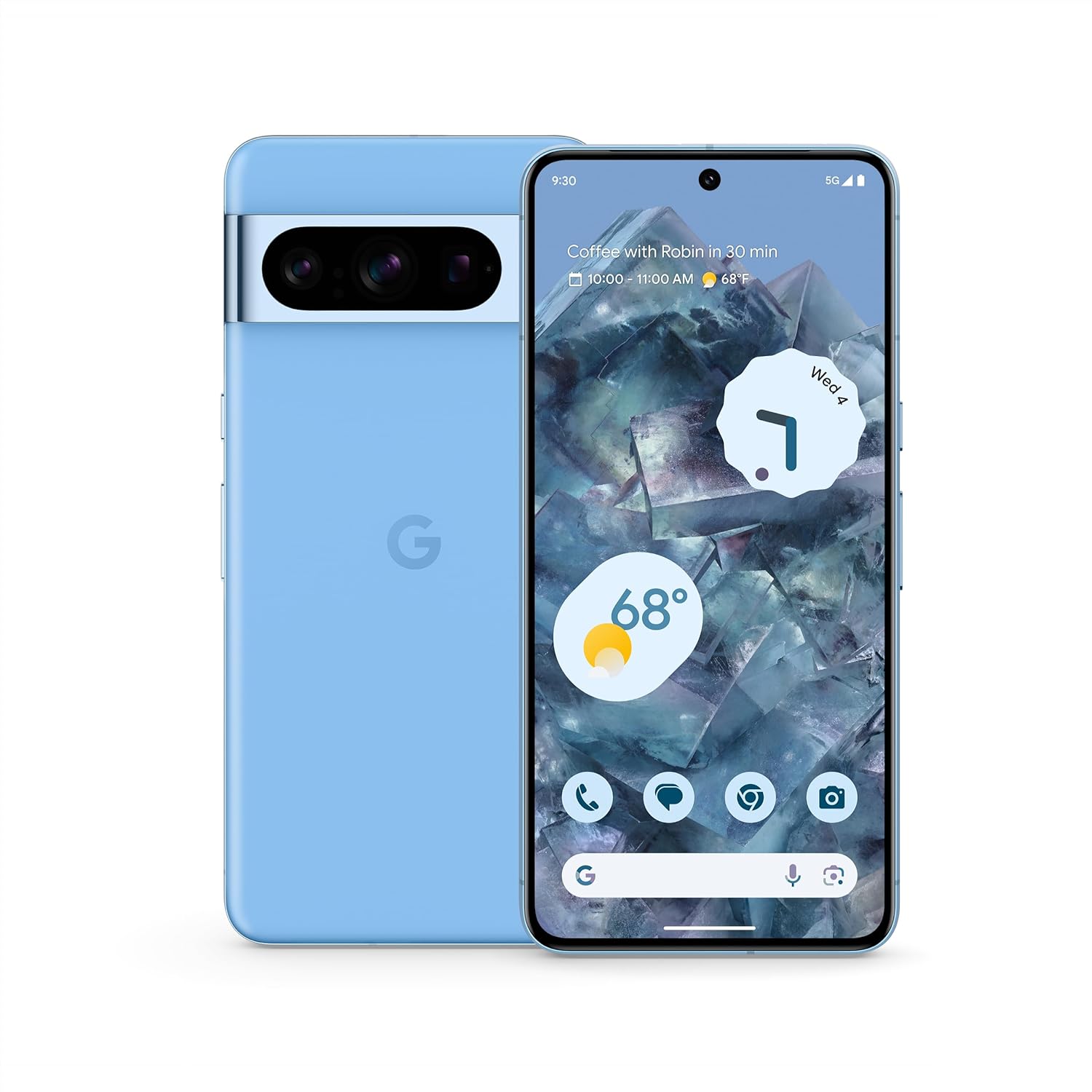
Слика: Предња и задња страна view of the Google Pixel 8 Pro in Bay color, showcasinњегов елегантан дизајн и трака са камером.
Видео: Брзи прегледview of the Google Pixel 8 Pro, highlighting its key features and design elements.
Шта је у кутији
Your Google Pixel 8 Pro package includes the following items:
- Google Pixel 8 Pro Smartphone
- Избацивач СИМ лежишта
- USB кабл (USB-C на USB-C)
- Quick Switch Adapter (USB-A to USB-C)
Сетуп
Почетно подешавање
- Уметните СИМ картицу: Use the provided SIM tray ejector tool to open the SIM tray. Place your nano-SIM card into the tray and reinsert it into the phone.
- Укључено: Притисните и држите дугме за напајање са стране уређаја док се не појави Google лого.
- Пратите упутства на екрану: The phone will guide you through selecting your language, connecting to a Wi-Fi network, and signing in with your Google Account.
- Откључавање отиска прста: Set up your fingerprint for secure and convenient unlocking.
- Пренос података: If you're switching from another device, use the Quick Switch Adapter and follow the prompts to transfer your data, contacts, and apps.
Operating Your Pixel 8 Pro
Основна навигација
Your Pixel 8 Pro uses intuitive gesture navigation. Swipe up from the bottom to go home, swipe up and hold to view recent apps, and swipe from the left or right edge to go back.
Карактеристике камере
The Pixel 8 Pro features a triple camera system with a dedicated 5x telephoto lens, improved autofocus, and advanced photography controls.

Image: Detailed breakdown of the Pixel 8 Pro's camera system, including megapixel counts for main, ultrawide, telephoto, and front cameras.
- Pro Controls: Access advanced settings for full-resolution photos, including shutter speed, ISO, and focus.
- Audio Magic Eraser: Utilize Google AI to reduce distracting noises in your videos, such as wind or traffic.
Video: Demonstrates how to edit videos on your Pixel phone, including trimming, adjusting, and applying effects like Audio Magic Eraser.
АИ карактеристике
Google AI enhances your Pixel 8 Pro experience with smart features designed for convenience and efficiency.
- Call Assist: Get help making and screening calls.
- Превод уживо: Translate languages in real-time.
- Заокружи за претрагу: Instantly search what you see on your phone by circling, highlighting, or scribbling on images, text, or videos.

Слика: Визуелни ексamples of the Pixel 8 Pro's AI capabilities, including call screening, Google Assistant integration, and real-time language translation.
Температурни сензор
The Pixel 8 Pro includes a dedicated temperature sensor for measuring the surface temperature of everyday objects.
Video: Instructions on how to use the Pixel 8 Pro's temperature sensor to measure the temperature of objects around you.
Одржавање
Ажурирања софтвера
Google provides 7 years of security updates and OS upgrades for your Pixel 8 Pro to ensure your device remains secure and up-to-date with the latest features.
- Ensure your device is connected to Wi-Fi and has sufficient battery life before initiating updates.
- Дођите до Подешавања > Систем > Ажурирање система да провери и инсталира доступна ажурирања.
Баттери Царе
The Pixel 8 Pro features an all-day battery (5050 mAh) with fast charging and wireless charging capabilities.
- Use certified chargers and cables for optimal charging performance and safety.
- Avoid extreme temperatures, as they can affect battery life and performance.
- Enable Adaptive Battery in settings to optimize battery usage based on your habits.
Чишћење
To keep your Pixel 8 Pro clean and in good condition:
- Обришите екран и кућиште меком крпом која не оставља влакна.
- Избегавајте употребу јаких хемикалија или абразивних материјала.
Решавање проблема
If you encounter issues with your Pixel 8 Pro, refer to the common solutions below:
| Иссуе | Могуће решење |
|---|---|
| Телефон се не укључује | Ensure the battery is charged. Press and hold the Power button for 10-15 seconds to force restart. |
| Апликације се руше или замрзавају | Clear app cache/data (Settings > Apps > [App Name] > Storage). Update the app or uninstall/reinstall. |
| Лош век трајања батерије | Check battery usage in settings to identify draining apps. Reduce screen brightness, disable unnecessary features (GPS, Bluetooth, Wi-Fi when not in use). |
| Проблеми са повезивањем (Wi-Fi/Bluetooth) | Toggle Wi-Fi/Bluetooth off and on. Restart the phone. Forget and reconnect to the network/device. |
| Скенер отиска прста не ради | Уверите се да вам је прст чист и сув. Поново региструјте отиске прстију у подешавањима. |
Спецификације
| Феатуре | Детаљ |
|---|---|
| Назив модела | Пикел 8 Про |
| Димензије | 6.4 к 3.01 к 0.35 инча |
| Тежина артикла | 7.5 унци |
| Величина екрана | 6.7 инча Супер Ацтуа екран |
| Резолуција | 1344 к 2992 |
| Рефресх Рате | 1-120 Hz adaptive |
| Оперативни систем | Android 13.0 (ships with) |
| Процесор | Гоогле Тенсор Г3 |
| РАМ | 12 ГБ |
| Капацитет складиштења | 128 GB (as per current product) |
| Капацитет батерије | 5050 мАх |
| камере | Triple Camera System (50MP Main, 48MP Ultrawide, 48MP Telephoto), 10.5MP Front |
| Повезивање | 5G, Wi-Fi, Bluetooth, NFC |
Информације о безбедности и прописима
For detailed safety, regulatory, and warranty information, please refer to the official Google Pixel support website or the documentation included with your device.
Гаранција и подршка
Your Google Pixel 8 Pro comes with a manufacturer's warranty. For warranty details, technical support, or service inquiries, please visit the official Google Support webсајт: