
Увод
This manual provides essential information for setting up, operating, maintaining, and troubleshooting your Lenovo IdeaPad Slim 5 laptop, model 82XD005RIN. This device features a 13th Gen Intel Core i5-13420H processor, a 14-inch WUXGA OLED display, 16GB of LPDDR5 RAM, and a 512GB SSD, running on Windows 11 Home.
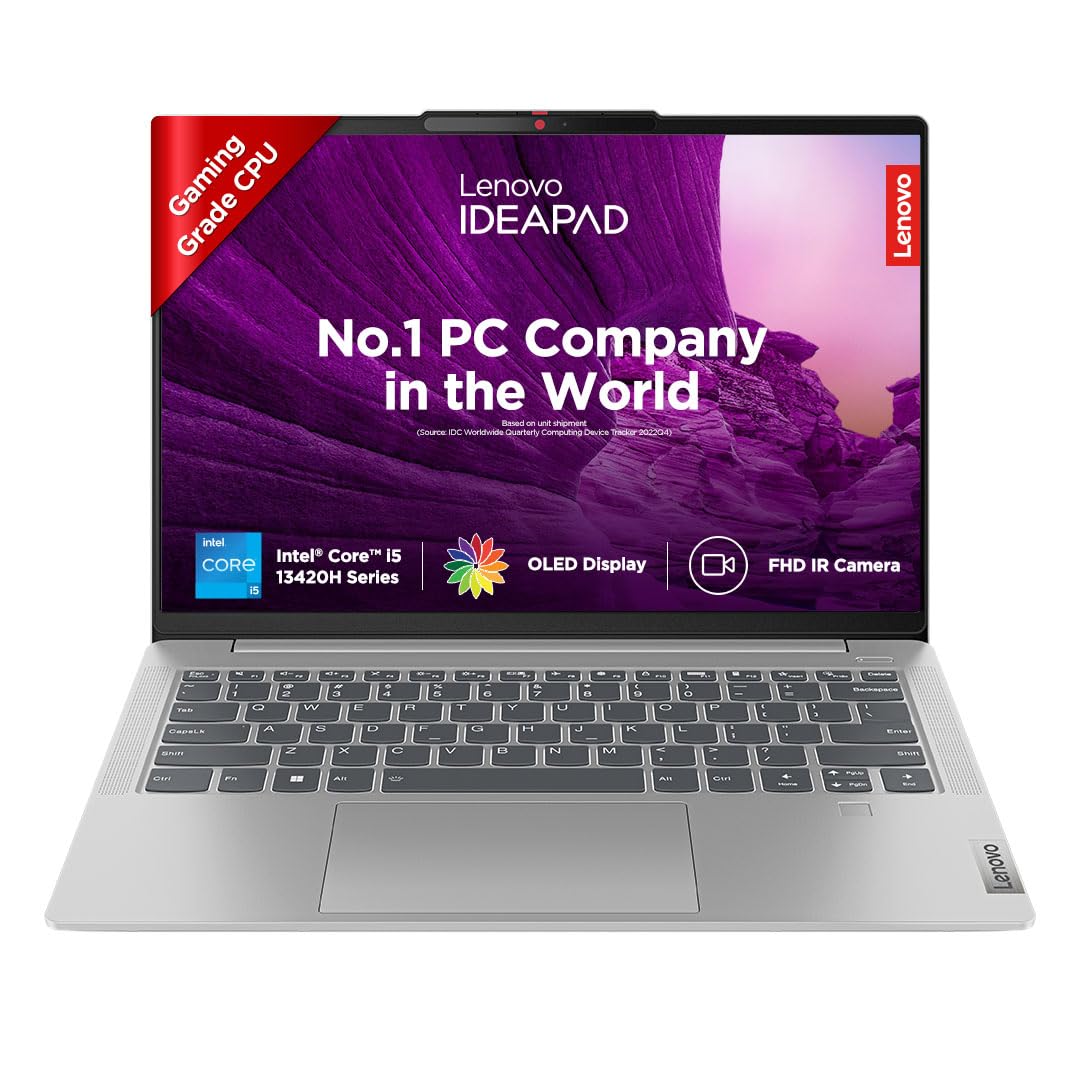
Image: The Lenovo IdeaPad Slim 5 laptop, showcasinњегов елегантан дизајн и екран.
Сетуп
1. Распакивање и први преглед
Carefully remove all components from the packaging. Verify that all items listed in the box contents are present. Inspect the laptop for any physical damage.
2. Повезивање на напајање
Connect the power adapter to the laptop's USB-C port (which supports Power Delivery 3.0) and then to a power outlet. It is recommended to fully charge the battery before initial use.
3. Почетно укључивање и подешавање система Windows
Open the laptop lid. The laptop may automatically power on (Flip-to-Start feature). If not, press the power button. Follow the on-screen instructions to complete the Windows 11 Home setup, including language, region, network connection, and user account creation.
4. Повезивање периферних уређаја
Користите доступне портове за повезивање екстерних уређаја:
- USB-C 3.2 Gen 1 (x2): For data transfer, power delivery, and DisplayPort 1.2 video output.
- УСБ-А 3.2 Ген 1 (к2): For connecting USB devices, one port is Always On for charging.
- ХДМИ 1.4б: For connecting to external displays.
- Читач микро СД картица: For reading microSD cards.
- Headphone/Microphone Combo Jack (3.5mm): For audio input/output.

Слика: Са стране view of the Lenovo IdeaPad Slim 5 laptop showing the HDMI port, two USB-C ports, and a headphone/microphone combo jack on one side, and a microSD card reader and a USB-A port on the other side.
Управљање лаптопом
Дисплаи Феатурес
The laptop features a 14-inch WUXGA (1920x1200) OLED IPS Display with 400 nits brightness. It includes Anti-Glare coating, Intelligent Sens-Super Resolution, and TUV Low Blue Light Protection for enhanced viewing comfort and reduced eye strain.

Слика: Приказ екрана лаптопаasing its key features: 14" WUXGA OLED Display, 16:10 Aspect Ratio, 100% DCI-P3 color gamut, 400 Nits Brightness, and TUV Low Blue Light certification.
Тастатура и додирна табла
The laptop is equipped with a backlit keyboard for comfortable typing in various lighting conditions. The integrated touchpad supports multi-touch gestures for navigation.
Камера и аудио
The integrated FHD 1080p camera includes an IR Privacy Shutter and ToF Sensor, enabling Smart Login with facial recognition. Audio is provided by front-facing 2x 2W HD Stereo Speakers optimized with Dolby Audio.

Image: Close-up of the laptop's top bezel showing the FHD IR Camera with ToF Sensor and Privacy Shutter, along with an illustration of the 2Wx2 User-Facing Speakers optimized with Dolby Audio.
Smart Features (Lenovo AI Chip)
- Smart Login: Seamless and secure face recognition for instant access.
- Смарт Повер: Adaptive performance and extended battery life up to 20%.
- Паметно уклањање буке: Reduces distractions during calls and classes, providing 20dB amplified speech clarity and isolated voices.
- Lenovo Eye Care: Certified TÜV low blue light screen for accurate colors and reduced eye strain.
- Background Blur: Intuitive background blur with A.I. for privacy during video calls.
- Flip-to-Start: The laptop starts immediately upon lifting the lid.

Image: The laptop displaying various smart features such as Smart Login, Smart Power, Smart Noise Cancelling, Lenovo Eye Care, Background Blur, and Flip-to-Start, all powered by the Lenovo AI chip.
Управљање батеријом
The laptop is equipped with a 56.6Wh battery, providing up to 11 hours of battery life. It supports Rapid Charge technology, offering 2 hours of runtime with a 15-minute charge. Intelligent Power and Cooling with Smart Power enhance thermal performance and battery efficiency.

Image: The laptop screen displaying a charging icon, illustrating the 56.6Wh battery, up to 11 hours battery life, and Rapid Charge feature (2 hours playback in 15 minutes).
Одржавање
Чишћење лаптопа
- Користите меку крпу која не оставља длачицеampводом или средством за чишћење екрана да бисте очистили екран.
- За тастатуру и кућиште користите меку крпу. Избегавајте јаке хемикалије или абразивне материјале.
- Уверите се да је лаптоп искључен и искључен из струје пре чишћења.
Ажурирања софтвера
Редовно проверавајте и инсталирајте ажурирања оперативног система (Windows Update) и ажурирања драјвера од стране Lenovo подршке webсајт како би се обезбедиле оптималне перформансе и безбедност.
Управљање складиштем
Periodically manage your 512GB SSD storage to maintain performance. Delete unnecessary fileс, деинсталирајте некоришћене апликације и размотрите складиштење у облаку за велике files.
Решавање проблема
| Проблем | Могући узрок | Решење |
|---|---|---|
| Лаптоп се не укључује. | Проблем са слабом батеријом или адаптером за напајање. | Ensure the power adapter is securely connected and the outlet is functional. Allow the laptop to charge for at least 30 minutes before attempting to power on again. |
| Екран је празан или трепери. | Проблем са управљачким програмом екрана, конфликт са спољним екраном или проблем са хардвером. | Try connecting to an external monitor via HDMI to check if the issue is with the laptop's display. Update graphics drivers. Restart the laptop. |
| Споре перформансе. | Превише апликација је покренуто, мало простора за складиштење или застарели драјвери. | Close unnecessary applications. Free up disk space. Update Windows and drivers. Check for malware. |
| Батерија се брзо празни. | High screen brightness, power-intensive applications, or background processes. | Adjust power settings to a balanced mode. Reduce screen brightness. Close background applications. Ensure Smart Power is enabled. |
| Проблеми са Wi-Fi или Bluetooth повезивањем. | Driver issues, interference, or incorrect settings. | Restart the laptop and router. Update wireless drivers. Check network settings. Ensure no physical obstructions are blocking signals. |
Спецификације
| Феатуре | Детаљ |
|---|---|
| Назив модела | ИдеаПад Слим 5 14ИРЛ8 |
| Број модела | 82XD005RIN |
| Процесор | Intel Core i5-13420H (13th Gen), 2.1 GHz (Base) - 4.6 GHz (Max), 8 Cores, 12 Threads, 12MB Cache |
| Оперативни систем | Windows 11 Home (унапред инсталиран са доживотном верзијом) |
| Унапред инсталиран софтвер | MS Office Home and Student 2021, Xbox GamePass Ultimate (тромесечна претплата) |
| Меморија (РАМ) | 16GB LPDDR5-5200 (Soldered) |
| Складиштење | 512GB SSD (прошириво до 1TB) |
| Графика | Интегрисана Интел УХД графика |
| Дисплаи | 14" WUXGA (1920x1200) OLED IPS Display, 400 nits Brightness, Anti-Glare, Intelligent Sens-Super Resolution, TUV Low Blue Light Protection |
| Дизајн | All Metal Body, 1.69 cm Thin, 1.46 Kg Light |
| Тастатура | Тастатура са позадинским осветљењем |
| Батерија | 56.6Wh, up to 11 Hours Battery Life, Rapid Charge (2 hours runtime with 15-minute charge) |
| Камера | FHD 1080p with IR Privacy Shutter, Smart Login (Facial Recognition), Fixed Focus, ToF Sensor |
| Аудио | Front Facing 2x 2W HD Stereo Speakers, Dolby Audio |
| Портс | 2x USB-C 3.2 Gen 1 (Data transfer, Power Delivery 3.0 & DisplayPort 1.2), 2x USB-A 3.2 Gen 1 (1 Always On), 1x Headphone/microphone combo jack (3.5mm), 1x HDMI 1.4b, 1x micro SD card Reader |
| Бежично повезивање | Wi-Fi (802.11bgn), Bluetooth |
| Димензије (Д x Ш x Дебљина) | 31.2L x 22.1W x 1.7Th Centimeters |
| Тежина | 1.46 Кг |
| Military Standards | MIL-STD-810H Qualified (Vibration, Low & High Temp, Temp Shock, Drop & Shock Tests) |

Image: Illustration of the laptop's MIL-STD-810H qualification, showing icons for Vibration Test, Low & High Temperature Test, Temperature Shock Test, and Drop & Shock Test.
Гаранција и подршка
Информације о гаранцији
Your Lenovo IdeaPad Slim 5 (82XD005RIN) comes with the following warranty:
- 1 Year Onsite Warranty
- 1 Year Premium Care
- Једногодишња заштита од случајних оштећења
The default warranty begins from the unit shipped date. To activate your warranty or check its status, visit: http://tiny.cc/LenovoWarranty

Image: A visual representation of the pre-bundled warranty (1 Year Onsite Warranty, 1 Year Premium Care) and options to upgrade for Base Warranty Extension, Premium Care, Smart Performance, and Accidental Damage Protection. Includes warranty activation link and contact numbers.
Контакт за подршку
For warranty-related queries or technical support, please contact Lenovo:
- Телефон: 1800-419-7555
- ВхатсАпп: +91 8067916666
- Importer Contact Information: Lenovo (India) Private Limited, RBD Icon, Level 2, Doddenakundi Village, Marathahalli Outer Ring Road, K. R. Puram Hobli, Bangalore 560037, Karnataka, India