
1. Производ је готовview
The RAZEAK Portable 60% Mechanical Keyboard is a compact, high-performance input device designed for PC and Mac users, particularly gamers. Its 61-key layout saves desk space while retaining full functionality through key combinations. This model features durable mechanical switches and customizable colorful backlighting.
- Компактни распоред од 60%: Space-saving 61-key design with full functionality via key combinations.
- Н-Кеи Ролловер: Обезбеђује да се сви притисци тастера тачно региструју, чак и током брзог уноса.
- Dual Colour Translucent Keycaps: Injection-moulded keycaps for durability and enhanced backlighting.
- Colorful Backlight: Multiple LED backlighting modes for visual appeal and low-light visibility.
- Humanistic Design: Adjustable height and detachable USB-C cable for user comfort and portability.
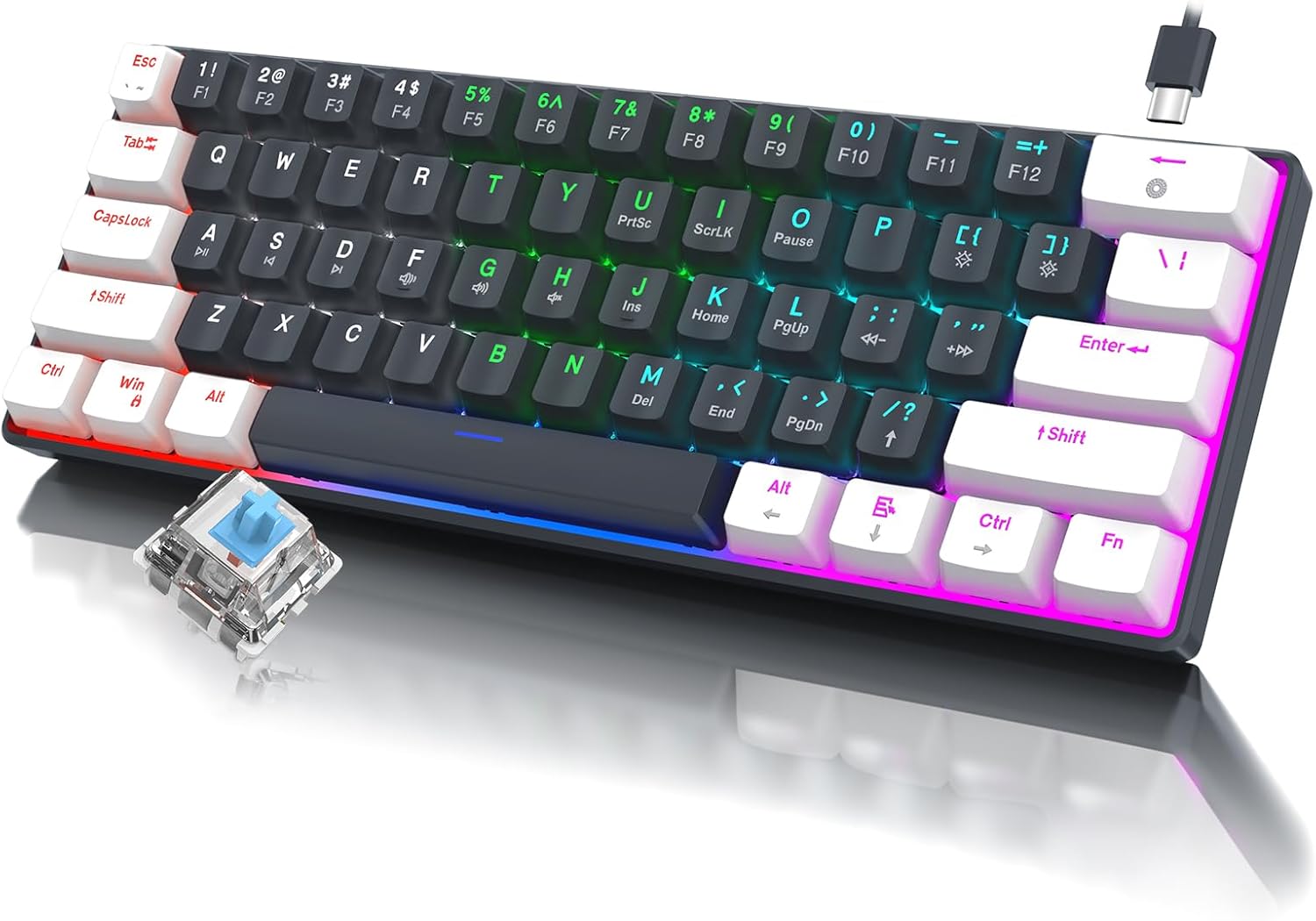
Слика 1.1: Готовоview of the RAZEAK Portable 60% Mechanical Keyboard, showcasing its compact design, colorful backlighting, and a detached blue mechanical switch.
2. Садржај пакета
Молимо вас да проверите да ли су сви предмети присутни у пакету након распакивања:
- RAZEAK Portable 60% Mechanical Keyboard
- УСБ-Ц кабл
3. Подешавање
3.1 Повезивање тастатуре
- Locate the USB-C port on the back or side of the keyboard.
- Повежите један крај приложеног USB-C кабла са USB-C портом тастатуре.
- Connect the other end of the USB-C cable to an available USB-A port on your computer (PC or Mac).
- The keyboard will automatically be recognized by your operating system. No additional drivers are typically required.
3.2 Подешавање висине тастатуре
The keyboard features two levels of height adjustment for ergonomic comfort.
- Окрените тастатуру да бисте приступили подесивим ножицама на доњој страни.
- Gently pull out the small feet for the first level of elevation.
- For a higher angle, pull out the larger feet.
- Ensure both feet are extended evenly to maintain stability.

Image 3.1: Illustration of the keyboard's ergonomic design with adjustable feet, allowing for comfortable typing angles.
4. Упутство за употребу
4.1 Кључне функције и комбинације
Due to its compact 60% layout, some functions are accessed via key combinations using the Fn кључ.
| Комбинација | Функција |
|---|---|
| Fn + 1! to Fn + =+ | F1 to F12 Function Keys |
| Фн + К | Превиоус Трацк |
| Фн + В | Пусти/Паузирај |
| Фн + Е | Нект Трацк |
| Фн + Р | Утишавање звука |
| Фн + Т | Волуме Уп |
| Фн + И | Муте |
| Фн + У | PrntSc (Print Screen) |
| Фн + И | ScrLk (Scroll Lock) |
| Фн + О | Пауза |
| Фн + П | Ins (Insert) |
| Fn + [ { | Хоме |
| Fn + ] } | Крај |
| Фн + ; : | PgUp (Page Up) |
| Fn + '" | PgDn (Page Down) |
| Fn + / ? | Стрелица горе |
| Фн + Алт | Лева стрелица |
| Фн + Цтрл | Стрелица надоле |
| Fn + Fn | Стрелица десно |

Image 4.1: Layout of the 60% ultra-compact keyboard, highlighting the 61-key configuration and secondary functions accessible via the Fn key.
4.2 Контрола позадинског осветљења
The keyboard features multiple LED backlight modes and brightness levels.
- Fn + \|: Cycle through 19 different backlight modes.
- Fn + ; : (PgUp): Повећајте осветљеност позадинског осветљења.
- Fn + ' " (PgDn): Смањите осветљеност позадинског осветљења.
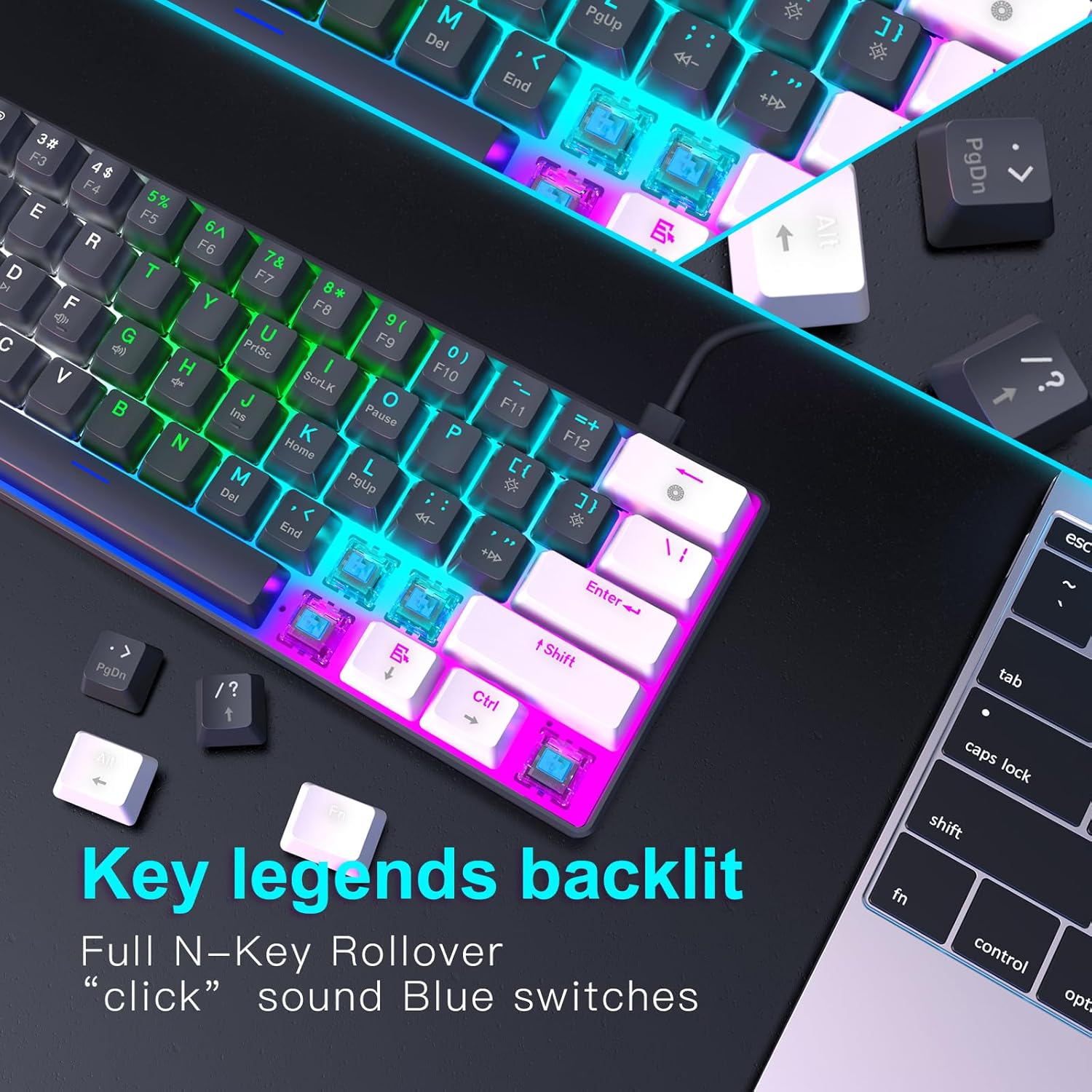
Слика 4.2: Крупни план view of the keyboard's key legends with active backlighting, demonstrating the translucent keycaps and illuminated mechanical switches.
5. Одржавање
Правилно одржавање осигурава дуготрајност и оптималне перформансе ваше тастатуре.
- Чишћење: Use a soft, dry cloth to wipe the surface of the keyboard. For dust and debris between keys, use compressed air. Avoid liquid cleaners directly on the keyboard.
- Уклањање капице тастера (опционо): If necessary, keycaps can be carefully removed for deeper cleaning using a keycap puller (not included). Reinstall them by aligning and pressing down gently.
- Складиштење: Када се не користи, чувајте тастатуру на чистом и сувом месту, даље од директне сунчеве светлости и екстремних температура.
- Нега каблова: Избегавајте прекомерно савијање или увијање USB-C кабла да бисте спречили оштећења.
КСНУМКС. Решавање проблема
If you encounter issues with your RAZEAK keyboard, please refer to the following common solutions:
| Проблем | Могући узрок / решење |
|---|---|
| Тастатура не реагује |
|
| Позадинско осветљење не ради или је пригушено |
|
| Одређени тастери не раде |
|
7. Спецификације
| Феатуре | Детаљ |
|---|---|
| Назив модела | X44-WTBK-BS_B |
| Бранд | RAZEAK |
| Тип тастатуре | Механичка тастатура за игре |
| Лаиоут | 60% (61 кључ) |
| Тип прекидача | Blue Switch (Clicky) |
| Повезивање | USB-C (Detachable Cable) |
| Позадинско осветљење | Colorful LED (19 modes) |
| Кеи Ролловер | Н-Кеи Ролловер |
| Кеицапс | Dual Colour Translucent Injection Moulded |
| Димензије производа | 11.5 к 4.02 к 1.57 инча |
| Тежина артикла | 1.34 фунти |
| Компатибилни уређаји | Windows devices (PC/Mac) |
| Укључене компоненте | УСБ кабл |

Image 7.1: Dimensional diagram of the RAZEAK Portable 60% Mechanical Keyboard, indicating its compact size.
8. Гаранција и подршка
RAZEAK products are designed for reliability and performance. For specific warranty details, please refer to the warranty card included with your product or visit the official RAZEAK website. If you require technical assistance or have questions regarding your keyboard, please contact RAZEAK customer support through their official channels.
For further information and support, you may visit the RAZEAK Store on Amazon.