Увод
Thank you for choosing the HAMMER SpeedMotion II Elliptical Trainer. This manual provides essential information for the safe and effective use of your new fitness equipment. Please read it thoroughly before assembly and operation, and keep it for future reference.
The SpeedMotion II offers an innovative and comfortable workout experience, combining dynamic movement with individual intensity control. Its natural, ergonomic design supports effective calorie burning and targets various muscle groups through its 3-fold incline adjustment.

The HAMMER SpeedMotion II Elliptical Trainer provides a full-body workout experience in the comfort of your home, featuring 24 programs, 16 resistance levels, an LCD display, and Bluetooth connectivity.
Безбедносна упутства
- Консултујте се са лекаром пре него што започнете било који нови програм вежбања.
- Пре сваке употребе уверите се да су сви вијци и навртке чврсто затегнути.
- Place the elliptical trainer on a flat, stable surface.
- Држите децу и кућне љубимце подаље од опреме током рада.
- Носите одговарајућу спортску одећу и обућу.
- Одмах престаните са вежбањем ако осетите слабост, вртоглавицу или бол.
- The maximum user weight for this device is 130 kg.
Подешавање и монтажа
The HAMMER SpeedMotion II Elliptical Trainer requires assembly. An instruction manual is included with the product to guide you through the process. It is recommended to lay out all parts and verify them against the parts list before beginning assembly.
- Распакивање: Пажљиво уклоните све компоненте из паковања.
- Провера компоненте: Verify that all parts listed in the assembly guide are present and undamaged.
- Склоп базе: Причврстите предњи и задњи стабилизатор на главни оквир.
- Pedal Arms and Flywheel: Assemble the pedal arms and connect them to the flywheel mechanism.
- Ручице: Secure the stationary and moving handlebars.
- Инсталација конзоле: Mount the LCD console and connect all necessary cables.
- Подешавање нагиба: Ensure the 3-fold incline adjustment mechanism is correctly installed and functional.
- Коначна провера: Double-check all connections and ensure the elliptical is stable before first use.
Assembly typically takes approximately 45 minutes for one person, following the detailed, illustrated instructions provided.
Упутство за употребу
Цонсоле Оверview

The LCD display provides real-time feedback on your workout, controlled by the intuitive Push & Turn button.
The black-backlit LCD display provides clear visibility of your workout data. Use the central Push & Turn Button for intuitive navigation and selection.
- РПМ: Револуција у минути
- брзина: Тренутна брзина
- Удаљеност: Total distance covered
- Training Time: Трајање вашег тренинга
- Потрошња калорија: Процењене сагореле калорије
- Откуцаји срца: Measured via handgrip sensors
- Ниво отпора: Current resistance setting
Програми тренинга
The SpeedMotion II features 24 pre-set training programs to help you achieve your fitness goals. Navigate through the programs using the Push & Turn Button and select the one that suits your needs.
Прилагођавање отпора
The elliptical trainer uses a manual resistance mechanism. Adjust the resistance level to increase or decrease the intensity of your workout. Higher resistance targets strength, while lower resistance focuses on endurance.
3-Fold Incline Adjustment

Adjust the incline to target different muscle groups: higher incline for glutes and hamstrings, lower incline for quadriceps.
The 3-fold incline adjustment allows you to vary your workout and target different muscle groups. A higher incline emphasizes the glutes and posterior thigh muscles, while a lower incline places more emphasis on the anterior thigh muscles (quadriceps).
Праћење откуцаја срца
Integrated handgrip sensors allow for real-time heart rate monitoring. Grip the sensors firmly during your workout to display your heart rate on the LCD console. This helps you stay within your target heart rate zone for optimal training.
Kinomap & Zwift Compatibility
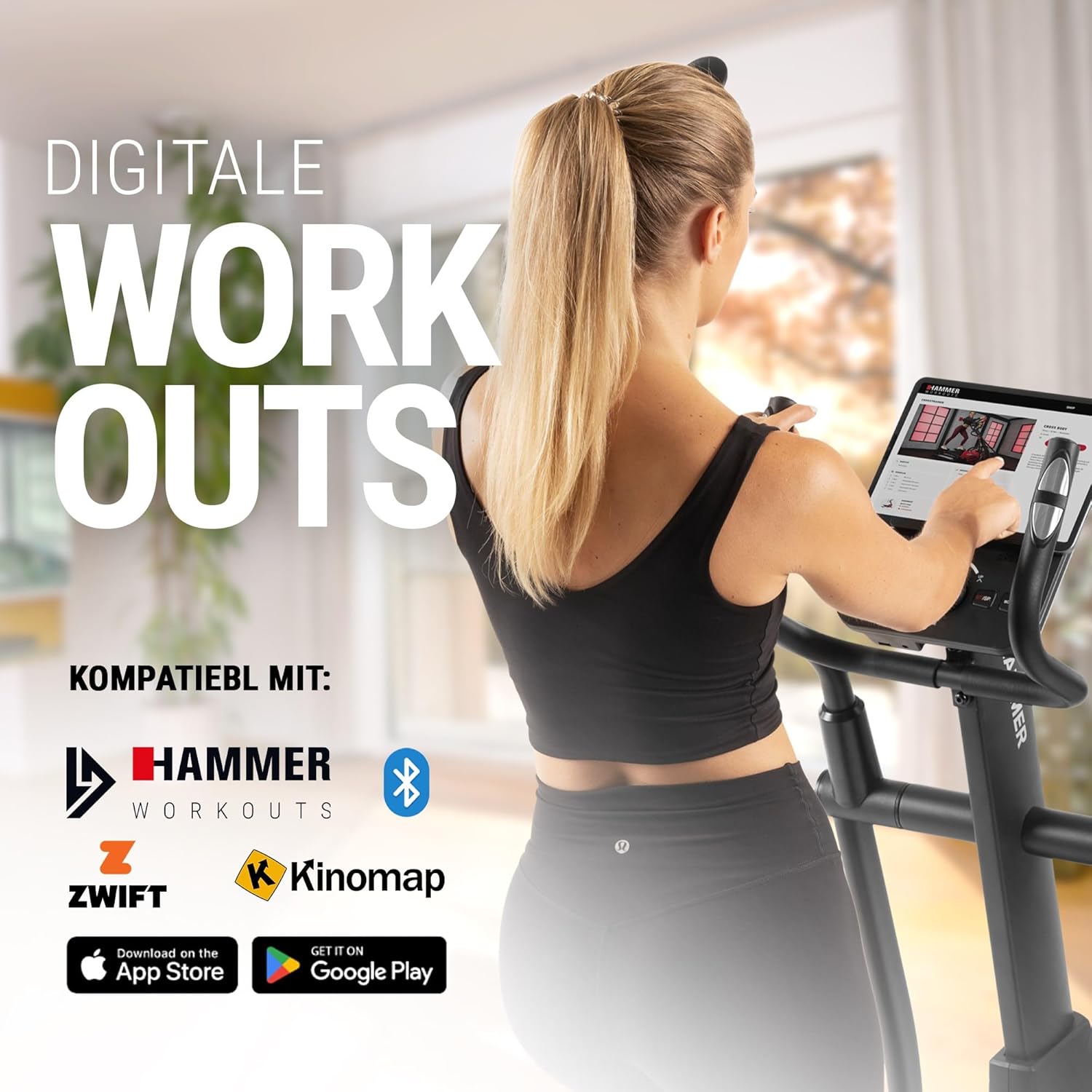
Connect your tablet or smartphone to the elliptical trainer for interactive workouts with Kinomap and Zwift.
The SpeedMotion II is compatible with popular fitness apps like Kinomap and Zwift. Connect your smartphone or tablet via Bluetooth to access virtual training worlds, interactive routes, and track your performance. Download the respective apps from the App Store or Google Play.
Одржавање
Regular maintenance ensures the longevity and optimal performance of your elliptical trainer.
- Чишћење: Обришите опрему огласомamp крпом након сваке употребе да бисте уклонили зној и прашину. Избегавајте абразивна средства за чишћење.
- подмазивање: Periodically check moving parts, especially the rollers and tracks, for smooth operation. Lubricate as recommended in the detailed product manual if necessary.
- затезање: Regularly inspect all bolts, nuts, and connections. Tighten any loose components to prevent noise and ensure stability.
- Складиштење: Store the elliptical trainer in a dry, temperate environment away from direct sunlight and extreme temperatures.

The SpeedMotion II features a quiet drive system, high-quality rollers for smooth movement, and stability adjustments for a secure workout.
Решавање проблема
If you encounter issues with your HAMMER SpeedMotion II, refer to the following common troubleshooting tips:
| Проблем | Могући узрок | Решење |
|---|---|---|
| Squeaking or rattling noises | Loose bolts or connections; lack of lubrication on moving parts. | Check and tighten all visible bolts and nuts. Lubricate joints and rollers as per the main manual. |
| Displej ne radi | Loose cable connection; depleted batteries (if applicable). | Ensure all console cables are securely connected. Check and replace batteries if the unit is battery-powered (AA batteries required, not included). |
| Uneven movement or instability | Uneven floor surface; loose frame components. | Adjust the leveling feet on the stabilizers. Check and tighten all frame connections. |
| Отпор се не мења | Issue with the resistance mechanism. | Refer to the detailed manual for specific resistance mechanism troubleshooting or contact customer support. |
If the problem persists after attempting these solutions, please contact HAMMER customer support.
Спецификације
| Феатуре | Спецификација |
|---|---|
| Назив модела | SpeedMotion II |
| Број модела | 11000 |
| Димензије (Д к Ш к В) | 160 к 60 к 177 цм |
| Тежина артикла | 61.9 кг |
| Максимална тежина корисника | 130 кг |
| Flywheel Mass | 18 kg (implied from product title, not explicitly in specs table but in product title) |
| Дужина корака | 50 цм |
| Pedal Distance | 14 cm (from feature bullets) |
| Подешавање нагиба | 3-fold manual adjustment |
| Механизам отпора | Мануал |
| Програми | 24 (from product title and feature bullets) |
| Дисплаи Типе | Black-backlit LCD, 17.78 cm (7 inches) |
| Повезивање | Bluetooth, Kinomap & Zwift compatible |
| Врста материјала | Метал |
| Извор напајања | Потребне су АА батерије (нису укључене) |
Гаранција и подршка
Информације о гаранцији
Specific warranty details for the HAMMER SpeedMotion II Elliptical Trainer are typically provided with your purchase documentation. Please refer to the warranty card or the official HAMMER website for comprehensive information regarding coverage and terms.
Корисничка подршка
For technical assistance, spare parts, or any questions regarding your HAMMER SpeedMotion II, please contact HAMMER SPORT customer service. Contact details can usually be found on the official HAMMER webсајту или у документацији вашег производа.
Када контактирате подршку, молимо вас да при руци имате број модела (11000) и доказ о куповини.