
Увод
Thank you for choosing the RedThunder 60% AZERTY Gaming Keyboard and Mouse Combo. This compact and high-performance set is designed for gamers and users seeking an efficient and space-saving peripheral solution. This manual provides detailed instructions for setup, operation, maintenance, and troubleshooting to ensure you get the most out of your new gaming gear.

Image: The RedThunder 60% AZERTY Gaming Keyboard and Mouse Combo, featuring a white compact keyboard with RGB backlighting and a matching white lightweight gaming mouse with honeycomb design and RGB accents.
Упутства за подешавање
Follow these steps to connect your RedThunder gaming keyboard and mouse to your device.
- Распакујте уређаје: Пажљиво извадите тастатуру и миш из њиховог паковања.
- Повежите тастатуру:
The keyboard connects via a USB-C cable. Locate the USB-C port on the back of the keyboard and connect one end of the provided USB-C cable. Connect the other end (USB-A) to an available USB port on your computer, console (PS5, Xbox), or laptop.

Слика: Крупни план view of the USB-C port located on the back of the RedThunder 60% keyboard, indicating the connection point.
- Повежите миш:
The mouse also connects via a USB-A cable. Plug the USB-A connector of the mouse cable into another available USB port on your device.
- Инсталација драјвера:
Both devices are plug-and-play. Your operating system (Windows, macOS, Linux) will automatically detect and install the necessary drivers. No additional software installation is typically required.
- Подесите угао тастатуре:
For ergonomic comfort, you can adjust the keyboard's typing angle using the foldable feet located on the underside of the keyboard.

Слика: Са стране view of the RedThunder 60% keyboard showing the adjustable feet extended to provide an ergonomic typing angle.
Упутство за употребу
Функције тастатуре
The RedThunder 60% keyboard features a compact AZERTY layout with 62 keys. Many functions are accessed via the Fn тастер у комбинацији са другим тастерима.
- Контрола RGB позадинског осветљења:
- Fn + K: Change the backlighting mode (e.g., static, breathing, wave).
- Фн + М: Change the backlighting color.
- Fn + O / L: Adjust backlighting brightness (O for brighter, L for dimmer).
- Fn + ; / ': Подесите брзину динамичких светлосних ефеката.

Image: Illustration of various RGB backlighting modes and color options available on the RedThunder 60% keyboard, demonstrating the customizable lighting effects.
- Мултимедијалне функције:
Specific Fn key combinations activate multimedia controls. Refer to the keycaps for icons indicating functions like volume control, play/pause, and track skipping.
- Анти-Гхостинг:
The keyboard features 26-key anti-ghosting, ensuring that multiple simultaneous key presses are registered accurately, which is crucial for gaming.

Image: The RedThunder 60% keyboard displaying illuminated keys, highlighting the 26-key anti-ghosting capability for accurate multi-key inputs during gameplay.
Функције миша
The RedThunder gaming mouse is designed for precision and comfort, featuring a lightweight honeycomb shell and adjustable DPI settings.
- ДПИ подешавање:
The mouse has a dedicated DPI button (usually located behind the scroll wheel) to cycle through different sensitivity levels, up to 7200 DPI. Adjust the DPI to match your preference for gaming or general use.
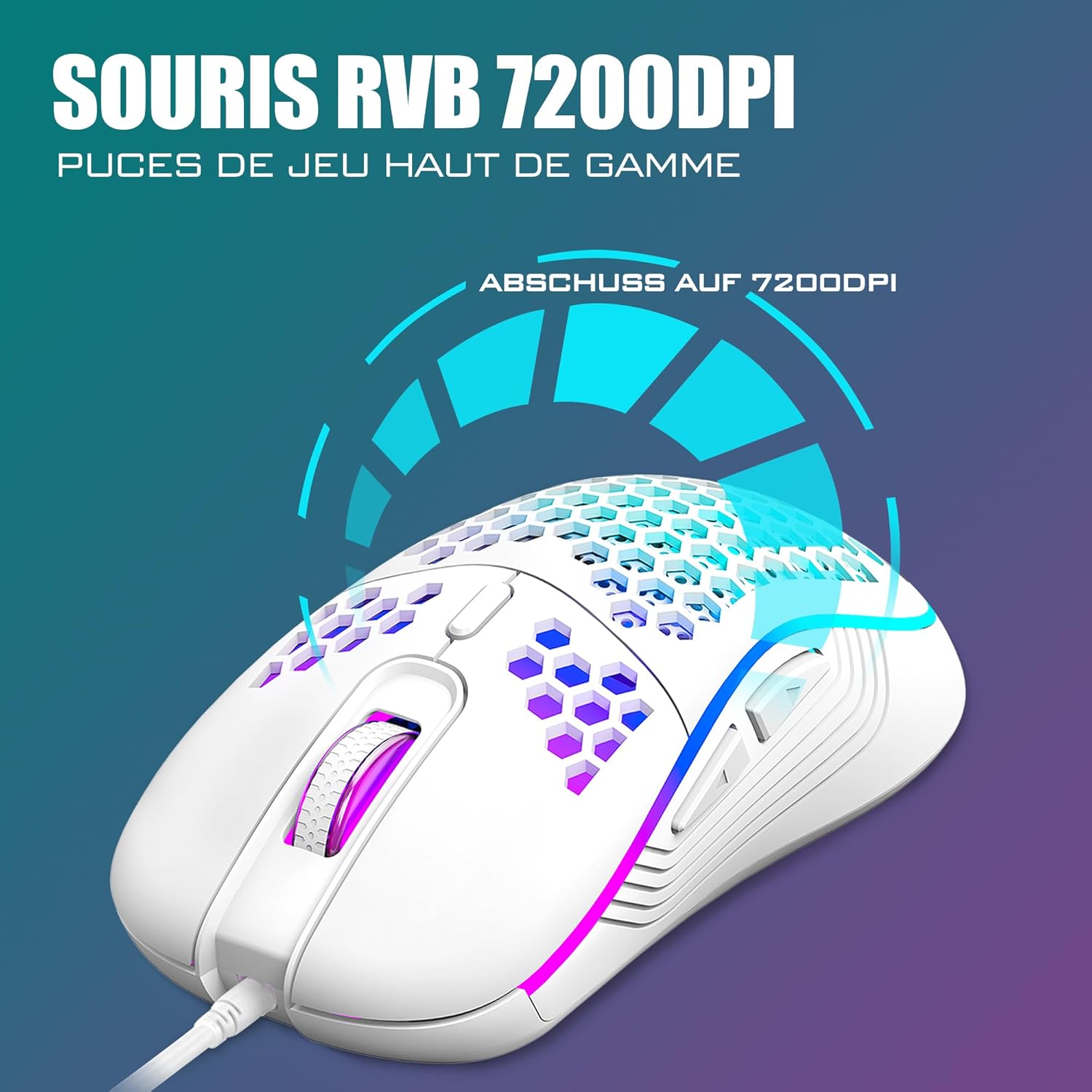
Image: A close-up of the RedThunder gaming mouse, illustrating its 7200 DPI optical sensor and highlighting its precision capabilities for gaming.
- Програмабилна дугмад:
The mouse features 6 buttons. While basic functions are pre-assigned, some buttons may be programmable via third-party software (not included) for custom macros or commands.
- Лагани дизајн:
The honeycomb shell design reduces the mouse's weight to approximately 65 grams, allowing for faster and more agile movements, particularly beneficial in gaming.

Image: The RedThunder gaming mouse showcasing its ultra-lightweight 65-gram design with a honeycomb shell and vibrant RGB lighting.
Одржавање
Proper maintenance ensures the longevity and optimal performance of your RedThunder gaming peripherals.
- Чишћење тастатуре:
Use a soft, dry cloth to wipe down the keycaps and keyboard surface. For deeper cleaning, you can use compressed air to remove dust and debris from between the keys. The keyboard is designed to be water-resistant, but avoid submerging it or exposing it to excessive liquids.

Image: A close-up of the RedThunder keyboard with several keycaps removed, illustrating how to access the switches for cleaning or replacement.
- Чишћење миша:
Wipe the mouse surface with a soft, dry cloth. Use a cotton swab lightly dampened with isopropyl alcohol to clean the optical sensor area if tracking issues occur. Avoid getting liquid inside the mouse.
- Нега каблова:
Avoid sharp bends or kinks in the USB cables to prevent internal damage. Store the cables neatly when not in use.
Решавање проблема
If you encounter issues with your RedThunder keyboard and mouse combo, refer to the following common solutions.
- Тастатура/миш не реагује:
- Ensure both USB cables are securely plugged into your device's USB ports.
- Try connecting the devices to different USB ports on your computer.
- Поново покрените рачунар или играћу конзолу.
- Test the devices on another computer to rule out a device-specific issue.
- RGB осветљење не ради или је неисправно:
- Уверите се да је тастатура правилно повезана.
- Користите Фн + К и Фн + М combinations to cycle through lighting modes and colors.
- Подесите осветљеност помоћу Fn + O / L.
- Проблеми са праћењем миша:
- Ensure the mouse's optical sensor is clean and free of debris.
- Користите миш на чистој, равномерној површини или на висококвалитетној подлози за миш.
- Adjust the DPI setting using the DPI button to see if a different sensitivity resolves the issue.
- Кључеви се не региструју:
- Clean the affected key(s) to ensure no debris is obstructing the switch.
- If a specific key is consistently failing, it might indicate a hardware issue.
Спецификације
| Феатуре | Детаљ |
|---|---|
| Бранд | РедТхундер |
| Модел | B0D4QDYCCQ |
| Боја | Бела |
| Технологија повезивања | УСБ Виред |
| Распоред тастатуре | 60% Compact, AZERTY (62 keys) |
| Позадинско осветљење тастатуре | RGB (7 modes, 4 brightness levels) |
| Специјалне функције тастатуре | Ergonomic, Water-resistant, 26-key Anti-Ghosting |
| ДПИ миша | До 7200 DPI (подесиво) |
| Дугмад миша | 6 дугмади |
| Технологија праћења миша | Оптицал Сенсор |
| Тежина миша | Approx. 65 grams (ultra-light honeycomb design) |
| Компатибилни уређаји | PC, Mac, PS5, Xbox, Laptop |
| Оперативни системи | Виндовс, мацОС, Линук |
| Тежина ставке (укупно) | 580 грама |
Информације о гаранцији
Specific warranty details for this product are not provided in the available information. Please refer to the retailer's return policy or contact RedThunder customer support for warranty inquiries.
Корисничка подршка
For further assistance, technical support, or product-related questions, please contact RedThunder customer service through their official webсајт или платформа где је производ купљен.
Можете посетити RedThunder Store on Amazon за више информација.