
Увод
This manual provides detailed instructions for the installation, operation, and maintenance of your NEJE Automatic Air Assist Set. This device is designed to enhance the performance of NEJE laser engraving machines by providing a steady airflow of 48 liters per minute, which helps protect the laser lens and improve engraving quality.
Безбедносне информације
Please read and understand all safety instructions before operating the air assist set. Failure to follow these instructions may result in injury or damage to the equipment.
- Ensure the power supply is disconnected from the laser engraver before installation or maintenance.
- Operate the air assist set in a well-ventilated area.
- Keep the air pump away from water or damp окружења.
- Do not block the air intake or outlet of the pump during operation.
- Користите само приложени адаптер за напајање и додатну опрему.
- Чувати ван домашаја деце.
Садржај пакета
Проверите да ли су све ставке наведене у наставку укључене у ваш пакет:
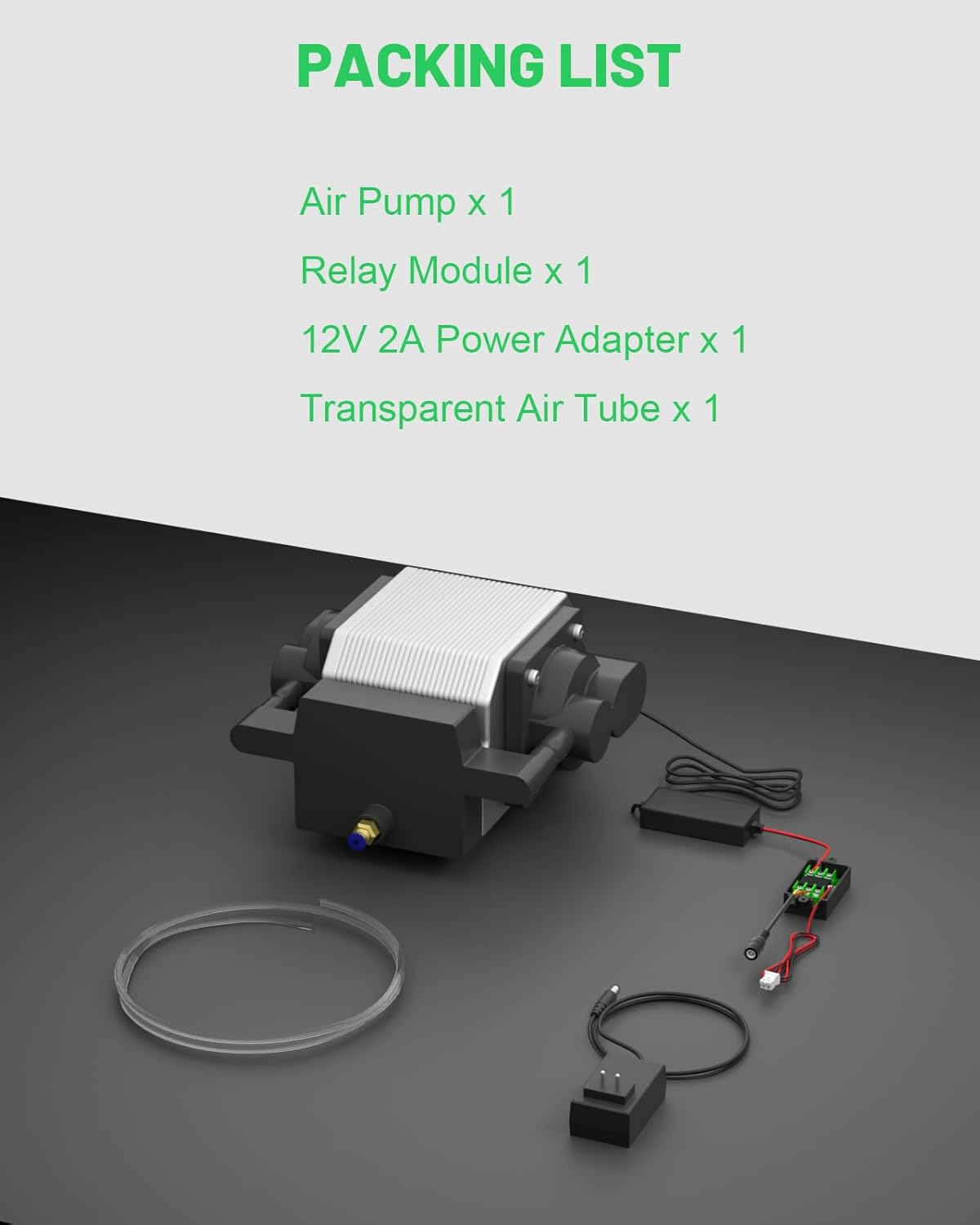
Image: Contents of the NEJE Automatic Air Assist Set package, including the air pump, relay module, 12V 2A power adapter, and transparent air tube.
- Ваздушна пумпа к 1
- Relay Module x 1
- Адаптер за напајање од 12V 2A x 1
- Transparent Air Tube x 1
Спецификације
| Феатуре | Детаљ |
|---|---|
| Брзина протока ваздуха | 48 литара у минути |
| Компатибилност | NEJE 3 (updated), NEJE 3 Plus, NEJE 3 Pro, NEJE 3 Max V2, NEJE MAX 4 (all NEJE laser engravers with M7/M8 interface) |
| Повер Адаптер | 12В 2А |
| Димензије производа | 9.84 к 7.48 к 5.12 инча |
| Тежина артикла | 4.62 фунти |
| Број модела | NEJE00695 |
Подешавање и инсталација
Follow these steps to correctly install the NEJE Automatic Air Assist Set with your NEJE laser engraving machine.

Слика: Детаљна view of connecting the air assist relay module to the M7/M8 port on the NEJE laser engraver's motherboard.
- Искључивање: Ensure your NEJE laser engraving machine is completely powered off and unplugged from the power source.
- Locate M7/M8 Port: Identify the M7 or M8 port on the motherboard of your NEJE laser engraving machine. These ports are typically labeled.
- Connect Relay Module: Connect the included relay module to the M7/M8 port. The relay module enables automatic control of the air pump.
- Connect Air Pump: Connect the air pump to the relay module.
- Attach Air Tube: Securely attach one end of the transparent air tube to the air pump's outlet and the other end to the air nozzle on your laser module. Ensure a snug fit to prevent air leakage.
- Повежите адаптер за напајање: Plug the 12V 2A power adapter into the air pump and then into a suitable power outlet.
- Укључено: Reconnect power to your NEJE laser engraving machine. The air assist set will now be ready for automatic operation, adapting to software like Lightburn, LaserGRBL, and NEJE software.
Упутство за употребу
The NEJE Automatic Air Assist Set is designed to operate in conjunction with your NEJE laser engraver, providing controlled airflow during engraving and cutting processes. When properly connected to the M7/M8 port, the air assist will activate automatically with your laser operations.
Benefits of Air Assist
Strong and Stable Airflow (48L/min)

Image: Illustration demonstrating the consistent and powerful 48 liters per minute airflow from the air assist nozzle onto the material during laser operation.
The air pump delivers a robust and consistent airflow of 48 liters per minute directly to the laser's focal point. This steady stream of air is crucial for effective material processing and maintaining optimal laser performance.
Cleaner Material Surface

Image: Side-by-side comparison of a flower-shaped wooden cutout. The top image, labeled "With Air Assist," shows a clean, unblemished surface. The bottom image, labeled "No Air Assist," shows burn marks and discoloration around the engraved lines.
By rapidly reducing the surface temperature of the material, the air assist prevents deformation and discoloration caused by high-temperature laser work. This results in smoother lines, intact patterns, and a cleaner material surface, contributing to a higher quality finished product.
Protection for Laser Module Lens

Image: A split diagram showing a laser module. On the left, labeled "With Air Assist," air blows smoke and debris away from the lens. On the right, labeled "No Air Assist," smoke and debris accumulate on the lens, shown as a dirty lens below.
The steady airflow effectively blows away smoke, dust, and debris generated during laser engraving and cutting. This prevents these particles from rising and contaminating the laser module lens, thereby extending the service life and maintaining the clarity of your laser module.
Low Noise and Vibration Operation

Image: A person comfortably reading in a chair, with the NEJE air assist pump visible in the foreground, illustrating its low noise and vibration characteristics during operation.
The NEJE air assist pump is engineered for quiet operation with minimal vibration, ensuring a more pleasant working environment without significant noise disturbance.
Одржавање
Regular maintenance ensures the longevity and optimal performance of your air assist set.
- Чисти ваздушни филтер: Periodically check and clean the air filter (if applicable) to prevent dust accumulation and maintain efficient airflow.
- Inspect Air Tube: Ensure the transparent air tube is free from kinks, blockages, or damage. Replace if necessary.
- Држите отворе за вентилацију чистима: Ensure the air pump's ventilation openings are clear of obstructions to prevent overheating.
- Чувајте правилно: When not in use for extended periods, store the air assist set in a clean, dry environment.
Решавање проблема
Погледајте табелу испод за уобичајене проблеме и њихова решења.
| Проблем | Могући узрок | Решење |
|---|---|---|
| No airflow from nozzle | Air pump not powered, tube kinked/blocked, relay module not connected correctly. | Check power adapter connection. Inspect air tube for obstructions. Verify relay module connection to M7/M8 port. |
| Слаб проток ваздуха | Air filter clogged, air tube partially blocked, pump malfunction. | Clean or replace air filter. Check air tube for partial blockages. Contact support if pump appears faulty. |
| Air assist does not activate automatically | Relay module not connected to M7/M8, software settings incorrect. | Ensure relay module is correctly plugged into M7/M8. Check your laser control software (Lightburn, LaserGRBL, NEJE software) settings for air assist control. |
| Необична бука или вибрација | Pump not on a stable surface, internal component issue. | Place the pump on a flat, stable surface. Ensure no objects are touching the pump. If noise persists, contact support. |
Гаранција и подршка
NEJE is committed to providing high-quality products and customer satisfaction. If you encounter any issues or have questions regarding your NEJE Automatic Air Assist Set, please refer to the following:
- техничка подршка: For professional technical assistance, please visit the official NEJE support webсајту.
- Информације о гаранцији: Details regarding product warranty can be found on the NEJE official webсајту или контактирањем корисничке службе.
Више информација и ресурса за подршку можете пронаћи посетом NEJE Official Store on Amazon или њихове наменске канале за подршку.