
Увод
Хвала вам на куповиниasing the Emerson EPD-1001 Portable 10-inch DVD Player. This manual provides essential information for setting up, operating, and maintaining your device. Please read these instructions carefully before use to ensure proper functionality and to maximize your viewинг искуство.
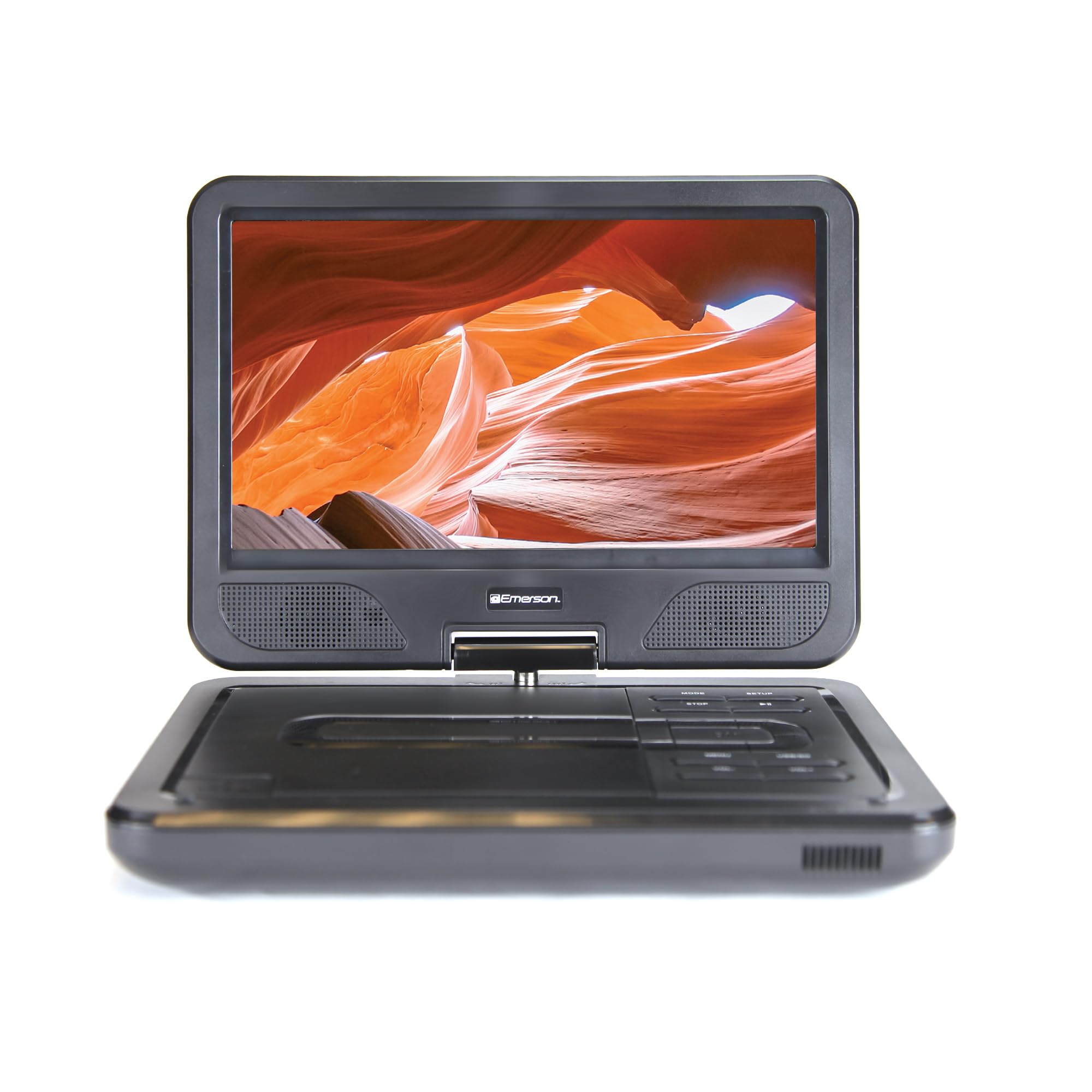
Image: The Emerson EPD-1001 Portable 10-inch DVD Player shown with its screen open, displaying a vibrant image.
Шта је у кутији
Проверите да ли су сви предмети присутни у паковању:
- Emerson EPD-1001 Portable 10-inch DVD Player
- Ремоте Цонтрол
- АЦ адаптер
- DC Car Cord
- АВ кабл
- Кориснички приручник (овај документ)
- Гарантни лист

Image: The Emerson EPD-1001 Portable 10-inch DVD Player displayed alongside its remote control.
Карактеристике производа
- Окретни екран од 10 инча: The large 10-inch screen swivels 180 degrees, allowing for flexible viewинг углова.
- Уграђени звучник: Integrated speaker provides clear audio for an immersive experience.
- Пуњива батерија: Enjoy portable viewing with the built-in rechargeable battery, offering hours of playback.
- даљински управљач: Navigate menus and control playback effortlessly with the included remote.
- Компактан дизајн: Lightweight and compact for easy transport during travel.
- Multi-Format Compatibility: Supports a wide range of DVD formats, as well as media from USB flash drives and SD cards.
Video: A 360-degree product overview of the Emerson EPD-1001 Portable DVD Player, showcasinњегов дизајн и карактеристике из различитих углова.
Сетуп
- Распакивање: Пажљиво извадите све компоненте из амбалаже. Сачувајте амбалажу за будуће складиштење или транспорт.
- Пуњење батерије: Before first use, fully charge the internal rechargeable battery. Connect the AC power adapter to the DC IN 9-12V port on the DVD player and plug it into a standard wall outlet. The charging indicator light will illuminate. A full charge typically takes several hours.
- Car Power (Optional): For in-car use, connect the DC car cord to the DC IN 9-12V port and plug the other end into your vehicle's 12V accessory socket.
- External Display Connection (Optional): To connect to an external display (e.g., TV), use the provided AV cable. Connect the AV OUT port on the DVD player to the corresponding AV IN ports on your television.

Image: A hand plugging a 12V car adapter into a vehicle's power outlet, demonstrating how to power the DVD player on the go.
Упутство за употребу
Укључивање/искључивање
- Да бисте укључили, притисните и држите ПОВЕР дугме док се екран не осветли.
- За искључивање притисните и држите тастер ПОВЕР поново притисните дугме док се екран не искључи.
Inserting and Playing a DVD
- Open the disc cover by gently lifting the ОПЕН засун.
- Place a DVD disc onto the spindle with the label side facing up. Gently press the center of the disc to secure it.
- Затворите поклопац диска.
- The player will automatically detect the disc and begin playback. If not, press the ПЛАИ/ПАУСЕ дугме.
Using the Swivel Screen
The screen can be rotated up to 180 degrees. Gently swivel the screen to your desired viewing angle. You can also fold the screen flat against the base for a tablet-like viewинг искуство.

Image: A woman using the Emerson EPD-1001 Portable DVD Player, demonstrating the swivel screen feature for comfortable viewинг.
Media Playback (USB/SD Card)
- Уметните УСБ флеш диск у УСБ порт или SD картицу у СД КАРТИЦА слот.
- Користите МОДЕ button on the player or remote to select the appropriate input (USB or SD).
- Крећите се кроз своје медије files using the arrow buttons and press ЕНТЕР играти се.

Image: A hand inserting a USB flash drive into the side port of the portable DVD player, illustrating media playback from external storage.
Коришћење даљинског управљача
Point the remote control directly at the infrared sensor on the DVD player. The remote allows access to functions such as Play, Pause, Stop, Fast Forward, Rewind, Chapter Skip, Volume Control, Menu Navigation, and Input Selection.
Аудио излаз
- Уграђени звучници: Audio will play automatically through the integrated speakers. Adjust volume using the ВОЛ+ и ВОЛ- дугмад.
- Слушалице: For private listening, plug standard 3.5mm headphones into the ХЕАДПХОНЕ jack. This will mute the built-in speakers.
Одржавање
- Чишћење: Use a soft, dry cloth to clean the exterior of the DVD player. For the screen, use a soft, lint-free cloth specifically designed for electronics screens. Do not use liquid cleaners or abrasive materials.
- Одржавање дискова: Handle discs by their edges. Keep discs clean and free of scratches. Use a soft, lint-free cloth to wipe discs from the center outwards if cleaning is necessary.
- Одржавање батерије: To prolong battery life, avoid fully discharging the battery frequently. If storing the device for an extended period, charge the battery to approximately 50% and store in a cool, dry place. Recharge every few months to prevent deep discharge.
- Складиштење: Store the DVD player in a cool, dry environment away from direct sunlight, extreme temperatures, and excessive dust.
Решавање проблема
| Проблем | Могући узрок | Решење |
|---|---|---|
| Плејер се не укључује. | Батерија је празна или адаптер за напајање није повезан. | Connect the AC power adapter and allow the battery to charge. Ensure the power button is pressed and held. |
| Нема слике на екрану. | Disc is dirty/scratched, incorrect input selected, or screen is folded incorrectly. | Clean the disc. Ensure the screen is properly opened and swiveled. If connected to an external display, verify AV cable connections and TV input selection. |
| Нема звука. | Volume is too low, headphones are connected, or disc has no audio track. | Increase the volume. Disconnect headphones if using built-in speakers. Check disc for audio content. |
| Диск се не репродукује или прескаче. | Диск је прљав, изгребан или је некомпатибилног формата. | Clean the disc thoroughly. Try a different disc. Ensure the disc format is supported by the player. |
| Даљински управљач не ради. | Batteries are dead or remote is not pointed at sensor. | Replace remote control batteries. Ensure direct line of sight to the player's IR sensor. |
Спецификације
| Феатуре | Детаљ |
|---|---|
| Бранд | Емерсон |
| Број модела | ЕПД-1001 |
| Величина екрана | 10 инча |
| Дисплаи Типе | ЛЦД |
| Нативе Ресолутион | 1280к720 |
| Технологија повезивања | УСБ |
| Компатибилни уређаји | Mobile Phone, Television (via AV out) |
| Медиа Типе | DVD, CD, MP3, USB, SD Card |
| Димензије артикла (Д к Ш к В) | 10 cm D x 1.8 cm Š x 7.35 cm V |
| Тежина артикла | 2.2 фунти |
| Боја | Црно |
| Опције напајања | Built-in rechargeable battery, AC adapter, 12V car adapter |

Image: A diagram illustrating the dimensions (length, width, height) and weight of the Emerson EPD-1001 Portable DVD Player.
Гаранција и подршка
The Emerson EPD-1001 Portable 10-inch DVD Player comes with a warranty covering 1 Year for Parts и 90 Days for Labor од дана куповине.
For technical support, warranty claims, or service inquiries, please contact the manufacturer, Naxa Electronics, Inc. Refer to the warranty card included in your product packaging for specific contact details and procedures.
Молимо вас да сачувате доказ о куповини ради потврде гаранције.