
1. Увод
The Nonstop NSO2-BK is a versatile hotel alarm clock designed for convenience and functionality. It features a clear digital display, multiple charging options including USB-C, and an intuitive interface for setting time and alarms. This manual provides detailed instructions for setting up and operating your alarm clock.
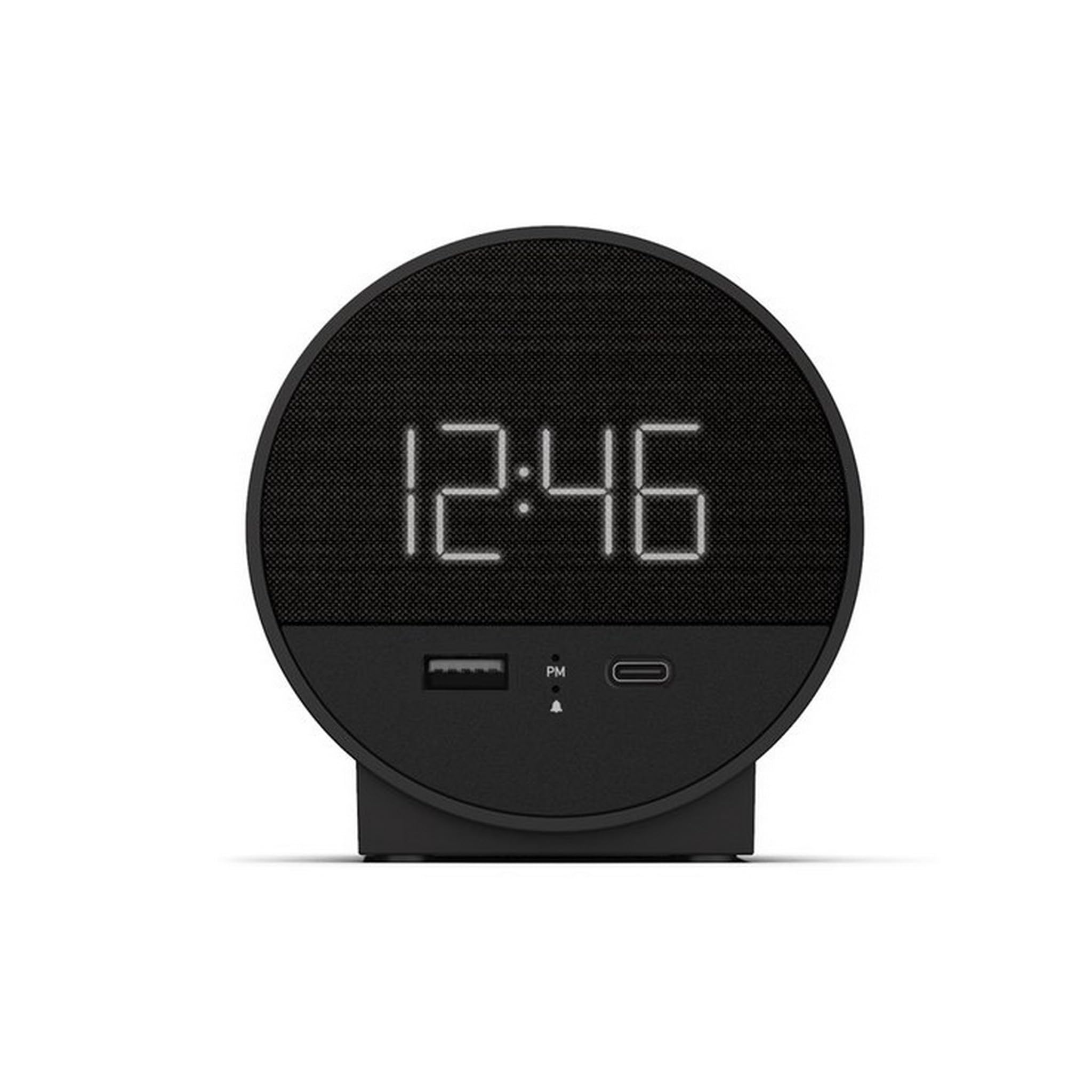
Слика 1: Предња страна view of the Nonstop NSO2-BK USB-C Hotel Alarm Clock.
2. Карактеристике производа
- Digital Time Display: Clear and easy-to-read time.
- Dual Alarm Function: Set two independent alarms.
- Snooze Function: Temporarily silence the alarm.
- Display Dimmer: Adjust screen brightness for comfort.
- USB-C Charging Port: Modern charging for compatible devices.
- USB-A Charging Port: Standard USB charging for various devices.
- Bluetooth Speaker: Connect your smartphone or other devices to play audio.
- Relaxation Sounds: Built-in sound machine for sleep or relaxation.

Figure 2: Close-up of the USB-A and USB-C charging ports on the alarm clock.
3. Подешавање
3.1 Прикључак за напајање
- Unpack the alarm clock and all accessories.
- Прикључите адаптер за напајање на DC улазни порт на задњој страни будилника.
- Plug the power adapter into a standard electrical outlet. The display will light up.
3.2 Backup Battery (Not included)
За континуирано мерење времена током нестанка струјеtages, insert 2 AAA batteries (not included) into the battery compartment on the bottom of the unit. The backup battery maintains time settings but does not power the display or alarm functions.
4. Упутство за употребу
4.1 Подешавање времена
- Притисните и држите ВРЕМЕНСКИ СКЛОП button (often labeled 'M' or a clock icon) for 3 seconds until the hour digits flash.
- Користите HR (Сат) и МИН (Минути) дугмад за подешавање времена.
- Притисните ВРЕМЕНСКИ СКЛОП поново да бисте потврдили и изашли из режима подешавања времена.
4.2 Подешавање аларма
The NSO2-BK supports two independent alarms (Alarm 1 and Alarm 2).
- Притисните и држите АЛАРМ 1 or АЛАРМ 2 button (bell icon) for 3 seconds until the hour digits flash.
- Користите HR и МИН дугмад да бисте подесили жељено време аларма.
- Притисните одговарајуће АЛАРМ поново притисните дугме да бисте потврдили време аларма.
- To activate/deactivate an alarm, short press the corresponding АЛАРМ button. An indicator light will appear/disappear on the display.
4.3 Функција одлагања
Када се огласи аларм, притисните велико СНООЗЕ button on top of the unit to temporarily silence the alarm for 9 minutes. The alarm will sound again after the snooze period.
4.4 Контрола осветљености екрана
Притисните тастер СНООЗЕ / ДИММЕР button (or a dedicated dimmer button if available) repeatedly to cycle through different brightness levels for the display. Select the level that is most comfortable for you.
4.5 Уређаји за пуњење
The NSO2-BK provides convenient charging for your electronic devices:
- УСБ-Ц порт: Located on the front, plug in your USB-C compatible device for fast charging.
- УСБ-А порт: Located on the front, plug in your standard USB-A compatible device for charging.
4.6 Блуетоотх звучник
To use the alarm clock as a Bluetooth speaker:
- Притисните тастер МОДЕ button (labeled 'M') until 'BT' appears on the display.
- На свом мобилном уређају омогућите Блуетоотх и потражите доступне уређаје.
- Select 'A21-B' (or similar model name) from the list to pair.
- Када се упаре, можете репродуковати звук са свог уређаја преко звучника будилника.
Video 1: Demonstrates various functions including time setting, alarm setting, snooze, brightness, and charging on a similar multifunctional alarm clock. Note: Specific button labels may vary slightly from your model.
5. Одржавање
- Очистите уређај меком, сувом крпом. Не користите течна средства за чишћење или абразивне материјале.
- Држите уређај даље од директне сунчеве светлости, извора топлоте и влаге.
- Не покушавајте сами да растављате или поправљате уређај. За помоћ контактирајте корисничку подршку.
КСНУМКС. Решавање проблема
- Без напајања/искључивање екрана: Ensure the power adapter is securely plugged into both the alarm clock and a working electrical outlet. Check if the power outlet is functional.
- Аларм се не оглашава: Verify that the alarm is activated (indicator light on) and the alarm time is correctly set. Check the alarm volume settings.
- Пуњење не ради: Ensure your device is compatible with USB-C or USB-A charging. Check the charging cable for damage.
- Проблеми са Блуетоотх упаривањем: Ensure the alarm clock is in Bluetooth pairing mode ('BT' displayed). Turn off and on Bluetooth on your mobile device and try pairing again.
7. Спецификације
| Спецификација | Детаљ |
|---|---|
| Модел | NSO2-BK |
| Тежина артикла | 2 фунти |
| ASIN | B0CKCNX688 |
| Датум првог доступног | 29. јул 2024 |
8. Гаранција и подршка
This Nonstop NSO2-BK USB-C Hotel Alarm Clock comes with a 365-Day Warranty from the date of purchase. For any product-related inquiries, technical support, or warranty claims, please contact our customer service team.
- Политика враћања: 30-day refund/replacement period.
- Гарантни период: 365 дана од куповине.
- Е-пошта за подршку: Andoservice@outlook.com