
EBTOOLS EBTOOLSpxvk7fmb38
EBTOOLS LGA 1155 Motherboard User Manual
Model: EBTOOLSpxvk7fmb38
Производ је завршенview
The EBTOOLS LGA 1155 Motherboard is designed for desktop PC systems, offering robust performance and extensive connectivity. It features a multiphase power chipset for stable CPU performance and supports 2nd/3rd generation LGA1155 Pin Series Processors. This Mini ITX motherboard provides a high-definition visual experience through its VGA and HD Multimedia Interface outputs.
Кључне карактеристике укључују:
- LGA 1155 CPU Slot: Designed for stable performance with compatible processors.
- Multiphase Power: Ensures stable and accurate power delivery to the CPU.
- HD Interfaces: Equipped with VGA and HD Multimedia Interface for digital HD video output.
- Channel DDR3: Features a DDR3 memory slot to enhance motherboard performance.
- Екстензивно повезивање: Includes 6 USB2.0 interfaces and 4 SATA2.0 interfaces for various peripherals and storage devices.
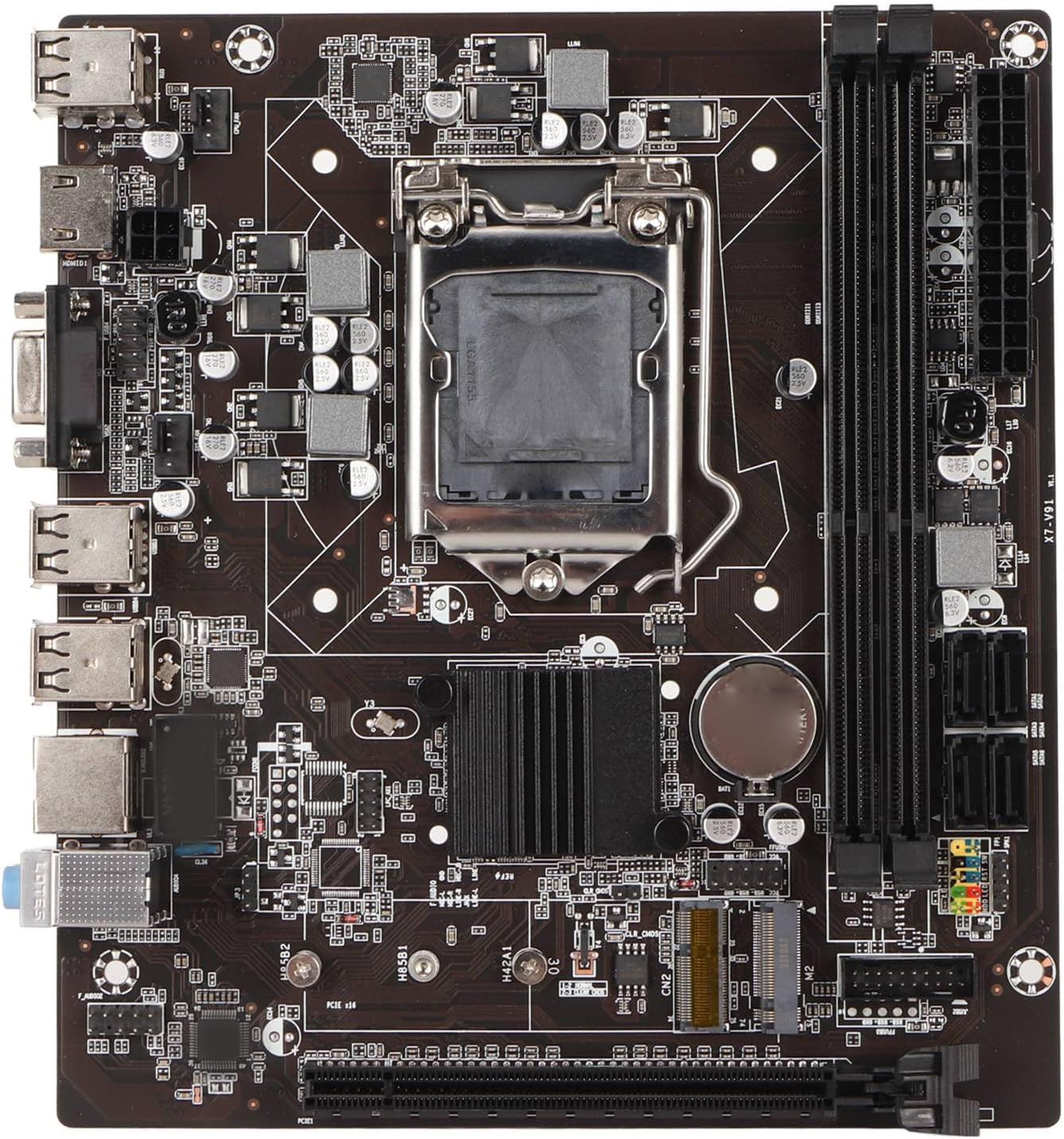
Слика 1: Одозго надоле view of the EBTOOLS LGA 1155 Motherboard, showing the CPU socket, RAM slots, and various ports.
Подешавање и инсталација
This section provides instructions for installing your EBTOOLS LGA 1155 Motherboard into a compatible PC case and connecting essential components.
Садржај пакета
Пре почетка инсталације, уверите се да су све компоненте наведене у наставку присутне у вашем паковању:
- 1 x LGA 1155 Motherboard
- 1 x Metal I/O Plate
- 1 x Connecting Wire (likely SATA data cable)

Figure 2: The motherboard alongside its included metal I/O plate and a connecting wire, typically a SATA data cable.
Кораци инсталације
- Припремите случај: Ensure your PC case is compatible with Mini ITX motherboards. Install the metal I/O plate into the designated slot at the rear of the case.
- Инсталирајте процесор: Carefully open the CPU socket retention arm. Align the triangular marker on your LGA 1155 processor with the corresponding marker on the motherboard's socket. Gently place the CPU into the socket, ensuring it sits flush. Close the retention arm to secure the CPU.
- Инсталирајте хладњак процесора: Apply thermal paste to the CPU (if not pre-applied on the cooler). Mount your compatible LGA 1155 CPU cooler according to its manufacturer's instructions.
- Инсталирајте РАМ: Open the clips on the DDR3 memory slots. Align the notch on your DDR3 RAM module with the key in the slot. Press firmly on both ends of the RAM module until the clips snap into place. This motherboard supports 2 x DDR3 slots.
- Монтирајте матичну плочу: Carefully place the motherboard into the PC case, aligning the screw holes on the motherboard with the standoffs in the case. Secure the motherboard with screws.
- Прикључите напајање: Connect the 24-pin ATX power connector from your power supply to the motherboard. Connect the 4-pin or 8-pin CPU power connector (if applicable) to the motherboard.
- Повежите уређаје за складиштење: Use the provided connecting wire (SATA cable) to connect your SATA storage devices (HDD/SSD) to the SATA2.0 ports on the motherboard. This motherboard has 4 SATA2.0 interfaces.
- Повежите каблове предње плоче: Connect the power button, reset button, USB ports, and audio jacks from your PC case's front panel to the corresponding headers on the motherboard. Refer to your case manual for specific pin layouts.
- Инсталирајте картице за проширење: If using a dedicated graphics card or other expansion cards, insert them into the PCIE X16 slot or other extended interfaces (1 x , 1 x M.2) as needed.
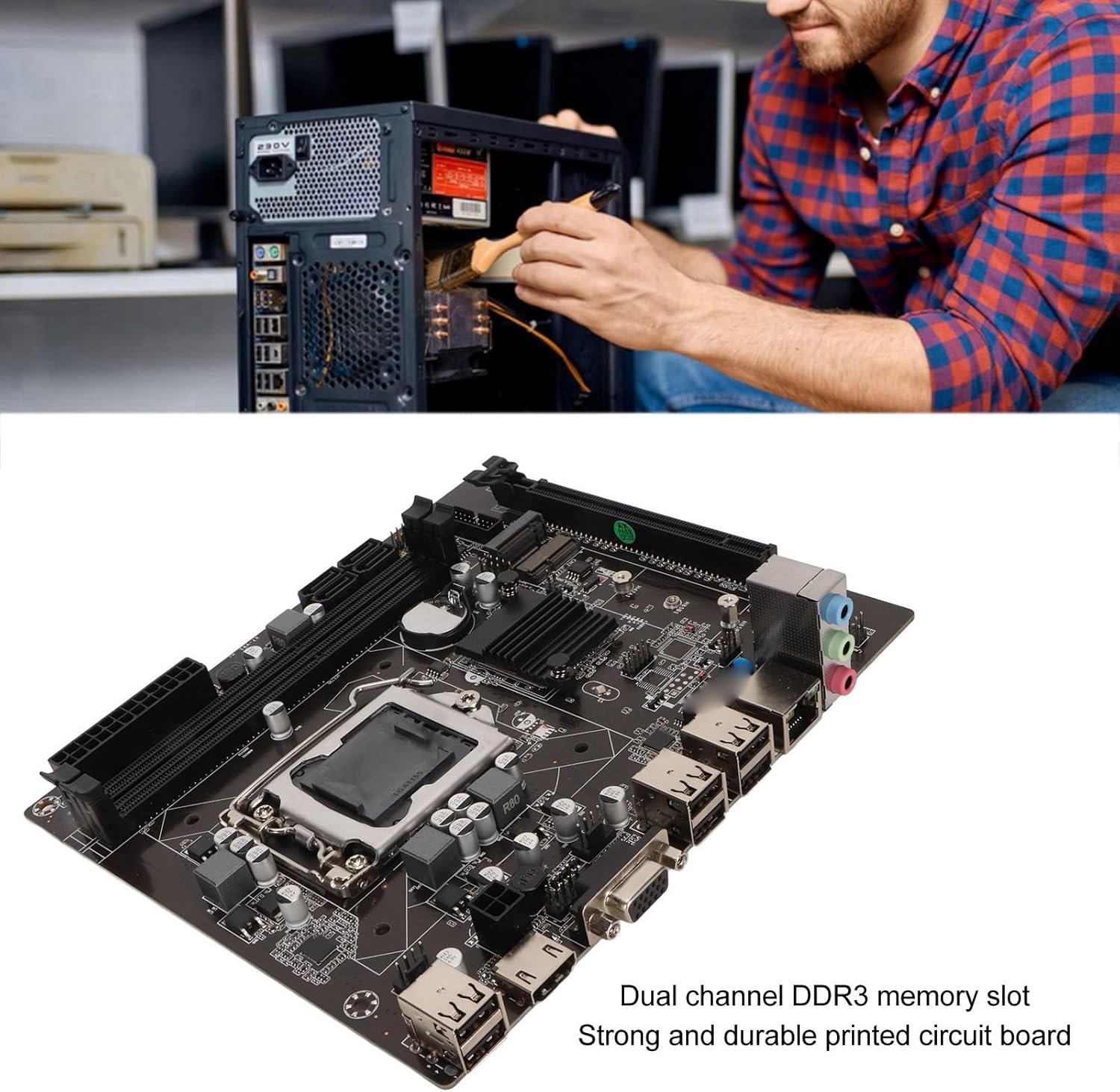
Figure 3: A user performing an installation within a PC case, demonstrating the typical environment for motherboard setup.

Слика 4: Детаљно view of the LGA 1155 CPU socket and adjacent DDR3 memory slots, crucial areas for component installation.
Оперативне смернице
Once the motherboard and other components are installed, the system is ready for operation. This motherboard supports various operating systems compatible with 2nd/3rd Gen LGA1155 processors.
Конфигурација BIOS-а/UEFI-ја
Upon first boot, you may need to enter the BIOS/UEFI setup to configure boot order, system time, and other settings. Typically, you can access the BIOS by pressing ДЕЛ or F2 during the initial boot screen.
Инсталација драјвера
After installing your operating system, it is essential to install the necessary drivers for the motherboard's components, including chipset, network card, and integrated graphics (if used). These drivers are usually provided on a CD/DVD with the motherboard or can be downloaded from the manufacturer's webсајту.
Повезивање
Utilize the available ports for your peripherals:
- УСБ 2.0 портови: For connecting keyboards, mice, external drives, and other USB devices.
- VGA/HD Multimedia Interface: За повезивање дисплеја.
- Етхернет порт: For wired network connectivity (100M Netword Card).
- Аудио прикључци: За звучнике, слушалице и микрофоне.
Одржавање
Proper maintenance can extend the lifespan of your motherboard and ensure stable system performance.
- Нека буде чисто: Regularly clean dust from inside your PC case, especially from the motherboard and CPU cooler fins, using compressed air. Dust accumulation can lead to overheating.
- Обезбедите правилан проток ваздуха: Make sure your PC case has adequate ventilation and that fans are functioning correctly to prevent heat buildup.
- Ажурирања BIOS-а: Периодично проверавајте произвођачеве website for BIOS/UEFI updates. Updates can improve compatibility, stability, and performance. Follow update instructions carefully.
- Ажурирања драјвера: Редовно ажурирајте управљачке програме система како бисте осигурали оптималне перформансе и компатибилност са новим софтвером и хардвером.
- ЦМОС батерија: The motherboard uses a CR2032 battery for CMOS settings. If your system consistently loses time or BIOS settings, the battery may need replacement.
Решавање проблема
Овај одељак се бави уобичајеним проблемима са којима се можете сусрести са матичном плочом.
- Нема напајања/Нема покретања:
- Check all power connections (24-pin ATX, CPU power).
- Уверите се да је напајање функционално и укључено.
- Verify front panel power button connection to the motherboard.
- Без приказа:
- Ensure the monitor is connected to the correct video output (VGA or HD Multimedia Interface).
- Reseat RAM modules. Try booting with one RAM stick if you have multiple.
- Reseat the CPU and check for bent pins (handle with extreme care).
- If using a dedicated graphics card, ensure it is properly seated and has power.
- Нестабилност/падови система:
- Проверите температуру процесора и графичке картице. Обезбедите адекватно хлађење.
- Покрените алате за дијагностику меморије да бисте проверили да ли постоји неисправна РАМ меморија.
- Уверите се да су сви драјвери исправно инсталирани и ажурирани.
- Check for loose connections or components.
- USB уређаји нису препознати:
- Уверите се да су УСБ драјвери инсталирани.
- Пробајте различите УСБ портове.
- Проверите подешавања BIOS-а за омогућавање USB контролера.
Спецификације
Detailed technical specifications for the EBTOOLS LGA 1155 Motherboard:
| Феатуре | Спецификација |
|---|---|
| Врста ставке | ЛГА 1155 матична плоча |
| Материјал | Printed Circuit Board, Metal |
| Уграђена батерија | CR2032 x 1 (240mAh) |
| Подршка за ЦПУ | 2nd/3rd Gen LGA1155 Pin Series Processors (for Celeron, for , for Core) |
| Чипсет | H61 Chipset Series |
| Слот за меморију | 2 x DDR3 |
| Максимални капацитет меморије | 16ГБ |
| УСБ интерфејс | 6 x USB2.0, USB Pin x 1 |
| САТА интерфејс | 4 к САТА2.0 |
| Мрежна картица | 100M Network Card |
| Слот за графичку картицу | 1 x PCIE X16 |
| Проширени интерфејс | 1 x , 1 x M.2 |
| Димензије пакета | 10.2 к 7.83 к 2.05 инча |
| Тежина артикла | 1.16 фунти |
| Број модела | EBTOOLSpxvk7fmb38 |
| ASIN | B0CKVL89BD |

Figure 5: An angled perspective of the motherboard, showcasing its compact Mini ITX form factor and port layout.
Гаранција и подршка
For warranty information and technical support, please refer to the official EBTOOLS webсајт или контактирајте њихову корисничку службу. Сачувајте рачун као доказ о куповини.
While specific warranty details are not provided in this manual, general product warranties typically cover manufacturing defects for a limited period from the date of purchase.
За додатну заштиту, размотрите доступне планове заштите:
- Двогодишњи план заштите
- Двогодишњи план заштите
- Комплетна заштита (месечни план)
These plans are offered separately and provide extended coverage beyond the standard manufacturer's warranty.
Произвођач: ЕБТООЛС
Датум прве доступности: 11. октобра 2023. године
Званични видео снимци производа
Тренутно нису доступни званични видео снимци производа од продавца за овај производ.
Ask a question about this manual
Ask about setup, troubleshooting, compatibility, parts, safety, or missing instructions. Manuals+ will review the question and use this page’s manual context to help answer it.