
Увод
Хвала вам на куповиниasing the Arafuna Portable CD Player. This versatile device combines a CD player, Bluetooth speaker, FM radio, USB player, and AUX-in functionality, offering multiple ways to enjoy your audio. Designed for portability and ease of use, it features a built-in rechargeable battery and powerful stereo speakers. Please read this manual carefully before use to ensure proper operation and to maximize your listening experience.
Садржај пакета
Молимо вас да проверите пакет за следеће ставке:
- Arafuna Portable CD Player x1
- Даљински управљач к1
- Адаптер за напајање к1
- USB на Type-C кабл за пуњење x1
- Упутство за употребу к1
Карактеристике производа
- Multi-functional Audio Device: Supports CD, Bluetooth, FM Radio, USB, and AUX-in playback modes.
- Уграђена пуњива батерија: Integrated 2000mAh battery for portable use without constant power connection.
- Моћни стерео звучници: Equipped with two 15W front-facing stereo speakers for enhanced sound quality.
- Заштита од прескакања: Ensures uninterrupted playback even during movement, suitable for car use.
- Екран са позадинским осветљењем: Clear visibility of information in low-light conditions.
- Функција тајмера за спавање: Allows setting a timer for automatic power off.
- Protective CD Lid: Helps protect CDs from dust and damage.
Контроле и портови
Familiarize yourself with the controls and ports of your Arafuna Portable CD Player.

Image: Top and side view of the Arafuna Portable CD Player, highlighting numbered controls and ports.
- Стандби: Uključivanje/isključivanje.
- Подешавање тајмера за спавање: Подесите тајмер за спавање.
- НАЧИН: Switch between CD, Bluetooth, FM, USB, AUX modes.
- Претходно: Skip to previous track/station.
- Паузирај/пусти: Play or pause current audio.
- Зауставити: Зауставите репродукцију.
- Следеће: Skip to next track/station.
- ВОЛ +: Повећајте јачину звука.
- ВОЛ -: Смањите јачину звука.
- Поновите: Cycle through repeat modes (Repeat All, Repeat One, Random Play, A-B Repeat).
- CD Cover Open: Latch to open the CD compartment.
- CD Dust Lid: Transparent lid protecting the CD.
- Порт за пуњење једносмерном струјом: Connect power adapter for charging.
- Укључивање/искључивање: Главни прекидач за напајање.
- Earphone / AUX Out Port: 3.5mm jack for headphones or external speaker output.
- АУКС улазни порт: 3.5mm jack for connecting external audio sources.
- УСБ порт: За репродукцију са УСБ диска.
Сетуп
1. Почетно пуњење
Before first use, fully charge the device. Connect the USB to Type-C charging cable to the DC Charging Port (13) and the other end to the power adapter. Plug the adapter into a wall outlet. The charging indicator will show the charging status. A full charge typically takes a few hours.
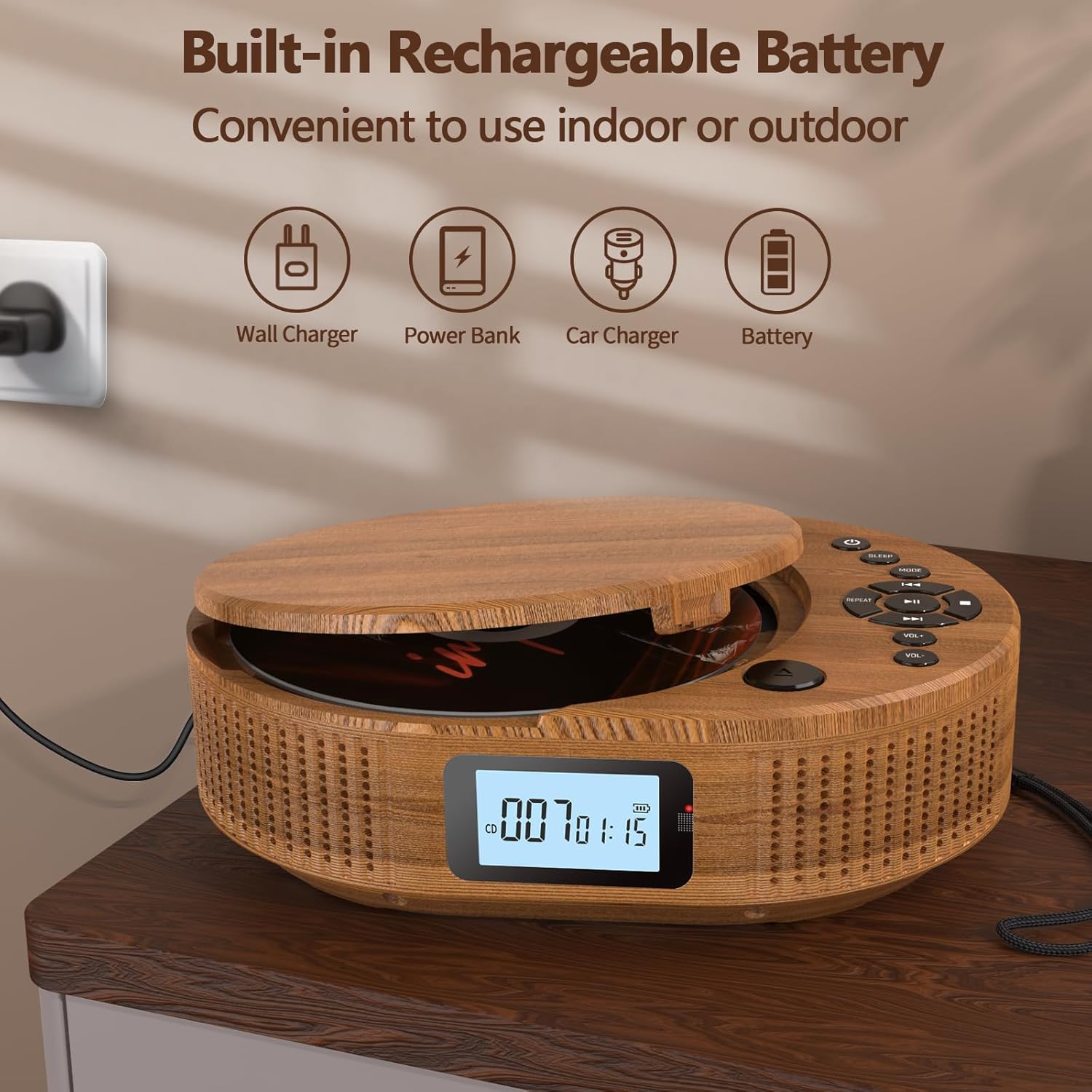
Image: The Arafuna Portable CD Player connected to a power source, illustrating its rechargeable battery feature.
2. Укључивање/искључивање
To power on the device, slide the main Power On/Off switch (14) to the "ON" position. Press the Standby button (1) to turn the display on. To power off, press the Standby button (1) again or slide the main Power On/Off switch (14) to "OFF" for complete shutdown.
Упутство за употребу
1. CD Playback Mode
- Open the CD cover by gently lifting the CD Cover Open latch (11).
- Поставите CD на осовину са страном са етикетом окренутом нагоре.
- Close the CD cover until it clicks securely.
- Press the MODE button (3) until "CD" mode is displayed.
- The player will automatically start reading the CD. Press the Play/Pause button (5) to start or pause playback.
- Use the Previous (4) and Next (7) buttons to skip tracks.
- Adjust volume with VOL + (8) and VOL - (9).
- Press the Repeat button (10) to cycle through repeat options (e.g., repeat one, repeat all, random play, A-B repeat).
- Press the Stop button (6) to stop playback.

Image: The Arafuna Portable CD Player in CD mode, demonstrating its primary function.
2. Блуетоотх режим
- Press the MODE button (3) until "bt" (Bluetooth) mode is displayed. The device will enter pairing mode, indicated by a flashing Bluetooth icon.
- На паметном телефону, таблету или другом Bluetooth уређају омогућите Bluetooth и потражите доступне уређаје.
- Select "Arafuna BP2211T" (or similar name) from the list to pair.
- Once paired, the Bluetooth icon on the player's display will stop flashing. You can now play audio from your connected device.
- Use the player's controls (Play/Pause, Previous, Next, Volume) or your connected device's controls to manage playback.

Image: The Arafuna Portable CD Player in Bluetooth mode, showing connectivity with a mobile phone.
3. Режим ФМ радија
- Press the MODE button (3) until "FM" mode is displayed.
- To auto-scan and save stations, press and hold the Play/Pause button (5). The player will scan and store available FM stations (76MHz-108MHz).
- Use the Previous (4) and Next (7) buttons to navigate through saved stations.
- Adjust volume with VOL + (8) and VOL - (9).

Image: The Arafuna Portable CD Player displaying FM radio frequency and demonstrating the sleep timer function.
4. Режим репродукције са УСБ-а
- Insert a USB flash drive into the USB Port (17).
- Press the MODE button (3) until "USB" mode is displayed.
- The player will automatically detect and start playing compatible audio files (MP3, WAV, AAC, FLAC, SBC).
- Use the Play/Pause (5), Previous (4), Next (7), and Volume (8, 9) buttons to control playback.
5. Режим AUX-in-a
- Connect an external audio device (e.g., smartphone, MP3 player) to the AUX In Port (16) using a 3.5mm audio cable (not included).
- Press the MODE button (3) until "AUX" mode is displayed.
- Play audio from your external device. The volume can be controlled both on the external device and the CD player.
6. Мерач спавања
To set the sleep timer, press the Sleep Timer Setting button (2). Repeatedly press the button to cycle through available timer options (e.g., 15, 30, 60, 90 minutes, OFF). The device will automatically power off after the selected time.
Одржавање
- Чишћење: Користите меку, суву крпу за чишћење спољашњости плејера. Не користите абразивна средства за чишћење или раствараче.
- ЦД Царе: Handle CDs by their edges. Clean CDs with a soft, lint-free cloth, wiping from the center outwards.
- Складиштење: Када се не користи, чувајте плејер на хладном и сувом месту, даље од директне сунчеве светлости и екстремних температура.
- батерија: Да бисте продужили век трајања батерије, избегавајте често потпуно пражњење батерије. Редовно пуните уређај, чак и ако га не користите дуже време.
Решавање проблема
| Проблем | Могући узрок | Решење |
|---|---|---|
| Уређај се не укључује. | Battery is depleted. Main power switch is off. | Charge the device. Ensure the main Power On/Off switch (14) is in the "ON" position. |
| CD се не репродукује или прескаче. | CD is dirty, scratched, or inserted incorrectly. CD format not supported. | Clean the CD. Reinsert the CD correctly. Ensure the CD is an audio CD or compatible format. |
| Нема звука. | Јачина звука је прениска. Уређај је паузиран. Изабран је погрешан режим. | Increase volume. Press Play/Pause (5). Ensure the correct mode (CD, BT, FM, USB, AUX) is selected. |
| Блуетоотх упаривање није успело. | Device is not in pairing mode. Bluetooth is off on external device. | Ensure the player is in "bt" mode. Enable Bluetooth on your external device and search again. |
| Пријем ФМ радија је лош. | Слаб сигнал. | Try repositioning the player or moving to an area with better reception. |
Спецификације
| Бранд | Арафуна |
| Назив модела | БП2211Т |
| Број модела | 2211T-05UK |
| Боја | Воод Цолор |
| Технологија повезивања | Блуетоотх |
| Компатибилни уређаји | General audio devices with USB, auxiliary or Bluetooth connectivity (PC, smartphone, tablet) |
| Тип батерије | Lithium-ion (2000mAh built-in) |
| Пуњива батерија | Да |
| Излаз звучника | 2 к 15В стерео звучници |
| Подржани аудио формати | MP3, WAV, AAC, FLAC, SBC (via USB) |
| ФМ радио фреквенција | КСНУМКСМХз-КСНУМКСМХз |
| Тип конектора | 3.5 mm Jack (AUX In/Out), USB |
| Број канала | 2 |
| Тежина артикла | 800 грама |
Гаранција и подршка
Arafuna provides a 100% risk-free purchase. If you encounter any issues with your product, please do not hesitate to contact us. Our customer support team is available to assist you.
For support, please refer to the contact information provided on the product packaging or the official Arafuna webсајту.