
1. Увод
The Rii RK801 is a versatile wireless keyboard designed for multi-device compatibility. It supports both Bluetooth 5.0 (BT1, BT2) and 2.4G wireless connections, allowing seamless switching between up to three devices. Featuring a rechargeable battery, RGB backlighting, and a built-in phone/tablet holder, this keyboard enhances productivity across various operating systems including Mac OS, Windows PC, and Android Smart TVs.
2. Садржај пакета
- Rii RK801 Wireless Keyboard
- USB 2.4G пријемник
- УСБ кабл за пуњење
- Кориснички приручник (овај документ)
3. Подешавање
3.1 Почетно пуњење
Before first use, fully charge the keyboard using the provided USB charging cable. Connect the cable to the keyboard's charging port and a USB power source. The charging indicator will show the charging status.
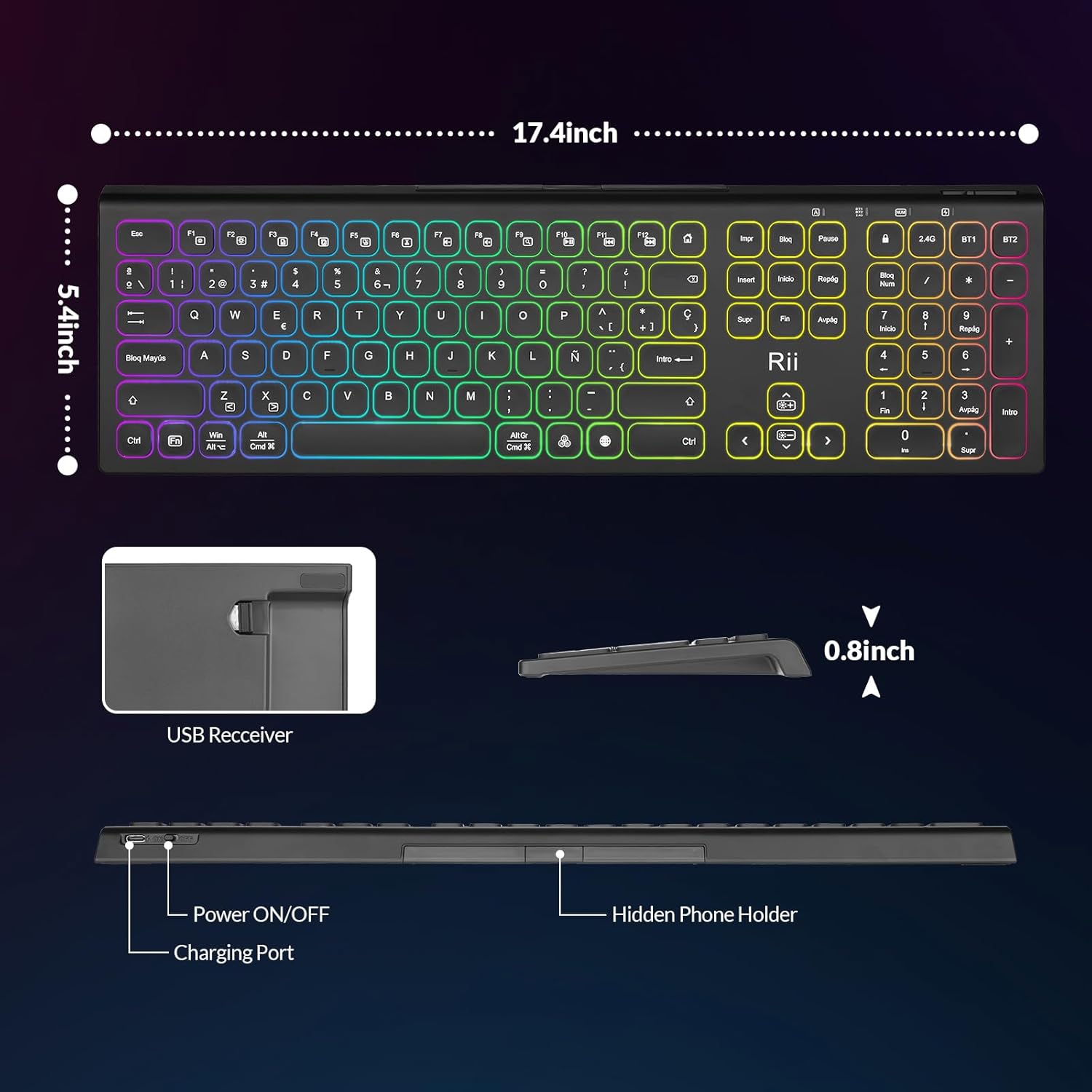
Image: The Rii RK801 keyboard highlighting the charging port and the location of the USB receiver. Dimensions are also shown.
3.2 2.4G бежична веза
- Locate the USB 2.4G receiver, typically stored in a compartment on the keyboard.
- Plug the USB receiver into an available USB port on your computer or compatible device.
- Укључите тастатуру помоћу прекидача за напајање.
- Притисните тастер 2.4Г key on the keyboard. The keyboard should automatically connect to your device.
3.3 Блутут веза (БТ1 / БТ2)
The keyboard supports two Bluetooth channels (BT1 and BT2) for connecting to different devices.
- Укључите тастатуру помоћу прекидача за напајање.
- Притисните и држите тастер БТ1 or БТ2 key for 3-5 seconds until the indicator light flashes rapidly, indicating pairing mode.
- On your device (e.g., MacBook, iPad, Android Smart TV), go to Bluetooth settings and search for new devices.
- Select "Rii RK801" from the list of available devices.
- Једном када се упаре, индикаторска лампица ће престати да трепери.
- Repeat these steps for the other Bluetooth channel to connect a second device.

Image: The Rii RK801 keyboard illustrating the different connection modes: 2.4G USB for laptops/PCs and Bluetooth (BT1/BT2) for smartphones, tablets, and laptops.
4. Упутство за употребу
4.1 Укључивање/искључивање
Use the physical power switch located on the keyboard to turn it on or off.
4.2 Пребацивање између уређаја
Да бисте прелазили између повезаних уређаја, једноставно притисните одговарајући тастер за повезивање: 2.4Г, БТ1, или БТ2. The keyboard will connect to the last paired device on that channel.
4.3 RGB контрола позадинског осветљења
Тастатура има прилагодљиво RGB позадинско осветљење.
- Укључи/искључи: Дуго притисните РГБ дугме.
- Промени боју: Кратко притисните на РГБ button to cycle through different colors.
- Подесите осветљеност: Притисните Фн +
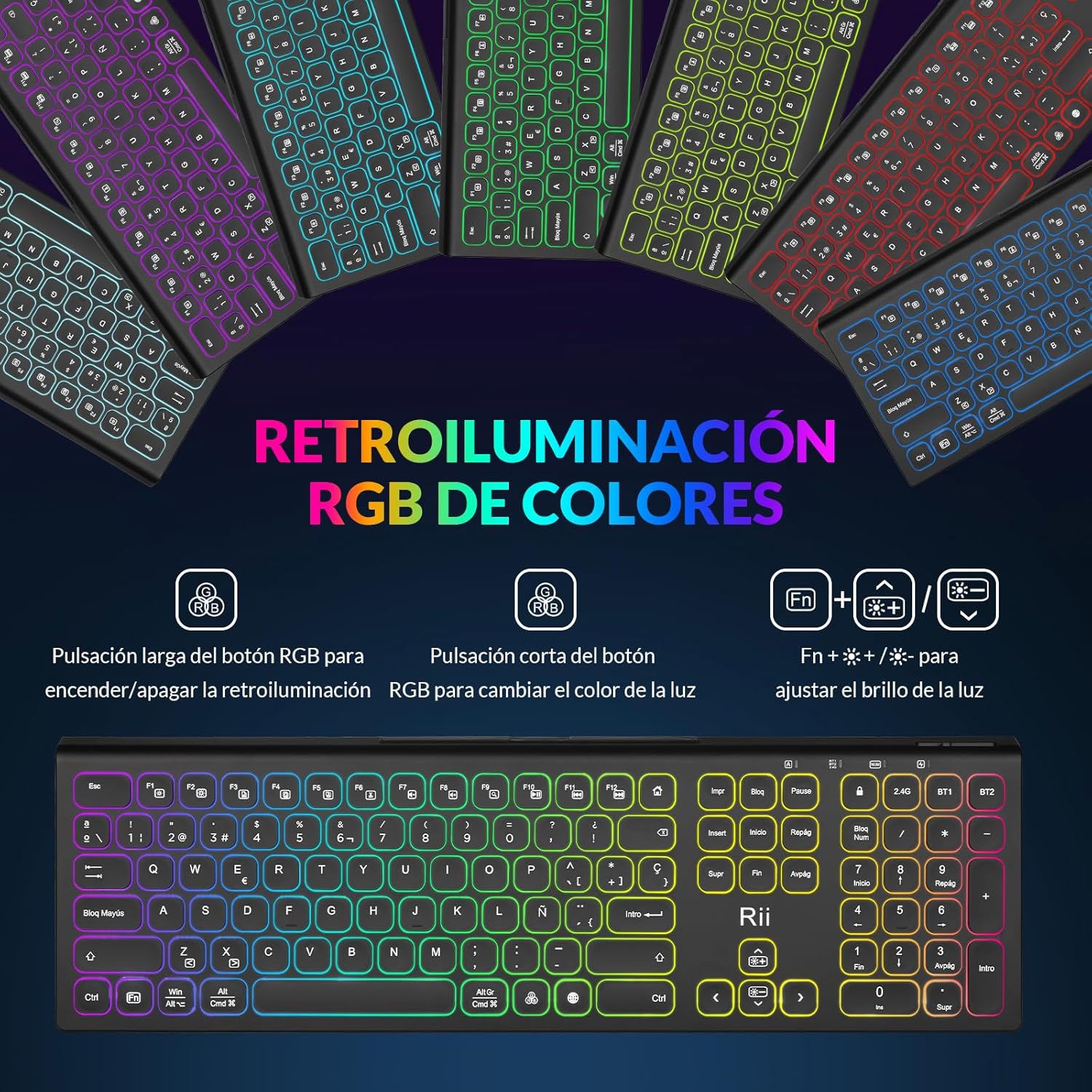 да подесите осветљеност позадинског осветљења.
Image: The Rii RK801 keyboard displaying the keys for controlling the RGB backlight: long press for on/off, short press for color change, and Fn + brightness keys for adjustment.
4.4 Integrated Phone/Tablet Holder
The keyboard includes a discreet, retractable stand designed to hold your smartphone or tablet, providing a convenient viewугао док куцате.
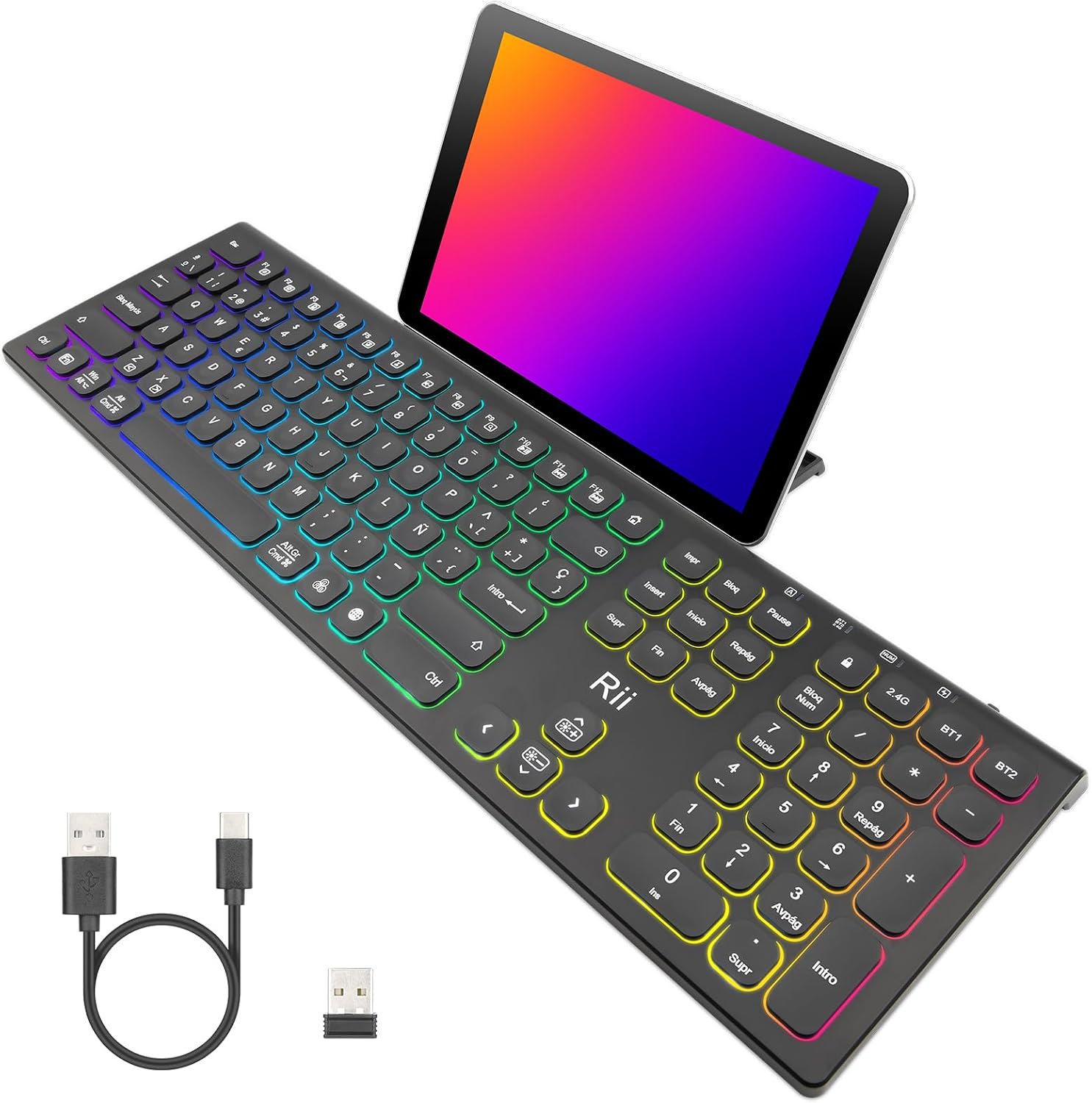
Image: The Rii RK801 keyboard with a tablet placed in its integrated stand, demonstrating the convenience for multi-device use.
Слика: Страна А view of the Rii RK801 keyboard indicating the location of the hidden phone holder.
4.5 Key Type and Feel
The keyboard features mechanical keys with an innovative switch design, providing a comfortable typing experience and reduced noise.

Image: A diagram illustrating the scissor-type mechanical switch used in the Rii RK801 keyboard, designed for comfortable and quiet typing.

Слика: Крупни план view of a key on the Rii RK801 keyboard, highlighting its spherical design for comfortable finger placement.
5. Одржавање
- Чишћење: Use a soft, dry cloth to clean the keyboard surface. For deeper cleaning, a slightly damp Може се користити крпа, водећи рачуна да течност не уђе у тастере или унутрашње компоненте.
- Одржавање батерије: To prolong battery life, avoid fully discharging the keyboard frequently. Recharge when the low battery indicator appears. If storing for an extended period, charge the keyboard to about 50% and turn it off.
- Складиштење: Чувајте тастатуру на хладном и сувом месту, даље од директне сунчеве светлости и екстремних температура.
КСНУМКС. Решавање проблема
- Тастатура се не повезује: Ensure the keyboard is turned on and fully charged. For 2.4G, check if the USB receiver is properly inserted. For Bluetooth, ensure the keyboard is in pairing mode (flashing indicator) and your device's Bluetooth is enabled. Try re-pairing the device.
- Тастери не реагују или се куцају двапут: Ensure the keyboard is fully charged. If the issue persists, try cleaning around the affected keys. Ensure you are pressing keys centrally and firmly.
- Позадинско осветљење не ради: Ensure the keyboard is turned on. Long press the RGB button to toggle the backlight. Check battery level.
- Kratko trajanje baterije: Backlighting consumes more power. Reduce brightness or turn off the backlight to extend battery life. Ensure the keyboard is fully charged before use.
- Lag or delay in input: Ensure the keyboard is within range of the receiver/device. Avoid interference from other wireless devices. For 2.4G, try plugging the USB receiver into a different USB port, preferably a rear port on desktop PCs.
7. Спецификације
| Бранд | Рии |
| Број модела | РК801 |
| Повезивање | Bluetooth 5.0 (BT1, BT2), 2.4G Wireless |
| Посебне карактеристике | Rechargeable, RGB Backlight, Integrated Phone/Tablet Holder |
| Компатибилни уређаји | Laptop, Smart TV, PC, Mac OS, Android devices |
| Тип батерије | Литијум-јонски полимер |
| Број дугмади | 104 |
| Димензије (приближно) | 17.4 инча (дужина) к 5.4 инча (ширина) к 0.8 инча (висина) |
Image: The Rii RK801 keyboard with its approximate dimensions of 17.4 inches in length, 5.4 inches in width, and 0.8 inches in height.
8. Гаранција и подршка
Specific warranty details and direct support contact information are not available in the provided product data. Please refer to the retailer's return policy or the manufacturer's official website for warranty claims and technical support.