
1. Производ је готовview
The TP-Link Deco X1500 is a Wi-Fi 6 Mesh System designed to provide seamless, whole-home Wi-Fi coverage. This 3-pack system utilizes advanced Wi-Fi 6 technologies to deliver faster speeds, connect more devices, and reduce latency for a superior network experience. It creates a unified network that automatically selects the best connection as you move throughout your home.

Image: A single TP-Link Deco X1500 Mesh WiFi 6 unit, showcasing its compact white cylindrical design.
Кључне карактеристике:
- Faster Connections: Wi-Fi 6 achieves speeds up to 1,500 Mbps: 1,201 Mbps on 5 GHz and 300 Mbps on 2.4 GHz.
- Повежите више уређаја: OFDMA and MU-MIMO technologies quadruple capacity for simultaneous transmission to multiple devices.
- Enhanced Seamless Coverage: Achieve perfect whole-home coverage with a clearer and stronger Wi-Fi signal generated by Wi-Fi 6.
- Ултра-ниско кашњење: Reduced latency enables more responsive gaming and video chats.
- Unified Network: Multiple units form a whole-home network that automatically selects the best connection as you move around your home.
- Робусна родитељска контрола: Ограничите време на мрежи и блокирајте неприкладно websites based on unique profileкреиран за сваког члана породице.
- Поједностављено подешавање: The Deco app guides you step-by-step through the setup process.
2. Садржај пакета
Проверите да ли су све ставке присутне у вашем пакету:
- 3 x Deco X1500 јединице
- 1 к РЈ45 Етхернет кабл
- 3 x адаптера за напајање
- 1 к Упутство за брзу инсталацију
3. Упутства за подешавање
Setting up your Deco X1500 Mesh System is straightforward using the TP-Link Deco app. Follow these steps for initial installation:
- Преузмите апликацију Deco: Тражи 'TP-Link Deco' in the App Store (iOS) or Google Play Store (Android) and download the application.
- Sign Up or Log In: Open the Deco app and sign up for a TP-Link ID. If you already have one, log in.
- Повежите главну Deco јединицу:
- Искључите модем.
- Повежите једну Deco јединицу са вашим модемом користећи приложени Ethernet кабл.
- Power on your modem, then power on the Deco unit.
- Пратите упутства у апликацији: The Deco app will automatically detect your Deco unit and guide you through the process of creating your Wi-Fi network name and password.
- Додајте додатне деко јединице: Once the main Deco is set up, the app will prompt you to add the remaining Deco units. Place them strategically throughout your home for optimal coverage. The app will provide guidance on ideal placement.
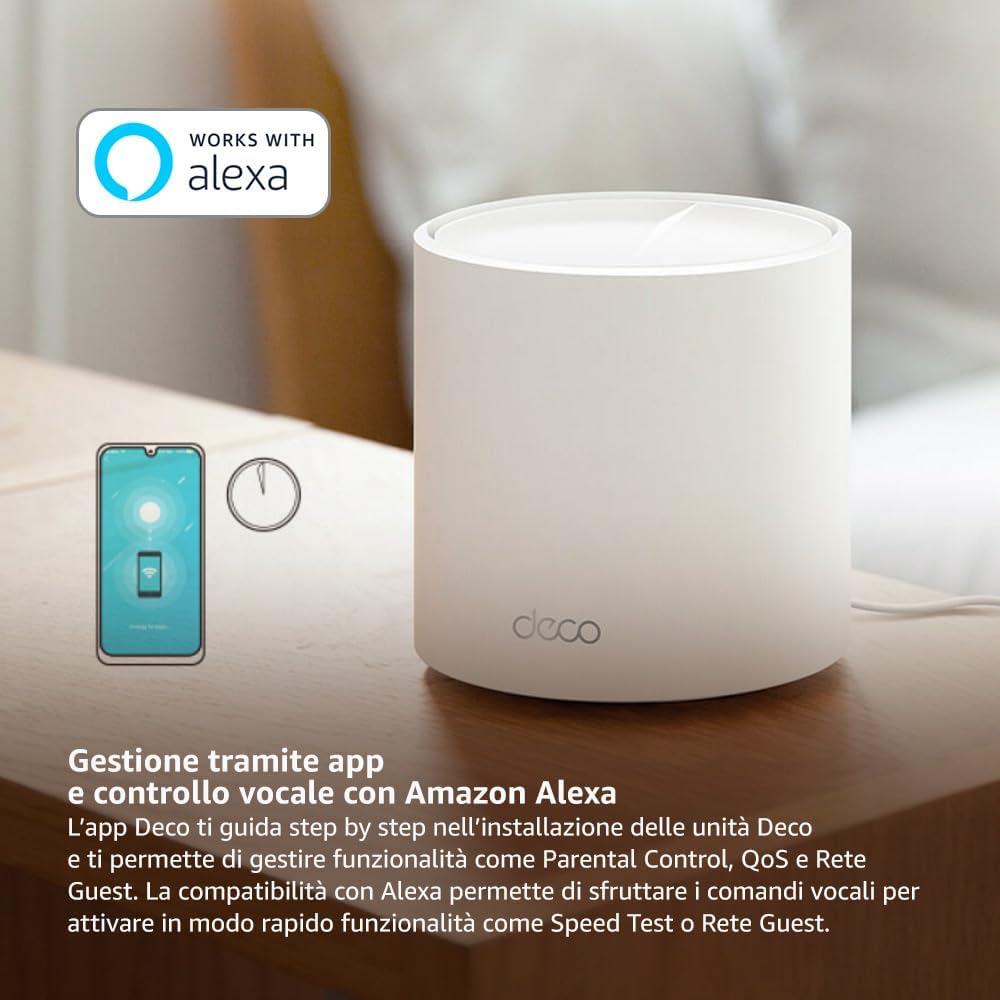
Image: A smartphone screen displaying the TP-Link Deco app, illustrating the step-by-step setup process for the mesh system.
4. Упутство за употребу
The Deco X1500 system is managed primarily through the TP-Link Deco app, offering various features to control and optimize your home network.
Using the Deco App:
- Управљање мрежом: View connected devices, monitor network status, and manage Wi-Fi settings.
- Родитељски надзор: Цреате проfiles for family members, set time limits, and block inappropriate content.
- Квалитет услуге (КоС): Дајте приоритет уређајима или активностима за оптималне перформансе.
- Мрежа гостију: Направите засебну Wi-Fi мрежу за госте, одржавајући вашу главну мрежу безбедном.
- Антивирус: Utilize built-in HomeShield features for network protection.
Voice Control with Amazon Alexa:
The Deco X1500 is compatible with Amazon Alexa. Link your TP-Link Deco account to your Alexa account to use voice commands for network functions, such as:
- Enabling or disabling the Guest Network.
- Running a speed test.
- Pausing Wi-Fi for specific profiles.

Слика: Задњи део view of a Deco X1500 unit, showing two Gigabit LAN/WAN auto-sensing Ethernet ports and the power input.
5. Одржавање
Regular maintenance ensures optimal performance and longevity of your Deco X1500 system.
Ажурирања фирмвера:
- The Deco app will notify you of available firmware updates. It is recommended to keep your Deco units updated to the latest firmware for improved performance, security, and new features.
- Follow the in-app instructions to perform firmware updates. Do not power off the units during an update.
Чишћење и постављање:
- Clean the Deco units with a soft, dry cloth. Do not use liquid cleaners or aerosols.
- Place Deco units in open areas, away from obstructions like large metal objects, thick walls, or other electronic devices that may cause interference.
- Ensure adequate ventilation around each unit to prevent overheating.
КСНУМКС. Решавање проблема
If you encounter issues with your Deco X1500 system, refer to the following common troubleshooting steps.
Нема интернет везе:
- Проверите модем: Уверите се да је ваш модем укључен и да има активну интернет везу.
- Кабловске везе: Проверите да ли је Етернет кабл који повезује главну Деко јединицу са модемом безбедно прикључен.
- Поново покрените уређаје: Power cycle your modem and all Deco units. Wait a few minutes for them to restart and re-establish connections.
- Статус апликације Deco: Check the Deco app for network status and any error messages.
Слаб Wi-Fi сигнал или мртве зоне:
- Положај јединице: Adjust the placement of your Deco units. Try to place them equidistant from each other and the main Deco, avoiding physical obstructions.
- сметње: Move Deco units away from other electronics (microwaves, cordless phones, Bluetooth devices) that might cause wireless interference.
- Додај још јединица: For very large homes or those with multiple floors, consider adding more Deco units to expand coverage.
Уређај не може да се повеже са Wi-Fi мрежом:
- Тачна лозинка: Уверите се да уносите исправну лозинку за Ви-Фи.
- Компатибилност уређаја: Verify that your device supports the Wi-Fi standards used by the Deco system (802.11ax/ac/n/a/g/b).
- Поново покрените уређај: Restart the device attempting to connect.
- Check Blacklist: Ensure the device has not been accidentally blacklisted in the Deco app.
7. Спецификације
| Феатуре | Спецификација |
|---|---|
| Бранд | ТП-Линк |
| Назив модела | Децо Кс1500 |
| Посебна карактеристика | Ви-Фи 6 |
| Класа фреквенцијског опсега | Дуал-Банд |
| Стандард бежичне комуникације | КСНУМКСак |
| Компатибилни уређаји | Рачунар, паметни телефон, таблет |
| Препоручена употреба | Хоме |
| Технологија повезивања | РЈ45 |
| Боја | Бела |
| Сигурносни протокол | ВПА3 |
| Number of Ports (per unit) | 2 x Gigabit LAN/WAN (auto-sensing) |
| Контролни метод | Апп |
| Брзина преноса података | 1500 мегабита у секунди |
| Пропусни опсег LAN порта | 1000 Мбпс |
| Волtage | 110.0В |
| Max Upstream Data Transfer Rate | 1201 мегабита у секунди |
| Број антена | Унутрашње |
| Компатибилност паметног дома | Да |
| Ви-Фи генерација | Ви-Фи 6 |
| Покривеност (пакет од 3 комада) | До 520 квадратних метара |
| Тежина артикла | 1.8 килограма |
8. Информације о гаранцији
The TP-Link Deco X1500 Mesh System comes with a 3-годишња гаранција на производ. This warranty covers defects in materials and workmanship under normal use. For specific terms and conditions, please refer to the warranty card included in your package or visit the official TP-Link webсајту.
9. Подршка
For further assistance, technical support, or to access additional resources, please visit the official TP-Link support webсајт:
You can also find FAQs, updated manuals, and community forums on the support page.