
RAZEAK RK-X44
RAZEAK Compact 60% Mechanical Keyboard
Instruction Manual - Model: RK-X44
1. Увод
Хвала вам на куповиниasing the RAZEAK Compact 60% Mechanical Keyboard. This 61-key gaming keyboard is designed for efficiency and portability, featuring durable mechanical blue switches, vibrant colorful backlighting, and a wired USB-C connection. This manual provides detailed instructions for setup, operation, maintenance, and troubleshooting to ensure optimal performance and longevity of your device.

Image: The RAZEAK Compact 60% Mechanical Keyboard, highlighting its compact design, vibrant backlighting, and the included blue mechanical switch.
2. Безбедносне информације
- Do not expose the keyboard to liquids, humidity, or extreme temperatures.
- Avoid disassembling the keyboard. Unauthorized repairs may void the warranty and cause damage.
- Keep the keyboard away from strong magnetic fields.
- Користите само приложени USB кабл или компатибилну замену.
- Handle the keyboard with care to prevent physical damage.
3. Садржај пакета
Молимо вас да проверите пакет за следеће ставке:
- RAZEAK Compact 60% Mechanical Keyboard (RK-X44)
- УСБ-Ц на УСБ-А кабл
4. Подешавање
Follow these steps to set up your RAZEAK Compact 60% Mechanical Keyboard:
- Unpack the keyboard and the USB-C cable from the packaging.
- Повежите USB-C крај кабла са портом на тастатури.
- Connect the USB-A end of the cable to an available USB port on your computer (PC, Laptop, Mac) or compatible gaming console (PS4, XBOX).
- The keyboard is plug-and-play and should be automatically recognized by your operating system (Windows 10, macOS, etc.) without requiring additional drivers.
- The backlight will illuminate upon successful connection.

Image: The RAZEAK keyboard connected via its USB-C cable to a computer, demonstrating a typical setup.
5. Упутство за употребу
5.1 Основни рад
The RAZEAK RK-X44 keyboard features a standard QWERTY layout with 61 keys. Simply type as you would on any standard keyboard. The blue mechanical switches provide a tactile and audible click feedback for each keystroke.
5.2 Комбинације тастера и функције
Due to its compact 60% layout, many functions are accessed via key combinations using the Fn (Function) key or Схифт кључ.
- Fn + [тастер]: Притисните Fn key simultaneously with another key to activate the function indicated on the lower side of that keycap. This includes F1-F12 functions, multimedia controls, and other special commands.
- Shift + [Key]: Притисните Схифт key simultaneously with another key to activate the sub-function indicated on the right side of that keycap.
- Фн + ↓: This combination is used to lock or unlock the arrow key functionality.
5.3 Режими позадинског осветљења
The keyboard features 19 colorful backlight modes. Specific key combinations (often involving the Fn key and other designated keys) are used to cycle through these modes, adjust brightness, or change lighting speed. Refer to the keycap legends for specific backlight control functions.
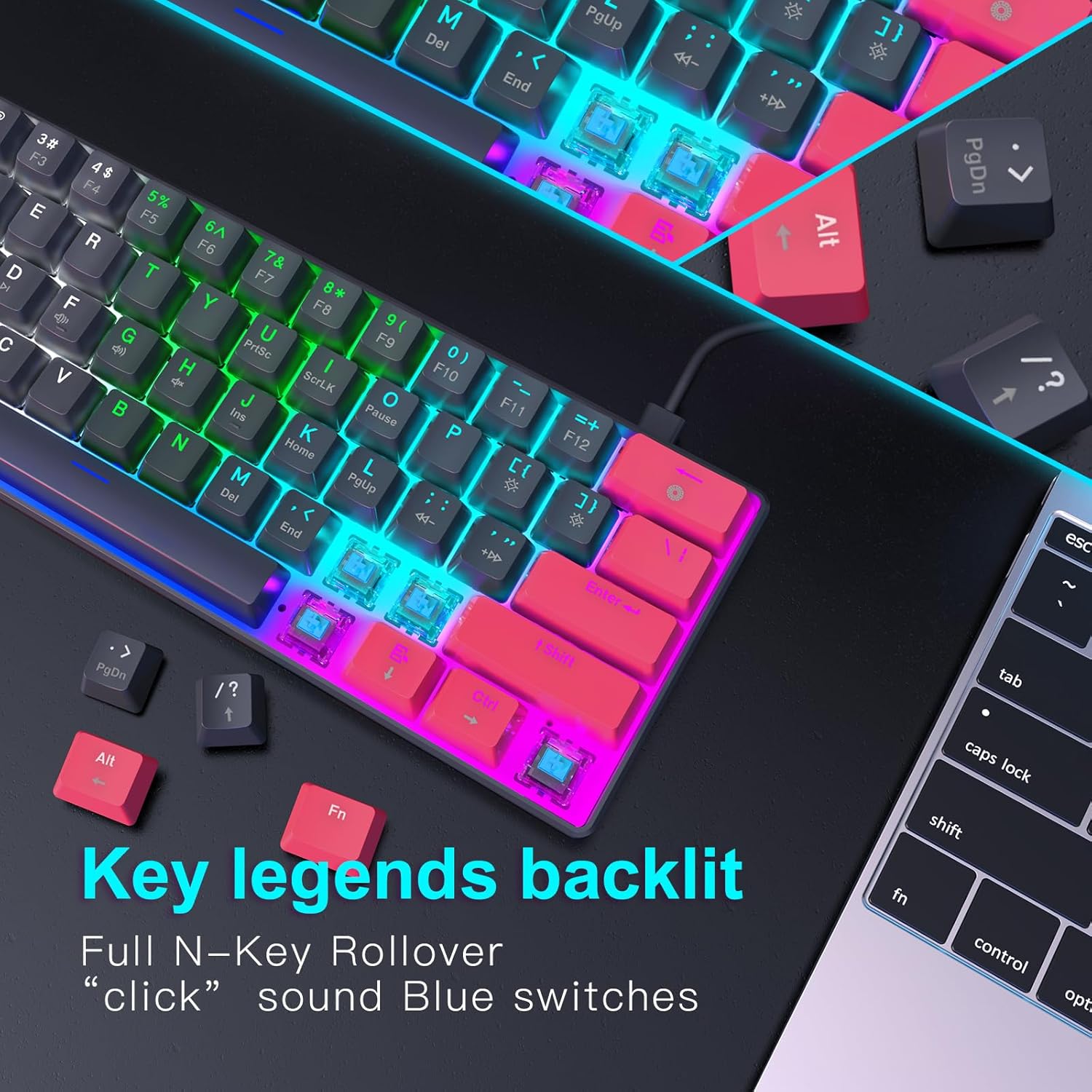
Слика: Детаљна view of the keyboard's backlit key legends and the visible blue mechanical switches, illustrating the illumination.
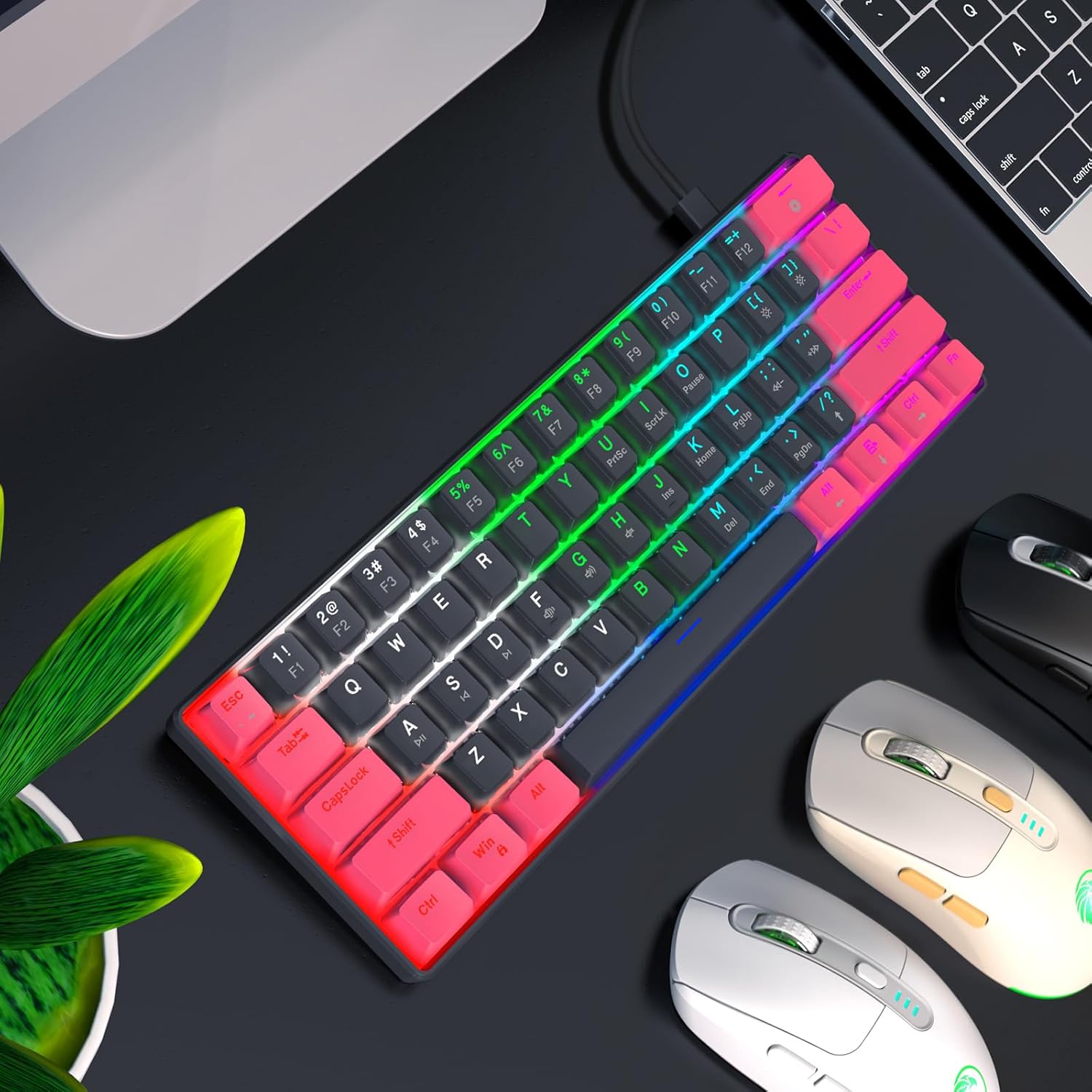
Image: The RAZEAK keyboard displaying its colorful backlight modes in a typical desktop environment.
5.4 Ергономски дизајн
The keyboard is designed with ergonomic high and low keys, featuring curved keycaps and smooth lines for a comfortable typing experience. This design aims to reduce strain during extended use.
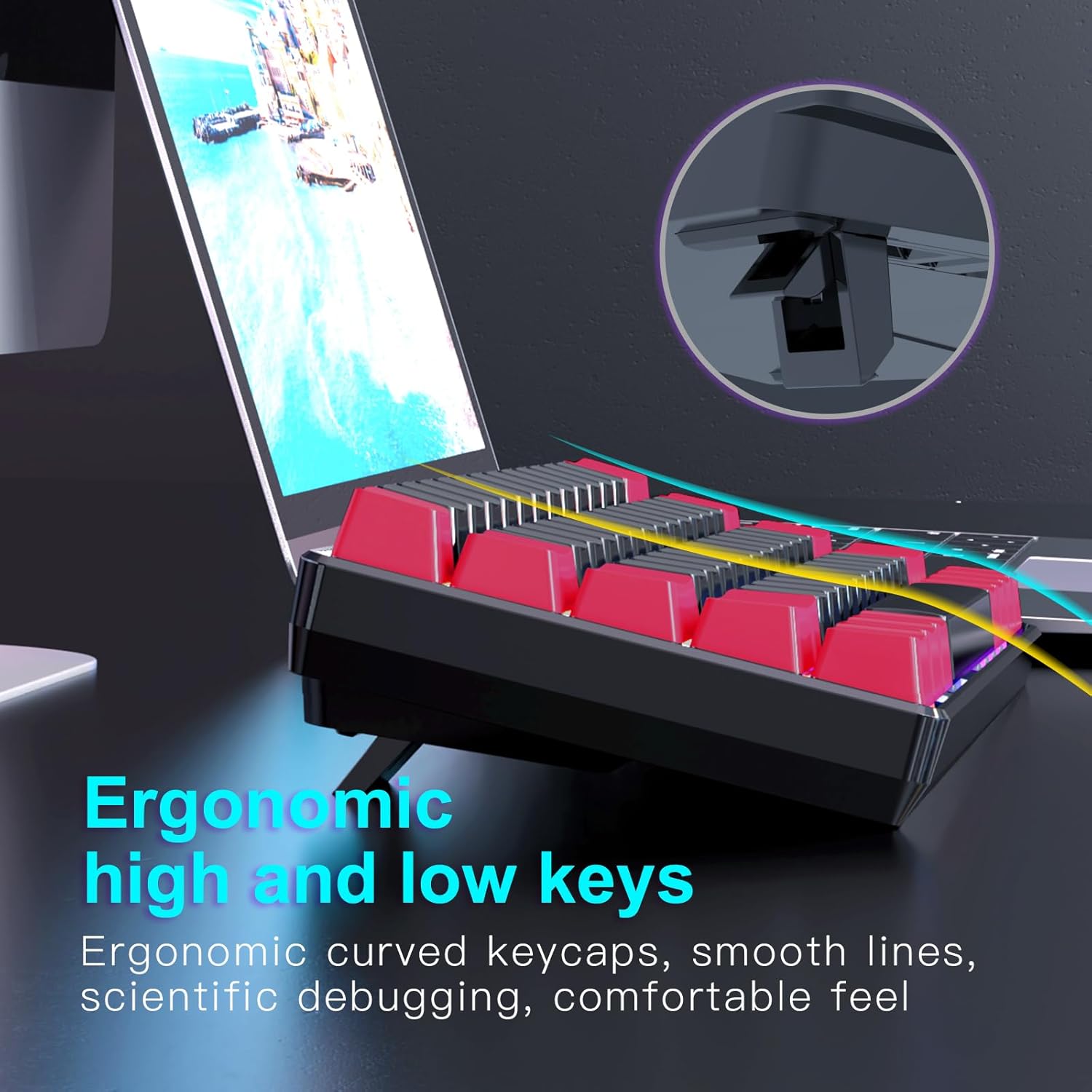
Слика: Страна А view of the keyboard illustrating its ergonomic keycap profile and the adjustable feet for varied typing angles.
6. Одржавање
Правилно одржавање осигурава дуготрајност ваше тастатуре:
- Чишћење: Use a soft, dry cloth to wipe the surface of the keyboard. For deeper cleaning, use compressed air to remove dust and debris from between the keycaps. Do not use harsh chemicals or abrasive materials.
- Складиштење: When not in use, store the keyboard in a clean, dry environment away from direct sunlight and extreme temperatures. The detachable USB-C cable allows for easy storage and portability.
КСНУМКС. Решавање проблема
If you encounter issues with your RAZEAK keyboard, try the following solutions:
- Тастатура не реагује:
- Уверите се да је USB-C кабл безбедно повезан и са тастатуром и са рачунаром.
- Покушајте да повежете тастатуру са другим УСБ портом на рачунару.
- Поново покрените рачунар.
- Тестирајте тастатуру на другом рачунару да бисте искључили проблеме специфичне за систем.
- Позадинско осветљење не ради/неисправно:
- Check if the backlight is turned off using the designated key combination (refer to keycap legends).
- Cycle through different backlight modes to see if any mode works.
- Уверите се да тастатура добија довољно напајања са УСБ порта.
- Кључеви се не региструју:
- Уверите се да је тастатура чиста и без прљавштине која би могла да омета притисак тастера.
- For specific keys, check if any software remapping or gaming profiles are interfering.
8. Спецификације
Below are the technical specifications for the RAZEAK Compact 60% Mechanical Keyboard (RK-X44):
| Феатуре | Спецификација |
|---|---|
| Бранд | RAZEAK |
| Назив модела | РК-Кс44 |
| Број модела | X44-RDBK-B_B1 |
| Распоред тастатуре | 60% компактност (61 тастера) |
| Тип прекидача | Mechanical Blue Switches (20 million clicks) |
| Повезивање | Жични USB-C |
| Позадинско осветљење | Colorful Backlit (19 modes) |
| Кеицапс | Dual color legend translucent keycaps |
| Анти-Гхостинг | Потпуни Н-Кеи Ролловер |
| Компатибилни уређаји | Windows PC, Laptop, Mac, PS4, XBOX |
| Димензије производа | 29.2 к 10.2 к 4 цм |
| Тежина артикла | 616.89 г |

Image: A diagram illustrating the compact dimensions of the RAZEAK keyboard.
9. Гаранција и подршка
For warranty information or technical support, please contact the seller or manufacturer directly through your purchase platform. Keep your proof of purchase for any warranty claims.
Ask a question about this manual
Ask about setup, troubleshooting, compatibility, parts, safety, or missing instructions. Manuals+ will review the question and use this page’s manual context to help answer it.