
Увод
Thank you for choosing Micool T35 Open Ear Headphones. These headphones are designed to provide a comfortable and safe listening experience, allowing you to enjoy high-quality audio while remaining aware of your surroundings. Featuring Bluetooth 5.3 connectivity, IPX6 waterproofing, and a long-lasting battery, they are ideal for sports and daily use.
Садржај пакета
Молимо вас да проверите пакет за следеће ставке:
- Micool T35 Open Ear Headphones
- Футрола за бежично пуњење
- УСБ кабл за пуњење типа Ц
- Упутство за употребу
Производ је завршенview
The Micool T35 headphones feature an open-ear design with earhooks for secure and comfortable wear. The charging case protects and recharges your headphones.

Image: Micool T35 Open Ear Headphones and Charging Case. The image displays the charging case with one earbud inside and the other earbud placed next to it, showcasing the open-ear design and earhook.
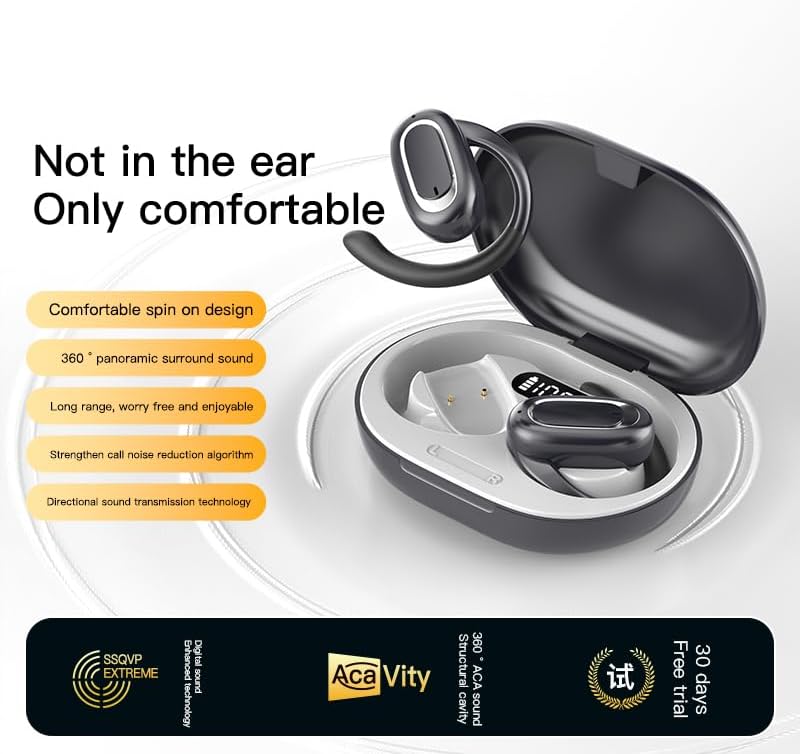
Image: Micool T35 Open Ear Headphones. This image shows both left and right earbuds with their earhooks, highlighting their ergonomic shape.
Кључне карактеристике:
- Дизајн отвореног уха: Rests gently on the ear without blocking the ear canal, reducing ear fatigue and maintaining environmental awareness.
- Блуетоотх КСНУМКС: Обезбеђује стабилну и ефикасну бежичну везу.
- Ергономске кукице за уши: Provides a secure and comfortable fit, even during extended use or physical activity.
- ИПКСКСНУМКС Водоотпоран: Отпорно на зној и прскање, погодно за спорт.
- Дуг век трајања батерије: Up to 12 hours of playback on a single charge, extended to 34 hours with the charging case.
- Усмерени пренос звука: Minimizes sound leakage while delivering clear audio.
Сетуп
1. Пуњење слушалица и футроле
Пре прве употребе, потпуно напуните слушалице и кућиште за пуњење.
- Ставите слушалице у кућиште за пуњење.
- Повежите USB Type-C кабл са портом за пуњење на кућишту и извором напајања.
- The charging case takes approximately 1-2 hours to fully charge.
- A full charge provides up to 12 hours of listening time for the headphones, with the charging case extending total playback to 34 hours.
2. Блуетоотх упаривање
To connect your Micool T35 headphones to a device:
- Уверите се да су слушалице напуњене и да се налазе унутар кућишта за пуњење.
- Open the charging case. The headphones will automatically enter pairing mode, indicated by a flashing LED light on the earbuds.
- На свом уређају (паметном телефону, таблету итд.) идите на подешавања Блутут-а.
- Тражи available devices and select "Micool T35" from the list.
- Када се једном повежу, ЛЕД индикатор на слушалицама ће престати да трепери.
- Слушалице ће се аутоматски поново повезати са последњим упареним уређајем када се изваде из футроле, ако је Блутут омогућен на уређају.
Упутство за употребу
1. Ношење слушалица
The Micool T35 headphones are designed for an open-ear fit with rotatable earhooks.
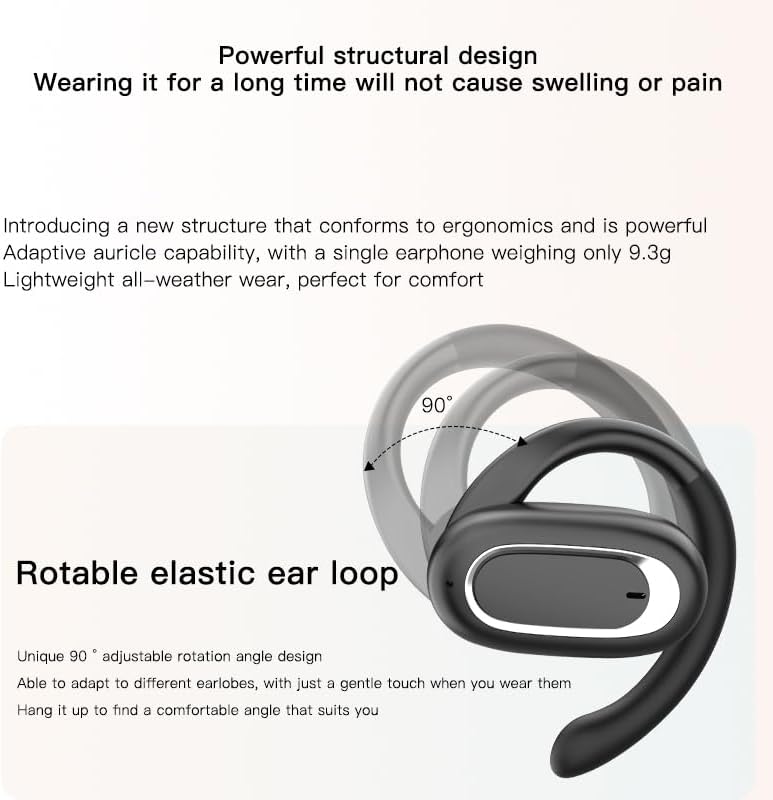
Image: Micool T35 Headphones: Rotatable Earhook Adjustment. The image illustrates the 90-degree rotation capability of the earhook for a customized fit.
- Gently place the earbud on your ear, ensuring the earhook wraps securely around the back of your ear.
- Adjust the rotatable earhook to find the most comfortable and stable position for your earlobe.
- The open-ear design ensures comfort and allows you to hear your surroundings.

Image: Micool T35 Headphones: Usage Scenarios. This image shows individuals using the headphones in various settings: during fitness activities, in an office environment, outdoors while running, and during leisure time.
2. Додирните Контроле
The Micool T35 headphones feature intuitive touch controls on each earbud.
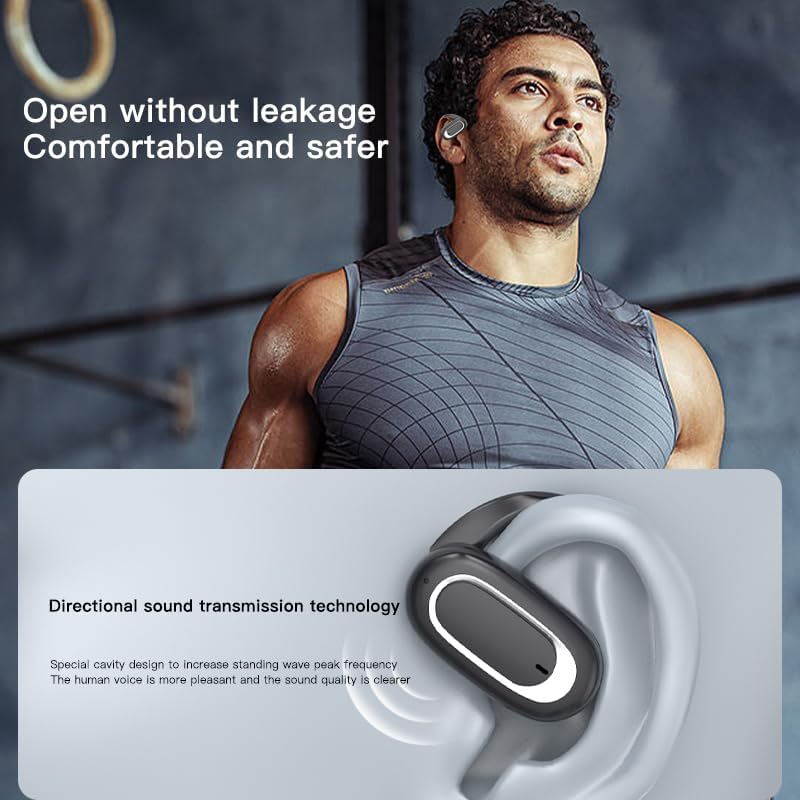
Image: Micool T35 Headphones: Touch Controls Diagram. This diagram illustrates the touch-sensitive area on the earbud and lists the corresponding functions for single tap, double tap, triple tap, and long press.
- Репродукција/пауза музике: Tap the function key once.
- Одговори/заврши позив: Click the function key.
- Позовите гласовног асистента: Long press the function key for 2 seconds.
- Одбијање позива: Long press the function key for 2 seconds during an incoming call.
- Switching Up/Down Tracks: Triple click the left/right ear function keys.
- Повећање/смањење јачине звука: Double click the right/left ear function keys.
3. Режим игре
The Micool T35 headphones support a low-latency game mode for improved audio-video synchronization.

Image: Micool T35 Headphones: Low Latency Game Mode. The image shows a smartphone displaying a mobile game, indicating the headphones' capability for synchronized audio and video during gaming.
To activate game mode, refer to the specific instructions provided in the quick start guide or product packaging, as this feature often requires a specific touch gesture or setting within the connected device.
Одржавање
Правилно одржавање осигурава дуготрајност и перформансе ваших слушалица.
- Чишћење: Користите меку, суву крпу која не оставља влакна за чишћење слушалица и кућишта за пуњење. Не користите абразивна средства за чишћење или раствараче.
- Отпорност на воду: The headphones are IPX6 waterproof, meaning they are resistant to strong jets of water. They are suitable for use during workouts and in light rain, but should not be submerged in water. Dry them thoroughly before placing them back in the charging case.
- Складиштење: Када се не користе, чувајте слушалице у њиховој футроли за пуњење како бисте их заштитили од прашине и оштећења. Чувајте их на хладном и сувом месту, даље од екстремних температура.
- Одржавање батерије: To preserve battery life, charge the headphones regularly, even if not used for extended periods. Avoid fully discharging the battery frequently.
Решавање проблема
If you encounter issues with your Micool T35 headphones, try the following solutions:
- Нема звука:
- Уверите се да су слушалице напуњене.
- Check if the headphones are properly paired with your device.
- Подесите јачину звука и на слушалицама и на уређају.
- Покушајте да репродукујете звук из друге апликације или извора.
- Неуспешно упаривање:
- Искључите Блутут на свом уређају и поново га укључите.
- Forget "Micool T35" from your device's Bluetooth list and attempt to pair again.
- Ensure the headphones are in pairing mode (LED flashing).
- Приближите слушалице свом уређају.
- Проблеми са наплатом:
- Уверите се да је кабл за пуњење безбедно повезан и са кућиштем и са извором напајања.
- Пробајте други USB Type-C кабл или адаптер за напајање.
- Очистите контакте за пуњење на слушалицама и унутар кућишта сувим памучним штапићем.
- Лош квалитет позива:
- Уверите се да микрофон није блокиран.
- Преместите се у подручје са мање буке из окружења.
- Проверите мрежни сигнал вашег уређаја.
Спецификације
| Бранд | Микул |
| Назив модела | Т35 |
| Технологија повезивања | Бежично (Bluetooth 5.3) |
| Постављање уха | Отворено ухо |
| Форм Фацтор | On Ear (with earhooks) |
| Водоотпорна оцена | ИПКС6 |
| Време репродукције | До 12 сати (једно пуњење), 34 сати (са кућиштем за пуњење) |
| Порт за пуњење | УСБ Типе-Ц |
| Тип контроле | Контрола медија (додир) |
| Материјал | Пластика |
| Компатибилни уређаји | Мобилни телефони |
Гаранција и подршка
Micool T35 Open Ear Headphones come with a 1-year limited warranty from the date of purchase. This warranty covers manufacturing defects and workmanship under normal use.
For technical support, warranty claims, or any questions regarding your product, please contact Micool customer service through the retailer where you purchased the product or visit the official Micool brand store:
Please have your purchase receipt and product model number (T35) ready when contacting support.