
1. Производ је готовview
The LETSUNG GoLite 11 Mini PC is a compact and powerful computing solution designed for daily office tasks, home entertainment, and entry-level industrial applications. Powered by an Intel Celeron N4020C processor, it offers reliable performance in a small form factor. This manual provides essential information for setting up, operating, maintaining, and troubleshooting your device.

Слика 1: Предња и бочна страна view of the LETSUNG GoLite 11 Mini PC, highlighting its compact design and various ports.
2. Водич за подешавање
2.1 Садржај пакета
Молимо вас да се уверите да су све ставке присутне у пакету:
- ЛЕТСУНГ ГоЛите 11 Мини ПЦ
- Повер Адаптер
- VESA Mount Bracket and Screws
- Кориснички приручник (овај документ)
2.2 Почетно подешавање
Follow these steps to set up your Mini PC:
- Повежите периферне уређаје: Connect your keyboard, mouse, and other USB devices to the available USB 3.2 ports.
- Повежи екран: Connect your monitor(s) to the HDMI ports. The device supports up to two displays simultaneously.
- Повежите се на мрежу: For wired connection, connect an Ethernet cable to the RJ45 LAN port. For wireless connection, ensure your Wi-Fi network is available.
- Прикључите напајање: Insert the power adapter into the DC jack on the Mini PC, then plug the adapter into a power outlet.
- Укључено: Press the power button located on the front of the Mini PC.

Слика 2: Детаљно view of the Mini PC's ports, including USB 3.2, HDMI, LAN, 3.5mm headphone jack, DC jack, and power button.
3. Упутство за употребу
3.1 Укључивање/искључивање
- За укључивање: Притисните дугме за напајање једном.
- Затворити: From the Windows 11 Pro desktop, click the Start button, then Power, and select "Shut down."
- Рестартовати: From the Windows 11 Pro desktop, click the Start button, then Power, and select "Restart."
3.2 Повезивање екрана
The GoLite 11 supports dual display output via its two HDMI 1.4 ports, allowing for a resolution of up to 1920x1080@60Hz on each screen. Simply connect your HDMI cables from the Mini PC to your monitors.

Figure 3: The LETSUNG GoLite 11 Mini PC supporting a dual display setup for enhanced productivity.
3.3 Проширивање складишног простора
The Mini PC comes with a 128GB M.2 SATA SSD. For additional storage, the device supports expansion up to 512GB. Refer to the detailed instructions for M.2 SSD installation if you wish to upgrade the storage capacity.

Figure 4: Visual representation of the 128GB M.2 2280 SATA SSD, which can be expanded up to 512GB.
3.4 Мрежа и повезивање
The Mini PC supports Dual WiFi 5 for high-speed wireless internet access and Bluetooth 4.2 for connecting wireless peripherals such as keyboards, mice, and headphones.
4. Одржавање
4.1 Чишћење
To maintain optimal performance and appearance, regularly clean the exterior of the Mini PC with a soft, dry cloth. Avoid using liquid cleaners or abrasive materials. Ensure the ventilation openings are free from dust and debris.
4.2 Систем хлађења
The GoLite 11 features a low-power, low-noise cooling system designed for steady, long-lasting operation. Ensure adequate airflow around the device by not blocking the ventilation holes.
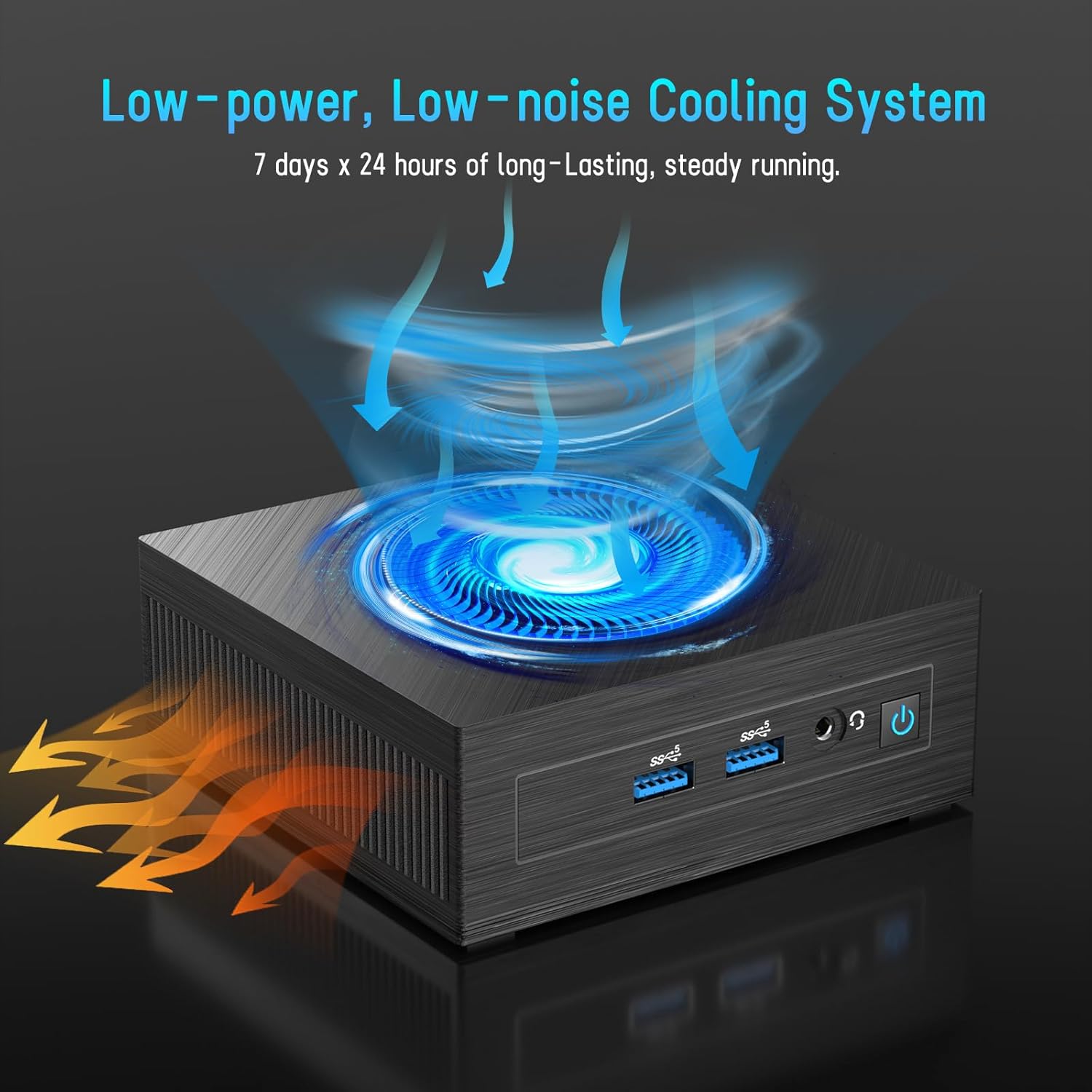
Figure 5: Illustration of the efficient low-power, low-noise cooling system integrated into the Mini PC.
КСНУМКС. Решавање проблема
If you encounter issues with your LETSUNG GoLite 11 Mini PC, refer to the common problems and solutions below:
- Нема излаза на екран:
- Ensure the HDMI cables are securely connected to both the Mini PC and the monitor.
- Verify the monitor is set to the correct input source (HDMI 1, HDMI 2, etc.).
- Try connecting to a different monitor or using different HDMI cables.
- Проблеми са напајањем:
- Check if the power adapter is properly connected to the Mini PC and the power outlet.
- Уверите се да је утичница функционална.
- If the device does not power on, try a different power outlet.
- Проблеми са мрежном повезивањем:
- For Wi-Fi, ensure the Wi-Fi adapter is enabled in Windows settings and you are connected to the correct network.
- For wired LAN, check the Ethernet cable connection. Note that the LAN port on this model supports up to 100 Mbps, not Gigabit Ethernet.
- Рестартујте рутер/модем.
- Споре перформансе:
- Затворите непотребне апликације које раде у позадини.
- Ensure Windows 11 Pro is up to date.
- Проверите да ли има довољно слободног простора на SSD-у.
6. Техничке спецификације
| Феатуре | Спецификација |
|---|---|
| Процесор | Intel Celeron N4020C (Dual-Core, up to 2.8 GHz) |
| Графика | Интел УХД графика 600 |
| РАМ | 6GB LPDDR4 (Integrated, Dual Channel) |
| Складиштење | 128GB M.2 SATA SSD (Expandable up to 512GB) |
| Оперативни систем | Windows 11 Pro (Pre-installed) |
| Видео Оутпут | 2 x HDMI 1.4 (Supports Dual Display up to 1920x1080@60Hz) |
| УСБ портови | 4 к УСБ 3.2 |
| Мрежа | Dual WiFi 5, RJ45 LAN (100 Mbps) |
| Блуетоотх | Блуетоотх 4.2 |
| Аудио | 1 к 3.5 мм прикључак за слушалице |
| Повер Инпут | ДЦ Џек |
| Димензије | 4.53 к 4.43 к 1.61 инча (115 мм к 112 мм к 41 мм) |
| Тежина | Приближно 9.66 унце (274 г) |
7. Гаранција и подршка
The LETSUNG GoLite 11 Mini PC comes with a једногодишња гаранција from the date of purchase. This warranty covers manufacturing defects and ensures the product meets its specified performance. Please retain your proof of purchase for warranty claims.
For any questions, technical assistance, or troubleshooting not covered in this manual, LETSUNG customer support is available 24/7 to assist you. Please refer to the contact information provided with your product packaging or visit the official LETSUNG webсајт за детаље подршке.