
OnLyee CR1001F
OnLyee Projection Alarm Clock User Manual
Model: CR1001F
Производ је завршенview
The OnLyee Projection Alarm Clock is designed to provide clear time display on its large LED screen and project the time onto your ceiling or wall. It features dual alarms, a USB charging port, and adjustable brightness and volume settings for a personalized experience.

Image: The OnLyee Projection Alarm Clock displaying time, with the time also projected onto a wall. A smartphone is shown charging via the clock's USB port.
Video: This video demonstrates the key features of the OnLyee Projection Alarm Clock, including its projection capabilities, adjustable brightness, dual alarm function, USB charging port, and 12/24-hour time format.
Водич за подешавање
Садржај пакета:
- 1x OnLyee Projection Alarm Clock
- 1к адаптер за напајање
- КСНУМКСк УСБ кабел за пуњење
- 2x Black Brackets (for stability)
- 1к упутство за употребу
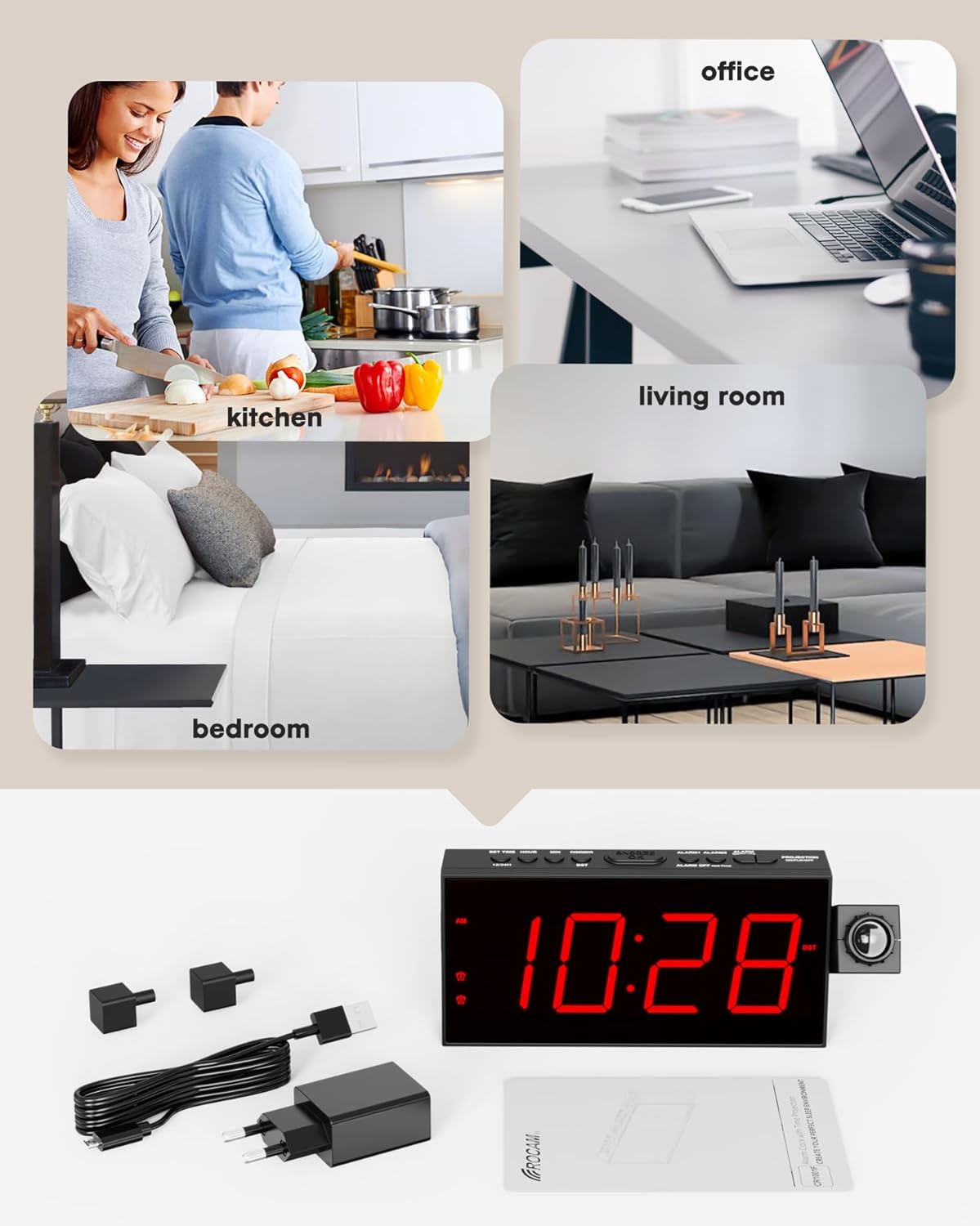
Image: The image displays all items included in the product package: the projection alarm clock, its power adapter, a USB charging cable, two black stabilizing brackets, and the user manual.
Powering On and Battery Backup:
- Connect the provided power adapter to the clock and plug it into a standard AC outlet (100-240V). The clock requires AC power for normal operation.
- For battery backup, insert 2 AAA batteries (not included) into the battery compartment. These batteries will preserve your personal settings (time, alarms) during a power outage, but the clock display will not be active without AC power.
Почетно подешавање времена:
Upon first power-on or after a prolonged power loss without battery backup, the clock may display a default time. Follow these steps to set the correct time:
- Притисните тастер ОДРЕДИТИ ВРЕМЕ дугме. Цифре за сате ће почети да трепћу.
- Користите ХОУР dugme za podešavanje sata.
- Притисните тастер МИН тастер за подешавање минута.
- Притисните ОДРЕДИТИ ВРЕМЕ поново да бисте потврдили и изашли из режима подешавања времена.
Упутство за употребу
Time Format (12/24H) and DST:
The clock supports both 12-hour and 24-hour time formats, and a Daylight Saving Time (DST) function.
- Да бисте прелазили између 12-часовног и 24-часовног формата, притисните 12/24Х дугме.
- To activate or deactivate Daylight Saving Time (DST), press the ДСТ дугме.

Image: Two alarm clocks are shown side-by-side, one displaying time in 12-hour format (11:26 AM) and the other in 24-hour format (23:26), illustrating the selectable time display options.
Подешавање осветљености екрана:
The 7-inch LED screen has 5 adjustable brightness levels.
- Притисните тастер ДИММЕР button repeatedly to cycle through the 5 brightness levels (100%, 75%, 50%, 25%, 5%).
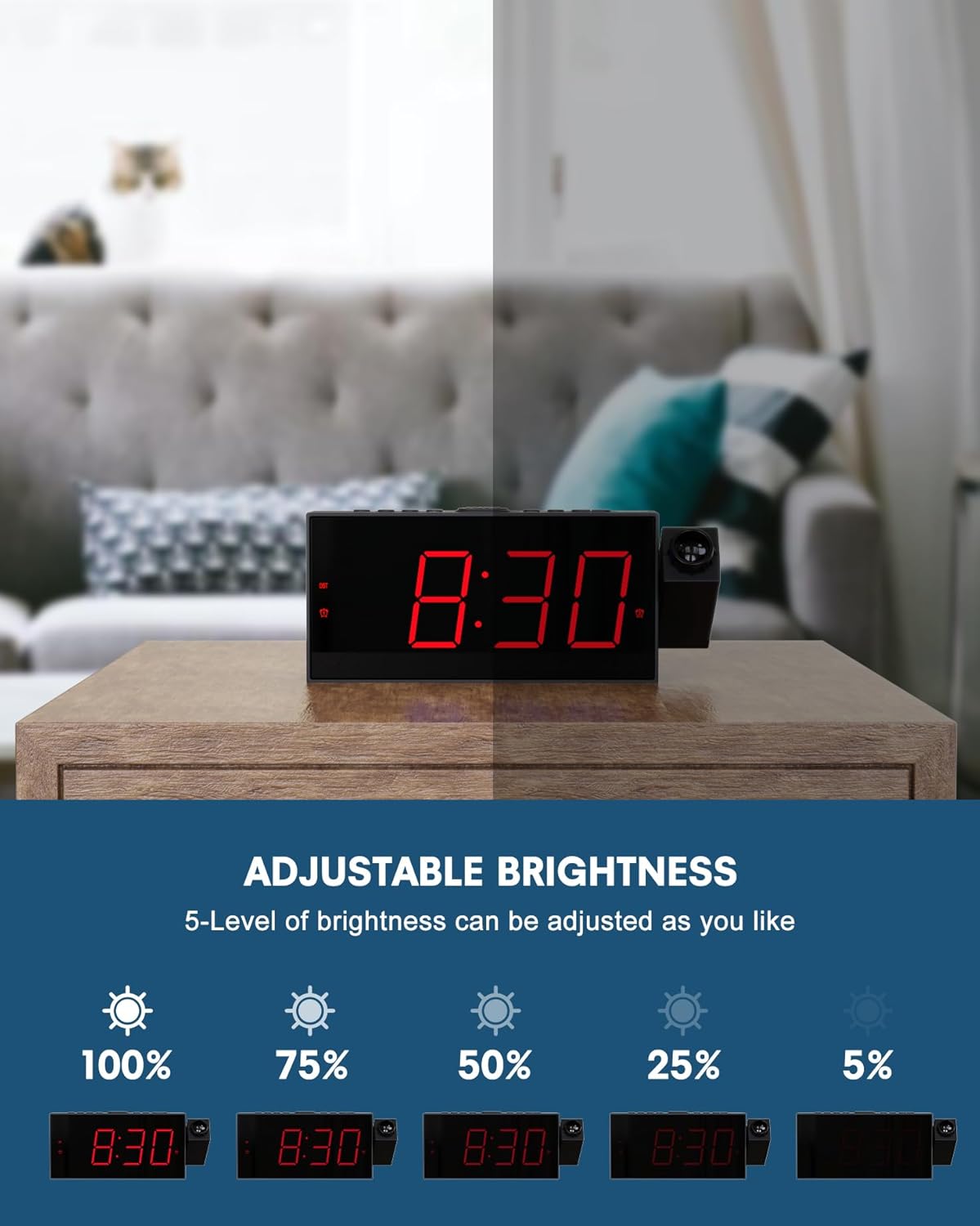
Image: This image demonstrates the 5-level adjustable brightness of the clock's LED display, showing the clock face at various illumination intensities from 100% to 5% brightness.
Подешавања пројекције:
Функција пројекције вам омогућава да view the time on your ceiling or wall.
- The projector can be rotated 180° for optimal viewугао уласка.
- Adjust the focus ring on the projector to achieve a clear image at distances between 1.64-11.4 feet (0.5-3 meters).
- To flip the projected image 180°, press the ПРОЈЕКЦИЈА УКЉУЧЕНО/ФЛИП/ИСКЉУЧЕНО button. This button also turns the projection on or off.
- The projection brightness can also be adjusted.

Image: The image illustrates the projection feature, showing the optimal projection distance (1.64-11.4ft) and the ability to flip the projected time 180 degrees for correct orientation.
Dual Alarms and Snooze:
Set two independent alarms with adjustable volume.
- To set Alarm 1 or Alarm 2, press the corresponding АЛАРМКСНУМКС or АЛАРМКСНУМКС дугме. Цифре сата ће трептати.
- Користите ХОУР и МИН дугмад да бисте подесили жељено време аларма.
- Притисните тастер АЛАРМКСНУМКС or АЛАРМКСНУМКС поново дугме за потврду.
- To adjust alarm volume, use the ТУ+ и ТУ- buttons (often labeled as volume controls). The clock offers 5 levels of adjustable volume.
- Када се огласи аларм, притисните велико ОДЛОЖИ/ОК button on top to get an extra 9 minutes of sleep.
- To turn off an alarm completely, press the corresponding АЛАРМ ОФФ дугме.

Image: This image illustrates the dual alarm functionality, showing two separate alarm settings: one for waking up in the morning (Alarm 1) and another for a different time, such as an evening reminder (Alarm 2).
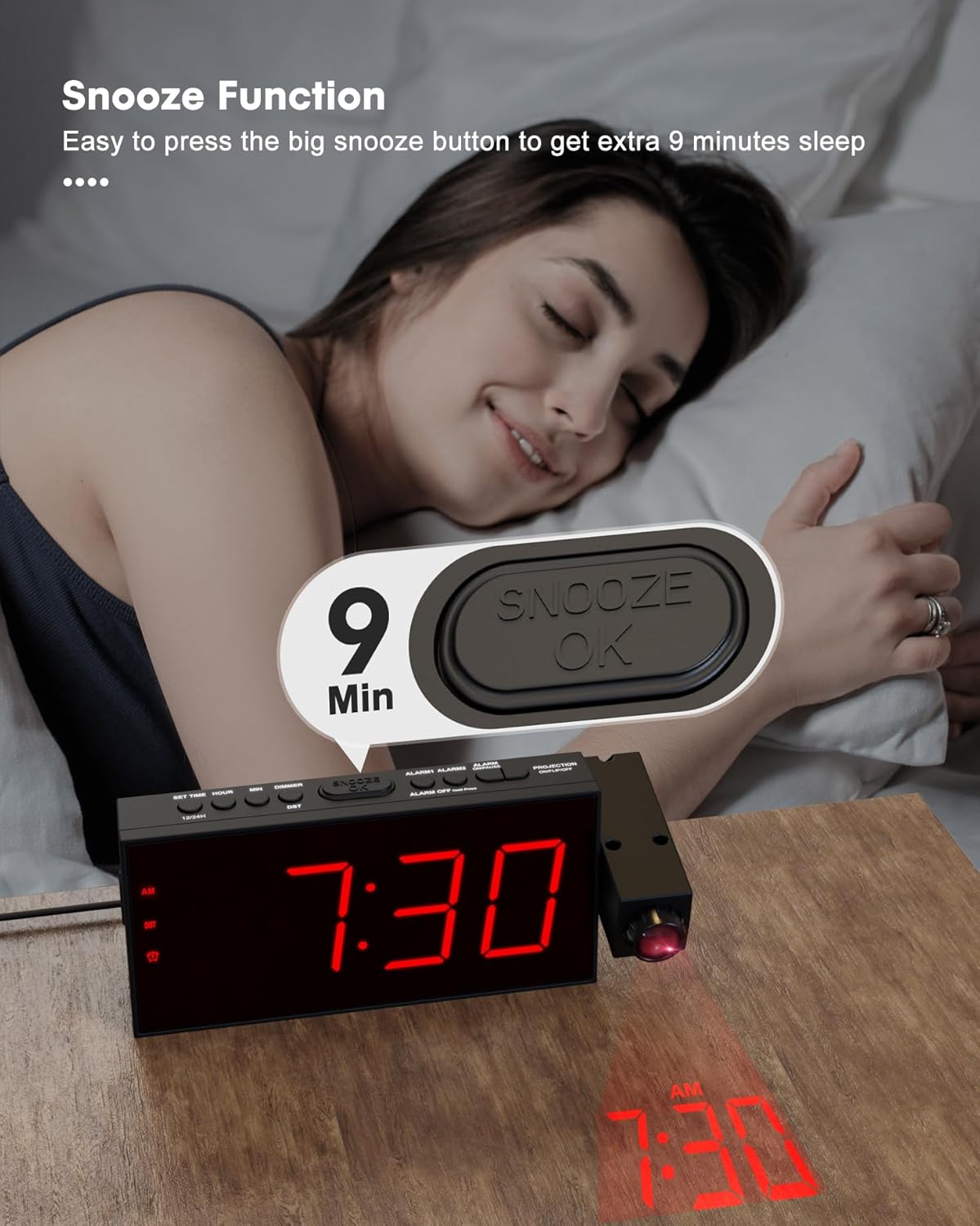
Image: A hand is shown pressing the large SNOOZE/OK button on top of the alarm clock, indicating the activation of the 9-minute snooze function.
УСБ пуњач:
The clock includes a USB charging port for your electronic devices.
- Connect your smartphone, tablet, or other USB-powered device to the USB charging port on the clock using your device's charging cable.
- This port provides convenient charging without needing an additional wall adapter.
Image: A smartphone is shown connected to and charging from the USB port located on the side of the OnLyee Projection Alarm Clock, which is placed on a bedside table.
Радио функција:
The clock features a built-in FM radio.
- Да бисте укључили или искључили радио, притисните РАДИО дугме.
- Користите МЕМ/М+ button to scan and save radio stations.
- Користите ТУ+ и ТУ- buttons to tune to specific frequencies or navigate saved stations.
Одржавање
To ensure the longevity and proper functioning of your OnLyee Projection Alarm Clock, follow these simple maintenance guidelines:
- Чишћење: Gently wipe the clock's surface with a soft, dry cloth. Avoid using abrasive cleaners, solvents, or chemical sprays, as these can damage the finish and electronic components.
- Замена батерије: If you use the battery backup feature, replace the AAA batteries periodically (e.g., once a year) to ensure settings are retained during power outages. Ensure the clock is powered off or unplugged before replacing batteries.
- Пласман: Place the clock on a stable, flat surface away from direct sunlight, excessive heat, or moisture. Ensure adequate ventilation around the unit.
Решавање проблема
| Проблем | Могући узрок / решење |
|---|---|
| Clock display is off / No power. |
|
| Пројекција је мутна или нејасна. |
|
| Projected time is upside down or reversed. |
|
| Аларм се не оглашава. |
|
| УСБ порт за пуњење не ради. |
|
Спецификације
| Феатуре | Детаљ |
|---|---|
| Бранд | ОнЛиее |
| Број модела | ЦР1001Ф |
| Дисплаи Типе | Дигитал ЛЕД |
| Димензије производа | 1.18" Ш x 3.58" В |
| Тежина артикла | 10.5 унци |
| Извор напајања | Corded Electric, Battery Powered (backup only) |
| Материјал | акрилонитрил бутадиен стирен (АБС) |
| Посебне карактеристике | Projection Clock, Adjustable Brightness (5-level), Adjustable Volume (5-level), Dual Alarm, USB Charging Port, Daylight Saving (DST), Large Display, 12/24 Hour Format, Snooze, FM Radio |
| Удаљеност пројекције | 1.64-11.4 стопа (0.5-3 метара) |
| Ротација пројекције | 180° Adjustable Projector, 180° Image Flip |
Гаранција и подршка
OnLyee products are designed for reliability and customer satisfaction.
- гаранција: All OnLyee products come with a 180-day warranty from the date of purchase. This warranty covers manufacturing defects and ensures your peace of mind.
- Служба за кориснике: Our dedicated customer service team is available 24/7 to assist you with any inquiries, technical support, or requests you may have.
- Контакт: Please refer to the contact information provided in your product packaging or visit the official OnLyee webсајт за подршку.
Ask a question about this manual
Ask about setup, troubleshooting, compatibility, parts, safety, or missing instructions. Manuals+ will review the question and use this page’s manual context to help answer it.