
1. Увод
This manual provides detailed instructions for the setup, operation, and maintenance of your edaiser Swivel Keyboard Case. Please read this manual thoroughly before using the product to ensure proper function and longevity. This keyboard case is designed to enhance your iPad mini experience by providing a physical keyboard and trackpad, along with robust protection and versatile viewинг углова.
2. Садржај пакета
- edaiser Swivel Keyboard Case
- УСБ-Ц кабл за пуњење
- Упутство за употребу
3. Компатибилност
Ова футрола са тастатуром је посебно дизајнирана за следеће моделе iPad-а:
- 2021 iPad mini 6th Generation (8.3-inch): Model Numbers A2567, A2568, A2569
- 2024 iPad mini 7th Generation (8.3-inch): Model Numbers A2993, A2995, A2996
To verify your iPad model number, check the back of your iPad or go to Settings > General > About > Model Number.

Image: Compatible iPad models and their model numbers.
4. Карактеристике производа
4.1 Swivel and Rotation
The keyboard case features a 360-degree rotatable hinge and 180-degree fold, allowing for multiple viewing and typing modes:
- Лаптоп Моде: Standard laptop-like setup for typing.
- Станд Моде: Ideal for watching videos or presentations.
- Tent Mode: Suitable for touch-based interactions or drawing.
- Таблет Моде: Fold the keyboard back for a traditional tablet experience.

Image: iPad mini in laptop mode, demonstrating swivel and rotation.

Image: Different usage modes of the keyboard case.
4.2 RGB Backlit Keyboard and Trackpad
The integrated keyboard features RGB backlighting for comfortable typing in low-light conditions. The precision trackpad supports multi-touch gestures for enhanced navigation within iPadOS.
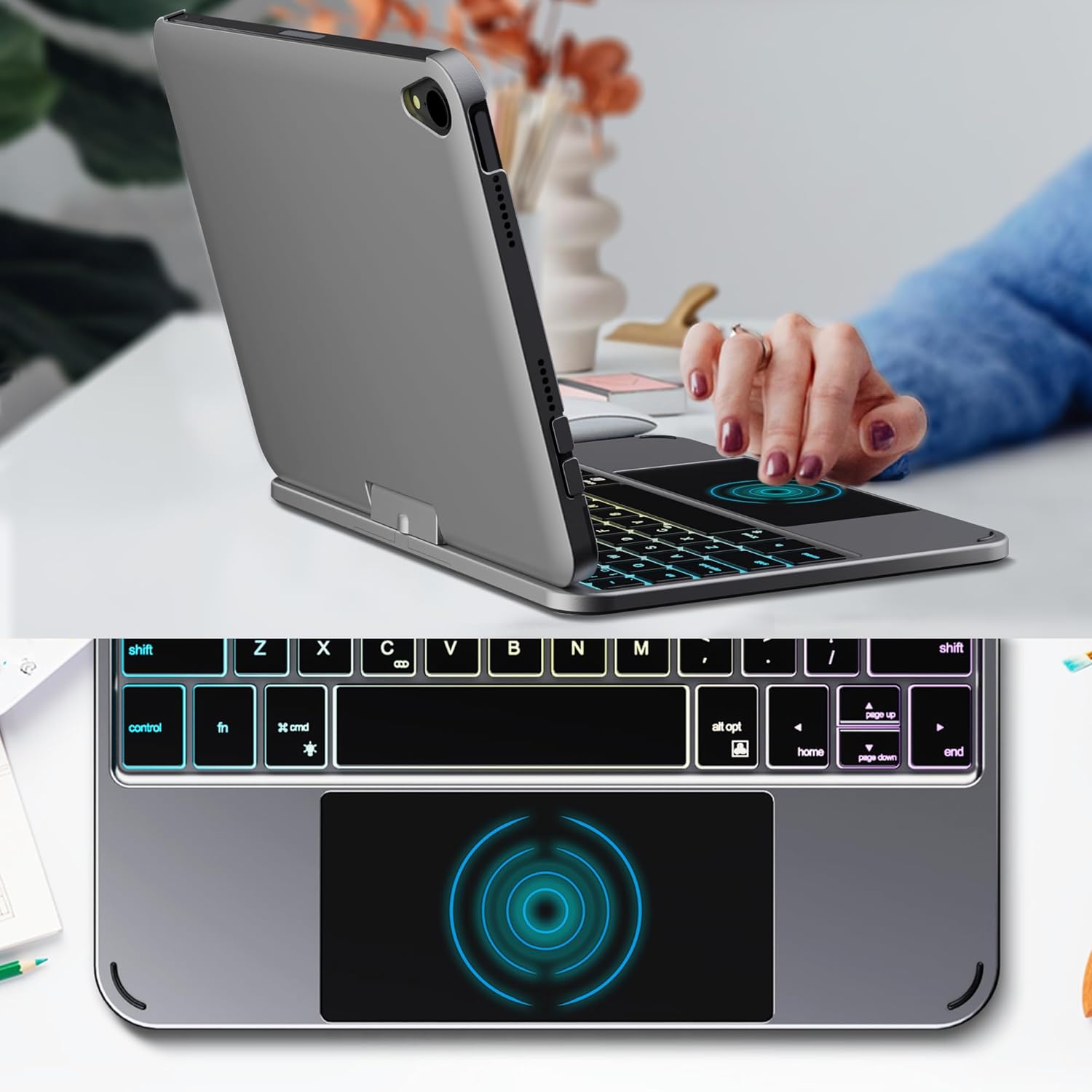
Image: Backlit keyboard and trackpad in use.

Image: Keycap and touchpad dimensions, and available colors.
4.3 Protection and Design
The case provides comprehensive protection for your iPad mini, safeguarding it from scratches and minor impacts. It features precise cutouts for the camera, charging port, and speakers.

Image: Case features and drop protection illustration.
5. Упутства за подешавање
5.1 Installing Your iPad mini
- Gently align your iPad mini with the case.
- Press the iPad firmly into the case until it is securely seated. Ensure all edges are properly covered and ports/buttons are accessible.
Video: Demonstrates the installation of the iPad mini into the keyboard case, followed by usage in laptop mode, trackpad interaction, and backlight activation.
5.2 Блуетоотх упаривање
- Укључите тастатуру: Locate the power button on the keyboard and press it to turn on the device.
- Activate Bluetooth on the keyboard: Press the "Fn" key and the "C" key simultaneously to activate Bluetooth pairing mode. The Bluetooth indicator light will flash.
- Open iPad Settings: На вашем iPad-у идите на Подешавања > Блуетоотх.
- Повежите се: In the Bluetooth device list, find "iPad keyboard" and tap to connect. A pairing request may appear; confirm it.
- The Bluetooth indicator light on the keyboard will stop flashing once successfully paired.
Video: Demonstrates the rotation of the iPad within the case, various usage modes, and the Bluetooth pairing process for the keyboard.
6. Упутство за употребу
6.1 Функције тастатуре
The keyboard includes standard keys and function keys specific to iPadOS:
- Фн + Ц: Activates Bluetooth pairing mode.
- Fn + икона сијалице: Toggles keyboard backlight on/off and cycles through brightness levels.
- Fn + RGB icon: Changes backlight color (if multiple colors are supported).
- Кућни кључ: Returns to the iPad home screen.
- Тастер за претрагу: Activates iPad search.
- Тастери за јачину звука: Adjusts iPad volume.
- Тастери за контролу медија: Play/Pause, Previous Track, Next Track.
6.2 Trackpad Gestures
The trackpad supports various multi-touch gestures for efficient navigation:
- Тапкање једним прстом: Left-click.
- Додир са два прста: Right-click (context menu).
- Помицање са два прста: Scroll up/down or left/right.
- Превуците нагоре са три прста: Go to the home screen.
- Three-finger swipe up and hold: Open the App Switcher.
- Three-finger swipe left/right: Switch between open apps.
- Стисните за зумирање: Zoom in/out on content.
7. Пуњење и батерија
The keyboard case is powered by a built-in rechargeable battery. Use the provided USB-C cable to charge the keyboard.
- Капацитет батерије: 500мАх
- Време приправности: До 90 дана
- Радно време: Up to 180 hours (without backlight)
- Индикатор пуњења: The LED indicator will show charging status.
Connect the USB-C cable to the charging port on the keyboard and the other end to a USB power adapter (not included).

Image: Battery specifications and charging port location.
8. Одржавање
- Држите кућиште тастатуре даље од течности и екстремних температура.
- Очистите кућиште и тастатуру меком крпомamp тканина. Избегавајте јаке хемикалије.
- Не покушавајте да раставите производ.
КСНУМКС. Решавање проблема
9.1 Keyboard Not Connecting via Bluetooth
- Уверите се да је тастатура укључена и потпуно напуњена.
- Уверите се да је Bluetooth омогућен на вашем iPad-у.
- Press "Fn" + "C" on the keyboard to enter pairing mode.
- Заборавите уређај у Блутут подешавањима вашег iPad-а и покушајте поново да га упарите.
- Поново покрените и iPad и тастатуру.
9.2 Тастери не реагују
- Проверите ниво батерије на тастатури.
- Уверите се да је тастатура правилно повезана путем Блутут-а.
- Очистите око тастера да бисте уклонили остатке.
9.3 Трекпед не ради
- Уверите се да је тастатура повезана путем Блутут-а.
- Проверите подешавања iPad-а: Подешавања > генерал > Trackpad & Mouse to ensure it's enabled and sensitivity is adjusted.
- Поново покрените и iPad и тастатуру.
10. Спецификације
| Феатуре | Спецификација |
|---|---|
| Бранд | едаисер |
| Број модела | edaiser Swivel 83ATS |
| Компатибилни модели | Apple iPad mini 6th Gen (8.3-inch), iPad mini 7th Gen (A17 Pro) |
| Повезивање | Блуетоотх |
| Тип тастатуре | Compact with RGB Backlight |
| Трацкпад | Integrated, Multi-touch |
| Извор напајања | Баттери Поверед |
| Капацитет батерије | 500мАх |
| Време приправности | До 90 дана |
| Радно време | До 180 сати (без позадинског светла) |
| Порт за пуњење | УСБ-Ц |
| Број кључева | 64 |
| Keycap Size | 11.5 мм к 12.9 мм |
| Touchpad Size | 98.4 мм к 49.7 мм |
11. Гаранција и подршка
For warranty information and customer support, please refer to the official edaiser webсајт или директно контактирајте њихову корисничку службу. Сачувајте рачун за куповину за потребе гаранције.