Instructions for using your 40-piece material kit with the LaserPecker LP3 Laser Engraver.
1. Увод
This guide provides essential information for effectively using the LaserPecker 3 L3 Material Kit. This kit contains 40 pieces of various materials, primarily stainless steel and braided items, designed for engraving with your LaserPecker LP3 laser engraver. Follow these instructions to achieve optimal engraving results and ensure safe operation.
2. Безбедносне информације
When working with any laser engraver and materials, always prioritize safety. The L3 Material Kit is intended for use with the LaserPecker LP3, which is a laser device. Adhere to all safety guidelines provided with your LaserPecker LP3 engraver, including:
Always wear appropriate laser safety goggles during operation.
Ensure adequate ventilation in your workspace to dissipate any fumes or odors produced during engraving.
Never leave the laser engraver unattended while in operation.
Keep a fire extinguisher or fire blanket nearby.
Do not engrave materials not specified as safe for laser engraving.
3. Садржај пакета
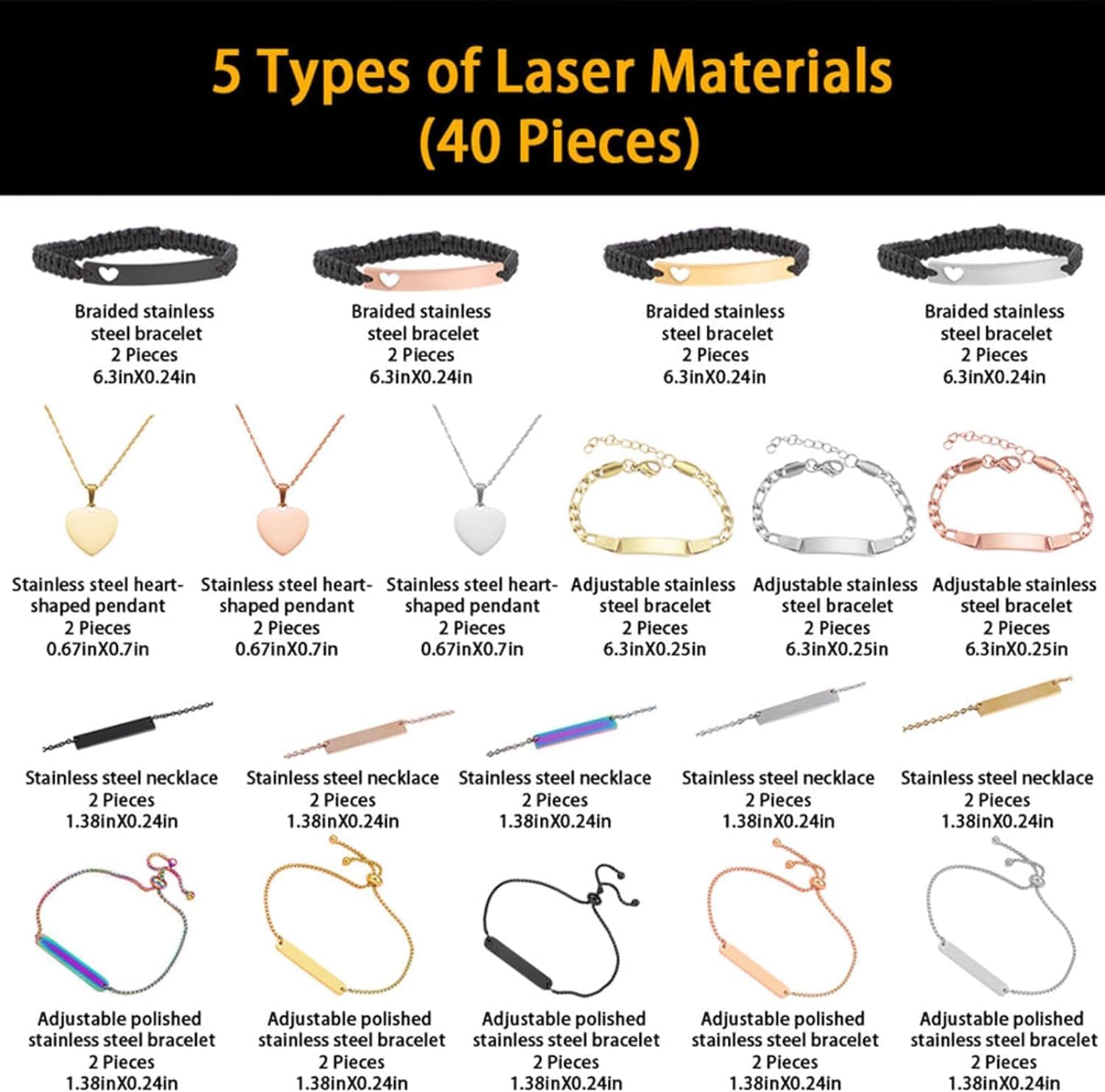
The LaserPecker 3 L3 Material Kit includes 40 pieces of various items suitable for laser engraving. Refer to the image below for a visual representation of the included material types.
Слика 1: Завршеноview of the 5 types of laser materials included in the 40-piece kit.
Комплет обично садржи:
Braided Stainless Steel Bracelets: 2 pieces, approximately 6.3in x 0.24in.
Stainless Steel Heart-Shaped Pendants: 2 pieces, approximately 0.67in x 0.7in.
Adjustable Stainless Steel Bracelets: 2 pieces, approximately 6.3in x 0.25in.
Stainless Steel Necklaces: 2 pieces, approximately 1.38in x 0.24in.
Adjustable Polished Stainless Steel Bracelets: 2 pieces, approximately 1.38in x 0.24in.
Note: The quantities listed above are per type, and the kit contains multiple colors/finishes for each type, totaling 40 pieces.
4. Припрема материјала
Proper preparation of your materials is crucial for successful engraving.
4.1 Чишћење
Ensure all stainless steel items are clean and free of dust, oils, or fingerprints. Use a soft cloth and a mild cleaner if necessary, then dry thoroughly.
Braided materials should be free of loose fibers or debris.
4.2 Позиционирање
Place the material flat and securely on the engraving platform of your LaserPecker LP3. Use clamps or a jig if needed to prevent movement during engraving.
For curved surfaces, ensure the laser focus is consistent across the engraving area. The LaserPecker LP3's auto-focus feature can assist with this.
5. Engraving Guidelines (Operating)
The LaserPecker LP3 offers various settings for engraving. Optimal settings will depend on the specific material, desired depth, and detail of your design. Always perform test engravings on a spare piece of material before engraving your final product.
5.1 General Settings for Stainless Steel
Stainless steel typically requires higher power and slower speeds for deep, dark engravings. For surface marking, lower power and higher speed can be used.
Снага: Start with 80-100% for deep engraving; 30-60% for surface marking.
брзина: Begin with 100-300 mm/min for deep engraving; 800-1500 mm/min for surface marking.
Пропуснице: 1-3 passes for surface marking; 3-10+ passes for deeper engraving or cutting (if applicable).
Резолуција: Higher resolution (e.g., 300-500 DPI) for detailed designs.
5.2 Engraving Braided Materials
Braided materials (like some bracelets) are often synthetic and require careful settings to avoid melting or burning. Use lower power and higher speed.
Снага: Start with 10-30%.
брзина: Begin with 1000-2000 mm/min.
Пропуснице: 1-2 passes.
5.3 Фокусирање ласера
Ensure the laser is properly focused on the material surface. The LaserPecker LP3's auto-focus function is highly recommended. Manual adjustment may be required for irregular shapes.
5.4 Разматрање дизајна
Use high-contrast images or vector graphics for best results.
Consider the size and shape of the material when designing your engraving.
For small text or intricate details, use a higher resolution and fine-tune power/speed settings.
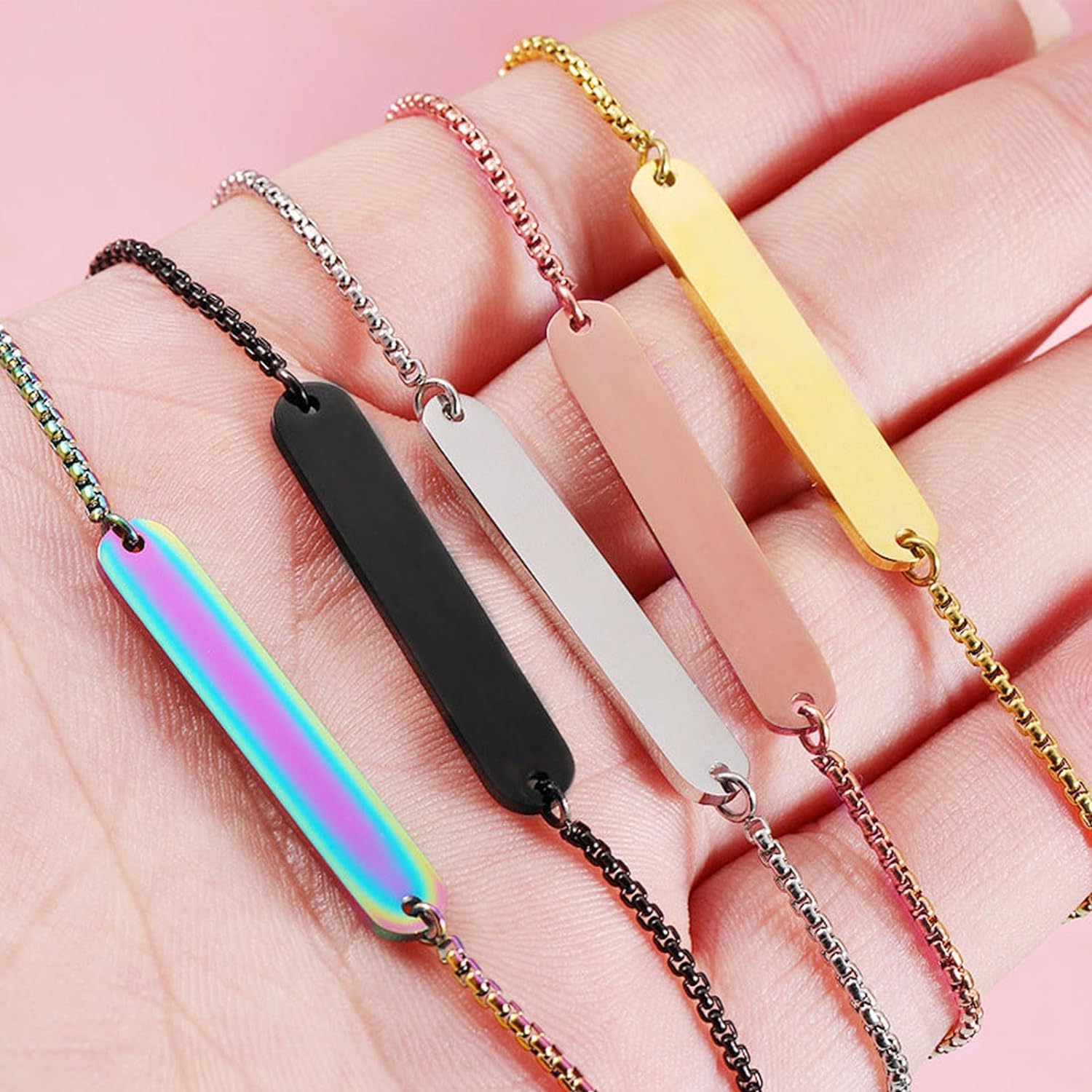
Слика 2: Прamples of engraved bar necklaces/bracelets from the kit.
Figure 3: Assortment of engraved bracelets from the material kit.
6. Post-Engraving Care (Maintenance)
After engraving, some materials may have residue or discoloration. Follow these steps for proper care:
Чишћење нерђајућег челика: Use a soft cloth and a mild abrasive cleaner (like metal polish) to remove any smoke residue or discoloration. Wipe gently to avoid scratching the engraved surface.
Cleaning Braided Materials: A soft brush can remove any light residue. Avoid harsh chemicals that might damage the material.
Store engraved items in a dry place to prevent tarnishing or damage.
КСНУМКС. Решавање проблема
If you encounter issues during engraving, consider the following common problems and solutions:
Проблем
Могући узрок
Решење
Engraving is too light or inconsistent.
Incorrect power/speed settings, out of focus, dirty lens.
Decrease power, increase speed, reduce number of passes.
Engraving is blurry or distorted.
Material moved, laser out of focus, unstable engraving platform.
Secure material, re-focus laser, ensure engraver is on a stable surface.
No engraving occurs.
Laser not firing, incorrect material, power too low.
Check laser connection, verify material compatibility, increase power.
8. Спецификације
Key specifications for the LaserPecker 3 L3 Material Kit:
Број дела: L3 Material Kit
Димензије пакета: Приближно 19.8 к 19.5 к 5 цм
Тежина артикла: Отприлике 360 г
Број ставки: 40 комада
Потребне батерије: бр
Први доступан датум: 24. октобра 2023. године
9. Гаранција
This material kit is a consumable product. For information regarding the warranty of your LaserPecker LP3 laser engraver or any manufacturing defects in the material kit upon receipt, please refer to the warranty documentation provided with your LaserPecker LP3 device or contact LaserPecker customer support directly.
10. Подршка
For further assistance, technical support, or inquiries regarding the LaserPecker 3 L3 Material Kit or your LaserPecker LP3 engraver, please visit the official LaserPecker website or contact their customer service team. Contact details can typically be found in your engraver's manual or on the manufacturer's webсајту.
Службено Webсајт:ввв.ласерпецкер.нет (Прample link, please verify current official site)
Ask a question about this manual
Ask about setup, troubleshooting, compatibility, parts, safety, or missing instructions. Manuals+ will review the question and use this page’s manual context to help answer it.