
1. Увод
This manual provides detailed instructions for the TRIGKEY Green G4 Mini PC, featuring the Intel Alder Lake-N100 processor. It covers initial setup, operation, maintenance, and troubleshooting to ensure optimal performance and user experience. Please read this manual thoroughly before using your device.
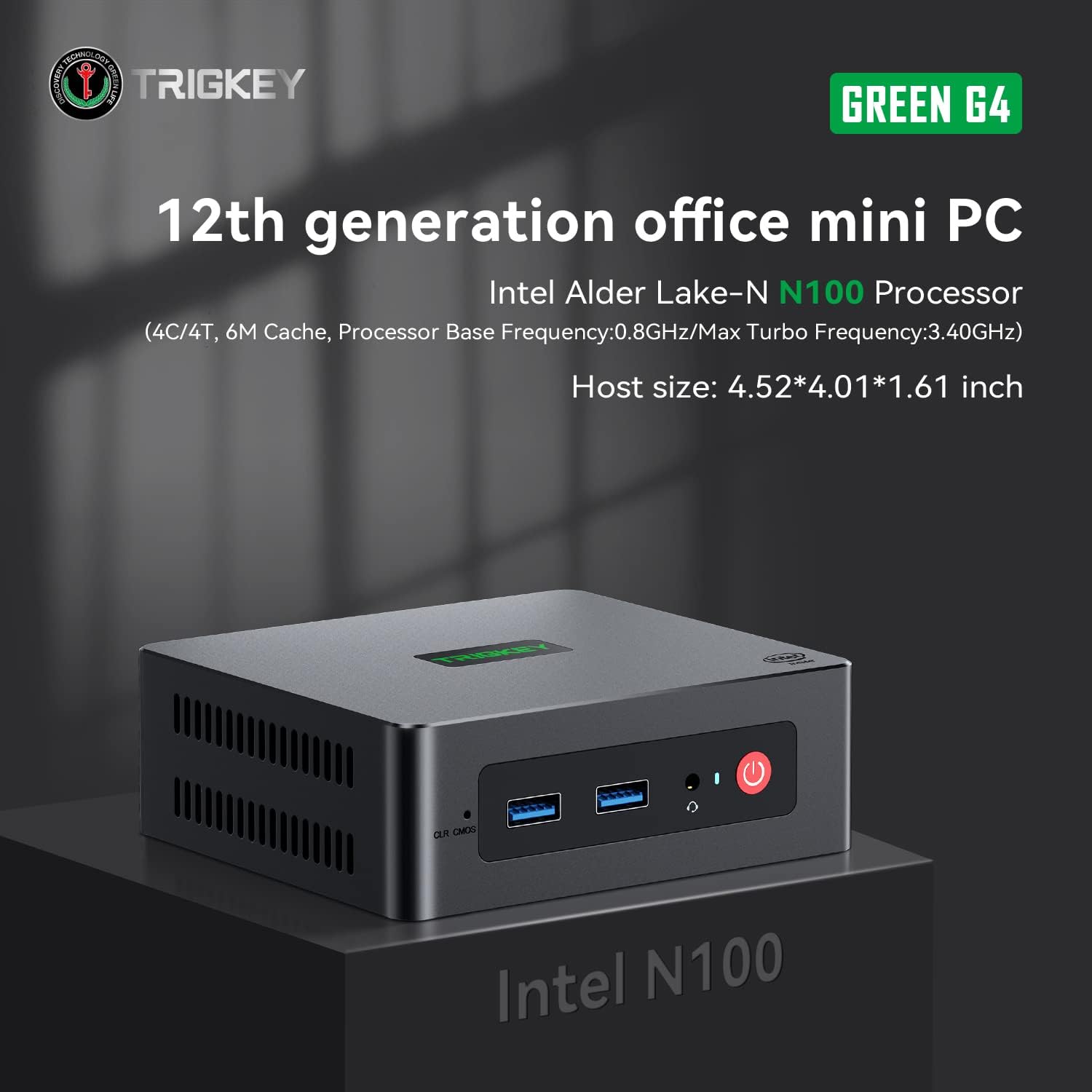
Image: TRIGKEY Green G4 Mini PC, highlighting its compact design and front panel.
2. Производ је готовview
2.1 Кључне карактеристике
- процесор: Intel Alder Lake-N100 (4 Cores/4 Threads, up to 3.4GHz)
- Меморија: 16ГБ ДДР4 РАМ (прошириво)
- Складиштење: 500GB NVMe SSD (expandable up to 2TB)
- Графика: Intel UHD Graphics (24EUs)
- Повезивање: WiFi 6, Bluetooth 5.2, 1000MB/s LAN
- Приказ излаза: Dual 4K HDMI (60Hz)
- Компактан дизајн: Host size approximately 4.52 x 4.01 x 1.61 inches
2.2 Портови и интерфејси

Image: Front and rear interfaces of the Mini PC.
| Порт/Интерфејс | Опис |
|---|---|
| Дугме за напајање | Укључује/искључује уређај. |
| Индикатор напајања | Означава статус напајања. |
| RTC Key (CLR CMOS) | Used to clear CMOS settings. |
| УСБ 3.2 Ген2 (10Гбпс) | High-speed data transfer ports. |
| Утичница за слушалице | Audio output for headphones. |
| LAN (1000M) | Гигабитни Етернет порт за жичану мрежну везу. |
| 4K 60Hz HDMI | Dual HDMI ports for high-definition video output. |
| DC Power Adapter Port | Повезује се на напајање. |
| Закључавајући отвор | For security lock. |
3. Подешавање
3.1 Почетно повезивање
- Connect your monitor(s) to the HDMI ports on the rear of the Mini PC.
- Повежите тастатуру и миш са доступним УСБ портовима.
- For wired internet, connect an Ethernet cable to the LAN port. For wireless, ensure the WiFi antenna is connected (if external) or that the internal WiFi is enabled.
- Connect the power adapter to the DC power port and then plug it into a power outlet.
- Press the power button on the front of the Mini PC to turn it on.
3.2 Прво покретање
Upon first boot, the system may guide you through the initial setup of the operating system (e.g., Windows 11). Follow the on-screen prompts to configure language, region, network, and user accounts.
4. Упутство за употребу
4.1 Основни рад
- Укључивање/искључивање: Press the power button once to turn on. To shut down, use the operating system's shutdown option. A short press on the power button can also put the PC to sleep. A long press (5-7 seconds) will force a shutdown.
- Поново покрени: Use the operating system's restart option.
- Повезивање периферних уређаја: Use the available USB ports for external devices like printers, external drives, or webцамс.
- Мрежна повезаност: Connect to a wired network via the LAN port or a wireless network using the built-in WiFi 6.
- Двоструки екран: Connect two monitors to the HDMI ports for an extended or duplicated desktop experience.

Image: Mini PC supporting dual screen display for enhanced productivity.
4.2 Video Playback and Productivity
The Mini PC supports 4K high-definition output, suitable for media consumption and office tasks. Its compact size and efficient performance make it suitable for various applications, from home theater setups to general office work.
Video: TRIGKEY Mini PC G4 N100 product overview, емисијаasing its features and compact design.
5. Одржавање и надоградње
5.1 Storage Expansion (2.5-inch HDD/SSD)
The TRIGKEY Green G4 Mini PC allows for additional storage expansion by installing a 2.5-inch HDD or SSD. Follow these steps carefully:
- Искључивање: Ensure the Mini PC is completely powered off and disconnected from the power supply.
- Unscrew Bottom Panel: Locate and unscrew the screws on the bottom panel of the Mini PC.
- Open Back Panel: Carefully open the back panel to reveal the internal components and the storage bay.
- Insert SSD/HDD: Align the 2.5-inch SSD or HDD with the slot in the back panel and gently insert it.
- Безбедан диск: Use the provided screws to secure the SSD/HDD to the back panel.
- Reinstall Bottom Panel: Close the back panel and reinstall the bottom screws to secure it.

Image: M.2 PCIe SSD, demonstrating the internal storage component.
Video: Hard disk installation tutorial, demonstrating the steps to install an additional 2.5-inch HDD/SSD.
5.2 RAM Upgrade
The Mini PC supports single-channel DDR4 memory. While it comes with 16GB, it can be upgraded depending on the memory type. Consult the product specifications for maximum supported RAM capacity and type before attempting an upgrade.

Image: SO-DIMM DDR4 memory module.
КСНУМКС. Решавање проблема
6.1 Нема напајања
- Уверите се да је адаптер за напајање безбедно повезан и са Мини рачунаром и са исправном утичницом.
- Проверите да ли је утичница функционална тако што ћете укључити други уређај.
- Проверите адаптер за напајање да ли има видљивих оштећења.
6.2 Нема дисплеја
- Confirm that the HDMI cable(s) are securely connected to both the Mini PC and the monitor(s).
- Ensure the monitor is powered on and set to the correct input source (HDMI 1, HDMI 2, etc.).
- Try connecting to a different monitor or using a different HDMI cable to rule out external issues.
6.3 Operating System Installation Issues
If you encounter difficulties installing or reinstalling an operating system, especially when using custom installation media, note that some Mini PCs may require specific tools or methods for USB boot media creation. Refer to the manufacturer's support resources for guidance on creating compatible installation media.
6.4 Fan Noise
The Mini PC features active cooling. While designed to be quiet, a slight fan whine may be noticeable under heavy load or in very quiet environments. This is generally normal operation. Ensure the vents are not obstructed to allow for proper airflow.
7. Спецификације
| Феатуре | Детаљ |
|---|---|
| Бранд | ТРИГКЕИ |
| Број модела | Н100 |
| ЦПУ модел | Intel Alder Lake-N100 (Celeron) |
| Брзина процесора | До 3.4 ГХз |
| Процесор Цоунт | 4 |
| Цацхе Сизе | 6 МБ |
| Величина инсталиране РАМ меморије | 16 ГБ |
| РАМ Типе | ДДР4 СДРАМ |
| Брзина меморије | 3200 МХз |
| Доступни меморијски слотови | 1 |
| Опис чврстог диска | 500 ГБ НВМе ССД |
| Хард Диск Интерфаце | НВМе |
| Грапхицс Цопроцессор | Интел УХД графика |
| Видео излазни интерфејс | HDMI (2 порта) |
| Максимална резолуција екрана | 3840 к 2160 пиксела (4К) |
| Бежична технологија | Wi-Fi 6 (802.11ax), Bluetooth 5.2 |
| Технологија повезивања | Ethernet (1000M) |
| Укупно УСБ портова | 6 (USB 3.2 Gen2) |
| Потрошња енергије | 6 вати (типично) |
| Боја | Зелена |
8. Гаранција и подршка
TRIGKEY is committed to providing excellent customer service and support for your Mini PC.
8.1 Информације о гаранцији
- Политика враћања: 30 days no reason to return.
- Замена: Замена је могућа у року од 12 месеци од куповине.
- техничка подршка: Доживотна постпродајна услуга и техничка подршка.
8.2 Контактирајте подршку
For any inquiries, technical assistance, or warranty claims, please contact TRIGKEY customer support. Response is typically provided within 24 hours.
- Подршка путем е-поште: Refer to your product packaging or the official TRIGKEY webсајт за контакт имејл.
- Online Consultation: Visit the TRIGKEY official website for online chat or support forms.
- Website Resources: Explore the TRIGKEY website for FAQs, drivers, and additional product information.