
1. Увод
Thank you for choosing the EMANER Smart Security Light Motion Sensor. This device combines advanced motion detection with smart control features, offering adjustable brightness, color temperature, and seamless integration with smart home systems like Alexa and Google Home. This manual provides detailed instructions for safe installation, configuration, and operation of your new security light.

Image 1.1: EMANER Smart Security Lights with smart home integration.
2. Безбедносне информације
WARNING: Risk of electric shock. Installation should be performed by a qualified electrician or a person with electrical knowledge. Disconnect power at the fuse box or circuit breaker before installation or servicing.
- Уверите се да је напајање искључено пре инсталације.
- Follow all local electrical codes and ordinances.
- Не покушавајте да модификујете производ.
- Држите производ даље од запаљивих материјала.
- This product is designed for outdoor use and is water-resistant. However, do not submerge it in water.
3. Садржај пакета
Пре почетка инсталације проверите да ли су све компоненте присутне:
- EMANER Smart Security Light (2 units for 2-Pack)
- Монтажни прибор (шрафови, навртке, монтажна плоча)
- Упутство за употребу (овај документ)
4. Спецификације
| Феатуре | Детаљ |
|---|---|
| Бранд | ЕМАНЕР |
| Назив модела | EMR-8030 |
| Лигхт Оутпут | 2800 лумена (макс.) |
| Температура боје | 2700K-6500K (Tunable) |
| Диммабле | 1% to 100% via App |
| Извор напајања | Електрични са каблом (120 волти) |
| Повезивање | 2.4 ГХз Ви-Фи |
| Методе контроле | App (Smart Life/Tuya Smart), Voice (Alexa, Google Assistant) |
| Опсег сензора покрета | Up to 26 feet (adjustable) |
| Трајање светлости | 5 seconds to 60 minutes (adjustable) |
| Материјал | Пластика |
| Димензије | 12 cm D x 6.7 cm Š x 6 cm V |
| Отпорност на воду | Water Resistant (Weatherproof) |

Image 4.1: Product dimensions and adjustable light heads.
5. Подешавање
5.1. Инсталација
- Искључите напајање: Before starting, ensure the power to the junction box is turned off at the circuit breaker.
- Припремите монтажу: Attach the mounting plate to your outdoor junction box using the provided screws.
- Жичне везе: Connect the light's wires to your household wiring:
- Black wire (Live) to Black wire (Live)
- White wire (Neutral) to White wire (Neutral)
- Green/Bare Copper wire (Ground) to Green/Bare Copper wire (Ground)
- Монтажа: Carefully tuck the wires into the junction box and secure the light fixture to the mounting plate.
- Подешавање глава светла: The three light heads and the motion sensor are rotatable. Adjust them to cover your desired area.
- Врати снагу: Поново укључите напајање на прекидачу.
5.2. App Connection (Smart Life / Tuya Smart)
The EMANER Smart Security Light connects via 2.4GHz Wi-Fi to the Smart Life or Tuya Smart app.
- Преузми апликацију: Download the "Smart Life" or "Tuya Smart" app from your smartphone's app store (iOS or Android).
- Регистрација/Пријава: Отворите апликацију и региструјте се за нови налог или се пријавите ако га већ имате.
- Додај уређај:
- Уверите се да је ваш телефон повезан на Ви-Фи мрежу од 2.4 ГХз.
- In the app, tap the "+" icon in the top right corner to add a device.
- Select "Lighting" or "Security & Sensor" and then "Light Source (Wi-Fi)" or "Floodlight (Wi-Fi)".
- Follow the in-app instructions to put the light into pairing mode. This usually involves turning the light off and on a few times until it blinks rapidly.
- Унесите лозинку за Wi-Fi мрежу када се то од вас затражи.
- Wait for the app to discover and connect to the device. Once connected, you can rename the light.
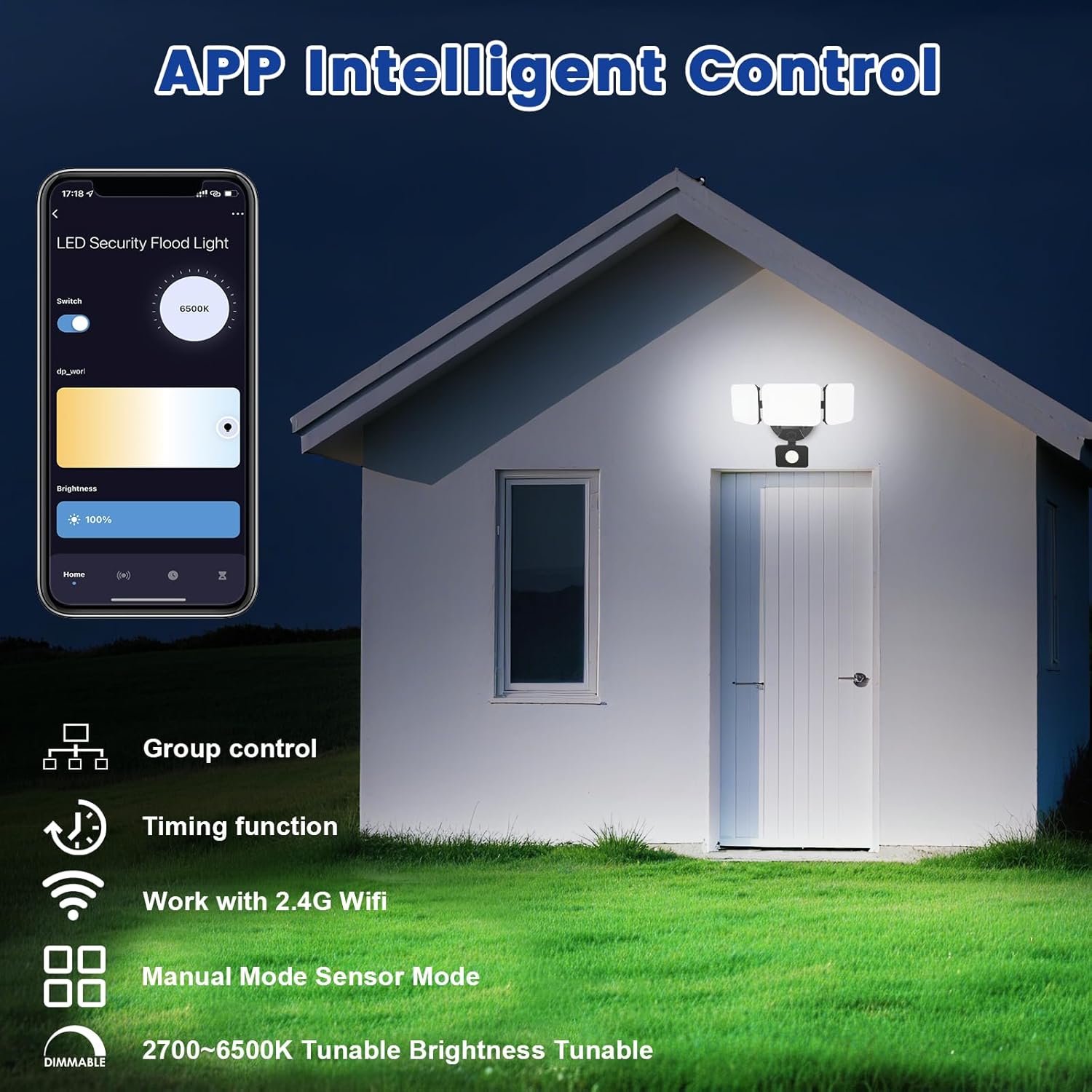
Image 5.1: App interface for intelligent control.
6. Упутство за употребу
6.1. Контрола апликација
Once connected, use the Smart Life/Tuya Smart app to control your security light:
- Подешавање осветљености: Подесите интензитет светлости од 1% до 100%.
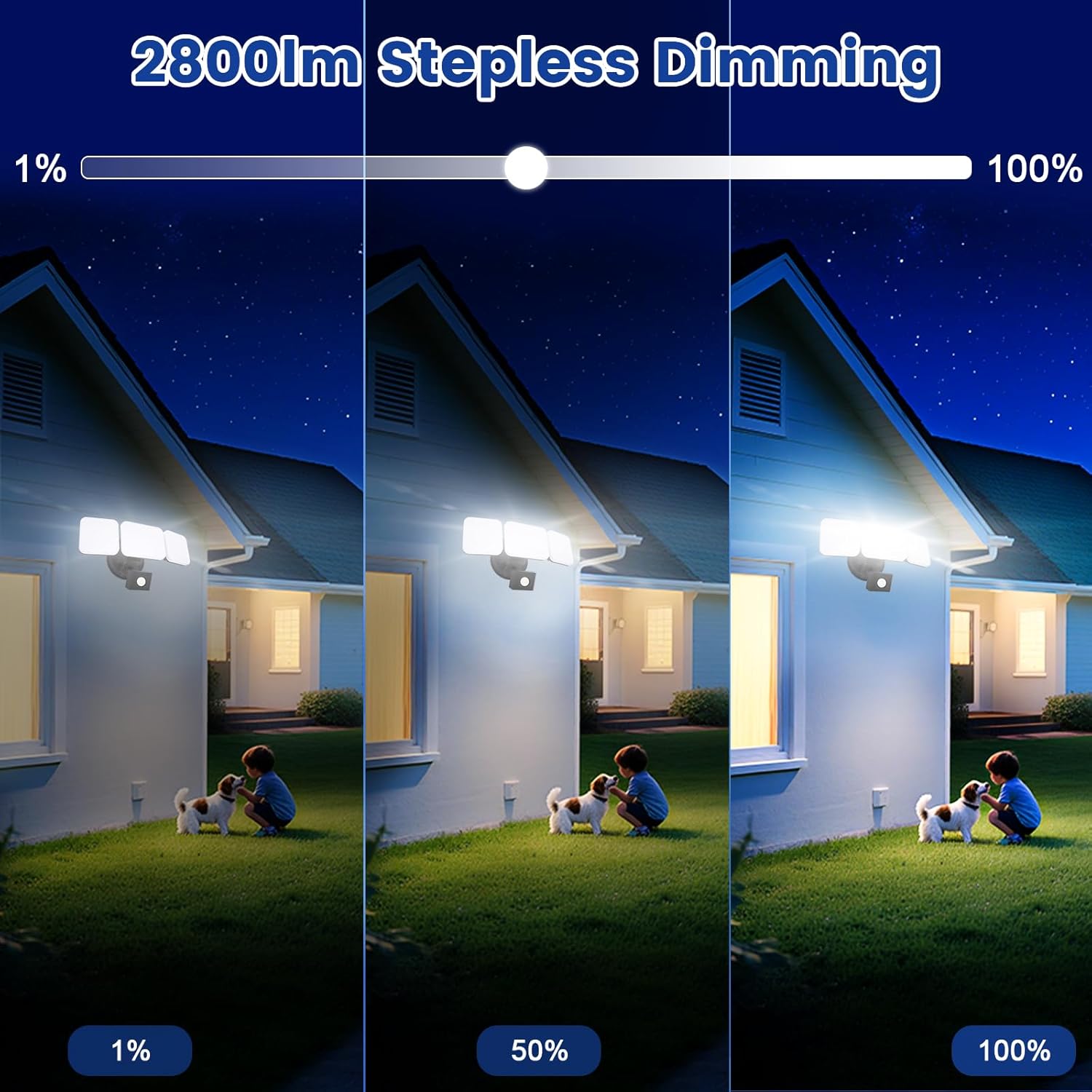
Image 6.1: Stepless dimming from 1% to 100% brightness.
- Подешавање температуре боје: Change the light color from warm white (2700K) to daylight white (6500K).
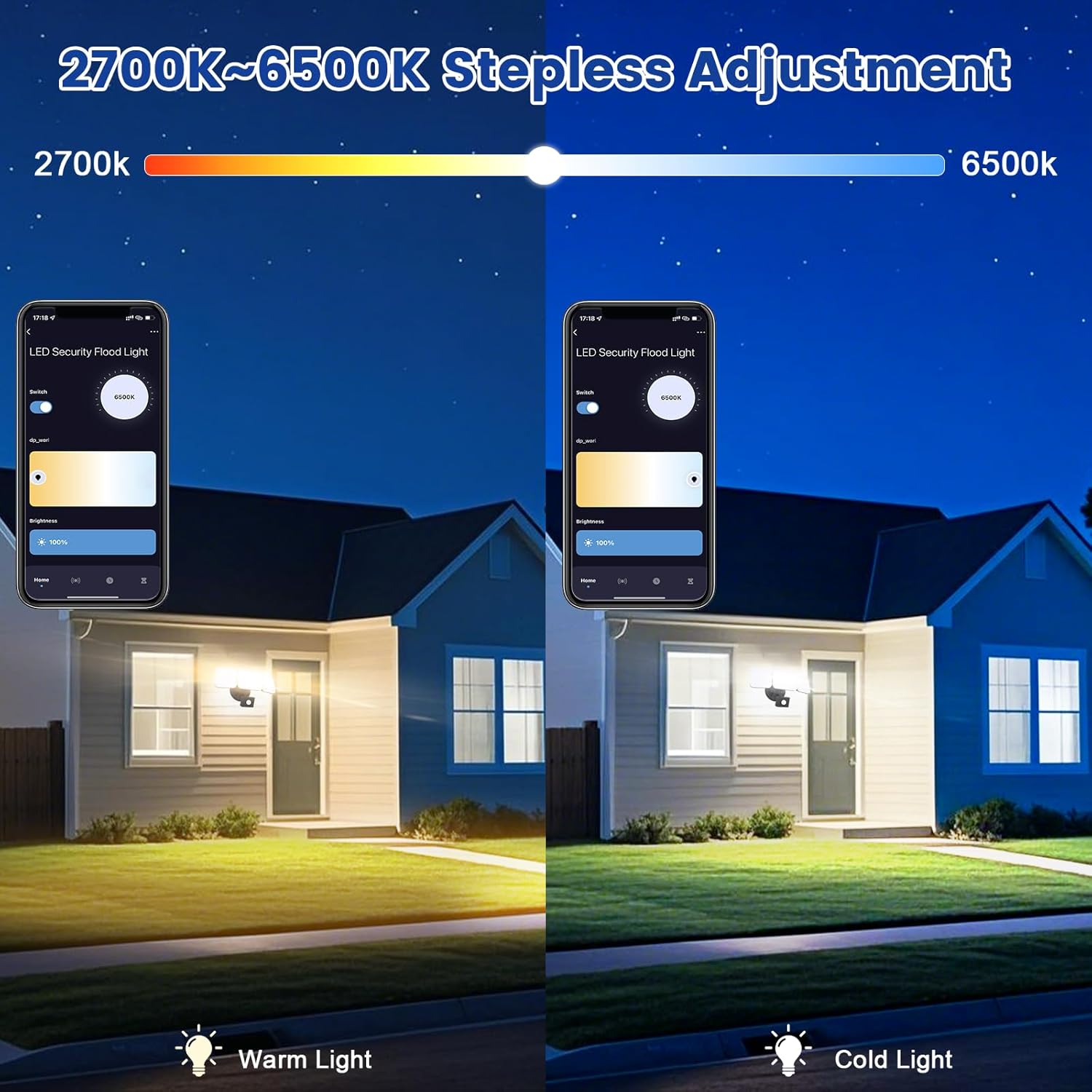
Image 6.2: Tunable white from 2700K (Warm) to 6500K (Daylight).
- Радни режими:
- Ручни режим: Functions as a regular light. You can set it to turn on/off at specific times and adjust brightness/color temperature.
- Режим сензора: Activates the motion sensor. Customize sensor settings like sensitivity and light duration.
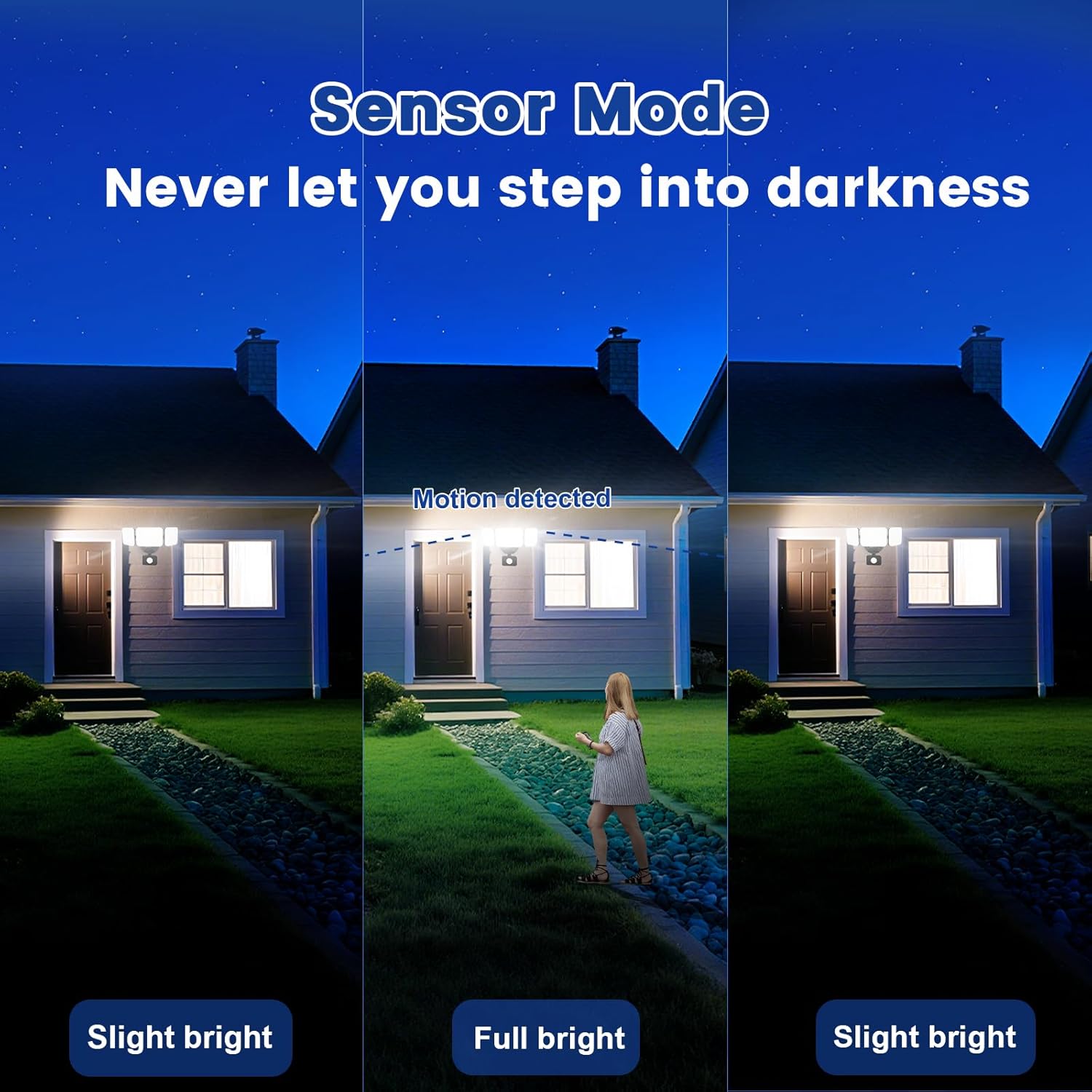
Image 6.3: Sensor Mode operation, detecting motion and adjusting brightness.
- Подешавања сензора покрета: Adjust the detection range (up to 26ft) and the duration the light stays on after motion is detected (5 seconds to 60 minutes).

Image 6.4: Adjustable full light duration time.
- Заказивање: Set schedules for the light to turn on or off at specific times.

Image 6.5: Time scheduling and delay settings.
- Групна контрола: Group multiple EMANER smart lights together for simultaneous control.
6.2. Voice Control (Alexa / Google Assistant)
Integrate your EMANER Smart Security Light with Amazon Alexa or Google Assistant for convenient voice commands.
- Повежи налог: In the Alexa or Google Home app, enable the "Smart Life" or "Tuya Smart" skill/service and link your account.
- Откријте уређаје: Ask Alexa or Google Assistant to "Discover devices."
- Гласовне команде: Користите команде као што су:
- "Alexa, turn on the security light."
- "Hey Google, set the security light to 50% brightness."
- "Alexa, change the security light to warm white."
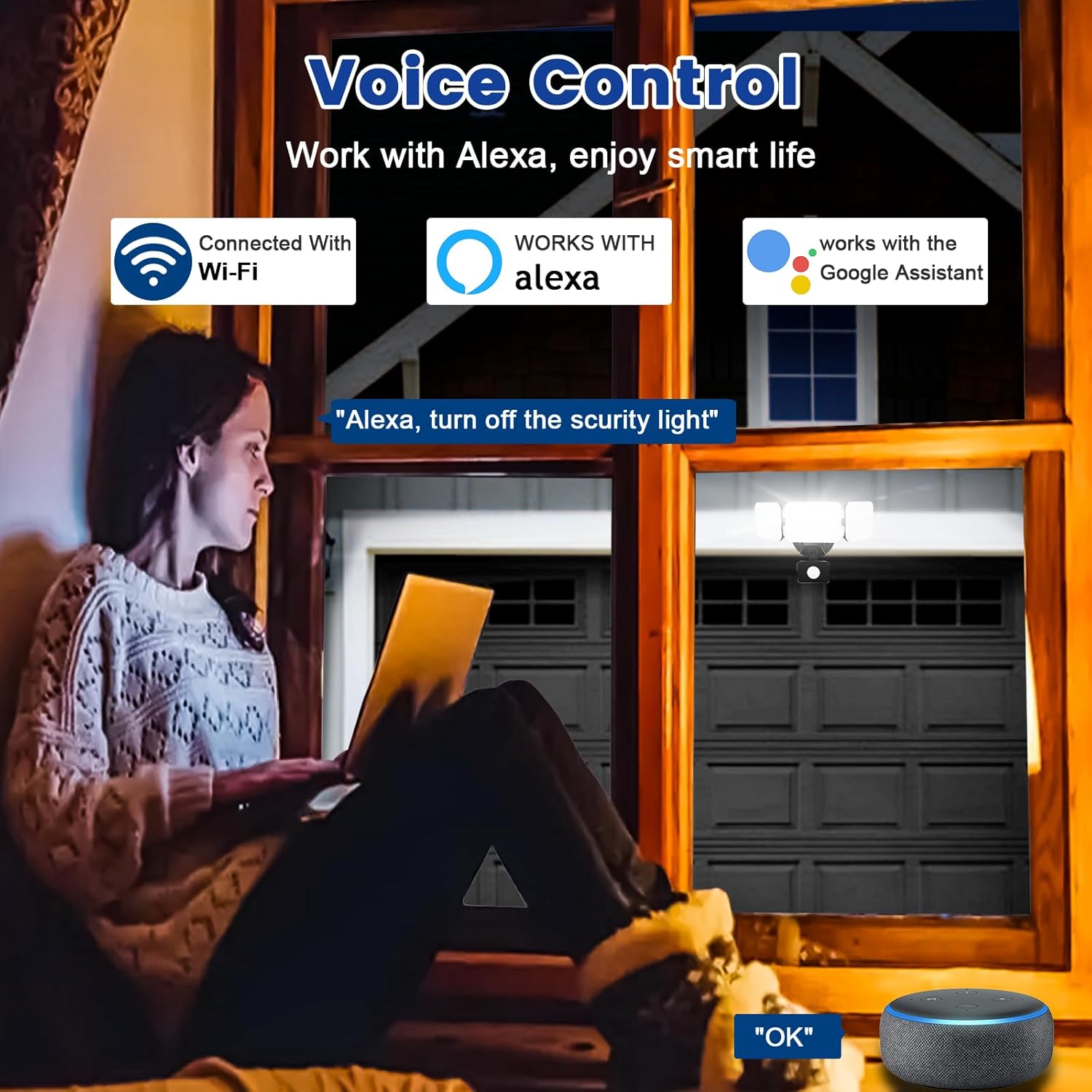
Image 6.6: Voice control integration with Alexa and Google Assistant.
7. Одржавање
- Чишћење: Periodically clean the light fixture with a soft, damp тканина. Немојте користити абразивна средства за чишћење или раствараче.
- инспекција: Regularly check for any loose wiring or damage to the fixture.
- Ажурирања фирмвера: Keep the Smart Life/Tuya Smart app updated to ensure your device receives the latest firmware for optimal performance and security.
КСНУМКС. Решавање проблема
| Проблем | Могући узрок | Решење |
|---|---|---|
| Светлост се не пали. | No power, loose wiring, faulty fixture. | Check circuit breaker. Ensure all wiring connections are secure. Contact support if issue persists. |
| Повезивање на Ви-Фи није могуће. | Incorrect Wi-Fi band (not 2.4GHz), wrong password, light not in pairing mode, weak signal. | Ensure your router is broadcasting 2.4GHz Wi-Fi. Verify password. Put light into pairing mode (turn off/on several times). Move router closer or use a Wi-Fi extender. |
| Motion sensor not working or too sensitive. | Incorrect settings in app, obstruction, environmental factors. | Adjust sensitivity and detection range in the Smart Life/Tuya Smart app. Ensure sensor is not obstructed. Avoid aiming at heat sources or reflective surfaces. |
| Гласовна контрола не реагује. | App account not linked, device not discovered, incorrect commands. | Ensure Smart Life/Tuya Smart skill is enabled and linked in Alexa/Google Home app. Ask to "Discover devices." Use correct voice commands. |
9. Гаранција и подршка
EMANER provides a Lifetime Warranty for this product, ensuring quality and customer satisfaction. For technical support, warranty claims, or any questions regarding your EMANER Smart Security Light, please contact EMANER customer service through the retailer's platform or visit the official EMANER webсајт за контакт информације.
Онлине ресурси:
- For app-related issues, refer to the help section within the Smart Life or Tuya Smart application.
- Посетите EMANER Store on Amazon за информације о производу и подршку.