
1. Увод
Thank you for choosing the RORRY D2 Portable Charger. This compact and versatile power bank is designed to keep your Apple Watch, iPhone, AirPods, and other compatible devices charged while you are on the go. Please read this manual carefully to ensure safe and optimal use of your device.
Шта је у кутији:
- RORRY Portable Charger (1 unit)
- 1M USB-C to USB-C Charging Cable (1 unit)
- Упутство за употребу (1 јединица)
2. Кључне карактеристике
- Универзална компатибилност: Designed for Apple Watch Ultra/11/10/9/8/7/6/SE, iPhone 17/16/15/14/13/12/11/Pro/Pro Max, AirPods, and Android devices.
- Велики капацитет од 5000mAh: Provides approximately 7-10 charges for Apple Watch, 1 full charge for iPhone 15, and 6-8 charges for AirPods.
- Истовремено пуњење: Capable of charging multiple devices concurrently, including Apple Watch, iPhone, AirPods, and other Android devices.
- Преносиви дизајн: Features a compact and lightweight keychain design for easy portability in pockets or attached to backpacks.
- Врхунска сигурност: Equipped with built-in protection against over-temperature, over-current, over-voltagе, и кратког споја.
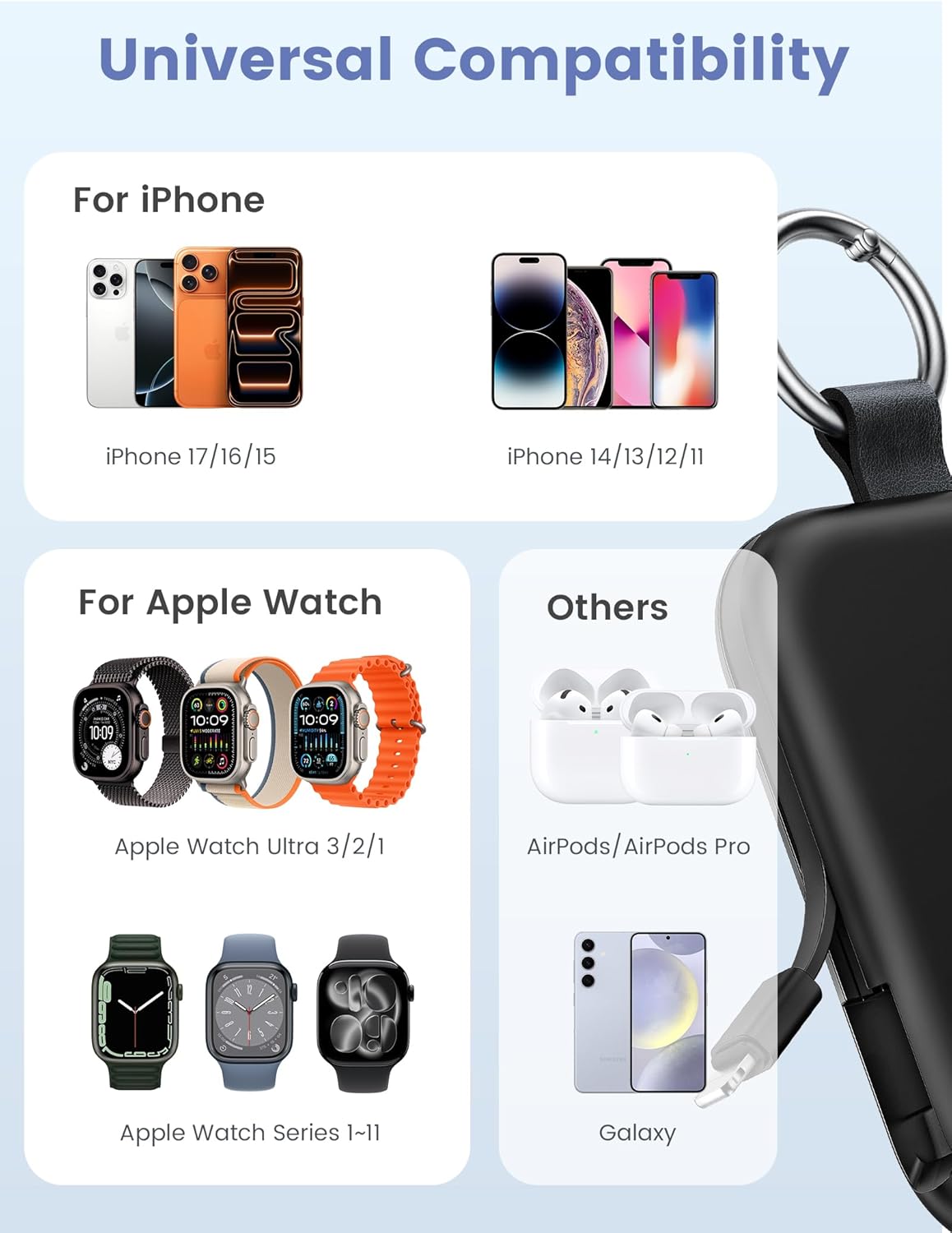
Image: Universal compatibility of the RORRY portable charger with various devices.
3. Подешавање и почетно пуњење
3.1 Пуњење преносног пуњача
- Connect the provided USB-C to USB-C charging cable to the USB-C input port on the RORRY D2 Portable Charger.
- Connect the other end of the cable to a compatible USB-C wall adapter (not included).
- The LED indicator lights on the power bank will illuminate to show the charging status. A full charge typically takes approximately 2.5 hours.
- Once fully charged, all LED indicators will be solid. Disconnect the power bank from the charger.

Image: Charging the RORRY D2 Portable Charger using the included USB-C cable.
4. Упутство за употребу
4.1 Charging Apple Watch
- Press the power button on the side of the RORRY D2 Portable Charger to activate the wireless charging pad.
- Place your Apple Watch onto the magnetic charging pad located on the top surface of the power bank.
- Ensure the watch is properly aligned for optimal charging. The watch screen will indicate charging status.
4.2 Charging iPhone and USB-C Devices
- Locate the built-in Lightning cable (for iPhone) or USB-C cable (for Android/other USB-C devices) on the sides of the power bank.
- Gently pull out the appropriate cable.
- Connect the cable to your device's charging port. The device should begin charging automatically.
- To charge multiple devices simultaneously, use the wireless charging pad for Apple Watch and the built-in cables for other devices.

Image: RORRY D2 Portable Charger actively charging an Apple Watch and an iPhone.

Слика: Прекоview of charging times and capacities for various devices with the RORRY D2.
4.3 Индикатор напајања
The LED lights on the front of the power bank indicate the remaining battery level. Press the power button once to check the current battery status.
Video: Demonstration of the RORRY Portable Apple Watch Charger's features and usage.
5. Спецификације
| Број модела | D2 |
| Капацитет батерије | 5000 Милиamp Сати |
| Димензије производа | 3.86 к 2.82 к 0.65 инча |
| Тежина артикла | 4.4 унци |
| Тип конектора | Built-in Cable L+C, USB-C Port |
| Посебне карактеристике | Compact, Built-in Cables, All-in-one, Keychain Design |
6. Безбедносне карактеристике и мере предострожности
The RORRY D2 Portable Charger is equipped with multiple safety features to protect your devices and the power bank itself:
- Заштита од превисоке температуре: Спречава прегревање током пуњења и пражњења.
- Прекострујна заштита: Заштитне мере од прекомерног протока струје.
- Овер-Волtagе Заштита: Штити од волуменаtagе сургес.
- Заштита од кратког споја: Аутоматски се искључује у случају кратког споја.
Опште мере предострожности:
- Do not disassemble, squeeze, or hit the device.
- Keep away from fire, water, and heat sources.
- Чувати ван домашаја деце.
- Do not use the power bank in extremely high or low temperatures.
- Избегавајте испуштање уређаја или излагање јаким ударима.
7. Нега и одржавање
- Очистите преносни пуњач меком, сувом крпом. Не користите јаке хемикалије или абразивне материјале.
- Чувајте уређај на хладном и сувом месту када се не користи.
- If the power bank will not be used for an extended period, charge it fully at least once every three months to maintain battery health.
КСНУМКС. Решавање проблема
Уређај се не пуни:
- Уверите се да је преносни пуњач довољно напуњен. Проверите ЛЕД индикаторе.
- Verify that the charging cables are securely connected to both the power bank and your device.
- For Apple Watch, ensure it is correctly placed on the magnetic charging pad and the power button has been pressed.
- Try using a different charging cable or wall adapter to charge the power bank itself.
Споро пуњење:
- Ensure you are using a compatible wall adapter for optimal charging speed.
- Истовремено пуњење више уређаја може смањити брзину пуњења за појединачне уређаје.
Преносна батерија се не укључује:
- Charge the power bank fully. If the battery is completely depleted, it may take a few minutes for the LED indicators to light up.
9. Гаранција и подршка
RORRY products are designed and manufactured to the highest quality standards. For warranty information, after-sales service, or technical support, please refer to the contact details provided in the packaging or visit the official RORRY webсајту.
Контакт информације:
- Произвођач: Схензхен Ксианианг Инноватион Тецхнологи Цо., Лтд
- Webсајт: ввв.рорри.цом (Напомена: Ово је резервисано место URL, refer to actual product for correct webсајт)