
FREEWOLF RK-K8
FREEWOLF RK-K8 Wireless Mechanical Gaming Keyboard User Manual
Model: RK-K8
1. Увод
This manual provides detailed instructions for the FREEWOLF RK-K8 Wireless Mechanical Gaming Keyboard. Please read this manual thoroughly before using the product to ensure proper operation and to maximize your user experience.
Кључне карактеристике:
- Triple-Mode Connectivity: Supports Type-C wired, 2.4GHz wireless, and Bluetooth 5.0 connections.
- Hot-Swappable Switches: Compatible with most 3-pin mechanical switches for customization.
- Gasket Mounted Structure: Enhances typing feel and reduces hollow sound.
- Customizable Rainbow Backlight: Features 18 backlight effects.
- Long-Lasting Battery: Equipped with a 4000mAh battery.
- 96% Layout: 100-key design that saves space while retaining essential keys.
- Wide Compatibility: Supports Windows and Mac operating systems.
2. Садржај пакета
Молимо вас да проверите да ли су све ставке присутне у вашем пакету:
- 1 x FREEWOLF RK-K8 Mechanical Keyboard
- 1 x USB Receiver (2.4Ghz)
- 1 x Type-C to USB-A Braided Coiled Cable
- 1 к Извлакач за кључеве
- 1 к Скидач прекидача
- 2 x Original Switches (spare)
- 1 x Упутство за употребу (овај документ)

Image 2.1: Contents of the FREEWOLF RK-K8 package, showing the keyboard, coiled USB-C cable, USB 2.4G receiver, keycap puller, switch puller, and two spare switches.
3. Подешавање и повезивање
3.1 Пуњење тастатуре
Before first use, it is recommended to fully charge the keyboard. Connect the provided Type-C cable to the keyboard's Type-C port and the USB-A end to a power source (e.g., computer USB port, USB wall adapter). The keyboard features a 4000mAh battery.
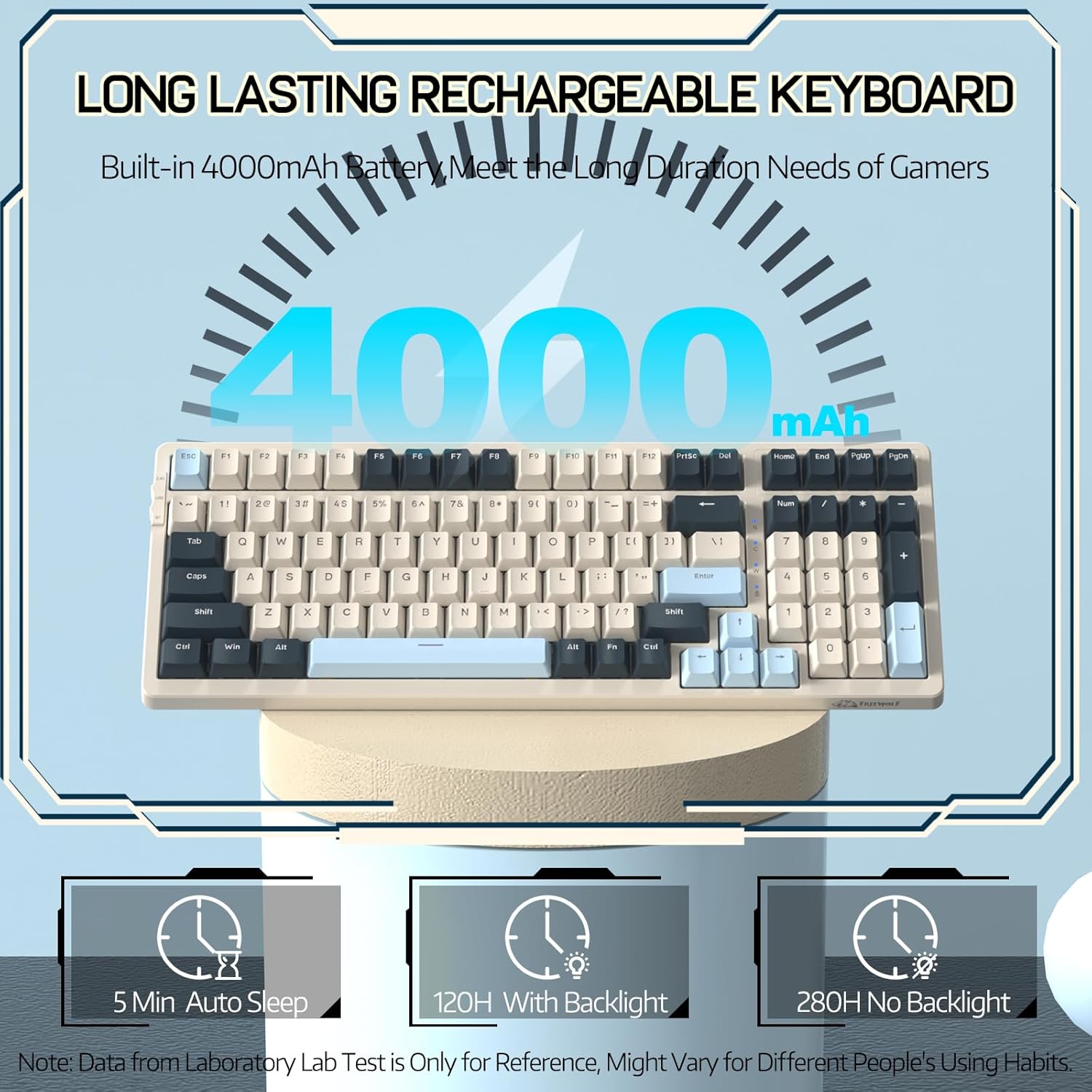
Image 3.1: The keyboard's 4000mAh battery capacity, indicating extended usage time.
3.2 Начини повезивања
The RK-K8 keyboard supports three connection modes: Wired, 2.4GHz Wireless, and Bluetooth 5.0.

Image 3.2: Visual guide for switching between 2.4G wireless, wired, and Bluetooth connection modes.
3.2.1 Жични режим
- Connect the provided Type-C coiled cable to the keyboard's Type-C port.
- Повежите USB-A крај кабла са USB портом рачунара.
- Ensure the mode switch on the keyboard is set to "USB" (or wired mode indicator).
- Ваш систем ће аутоматски препознати тастатуру.

Image 3.3: The Type-C to USB-A braided coiled cable, featuring a metal aviation connector for wired connection.
3.2.2 Бежични режим од 2.4 GHz
- Locate the 2.4GHz USB receiver, typically stored in a slot on the keyboard.
- Укључите УСБ пријемник у слободан УСБ порт на рачунару.
- Toggle the mode switch on the keyboard to "2.4G".
- Тастатура би требало да се аутоматски повеже.
3.2.3 Режим Bluetooth 5.0
Тастатура подржава повезивање са до три Bluetooth уређаја.
- Toggle the mode switch on the keyboard to "BT".
- Да бисте ушли у режим упаривања, притисните и држите ФН + К, ФН + В, или ФН + Е for 3-5 seconds. The corresponding key's backlight will flash rapidly, indicating it's ready to pair.
- On your device (PC, Mac, tablet, phone), open Bluetooth settings and search for "RK-K8" or a similar device name.
- Select the keyboard to pair. Once connected, the backlight on the chosen key (Q, W, or E) will stop flashing and remain steadily lit.
- Да бисте пребацивали између упарених Bluetooth уређаја, једноставно притисните ФН + К, ФН + В, или ФН + Е.
3.3 Компатибилност система
The RK-K8 keyboard is compatible with both Windows and Mac operating systems. Use the appropriate FN key combinations for specific functions on each system.
Видео 3.1: Оверview of the FREEWOLF K8 mechanical keyboard, showcasing its features including customizable keycaps, lighting effects, hot-swappable design, compact layout, and multi-device compatibility across Windows, Mac, and mobile devices.
4. Операција
4.1 Контрола позадинског осветљења
The RK-K8 features 18 customizable rainbow backlight effects.
- ФН + |: Switch between 18 backlight effects.
- FN + ↑ / ↓: Adjust backlight brightness.
- ФН + ← / →: Adjust the flowing speed of dynamic backlight effects.
- ФН + Кс: Turn on/off backlight.
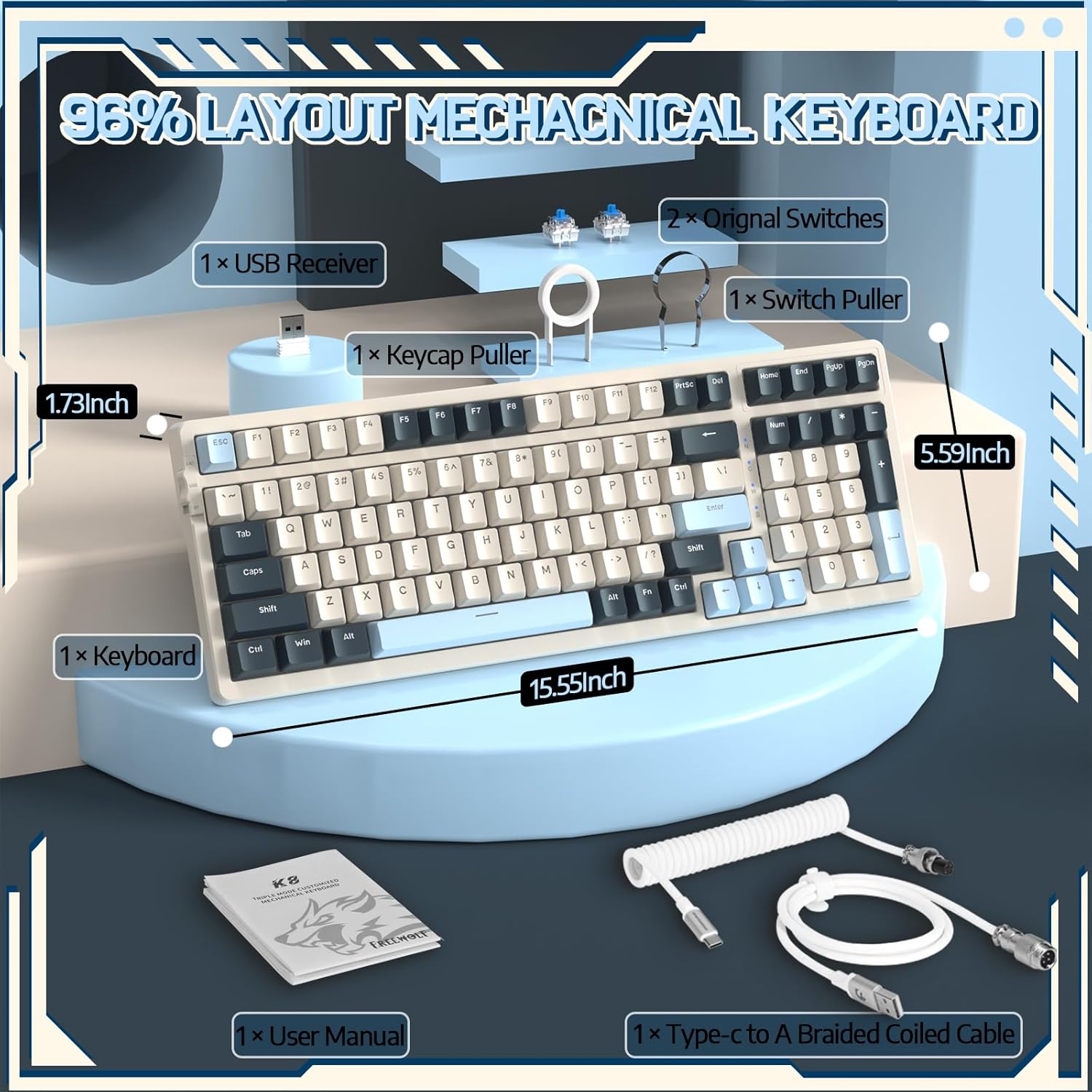
Image 4.1: The RK-K8 keyboard displaying various customizable rainbow backlight patterns.
4.2 Прекидачи са могућношћу замене током рада
The keyboard is equipped with a hot-swappable PCB, allowing you to change switches without soldering. It is compatible with most 3-pin mechanical switches (e.g., Cherry MX, Gateron, Kailh Box, AKKO, Epomaker, Glorious switches).
- Use the provided switch puller to carefully remove the existing switch. Grip the switch firmly and pull straight up.
- Align the pins of the new 3-pin switch with the holes on the PCB.
- Gently press the new switch into place until it clicks. Ensure the switch is seated properly and the pins are not bent.
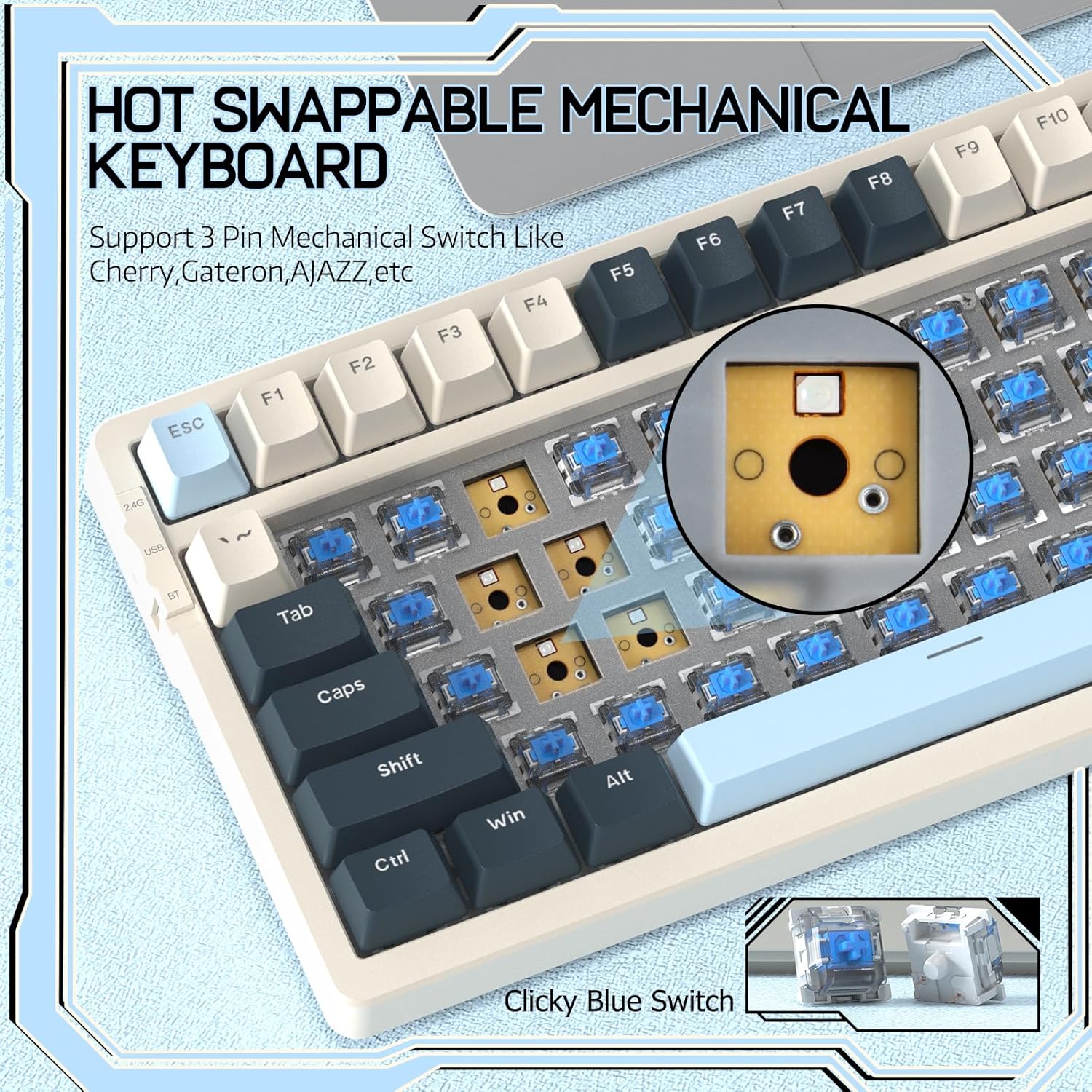
Image 4.2: Demonstrating the hot-swappable feature, showing a switch being removed from the keyboard.
4.3 Gasket Mounted Structure
The keyboard features a gasket-mounted design with sound-dampening materials between the plate and the housing. This construction reduces hollow sounds and provides a more consistent and comfortable typing experience.

Image 4.3: Diagram illustrating the internal layers of the gasket-mounted keyboard structure, designed for improved acoustics and feel.
4.4 Кључне функције и распоред
The RK-K8 utilizes a 96% layout with 100 keys, retaining essential modifiers, arrow keys, a separate numpad, and function row while maintaining a compact form factor.
Refer to the keyboard layout for specific key placements. Many keys have secondary functions accessible via the FN кључ.
- FN + F1-F12: Multimedia and system control functions (e.g., volume, play/pause).
- ФН + Вин: Lock/unlock Windows key.
- ФН + А: Switch to Windows layout.
- ФН + С: Switch to Mac layout.
5. Одржавање
5.1 Чишћење
Да бисте одржали изглед и функционалност тастатуре:
- Искључите тастатуру из рачунара пре чишћења.
- Користите меку крпу која не оставља длачицеampводом или благим раствором за чишћење да бисте обрисали капице тастера и кућиште.
- For dust and debris between keycaps, use compressed air or the provided keycap puller to remove keycaps and clean underneath.
- Избегавајте употребу јаких хемикалија, абразива или растварача.
5.2 Замена тастера и прекидача
The provided keycap and switch pullers facilitate easy replacement of keycaps and switches. Refer to section 4.2 for switch replacement instructions.
КСНУМКС. Решавање проблема
If you encounter issues with your FREEWOLF RK-K8 keyboard, please refer to the following common solutions:
- Тастатура не реагује:
- Уверите се да је тастатура напуњена.
- Check the connection mode switch (Wired, 2.4G, BT) matches your intended connection.
- For wired mode, ensure the cable is securely connected to both the keyboard and the computer.
- For 2.4G wireless, ensure the USB receiver is plugged in and the keyboard is in 2.4G mode.
- For Bluetooth, re-pair the device if necessary (see section 3.2.3).
- Keys repeating or not registering:
- This can sometimes occur with wireless connections. Try switching to wired mode to see if the issue persists.
- Ensure the switches are properly seated. If a switch is loose, carefully remove and re-insert it.
- Очистите све остатке око погођеног кључа.
- Позадинско осветљење не ради или је заглављено:
- Уверите се да позадинско осветљење није искључено (притисните ФН + Кс).
- Подесите осветљеност помоћу FN + ↑ / ↓.
- Try cycling through backlight effects with ФН + |.
- Проблеми са Bluetooth везом:
- Ensure the keyboard is in Bluetooth mode and sufficient battery.
- Forget the device on your computer/phone and re-pair it.
- Ensure your device's Bluetooth is enabled and working correctly.
7. Спецификације
| Феатуре | Детаљ |
|---|---|
| Бранд | Слободни вук |
| Модел | RK-K8 |
| Технологија повезивања | Bluetooth 5.0 / 2.4GHz Wireless / Wired (Type-C) |
| Опис тастатуре | Механички |
| Тип прекидача | Tactile Blue Switch (Hot-Swappable 3-pin) |
| Капацитет батерије | 4000мАх |
| Позадинско осветљење | Rainbow Backlit (18 effects) |
| Лаиоут | 96% (100 кључа) |
| Компатибилни уређаји | PC, Mac, PS4 (via USB) |
| Материјал | акрилонитрил бутадиен стирен (АБС) |
| Тежина артикла | 2.25 фунти (приближно 1.02 кг) |
| Димензије пакета | 16.14 к 6.69 к 2.01 инча |
8. Гаранција и подршка
For warranty information or technical support, please refer to the contact details provided with your purchase or visit the official FREEWOLF webсајту. Сачувајте рачун о куповини за гаранције.