
Mesqool CR1027
Mesqool Vibrating Alarm Clock User Manual
Model: CR1027 | Brand: Mesqool
Увод
This manual provides comprehensive instructions for the Mesqool Vibrating Alarm Clock, Model CR1027. Designed for heavy sleepers, the hearing-impaired, and those who prefer a silent wake-up, this cordless alarm clock offers multiple alarm modes, adjustable vibration levels, and a long-lasting rechargeable battery. Please read this manual thoroughly before using the device to ensure proper operation and maintenance.
Садржај пакета
Проверите да ли су све ставке наведене у наставку укључене у ваш пакет:
- Mesqool Vibrating Alarm Clock (Model CR1027)
- УСБ-Ц кабл за пуњење
- Упутство за употребу

Image: Contents of the Mesqool Vibrating Alarm Clock package.
Производ је завршенview
The Mesqool Vibrating Alarm Clock features a clear digital display and intuitive controls for easy operation. Its compact design makes it ideal for travel and discreet use.

Слика: Фронт view of the Mesqool Vibrating Alarm Clock.
Контроле и индикатори:

Слика: Врх view of the alarm clock showing control buttons and display indicators.
- Приказ: Shows time, day of the week, AM/PM, alarm status (1 and 2), vibration mode, and battery indicator.
- Дугме за аларм 1: Used to set and activate/deactivate Alarm 1.
- Дугме за аларм 2: Used to set and activate/deactivate Alarm 2.
- Time/Snooze Button: Used to enter time setting mode and activate snooze during an alarm.
- Дугме минус (-): Used to decrease values during setting or adjust volume.
- Дугме плус (+): Used to increase values during setting or adjust volume.
- Прекидач за закључавање: Спречава случајно притискање дугмади.
- Vibration Mode Switch: Selects vibration intensity (Low, Medium, High).
- Alarm Mode Switch: Selects alarm output (Vibration Only, Alarm Only, Both).
- УСБ-Ц порт: За пуњење уређаја.
Сетуп
Почетно пуњење
Before first use, fully charge the alarm clock using the provided USB-C cable. The battery indicator on the display will show charging status. A full charge can provide up to six months of use.

Image: Alarm clock connected to its USB-C charging cable.
Подешавање времена
Follow these steps to set the current time on your alarm clock:
- Притисните и држите Time/Snooze дугме да бисте ушли у режим подешавања времена.
- The day of the week column will start flashing. Use the + or - buttons to select the current day of the week. Press the Time/Snooze дугме за потврду.
- The hour will start flashing. Use the + or - buttons to select the current hour. Press the Time/Snooze дугме за потврду.
- The minute will start flashing. Use the + or - buttons to select the current minute. Press the Time/Snooze дугме за потврду.
- Time setting is now complete.
Video: Demonstrates how to set the time on the Mesqool Vibrating Alarm Clock.
Setting AM/PM (12H/24H) and DST
To switch between 12-hour (AM/PM) and 24-hour formats, or to enable/disable Daylight Saving Time (DST):
- When the screen is off, press any button to turn on the screen.
- Притисните тастер - button once to toggle between AM/PM (12H) and 24H time formats.
- Притисните тастер + button once to toggle DST (Daylight Saving Time) on or off.
Video: Instructions on how to set AM/PM and DST on the alarm clock.
Упутство за употребу
Setting Alarms (Alarm 1 and Alarm 2)
The Mesqool alarm clock supports two independent alarms, each configurable for weekdays, weekends, or all 7 days. You can also choose between vibration only, alarm sound only, or both.
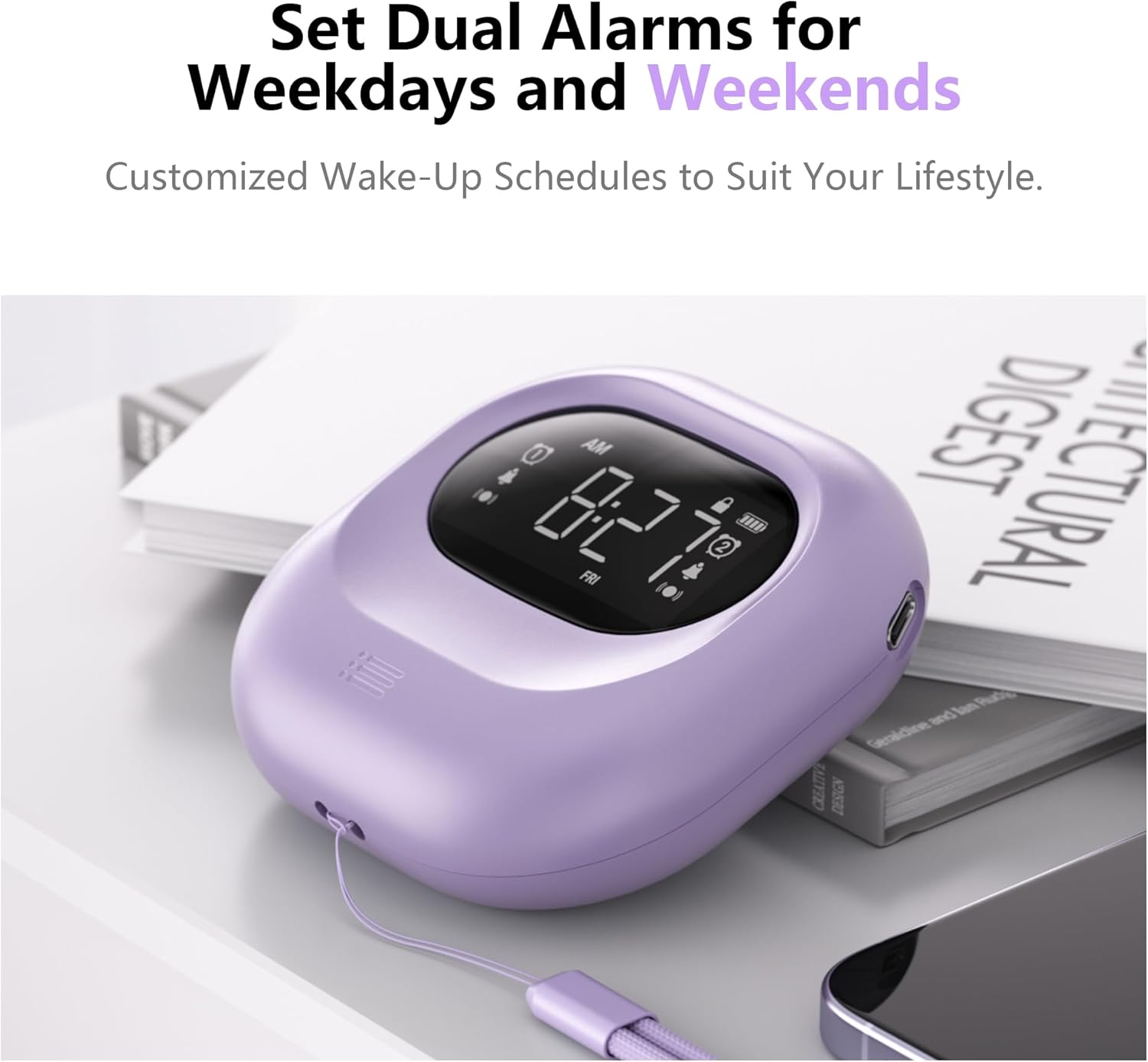
Image: Dual alarm functionality for weekdays and weekends.
- Притисните тастер Аларм 1 or Аларм 2 button once to turn on the respective alarm. The alarm icon will appear on the display. Long press the button to cancel the alarm.
- Притисните тастер Аларм 1 or Аларм 2 button again to start setting the alarm.
- Користите + or - buttons to select the hour for the alarm to go off. Press the alarm button (1 or 2) to confirm.
- Користите + or - buttons to select the minute for the alarm to go off. Press the alarm button (1 or 2) to confirm.
- Користите + or - buttons to select the alarm mode: Само вибрација, Само аларм, или Аларм и вибрације. Press the alarm button (1 or 2) to confirm.
- Ако сте изабрали Само аларм or Аларм и вибрације, you will then adjust the alarm volume. Use the + or - buttons to set the desired volume (56db to 105db). Press the alarm button (1 or 2) to confirm.
- Аларм је сада подешен.
Video: Detailed guide on setting the alarm on the Mesqool Vibrating Alarm Clock.

Image: Illustration of the three available alarm modes.
Adjusting Vibration Levels
The alarm clock offers three adjustable vibration levels to suit your preference:
- ниско: Gentle vibration for light sleepers.
- средњи: Moderate vibration for most users.
- висока: Strong vibration for heavy sleepers or those with hearing impairment.
Use the dedicated vibration mode switch on the back of the device to select your desired intensity.

Image: Three adjustable vibration levels for personalized wake-up.
Функција одлагања
When the alarm sounds or vibrates, press the Time/Snooze button to activate the snooze function. The alarm will pause for 9 minutes and then resume.
Функција закључавања
To prevent accidental changes to your alarm settings, use the lock switch located on the back of the device. Slide the switch to the "Lock" position to disable button functionality. Slide it back to "Unlock" to enable controls.
Одржавање
Чишћење
Wipe the alarm clock with a soft, dry cloth. Do not use abrasive cleaners or immerse the device in water.
Баттери Царе
The Mesqool Vibrating Alarm Clock is equipped with a high-capacity rechargeable battery. For optimal battery life, avoid fully discharging the battery frequently. Recharge the device when the battery indicator shows low power.
Решавање проблема
| Проблем | Решење |
|---|---|
| Аларм се не оглашава/не вибрира. | Ensure the alarm is activated (icon visible). Check the alarm mode switch (Vibration Only, Alarm Only, Both). Verify alarm volume is not set to minimum if using sound. Ensure the lock function is off. |
| Екран је празан. | Press any button to activate the display. Check battery level and recharge if necessary. |
| Дугмад не реагују. | Check if the lock function is enabled. Slide the lock switch to the "Unlock" position. |
| Време је погрешно. | Re-set the time following the "Setting the Time" instructions. Check AM/PM or 24H setting. |
Спецификације
- Бренд: Мескоол
- Модел: ЦР1027
- Боја: Љубичаста
- Тип приказа: Дигитал
- Димензије производа: 3.35 cm Š x 3.35 cm V x 1.06 cm D
- Извор напајања: Напајање на батерије (пуњиво)
- Капацитет батерије: 3000мАх
- Посебне карактеристике: Battery Operated, Loud Alarm, Adjustable Vibration (Low, Medium, High), Cordless, Battery Indicator, Dual Alarms, Weekday/Weekend Settings, Snooze Function, Lock Function.
- Материјал: Акрилонитрил бутадиен стирен (пластика)
- Тежина артикла: 7 унци
Гаранција и подршка
The Mesqool Vibrating Alarm Clock comes with an Продужена гаранција. For detailed warranty information, technical support, or customer service inquiries, please contact Mesqool customer support through the retailer's platform or visit the official Mesqool webсајту.
Note: Specific contact details may vary. Please refer to your purchase documentation for the most accurate support information.
Ask a question about this manual
Ask about setup, troubleshooting, compatibility, parts, safety, or missing instructions. Manuals+ will review the question and use this page’s manual context to help answer it.