
Увод
This manual provides detailed instructions for the setup, operation, maintenance, and troubleshooting of your Tera P161 Android 11 Barcode Scanner PDA. The P161 is a robust portable data terminal designed for various industrial and retail environments, featuring a Qualcomm processor, Android 11 operating system, and a high-performance Zebra SE4710 scan engine.
Кључне карактеристике укључују:
- Оперативни систем: Android 11 for enhanced data protection and application compatibility.
- процесор: Qualcomm Octa-Core 2.0GHz for robust performance and stable connectivity.
- скенер: Integrated Zebra SE4710 1D/2D/QR scan engine for fast and accurate barcode capture.
- батерија: 6700mAh hot-swappable battery with a 100mAh backup for continuous operation.
- Тастатура: 37-key numeric keypad for easy operation, even with gloves.
- Трајност: IP65 rated for water, dust, and drop resistance (up to 1.5 meters).
- Повезивање: Dual-band Wi-Fi (2.4G/5G), Bluetooth 5.0, GPS, and NFC.
Садржај пакета
Приликом распакивања, проверите да ли су све доле наведене ставке присутне и у добром стању:
- 1 x Tera P161 Android 11 Barcode Scanner PDA
- 1 x Pistol Grip
- 1 к постоље за пуњење
- 1 к ремен за руку
- 1 к адаптер за пуњење
- 1 x QC Adapter
- 1 к штитник за екран
- 1 к алат за избацивање СИМ картице
- 1 к УСБ кабл
- 1 x Упутство за употребу (овај документ)
- 1 x SDK (Software Development Kit)

Image: The Tera P161 PDA shown with its included pistol grip and charging cradle, illustrating the main components of the package.
Сетуп
1. Инсталација и пуњење батерије
The Tera P161 is equipped with a 6700mAh removable battery and a 100mAh backup battery for hot-swapping. Before first use, fully charge the device.
- Locate the battery compartment on the back of the PDA.
- Insert the 6700mAh battery, ensuring proper alignment of the contacts.
- Place the PDA into the charging cradle or connect the USB cable directly to the device using the provided charging adapter.
- The charging indicator light will illuminate. A full charge typically takes approximately 3.5 hours.

Image: The Tera P161 PDA securely placed in its charging cradle, indicating the charging process.
2. SIM Card and MicroSD Card Installation (Optional)
If you plan to use cellular data or expand storage, install a SIM card or MicroSD card.
- Искључите уређај.
- Use the SIM ejector tool to open the SIM/MicroSD card tray.
- Insert the SIM card and/or MicroSD card into the tray with the contacts facing down.
- Пажљиво поново уметните лежиште у уређај.
3. Attaching the Pistol Grip and Hand Strap (Optional)
The pistol grip provides ergonomic handling for extended scanning tasks, and the hand strap offers additional security.
- To attach the pistol grip: Align the connectors on the grip with the corresponding ports on the bottom of the PDA and secure it firmly.
- To attach the hand strap: Thread the strap through the designated loops on the PDA.
Упутство за употребу
1. Укључивање/искључивање
- Укључено: Притисните и држите дугме за напајање са стране уређаја док се екран не осветли.
- Искључивање: Притисните и држите дугме за напајање, а затим изаберите „Искључивање“ из опција које се појављују на екрану.
- Поново покрени: Притисните и држите дугме за напајање, а затим изаберите „Рестарт“ из опција.
2. Скенирање бар кодова
The Tera P161 features a Zebra SE4710 2D scan engine for efficient barcode reading.
- Open a scanning application or a field that requires barcode input.
- Усмерите прозор скенера ка бар-коду.
- Press the scan button (typically located on the side or the pistol grip) to activate the scanner.
- Ensure the red aiming beam covers the entire barcode for optimal reading.
- A successful scan will usually be indicated by an audible beep and/or a visual confirmation on the screen.
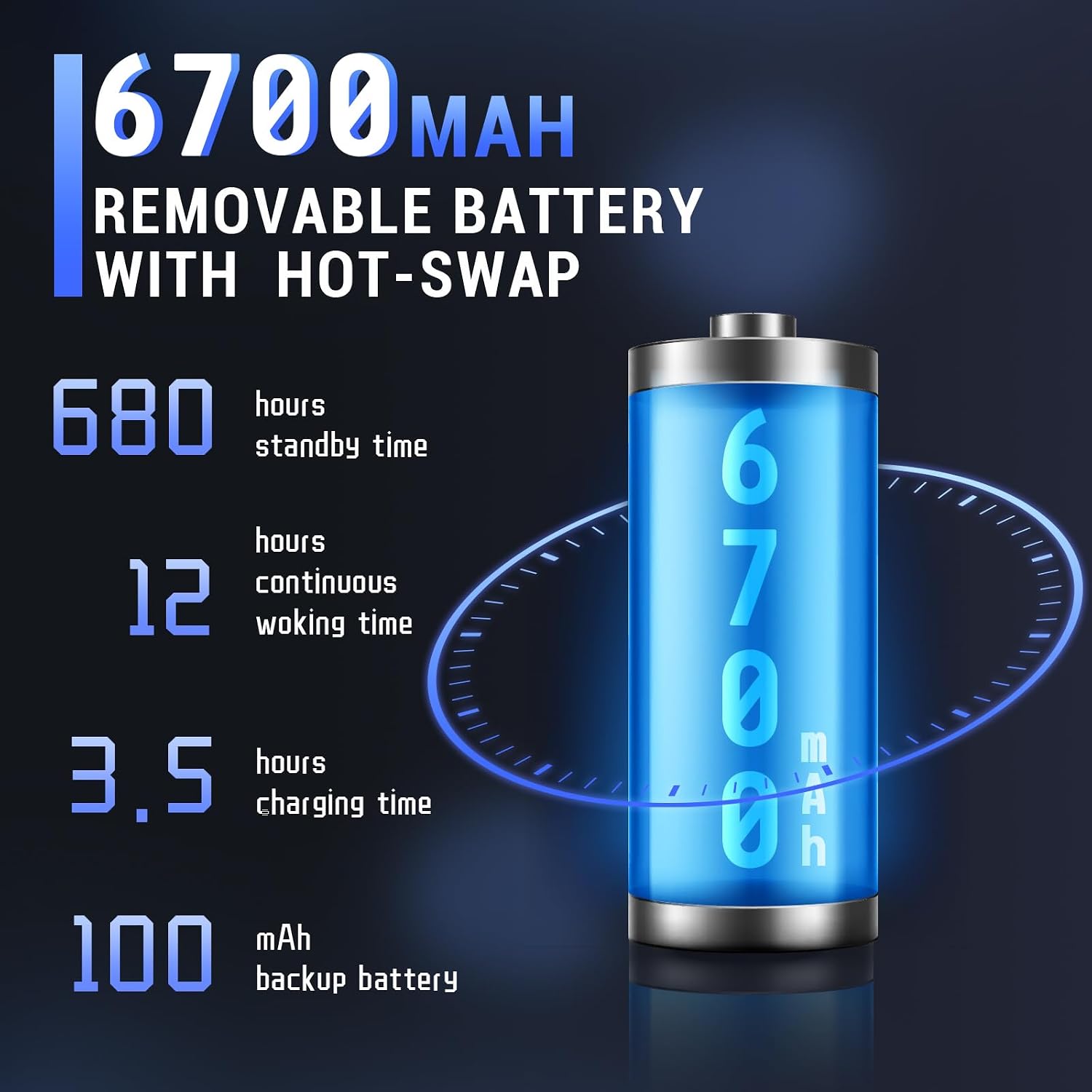
Image: The Tera P161 PDA actively scanning a barcode, demonstrating its primary function.
3. Keypad and Touchscreen Usage
The device combines a 4-inch touchscreen with a physical 37-key numeric keypad.
- екран осетљив на додир: Navigate the Android interface by tapping, swiping, and pinching.
- Тастатура: Use the physical keys for data entry, navigation, and quick access functions. The keypad is designed for use even with gloves.

Слика: Детаљна view of the Tera P161 PDA's 37-key physical keypad, highlighting its layout and design.
4. Повезивање
- Ви-Фи: Connect to available Wi-Fi networks via the Android settings menu. Supports 2.4G and 5G bands.
- Блуетоотх: Pair with Bluetooth devices (e.g., headphones, printers) through the Bluetooth settings. The device uses Bluetooth 5.0 for faster data transfer.
- ГПС: The integrated GPS module allows for location-based services and tracking.
- НФЦ: For Near Field Communication, ensure the pistol grip is removed for optimal performance. Access NFC settings in the Android menu.
Одржавање
1. Чишћење уређаја
Да бисте одржали оптималне перформансе и хигијену:
- Обришите екран и кућиште меком крпом која не оставља влакна.
- За тврдокорну прљавштину, благо дampи крпу са водом или благим, неабразивним средством за чишћење.
- Не користите јаке хемикалије, раствараче или абразивне материјале.
- Ensure no liquid enters the ports or openings.
2. Брига о батерији
The 6700mAh battery is designed for long operational periods. The 100mAh backup battery allows for hot-swapping the main battery without losing data.
- Избегавајте често потпуно пражњење батерије.
- Чувајте уређај на хладном и сувом месту када се не користи дуже време.
- If replacing the main battery, ensure the device is powered on and the backup battery is charged to facilitate a hot-swap.
3. Разматрања животне средине
The Tera P161 has an IP65 rating, indicating resistance to dust and water jets, and can withstand drops up to 1.5 meters.
- While robust, avoid intentional exposure to extreme conditions.
- Уверите се да су сви поклопци портова добро затворени како би се одржала отпорност на воду и прашину.
- Не потапајте уређај у воду.

Image: The Tera P161 PDA being shown to withstand drops and splashes, illustrating its IP65 durability rating.
Решавање проблема
If you encounter issues with your Tera P161, refer to the following common problems and solutions:
| Проблем | Могући узрок | Решење |
|---|---|---|
| Уређај се не укључује. | Слаба или испражњена батерија. | Connect the device to the charger and allow it to charge for at least 30 minutes before attempting to power on. |
| Скенер бар кодова не чита. | Barcode damaged, scanner window dirty, incorrect symbology settings, or scanner application not active. | Clean the scanner window. Ensure the barcode is clear and undamaged. Check scanner settings in the application. Verify the scanning application is open and active. |
| Проблеми са Wi-Fi или Bluetooth повезивањем. | Out of range, incorrect password, or interference. | Move closer to the Wi-Fi router or Bluetooth device. Re-enter the password. Restart the device and try again. |
| Уређај је спор или не реагује. | Too many applications running, low memory, or software glitch. | Close unnecessary applications. Restart the device. Clear cache if possible. |
| Forgotten PIN or password. | Security lock activated. | If you have forgotten your device PIN or password, you may need to perform a factory reset. Warning: A factory reset will erase all data on the device. Consult the online support resources or contact customer service for guidance before proceeding. |
If the problem persists after trying these solutions, please contact Tera customer support.
Спецификације
| Феатуре | Детаљ |
|---|---|
| Број модела | FUN-PDA-P161-EU |
| Оперативни систем | Андроид 11 |
| Процесор | Qualcomm Octa-Core 2.0GHz |
| Scanner Engine | Zebra SE4710 (1D/2D/QR) |
| Дисплаи | 4-инчни екран осетљив на додир |
| Меморија | КСНУМКСГБ РАМ, КСНУМКСГБ РОМ |
| Главна батерија | 6700mAh (Removable, Hot-swappable) |
| Резервна батерија | 100мАх |
| Време пуњења | Прибл. 3.5 сата |
| Тастатура | 37-key Numeric Keypad |
| Повезивање | Wi-Fi (2.4G/5G), Bluetooth 5.0, GPS, NFC |
| Оцена издржљивости | IP65 (Water, Dust, 1.5m Drop Resistance) |
| Извор напајања | Електрични кабл |
Гаранција и подршка
Tera is committed to providing high-quality products and excellent customer service.
- Корисничка подршка: 24/7 customer support is available for any inquiries or assistance.
- техничка помоћ: Comprehensive technical support is provided to help with setup, operation, and troubleshooting.
- SDK and Customization: SDKs are provided, and customization services are available to meet specific business needs.
- Контакт информације: For support, please refer to the contact details provided with your product documentation or visit the official Tera webсајту.
For more information about Tera products and services, you can visit the Tera Brand Store.