
Увод
Thank you for choosing the Delux M700 PMW3389 RGB Lightweight Gaming Mouse. This manual provides essential information for setting up, operating, maintaining, and troubleshooting your new gaming mouse. Please read this manual carefully before use to ensure optimal performance and longevity of your device.
Сетуп
Follow these steps to set up your Delux M700 gaming mouse:
- Распакујте миш: Carefully remove the mouse from its packaging. Ensure all components are present.
- Повежите се са рачунаром: Plug the USB connector of the mouse cable into an available USB port on your computer. The mouse is plug-and-play, and your operating system should automatically detect and install the necessary drivers.
- Инсталација софтвера (опционо): For advanced customization, including DPI settings, RGB lighting effects, and macro programming for the 7 buttons, download the official Delux M700 software from the manufacturer's webсајт. Пратите упутства на екрану за инсталацију.

Image: The Delux M700 gaming mouse connected to a laptop, illustrating its top view with the honeycomb shell and vibrant RGB lighting.
Упутство за употребу
The Delux M700 mouse is designed for intuitive use. Here are its primary functions:
- Леви и десни клик: Standard mouse functions for selection and context menus.
- Точак за померање: Used for vertical scrolling. The scroll wheel also functions as a clickable middle button.
- Дугме за подешавање DPI-ја: Located below the scroll wheel, this button allows you to cycle through different DPI (Dots Per Inch) sensitivity levels. The mouse supports adjustable DPI, with a default setting of 1600 DPI, allowing you to fine-tune cursor speed for various tasks and games.
- Бочна дугмад: The mouse features additional buttons on the side, typically used for 'forward' and 'back' navigation in web browsers or customizable functions in gaming software.
- РГБ осветљење: The integrated RGB lighting provides dynamic visual effects. Lighting modes and colors can be customized using the dedicated software.
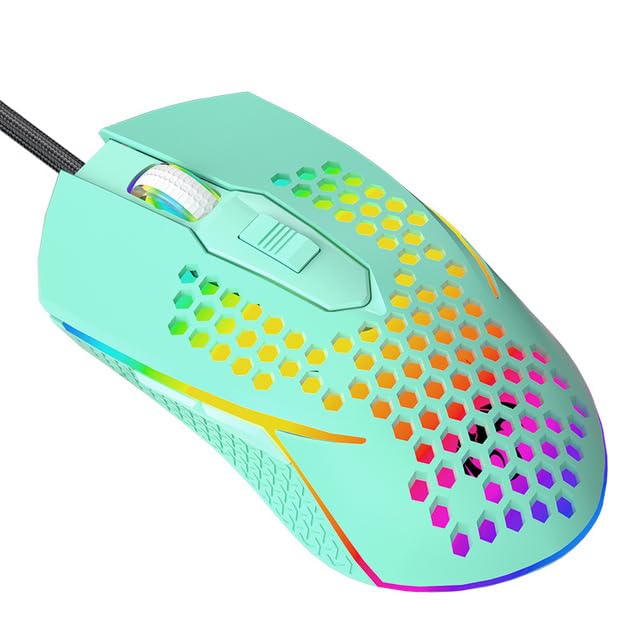
Слика: Крупни план view of the Delux M700 gaming mouse, highlighting its vibrant RGB lighting along the base and scroll wheel, and the ergonomic shape.
Одржавање
Правилно одржавање осигурава дуготрајност и перформансе вашег миша:
- Чишћење: Користите меку, суву крпу да обришете површину миша. За тврдокорну прљавштину, благо обришитеampИсперите крпу водом. Избегавајте употребу јаких хемикалија или абразивних материјала.
- Чишћење сензора: Occasionally, use a cotton swab lightly dampened with isopropyl alcohol to gently clean the optical sensor on the underside of the mouse. Ensure no liquid enters the mouse.
- Нега каблова: Avoid sharp bends or excessive pulling on the mouse cable to prevent damage. Store the cable neatly when not in use.
- Складиштење: Чувајте миш на чистом, сувом месту, даље од екстремних температура и директне сунчеве светлости.
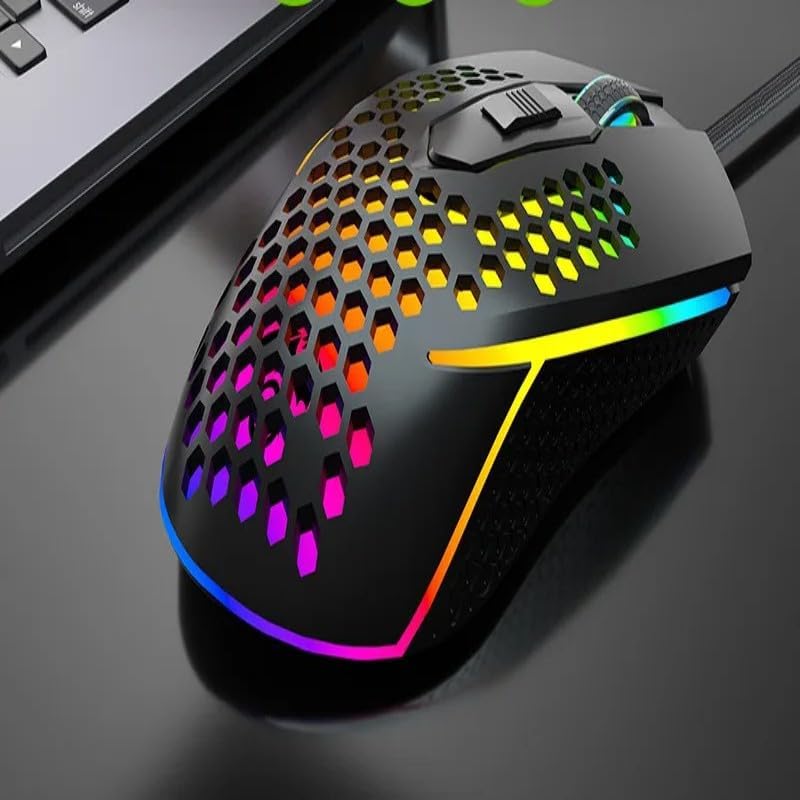
Image: The Delux M700 gaming mouse viewed from the side, clearly showing the lightweight honeycomb design on its shell and the subtle RGB glow.
Решавање проблема
If you encounter issues with your Delux M700 mouse, try the following solutions:
- Миш не реагује:
- Уверите се да је USB кабл безбедно прикључен у исправан USB порт. Покушајте са другим USB портом.
- Поново покрените рачунар.
- Check if the mouse works on another computer to rule out a system-specific issue.
- Cursor Movement is Erratic or Slow:
- Очистите оптички сензор на доњој страни миша.
- Уверите се да користите миш на одговарајућој површини (нпр. подлога за миш).
- Adjust the DPI settings using the DPI button or the software.
- РГБ осветљење не ради:
- Verify that the mouse is properly connected to your computer.
- Check the mouse software for lighting settings and ensure they are enabled.
- If the issue persists, try reinstalling the mouse software.
- Дугмад не функционишу:
- Check the mouse software for any custom button assignments that might be interfering.
- Уверите се да се испод дугмади не заглављују остаци.
Спецификације
| Феатуре | Детаљ |
|---|---|
| Модел | M700 PMW3389 |
| Сензор | PMW3389 Optical Sensor |
| Тежина | 67 грама |
| Дугмад | 7 (Програмабилно) |
| Точкићи за померање | 1 |
| ДПИ | Adjustable, up to 1600 DPI (as per product description, higher possible with sensor) |
| Повезивање | Wired (Soft Cable) |
| Дизајн | Lightweight Honeycomb Shell |
| Осветљење | РГБ |
| Оријентација руке | Десноруки |
| Компатибилни уређаји | Персонал Цомпутер |
Гаранција и подршка
гаранција: Овај производ долази са а 12-месечна гаранција од датума куповине, покривајући производне недостатке.
Подршка: If you encounter any issues with your product, such as defective or incorrect items, please do not hesitate to contact us. We are committed to providing support and will respond to your inquiries within 24 hours.
For further assistance, please refer to the contact information provided with your purchase or visit the official Delux support webсајту.