
Увод
Thank you for choosing the LEXIP Madara Design Headset. This manual provides detailed instructions for setting up, operating, and maintaining your headset. Please read this manual thoroughly before use to ensure optimal performance and longevity of your device.
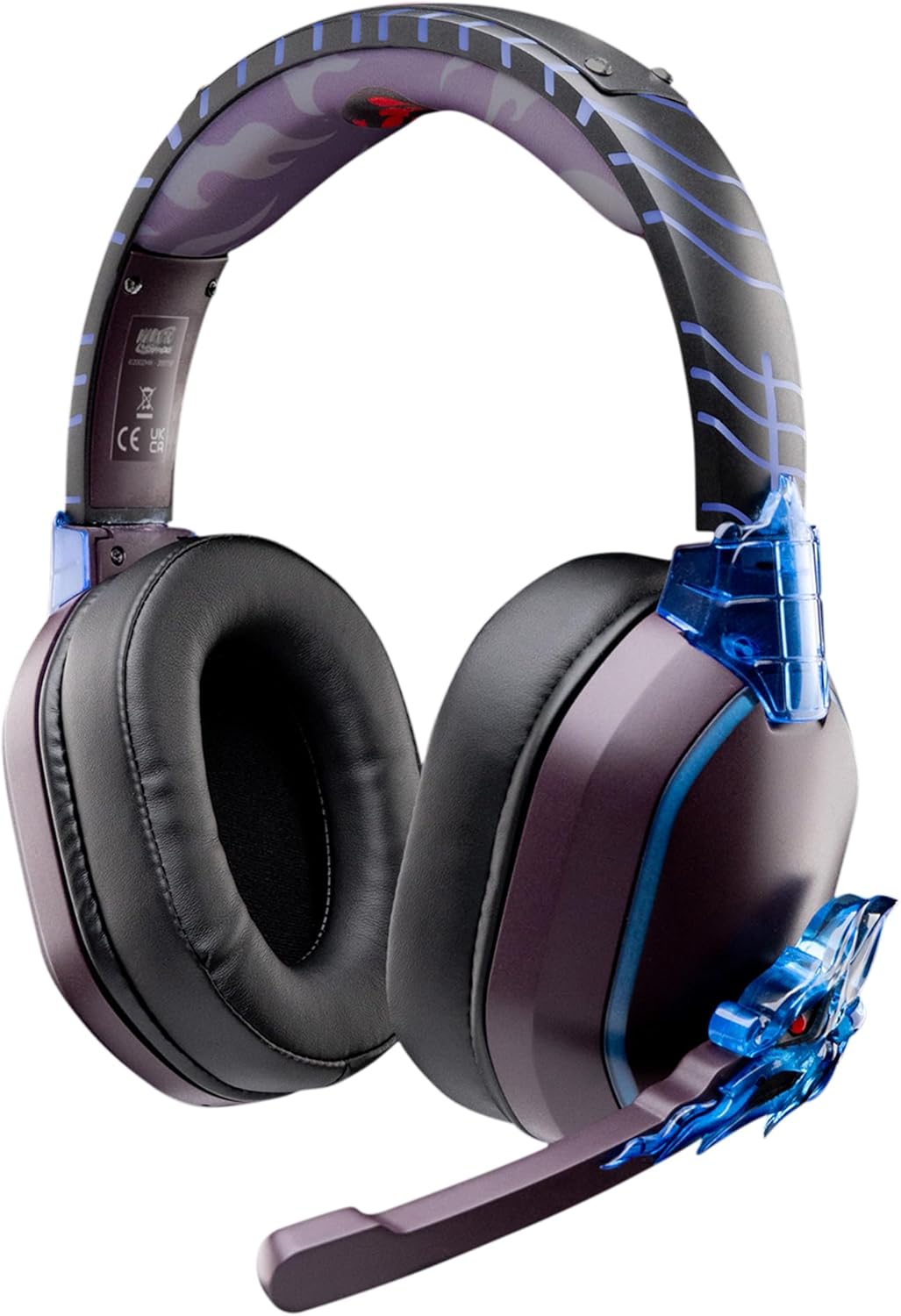
Image: The LEXIP Madara Design Headset, featuring a distinctive purple and blue color scheme with intricate design elements inspired by Madara.
Садржај пакета
Уверите се да су све ставке присутне у пакету:
- LEXIP Madara Design Headset
- Одвојиви микрофон
- 3.5 мм аудио кабл
- УСБ кабл за пуњење
- Упутство за употребу
Производ је завршенview
Familiarize yourself with the components and design features of your headset.

Image: Close-up of the headset's ear cup, highlighting the intricate blue dragon design element.

слика: View of the soft earcups and adjustable headband, designed for comfort during extended use.
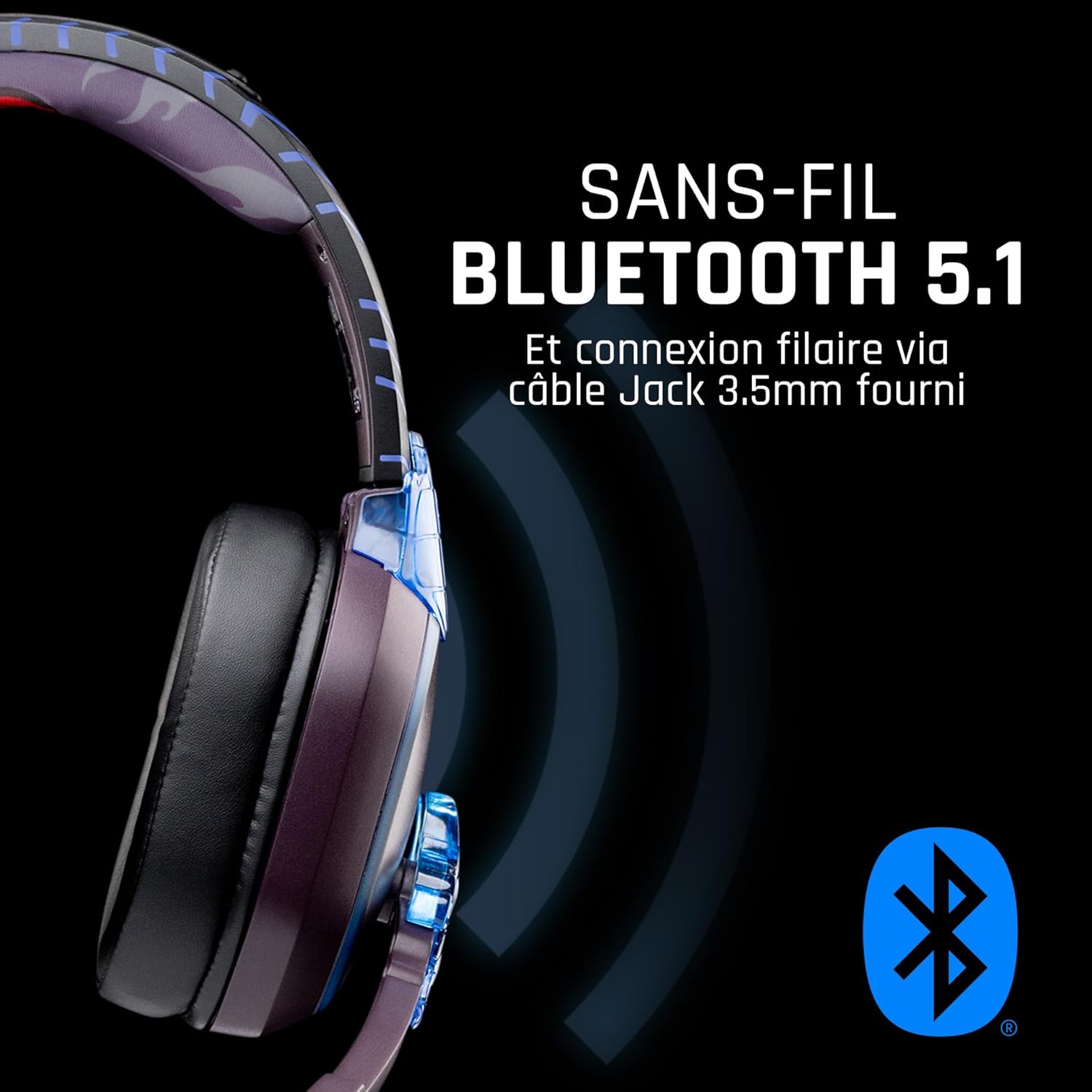
Слика: Са стране view of the headset, illustrating its wireless Bluetooth 5.1 capability and connection points.

Image: The headset displayed on a stand, alongside a matching game controller, showcasing its gaming application.
Кључне карактеристике:
- Wireless Bluetooth 5.1: For seamless wireless audio.
- Жичано повезивање: Via the included 3.5mm Jack cable.
- Одвојиви микрофон: For clear communication and versatility.
- Контрола јачине звука: Integrated controls for easy audio adjustment.
- Изолација буке: Passive noise reduction for an immersive experience.
- Удобан дизајн: Adjustable headband and over-ear form factor.
Сетуп
1. Пуњење слушалица
- Connect the USB charging cable to the charging port on the headset.
- Повежите други крај USB кабла са компатибилним USB извором напајања (нпр. USB портом рачунара, USB адаптером за зид).
- The LED indicator on the headset will show the charging status. A full charge typically takes approximately 2-3 hours.
2. Причвршћивање микрофона
- Locate the microphone input port on the headset, usually on the left earcup.
- Align the detachable microphone connector with the port and gently push it in until it clicks into place.
- Adjust the microphone's position for optimal voice pickup.
Упутство за употребу
1. Укључивање/искључивање
- За укључивање: Притисните и држите дугме за напајање око 3 секунде док се ЛЕД индикатор не упали.
- За искључивање: Притисните и држите дугме за напајање око 5 секунди док се ЛЕД индикатор не искључи.
2. Упаривање путем Bluetooth-а (бежични режим)
- Уверите се да су слушалице искључене.
- Press and hold the Power button for approximately 5-7 seconds until the LED indicator flashes rapidly, indicating pairing mode.
- On your device (Windows 10/11, Mac, PS5, PS4, Xbox Series X/S, Xbox One, Nintendo Switch, Android, iOS, tablets), navigate to Bluetooth settings.
- Тражи available devices and select "LEXIP Madara Headset" (or similar name).
- Једном упарен, ЛЕД индикатор ће престати да трепери и остати стално плави.
3. Жична веза (3.5 мм прикључак)
- Insert one end of the 3.5mm audio cable into the headset's audio jack.
- Insert the other end into the 3.5mm audio port of your desired device.
- The headset will operate in passive wired mode, even if the power is off.
4. Контрола јачине звука
- Use the volume control dial or buttons located on the headset to adjust the audio level.
Одржавање
- Чишћење: Користите меку, суву крпу за чишћење слушалица. Не користите абразивна средства за чишћење или раствараче.
- Складиштење: Чувајте слушалице на хладном и сувом месту, даље од директне сунчеве светлости и екстремних температура.
- Одржавање батерије: За оптимално трајање батерије, избегавајте често потпуно пражњење слушалица. Редовно их пуните.
- Отпорност на воду: The headset is not waterproof. Avoid exposure to liquids.
Решавање проблема
| Проблем | Могући узрок | Решење |
|---|---|---|
| Нема звука из слушалица | Headset not powered on; Volume too low; Not paired/connected; Incorrect audio output selected on device. | Ensure headset is powered on and charged. Increase volume. Re-pair Bluetooth or check 3.5mm cable connection. Select headset as audio output on your device. |
| Не могу да упарим преко Bluetooth-а | Headset not in pairing mode; Device Bluetooth off; Too far from device; Interference. | Ensure headset is in pairing mode (flashing LED). Turn device Bluetooth off and on again. Move headset closer to device. Avoid strong Wi-Fi signals or other Bluetooth devices. |
| Микрофон не ради | Microphone not properly attached; Muted on headset/device; Incorrect input selected on device. | Ensure microphone is securely attached. Check if microphone is muted. Select headset microphone as input device in your device's sound settings. |
| Кратко трајање батерије | Headset not fully charged; Old battery. | Ensure headset is fully charged before use. Battery performance may degrade over time. |
Спецификације
| Број модела | ТСКСЛКСХС0003 |
| Бранд | Лекип |
| Технологија повезивања | Бежично (Bluetooth 5.1), Жично (3.5 мм прикључак) |
| Фреквенцијски опсег | 20 Hz - 20,000 Hz |
| Импеданса | 3 ома |
| Осетљивост | 116 дБ |
| Изолација буке | Пасивно смањење буке |
| Микрофон | Одвојиви |
| Контроле | Volume Control, Remote Control |
| Компатибилни уређаји | Windows 10/11, Mac, PS5, PS4, Xbox Series X/S, Xbox One, Nintendo Switch, Android, iOS, tablets |
| Форм Фацтор | Over-ear, Extra-aural |
| Материјал | Микед Материалс |
| Аге Ранге | Адулт |
| Ниво отпорности на воду | Није водоотпоран |
| Батерија | 1 non-standard battery (included) |
Гаранција и подршка
The LEXIP Madara Design Headset comes with a Двогодишња гаранција произвођача од дана куповине. Ова гаранција покрива недостатке у материјалу и изради при нормалној употреби.
For warranty claims, technical support, or further assistance, please contact LEXIP customer service through their official website or the retailer where the product was purchased. Please have your proof of purchase and model number (TSXLXHS0003) ready when contacting support.
Note: Information regarding spare parts availability and software updates is not available at this time.